
 View on Asset Store (opens in new tab)
Package details
- Latest version
- 2.3
- Last updated
- First released
- Unity version
- 6000.4.5 or later
- Package size
- 2.3 MB
- Files
- 280
- Favorites
- 5
- Views in the past week
- 16
Price tracking
- Last checked
- Tracked since
- Lowest recorded
- $29.99 on
Keywords

Project Verification (PRO) - find & auto-fix errors in your project
- Price drop
Scans your scenes, prefabs & assets for missing references, broken setups and wrong import settings - and fixes most issues with one click. 38+ checks, custom rules, CI/CD ready.
Lowest in 6 months
Get 58% off on Asset Store (opens in new tab)Affiliate link · Purchases support this site
Price history
Last 6 months
USDAsset preview
1 / 10
Project Verification (PRO) - find & auto-fix errors in your project screenshot 1
About this asset
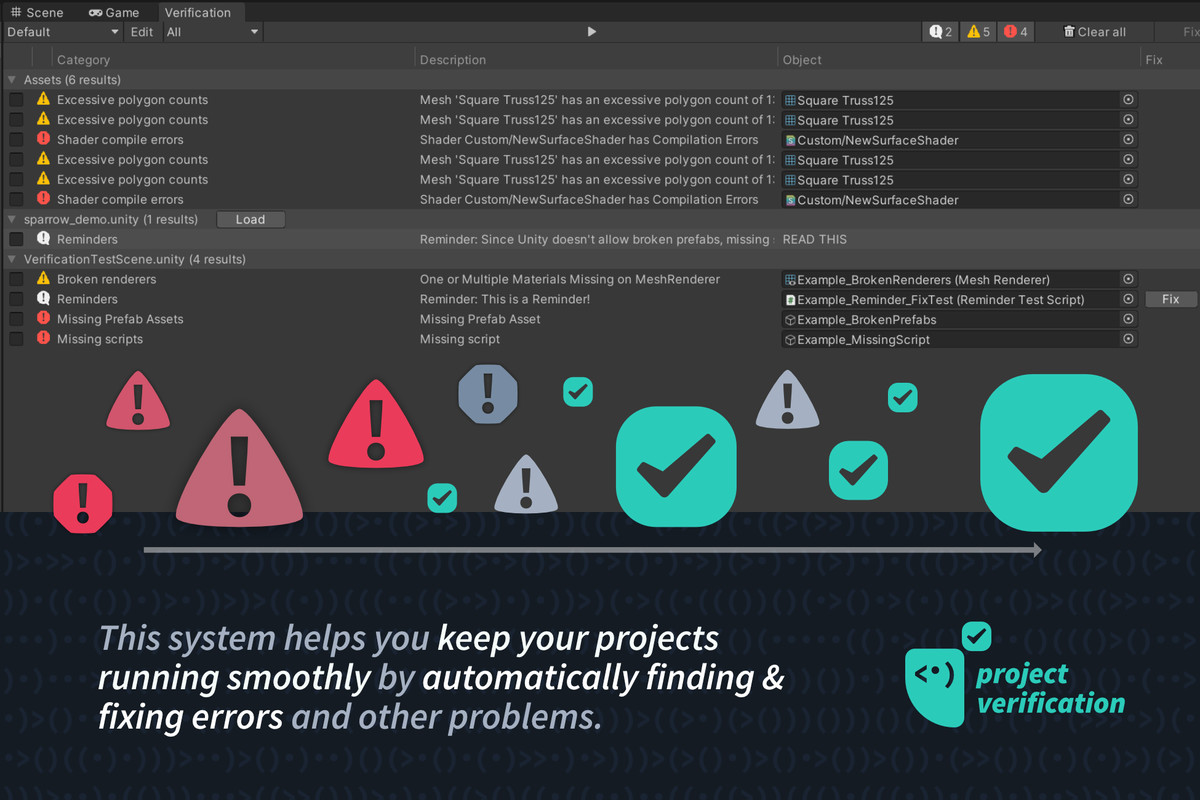
Null references that only show up at runtime. Import settings silently killing your performance. A broken prefab nobody noticed until the build. In a growing project, these problems multiply faster than you can review them by hand.Project Verification scans your scenes, prefabs and assets, shows every issue in one place and fixes most of them with one click.
★★★★★ "The tool is truly a hidden treasure! [...] I am also glad that this asset is backed by a very good developer who is always helpful in any way. I look forward to further upcoming changes and improvements. In short, it is worth all the money." - Off0
✅ MAIN FEATURES
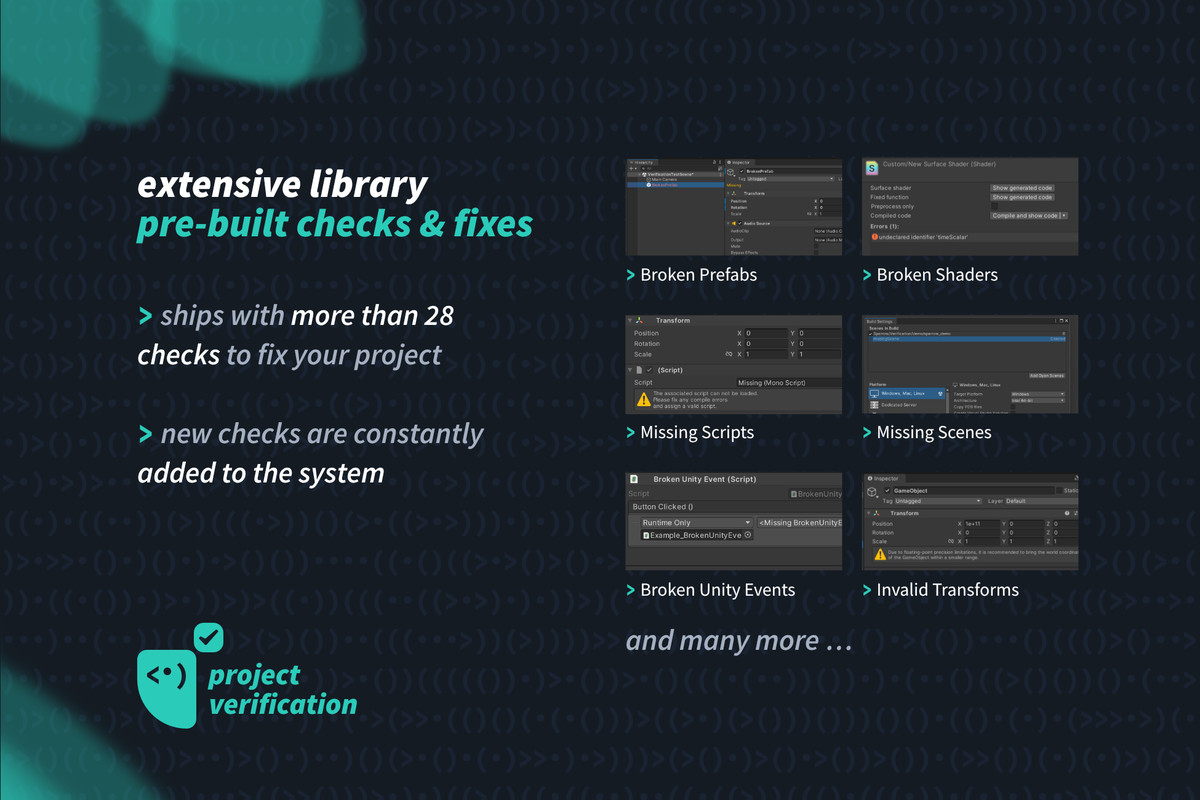
28+ built-in checks: Missing scripts & references, broken prefabs/meshes/shaders/UnityEvents, wrong import settings, oversized textures, audio issues, light settings, UI raycast overhead, mesh Read/Write flags and many more - with automatic fixes wherever possible. Full list in the docs →
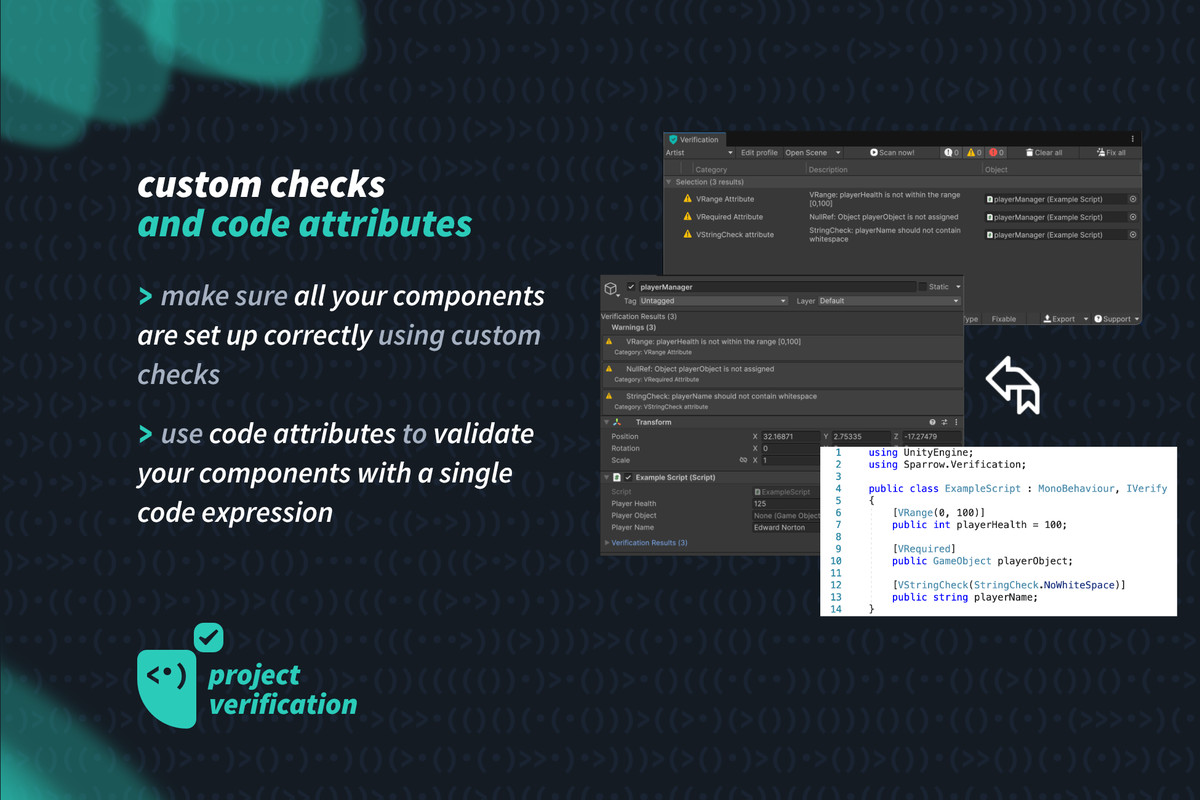
Attribute-based validation: Mark your own fields with [VRequired], [VRange], [VNotNull], [VStringCheck] & more - the system validates your components across the whole project and can even block Play Mode on errors.
Write your own checks: Every project is different. Adding a custom check (with auto-fix) takes one small class or just one override method in an existing MonoBehaviour or ScriptableObject.
CI/CD ready (NEW): Run every check from the command line - JSON and JUnit XML reports, per-profile runs, configurable failure thresholds and proper exit codes. Fail the build before the bug ships.
Render-pipeline aware: Checks understand Built-in, URP and HDRP - no false alarms from HDRP light units.
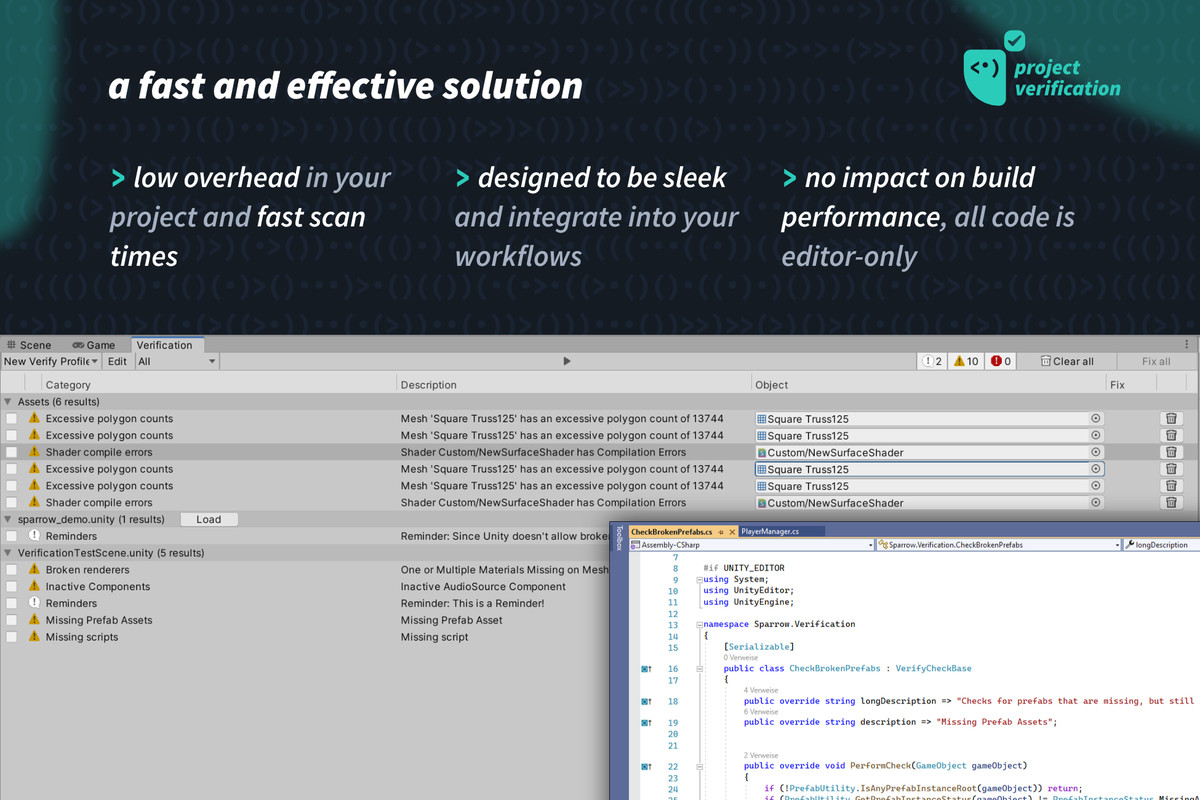
Editor-only code: Zero impact on your builds and runtime performance.
🧑🚀 PRO FEATURES
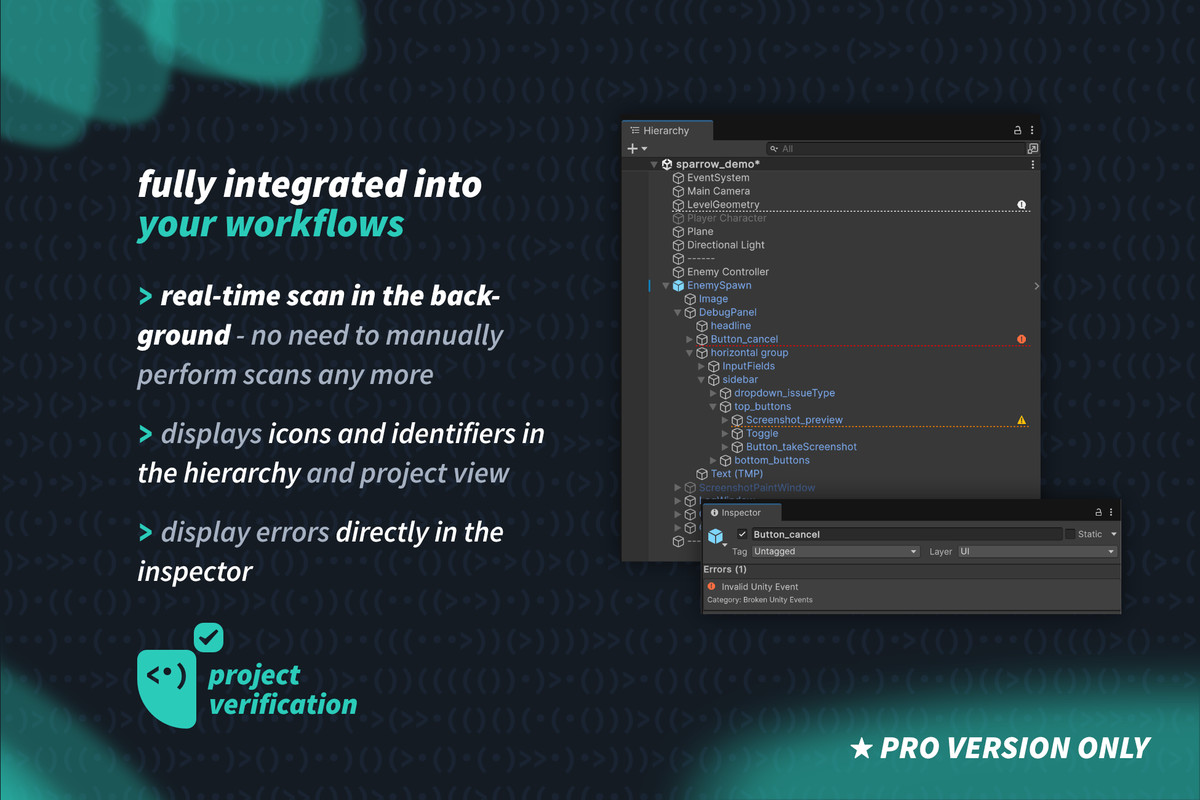
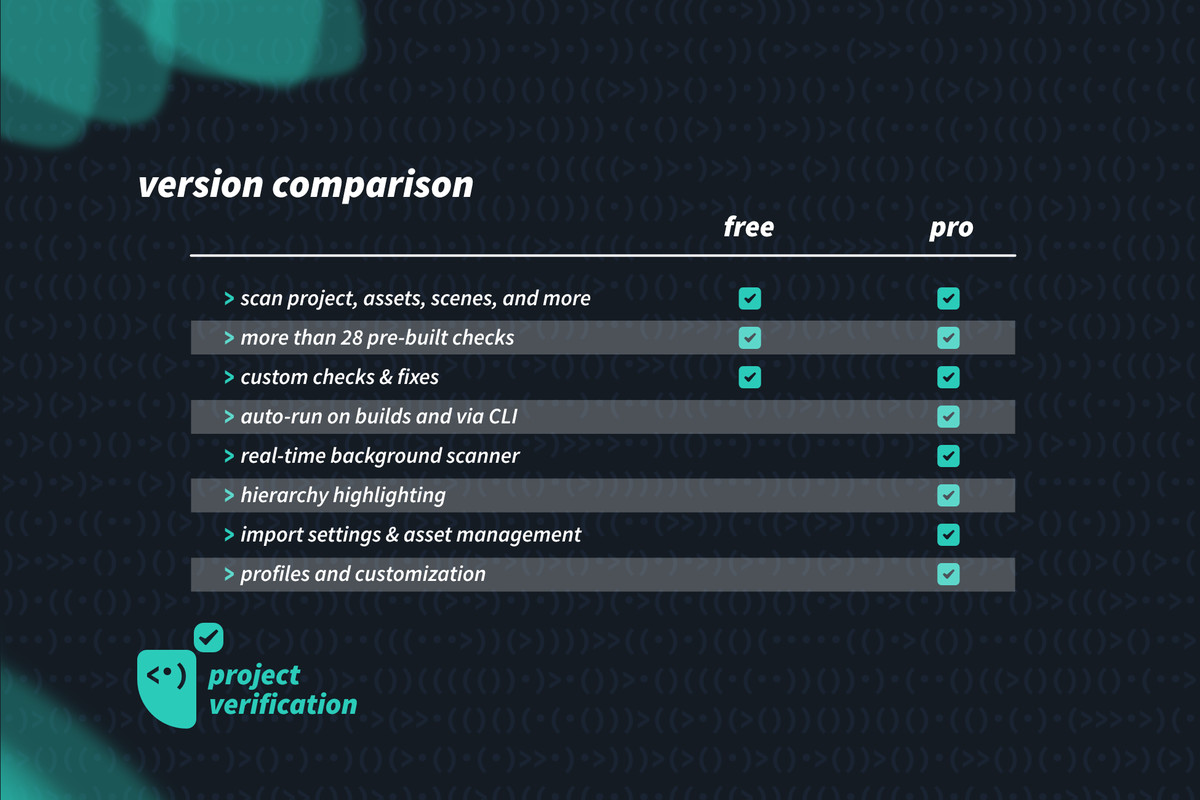
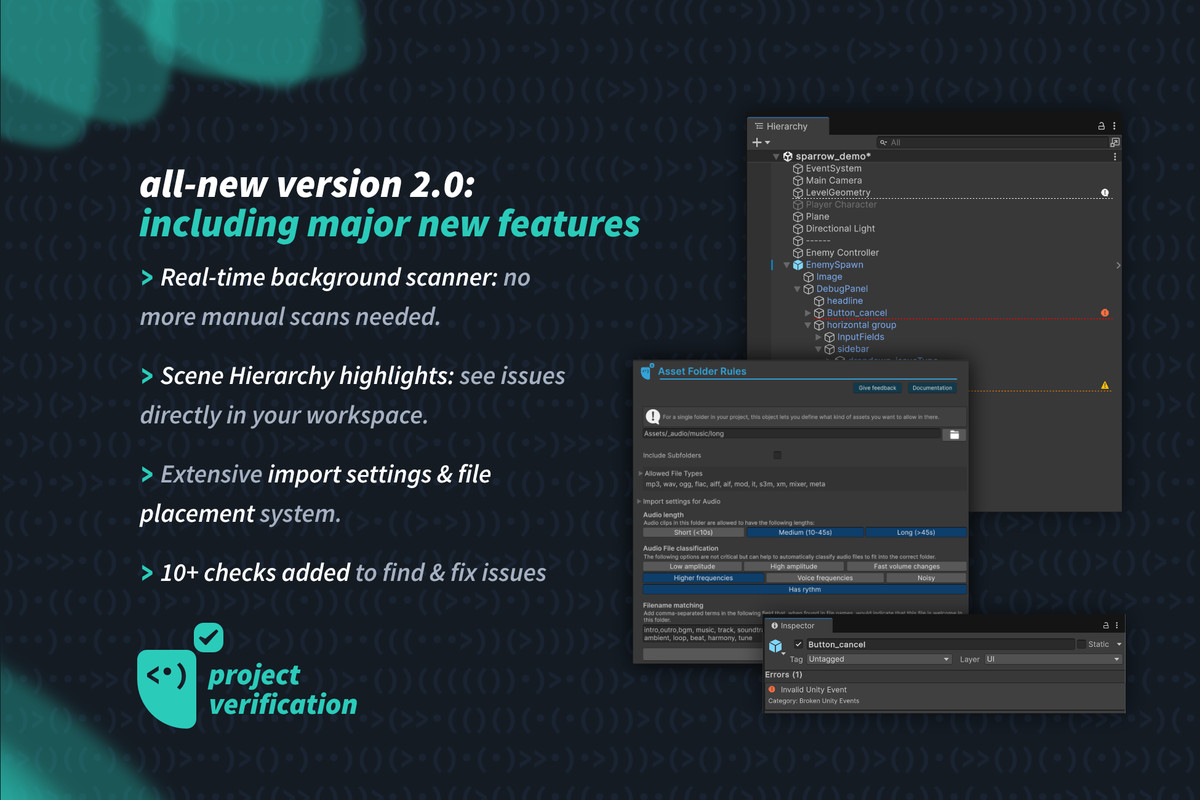
Background scanner: validates while you work, without interrupting you.
Automatic fixes: one-click fixes for most problems. Keep your project clean!
Hierarchy highlighting: results appear directly in your scene and project views.
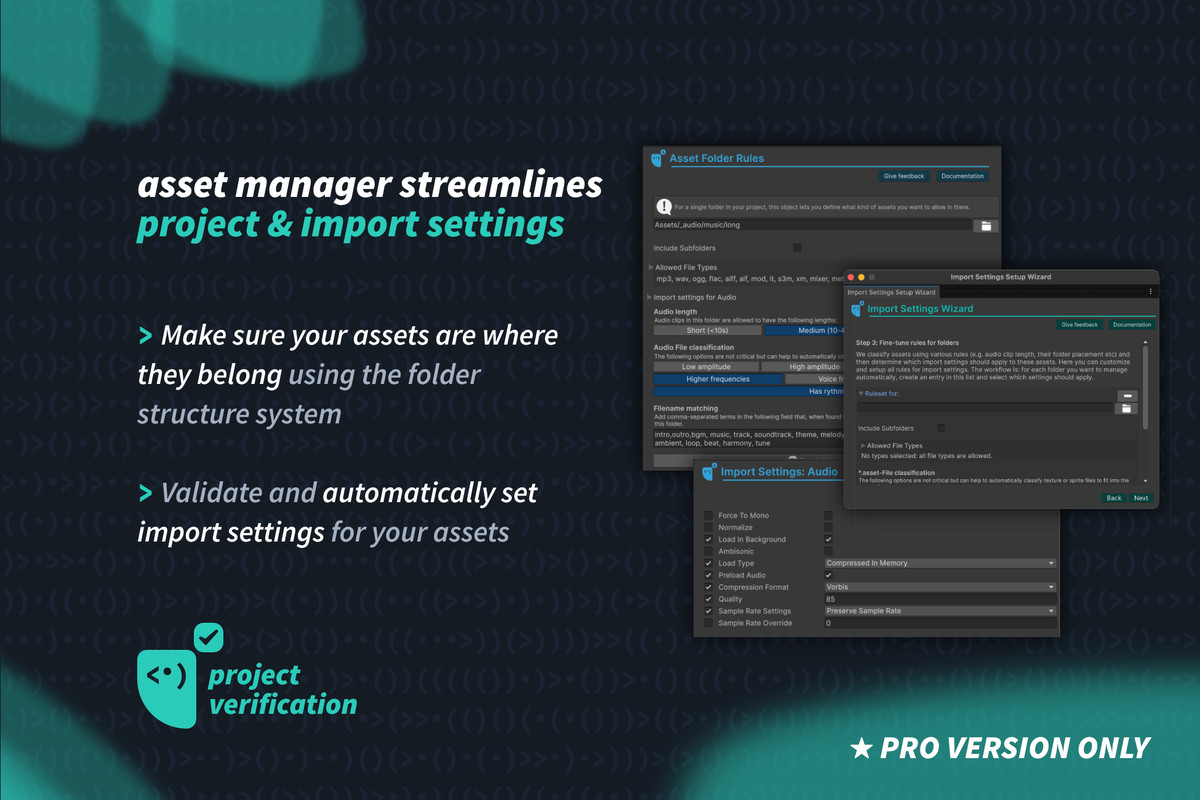
Import settings automation: enforce texture/audio/model import rules and folder structure across the team.
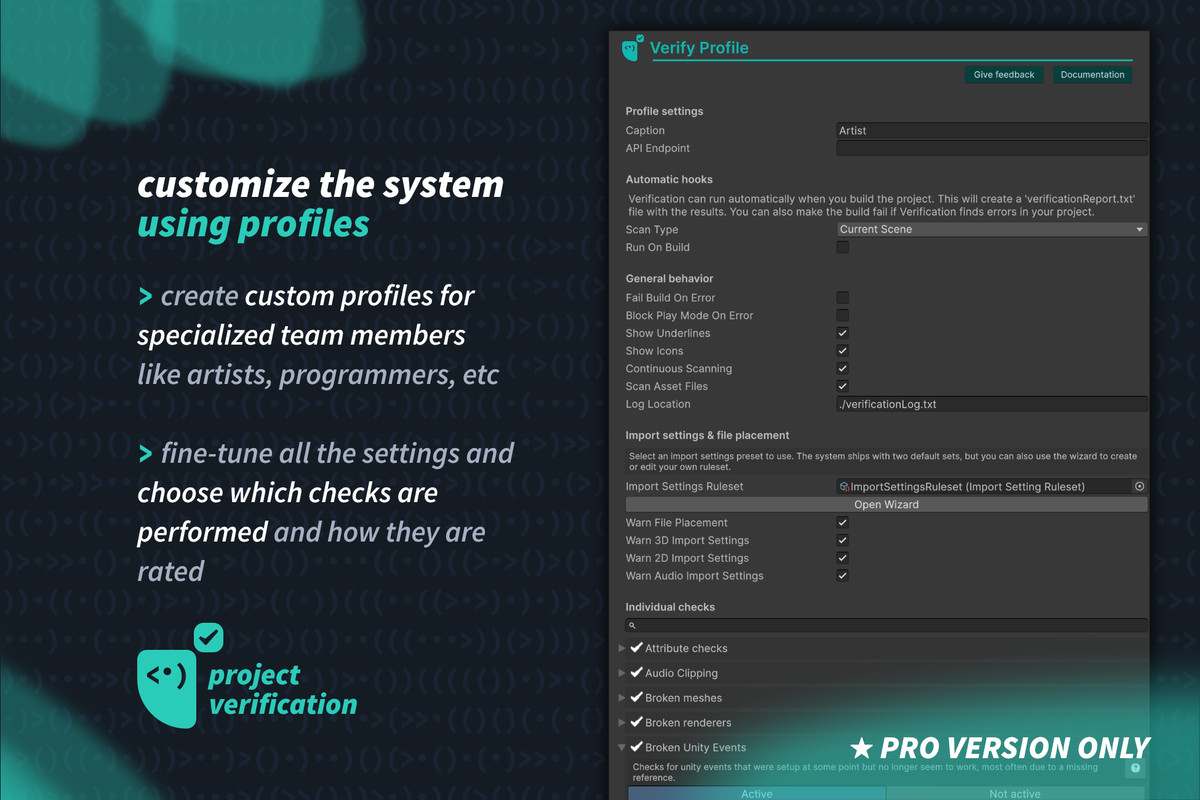
Profiles: tailored check sets for artists, developers, audio - including ready-made presets.
🆕 NEW IN 2.2: Full CI/batch mode · 3 new checks · [VNotNull] · render-pipeline aware light checks · persistent ignore list · scene scans that restore your setup · big scanning speedup.
This is the PRO version with all features.
Try the free version first: upgrade when you need the PRO tools.
💡 Also available in our bundles: All-In Bundle or Dev Ops Bundle
🗒️ Docs | 📺 Youtube | 🗯️ Discord | 📧 Contact | 🌍 Web
From the publisher's Asset Store listing.
Technical details
- Compatibility: checked with Unity 2019, 2020, 2021, 2022, 2023 and Unity 6. Editor-only, so compatible with all build targets (PC, Android, iOS, ...)
- Performance: designed so that there is no impact on the performance of builds, all code only runs in the editor.
Compatibility
| Unity version | Built-in | URP | HDRP | Custom |
|---|---|---|---|---|
| 6000.4.5f1 | Compatible | Compatible | Compatible | Compatible |
As listed on the Asset Store.