
 View on Asset Store (opens in new tab)
Package details
- Latest version
- 1.1
- Last updated
- First released
- Unity version
- 6000.2.8 or later
- Package size
- 123 KB
- Files
- 19
- Favorites
- 15
- Views in the past week
- 15
Price tracking
- Last checked
- Tracked since
- Lowest recorded
- Free on
Keywords

UIDraw
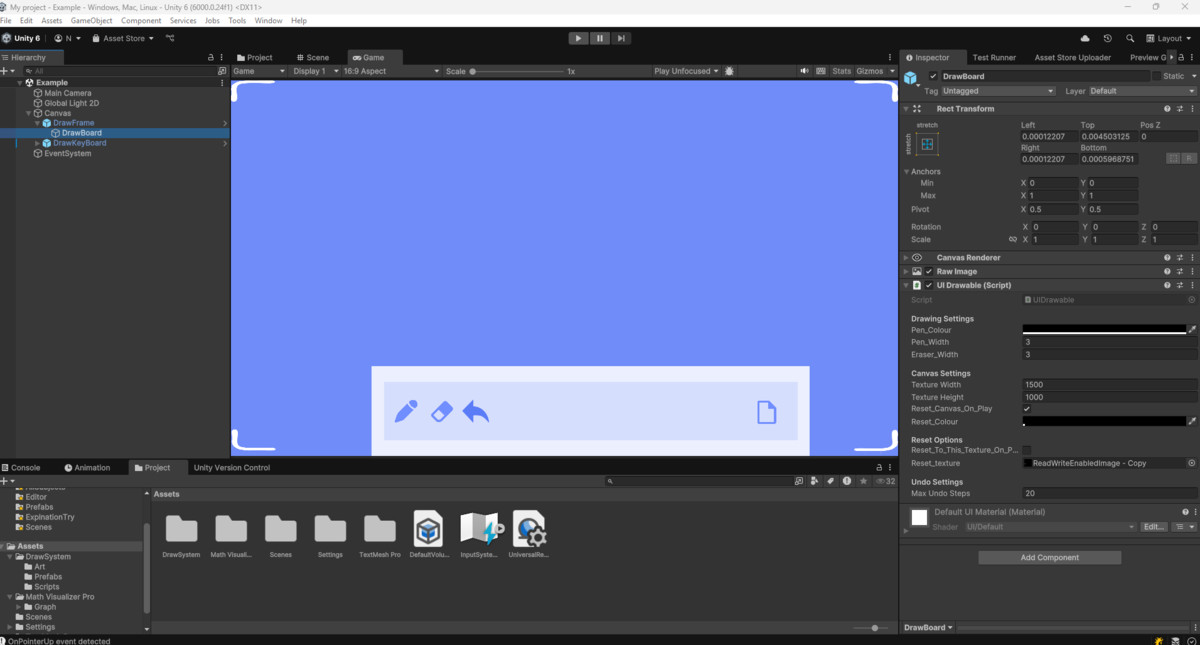
UIDraw is a UI-based drawing system designed to work with the Unity Canvas. It helps you add drawing features directly into your UI.
Affiliate link · Purchases support this site
Price history
Last 6 months
USDAsset preview
1 / 2
UIDraw screenshot 1
About this asset
It's a useful tool for projects that need simple drawing applications, signature capture, annotation tools, or basic interactive whiteboards.
Helpful for:
- Drawing and painting apps
- Educational games with drawing
- Digital signature capture
- Document annotation
- Interactive whiteboards
- Children's creative games
- Mind mapping tools
- Game mechanics that use drawing
Key Features:
- Quick Setup: You can get started by adding the component to a RawImage.
- Multi-Platform: Designed to work on desktop, mobile, and tablet devices.
- Customizable: Includes an API for developers who need to adjust features or build custom implementations.
- Documentation: Comes with guides and code examples to help you get started.
The system is built to be approachable for beginners while still providing options for more advanced developers.
For help, reach out in the Discord!
From the publisher's Asset Store listing.
Technical details
Core Drawing Features
Pen Brush: Smooth line drawing with adjustable width (1-50px) and full RGBA color support
Fill Tool: Intelligent flood fill algorithm for quick area coloring
Eraser: Clean erasing with customizable width and transparency support
Multi-Level Undo: Configurable undo system with up to 50 steps of history
Advanced Input Support
Mouse Input: Precise desktop drawing with drag detection
Touch Support: Multi-touch ready for mobile and tablet devices
Stylus Integration: Full stylus/pen support with pressure detection via Unity Input System
Event-Driven Architecture: Clean callback system for custom input handling
UI Integration
Canvas-Based: Native Unity UI integration with RawImage component
Responsive Design: Automatic scaling across different screen resolutions
EventSystem Compatible: Works seamlessly with Unity's UI event system
Multiple Render Modes: Supports Screen Space Overlay, Camera, and World Space
Customization & Performance
Texture Settings: Configurable resolution (512x512 to 4096x4096)
Memory Optimization: Efficient Color32 array handling for smooth performance
Mobile Optimized: Tested performance settings for mobile deployment
Modular Architecture: Separate systems for brushes, input, and undo functionality
Developer Tools
Complete API: 20+ public methods for full programmatic control
Runtime Texture Access: Save/load drawings as PNG files
Debug Mode: Built-in debugging tools for coordinate tracking
Example Scripts: Color palette, multi-canvas, and save/load implementations
Platform Support
Unity Version: 2021.3 LTS or higher
All Platforms: Windows, Mac, Linux, iOS, Android, WebGL
Scripting Backend: Both Mono and IL2CPP compatible
.NET Framework: 4.7.1 support included
Easy Integration
2-Minute Setup: Simple component attachment process
No External Dependencies: Uses only Unity built-in packages
Clean Namespace: Organized under UIDraw namespace
Production Ready: Thoroughly tested and optimized code
Features
Pen Drawing Tool - Smooth line drawing with customizable width and color
Fill/Bucket Tool - Intelligent flood fill for quick area coloring
Eraser Tool - Clean erasing with adjustable size
Multi-Level Undo - Up to 50 configurable undo steps
Mouse Support - Desktop drawing with precise control
Touch Support - Mobile and tablet touch drawing
Stylus Support - Pressure-sensitive pen input
Canvas Integration - Native Unity UI RawImage component
Custom Colors - Full RGBA color support with transparency
Texture Export - Save drawings as PNG files
Runtime API - Complete programmatic control
Mobile Optimized - Performance tuned for mobile devices
Source Code - Full C# source included
Cross-Platform - All Unity supported platforms
Supported OS
Windows (Desktop/Tablet)
macOS (Desktop/Touch)
Linux (Desktop)
iOS (iPhone/iPad)
Android (Phone/Tablet)
WebGL (Browser)
Compatibility
| Unity version | Built-in | URP | HDRP | Custom |
|---|---|---|---|---|
| 6000.2.8f1 | Compatible | Compatible | Compatible | Compatible |
As listed on the Asset Store.