
 View on Asset Store (opens in new tab)
Package details
- Latest version
- 1.0
- Last updated
- First released
- Unity version
- 2021.3.16 or later
- Package size
- 2.1 MB
- Files
- 144
- Favorites
- 10
- Views in the past week
- 23
Price tracking
- Last checked
- Tracked since
- Lowest recorded
- Free on
Keywords

Ball Burst 2D - Free Game Template
- Price drop
Shoot the main ball at clone balls to trigger chain reactions, use power-ups, and avoid walls across 20 exciting levels with unique themes
Affiliate link · Purchases support this site
Price history
Last 6 months
USDAsset preview
1 / 8

Ball Burst 2D - Free Game Template screenshot 1





About this asset
Ball Burst 2D - Free Game Template
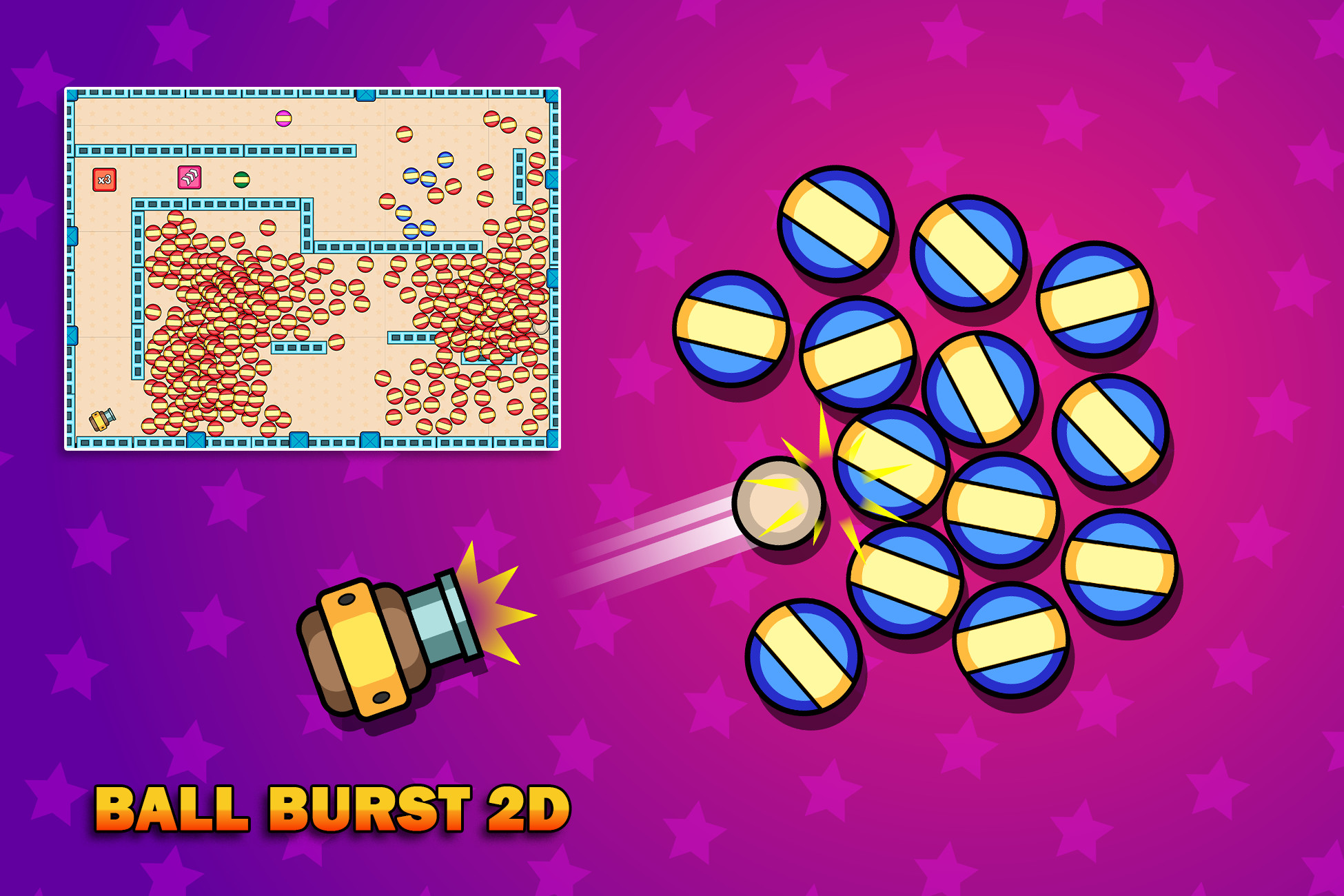
Aim, shoot, and burst your way through exciting levels! Launch the main ball at static clone balls to create explosive chain reactions. Power-ups like Split and Speed Boost add variety and strategy as you progress. But be careful — if your main ball collides with walls too many times, it will explode!
The package comes with 20 ready-to-play levels, each featuring unique themes to keep gameplay fresh and fun.
If you enjoy Ball Burst 2D, be sure to check out our Candy Pinball asset as well. Candy Pinball features timing-based gameplay where players fire a swinging cannon, blast balls, and fill cups across multiple levels, making it a perfect companion for fans of casual and hyper-casual games.
Check out the demos:
🔹 Key Features
- Art Assets: 33 colorful PNG sprites (including a polished game icon) and 9 customizable materials.
- Prefabs: 36 organized, drag-and-drop prefabs for quick scene setup.
- Scenes: Includes a complete Main Menu and an expandable Level Scene.
- Scriptable Objects: Manage levels, gameplay data, and UI with ease — includes 20 prebuilt levels.
- Scripts: 19 clean, optimized, and well-commented C# scripts for smooth gameplay and easy customization.
Fully Customizable
Easily add new levels, tweak mechanics, or swap graphics to create your own unique version of Free Ball Burst 2D.
Support
Questions or need assistance? We’re here to help: blackrosedevelopers.com
From the publisher's Asset Store listing.
Technical details
1.Art
Art folder is subdivided into two folders.
A. Materials
Contains 9 various materials used in the game, which can be customized with different colours or textures including 2 physic materials.
B. Sprites:
Contains 33 unique sprites of game UI and a Game Icon (PNG)
2. Prefabs
The Prefabs folder has 36 prefabs categorized into 5 folders (Gameplay, LevelElements, Levels, Particles and UI) that can be used throughout the gameplay.
3. Scenes
- MainMenu: this is the starting scene of the game which will guide you to the main game play scene or exiting the game with 20 level buttons to choose
- Scene-1: this is the main game play scene
4. Scriptable Objects
- Contents: this scriptable object contains the levels
- Gameplay Data: Contains level number, win state and the game result
- UIData: Contains 4 different UI elements
- Level 1 - 20: contains scriptable objects of the game levels which have data of each level such as number of throws, camera size and the number of wall hits for a ball to break.
5. Scripts
19 Scripts with clear names and functions to ensure easy understanding.
Compatibility
| Unity version | Built-in | URP | HDRP |
|---|---|---|---|
| 6000.0.20f1 | Compatible | Compatible | Compatible |
| 2021.3.16f1 | Compatible | Compatible | Compatible |
As listed on the Asset Store.