
 View on Asset Store (opens in new tab)
Package details
- Latest version
- 1.0.0 - Initial Release
- Last updated
- First released
- Unity version
- 6000.0.63 or later
- Package size
- 3.8 MB
- Files
- 106
- Favorites
- 4
- Views in the past week
- 19
- Requires
Price tracking
- Last checked
- Tracked since
- Lowest recorded
- $7.99 on
Keywords

Motion Suite - Game Feel Toolkit
The complete "Game Feel" toolkit. Add Hit Stops, Camera Shakes, Slow Motion, Recoil, Floating Text, and Juicy Feedback to your game in seconds. No complex coding required.
Affiliate link · Purchases support this site
Price history
Last 6 months
USDAsset preview
1 / 4
Motion Suite - Game Feel Toolkit screenshot 1

About this asset
⭐ Turn "Flat" Gameplay into "Juicy" Action ⭐
You have your mechanics working, but the game feels... dead? Hitting an enemy feels like clicking a spreadsheet?
Motion Suite is a modular "Game Feel" engine designed to inject impact, weight, and polish into your project. It connects Audio, Visuals, Time, and Motion into single events.
Instead of writing complex coroutines for every sword swing, simply drag-and-drop these components to make your game feel professional.
✨ CORE FEATURES
1. Time Manipulation (The "Secret Sauce")
- Hit Stop: Freezes the game for a split second on impact (like Street Fighter or Zelda) to sell the power of a hit.
- Time Dilator: Handles smooth, slow-motion transitions, automatically pitching down background music and applying Vignette/Chromatic effects for a cinematic feel.
2. Procedural Animation
- Recoil: Add punchy kickback to weapons or objects without using Animators.
- Pop Effect: Instant squash-and-stretch scaling for UI buttons, enemy spawns, or loot drops.
- Breathing: Add idle life to floating items or characters with randomized sine-wave motion.
3. Visual Feedback
- Flash Feedback: Flashes enemies white/red when hit. Features an "Auto-Find" button to handle complex hierarchies and multiple meshes instantly.
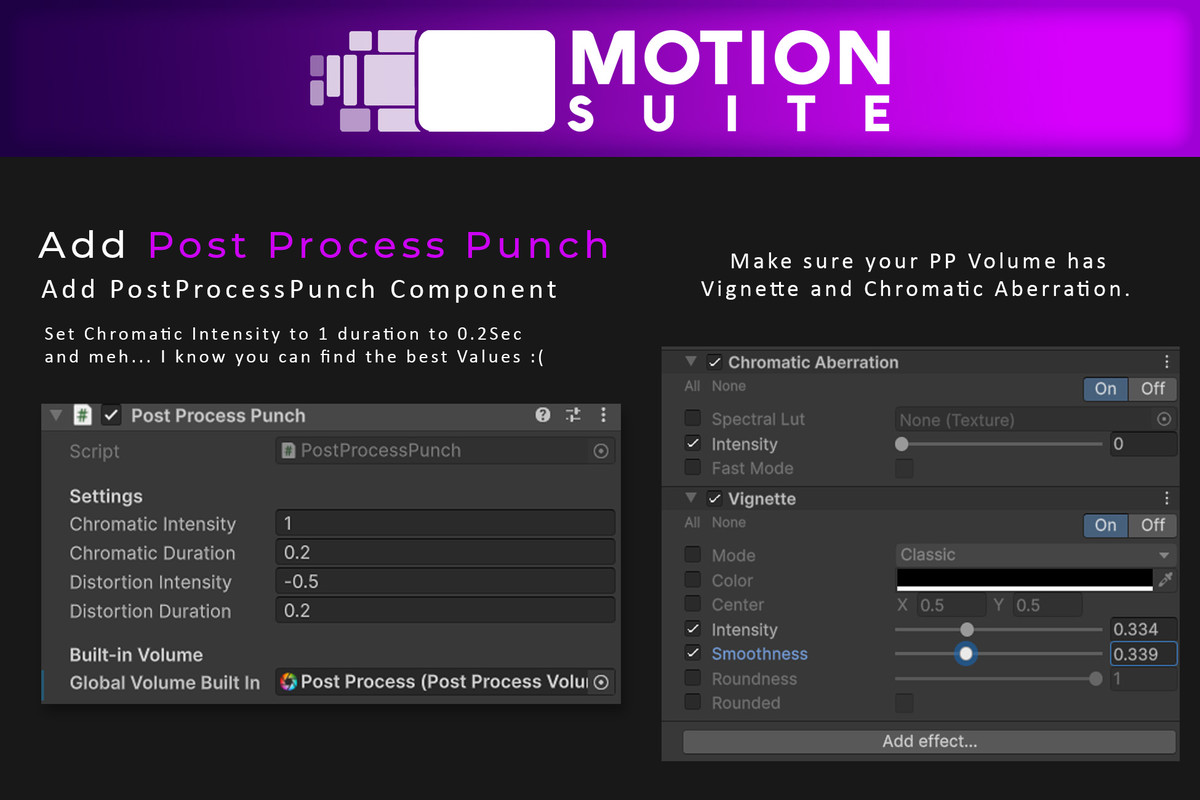
- Post-Process Punch: Glitches the screen (Chromatic Aberration) or warps the lens (Distortion) on heavy impacts.
- FOV Kick: Dynamically widens the camera field-of-view during dashes or speed boosts.
4. Audio Engineering
- Audio Ducker: Automatically lowers background music volume when a heavy sound effect plays (Death/Explosion) to make it cut through the mix.
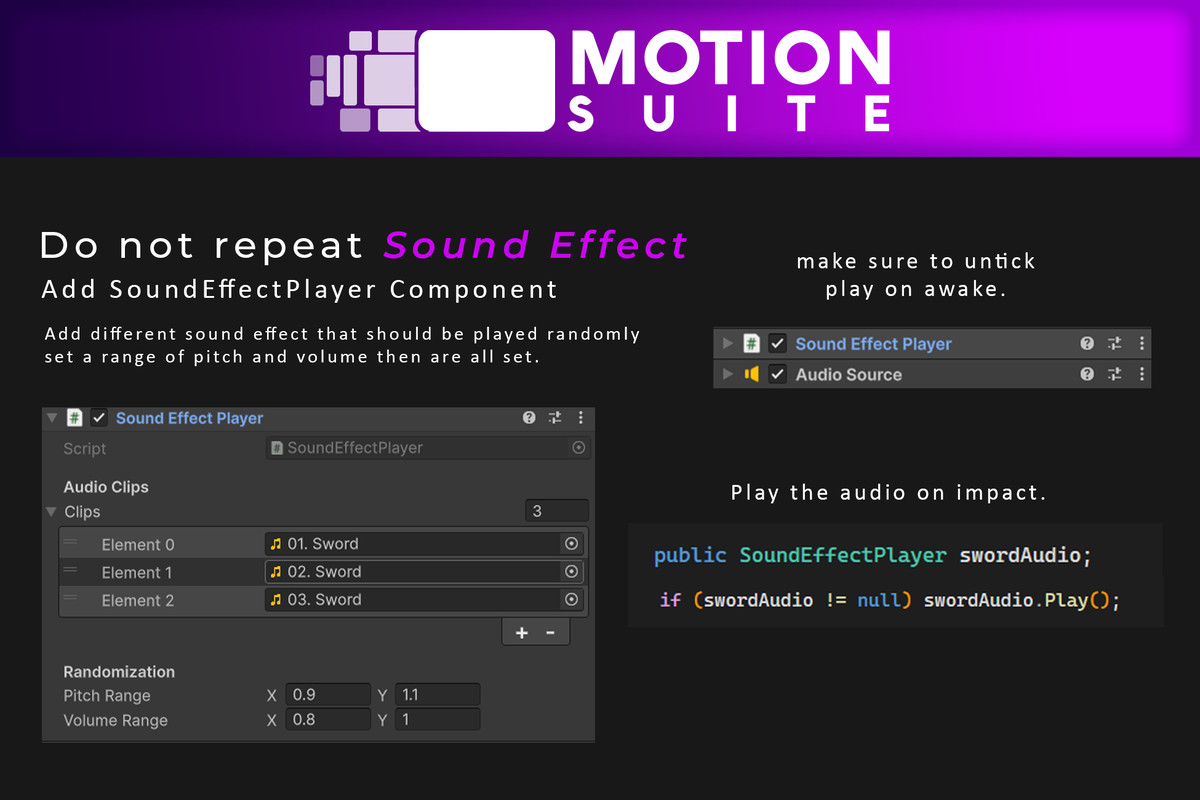
- SFX Player: Randomizes pitch and volume so your repetitive sounds (footsteps, sword swings) never sound robotic.
5. Camera & UI
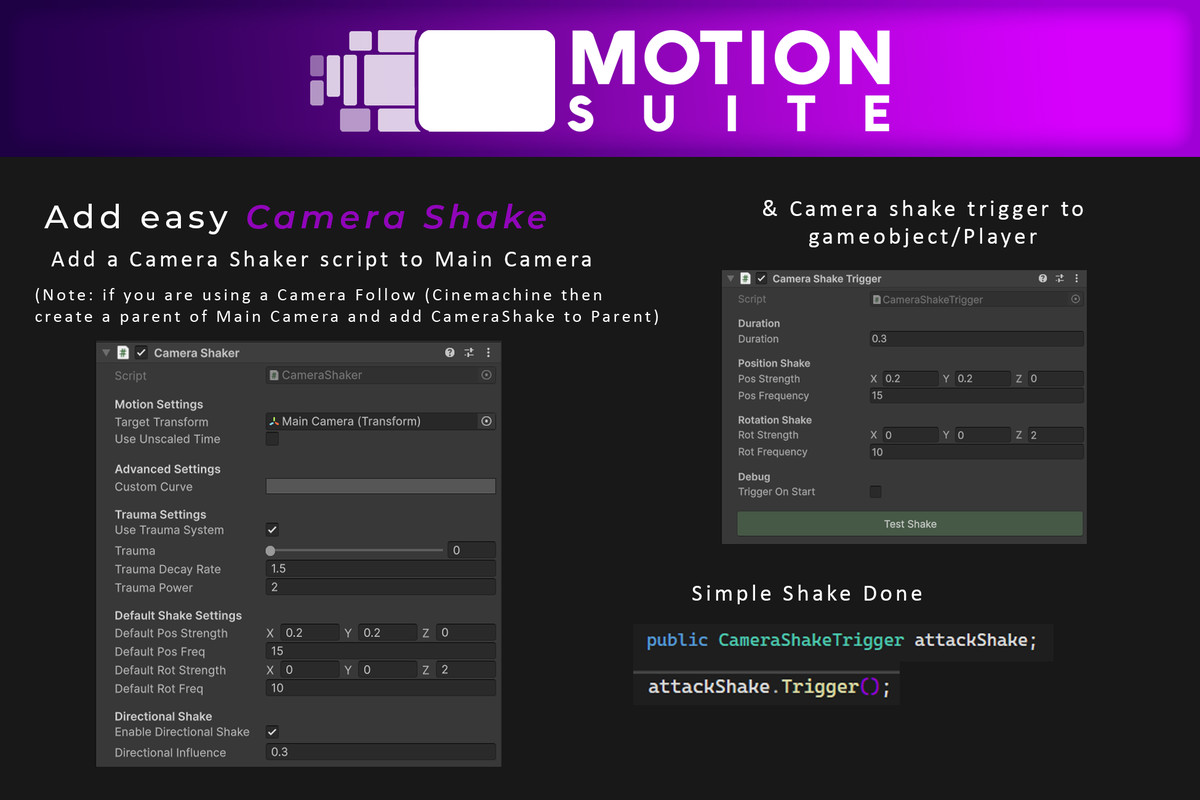
- Camera Shaker: A layered noise system to vibrate the screen. Works independently of object movement.
- Smooth Follow: A robust camera tracking script with Look-Ahead and Mouse Influence.
- Floating Text: A high-performance, object-pooled system for damage numbers.
- Juicy Health Bars: UI bars that shake and animate smoothly when values change.
🛠️ TECHNICAL INFO
- Render Pipelines: Built with URP in mind, but includes auto-switching scripts for Built-in Pipeline support (requires 'Post Processing' package).
- Dependencies: Requires DOTween (Free) for tweening math.
- Input System: Agnostic. Works with both Old and New Input systems.
- Source Code: Full C# source code included. Clean, commented, and modular.
📂 WHAT'S IN THE BOX?
- 15+ Polished Scripts (Managers, Effects, Controllers).
- Custom Editor Windows (Welcome Screen, Test Buttons).
- A complete Combat Demo Scene showing all effects combined into a playable "Vertical Slice."
- Comprehensive PDF Documentation.
Support:
If you have questions, please contact: [email protected]
From the publisher's Asset Store listing.
Compatibility
| Unity version | Built-in | URP | HDRP |
|---|---|---|---|
| 6000.0.63f1 | Compatible | Compatible | Compatible |
As listed on the Asset Store.