
 View on Asset Store (opens in new tab)
Package details
- Latest version
- 1.06
- Last updated
- First released
- Unity version
- 2019.2.9 or later
- Package size
- 54.8 MB
- Files
- 361
- Favorites
- 543
- Views in the past week
- 10
Price tracking
- Last checked
- Tracked since
- Lowest recorded
- $7.00 on
Keywords
Virtual World Framework
Affiliate link · Purchases support this site
Price history
Last 6 months
USDAsset preview
1 / 12

Virtual World Framework screenshot 1


About this asset
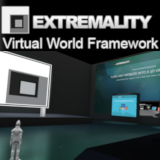
The Extremality Virtual World Framework provides you an affordable toolkit to quickly build multi-user, multi-platform, responsive virtual worlds on any web browser, smartphone, tablet or desktop computer. Enabling you to communicate more effectively with your audience. This set of scripts can save your hours of time and allow you quickly learn how to build your own virtual world based applications
Turn any website into a virtual world
You can turn any website into a virtual world using WebGL and collaborate in real-time with users on Android, iOS or Desktop platforms.
Mobile and Tablet Support
You can create multi-user app for your smartphone and tablet that can communicate in real-time with other smartphone and tablet users as well as WebG and desktop users. The UI is responsive so it resizes for each device and includes an example of how to add the standard asset mobile controls
Requires Photon for Unity 2 (PUN 2)
We have integrated the Photon Unity Network(PUN 2) with examples on how to select scenes, select different characters that spawn into a room, room chat, and synchronized objects. Support for Photon Chat and Photon Voice coming soon. Also the network scripts are event driven and designed in a way that we can add support for UNET in a future release.
What we include
Includes needed scripts for responsive user-interface (re-sizes for different device screen sizes), scene selection, room selection, character selection, Using a workflow based architecture your logic is managed in workflow states making it easy to manage your logic and customize the workflow for your needs.
The included example scene supports room chat and has an example of setting a texture that is network synchronized.
All Script Source Included
- Application Manager
- Workflow Manager
- Process Manager
- UI Manager
- Setting Manager
- Scene Manager
- Instance Manager (Room)
- Character Manager
- Simulation Manager
- Level Manager
- Camera Manager
- Assetbundle Manager
- File Manager
- Asset Manager
- Network Manager
- Chat Manager
- Process Manager
Any one of these scripts can save you hours of research and develop to write. Together they give you everything you need to make a working virtual world quickly.
Adding Scenes
You can easily add new scenes you purchase from the asset store or build yourself by adding them to the Scene Manager list which dynamical builds the UI Scene Selection list. To add a scene you simply add a level manager prefab and a spawnpoint.Adding Characters
You can easily add new characters you purchase from the asset store or build yourself by adding them to the Character Manager list which dynamical builds the UI Character Selection list. To add a character you simply add a character definition script and a photon view We include an example of using the Standard Asset character and character control but you can use your own.What can you do with it
Can be used to create virtual worlds, presentation spaces, collaboration or planning spaces, commerce spaces, learning modules as well as serious games and games. Really anything that exist in the real world can be a virtual world.
What's Next
Improve the single demo scene into a presentation space, a meeting space, a commerce space and a learning space by adding scene functionality you can reuse for your own scenes, Add Photon Chat and Photon Voice. Improved assetbundle support.
From the publisher's Asset Store listing.