
 View on Asset Store (opens in new tab)
Package details
- Latest version
- 1.0
- Last updated
- First released
- Unity version
- 2022.3.42 or later
- Package size
- 168 KB
- Files
- 28
- Favorites
- 4
- Views in the past week
- 3
Price tracking
- Last checked
- Tracked since
- Lowest recorded
- $10.00 on
Keywords
- Search for folder organizer
- Search for game project management
- Search for asset
- Search for clean project hierarchy
- Search for Tool
- Search for Unity editor tool
- Search for asset organizer
- Search for unity productivity
- Search for asset manager
- Search for asset sorter
- Search for Unity Prefab Tool
- Search for Project Cleanup
UsedAssetsOrganizer
- Price drop
Organize used assets with ease! Auto-detect, categorize, and prefab primitives in Unity scenes. Save time and keep projects clean.
Lowest recorded price
Get 50% off on Asset Store (opens in new tab)Affiliate link · Purchases support this site
Price history
Last 6 months
USDAsset preview
1 / 5
UsedAssetsOrganizer screenshot 1
About this asset
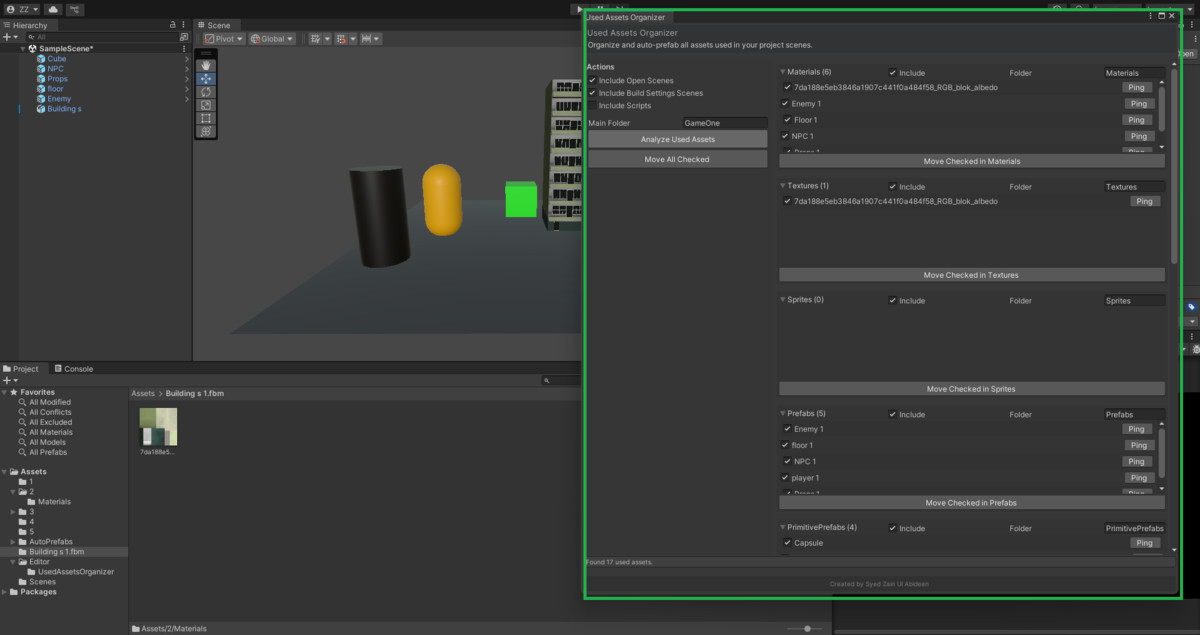
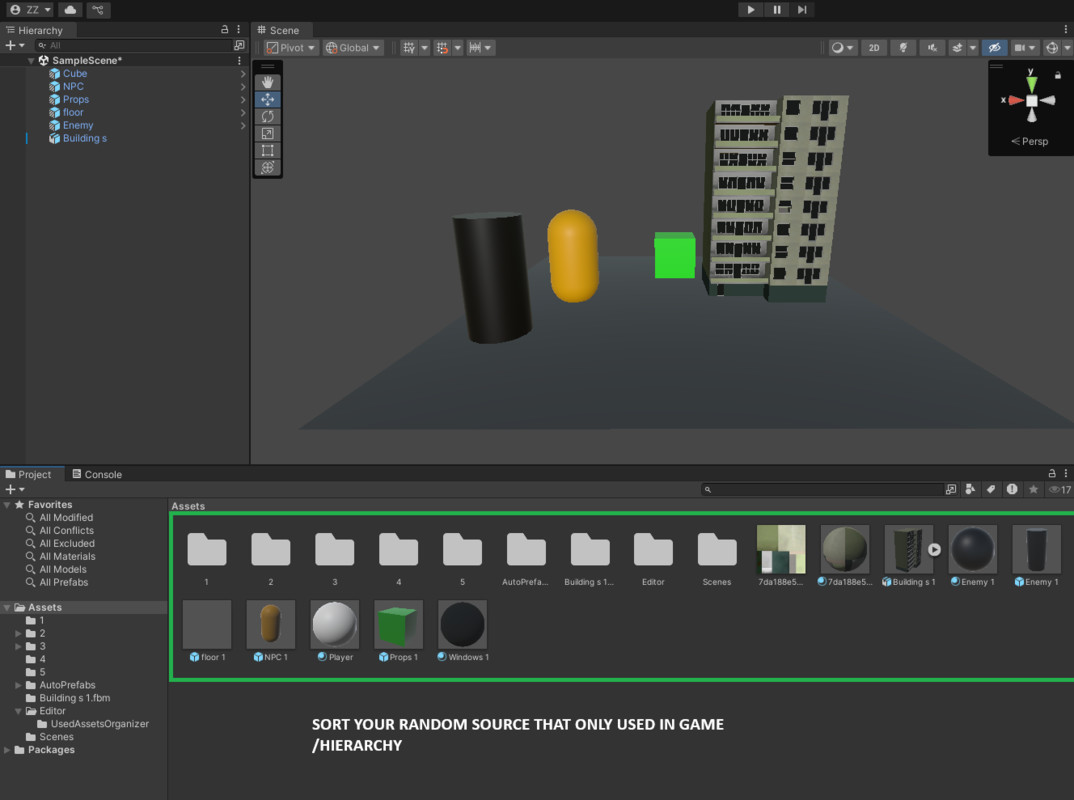
Used Assets Organizer is a powerful Unity Editor tool that automatically detects and organizes all assets actually used in your project.
⚡ Features
- Auto-detects assets from open/build scenes
- Creates prefabs for primitives (Cube, Sphere, Capsule, etc.)
- Categorizes materials, textures, models, audio, animations, shaders, and more
- Custom folder naming for each category
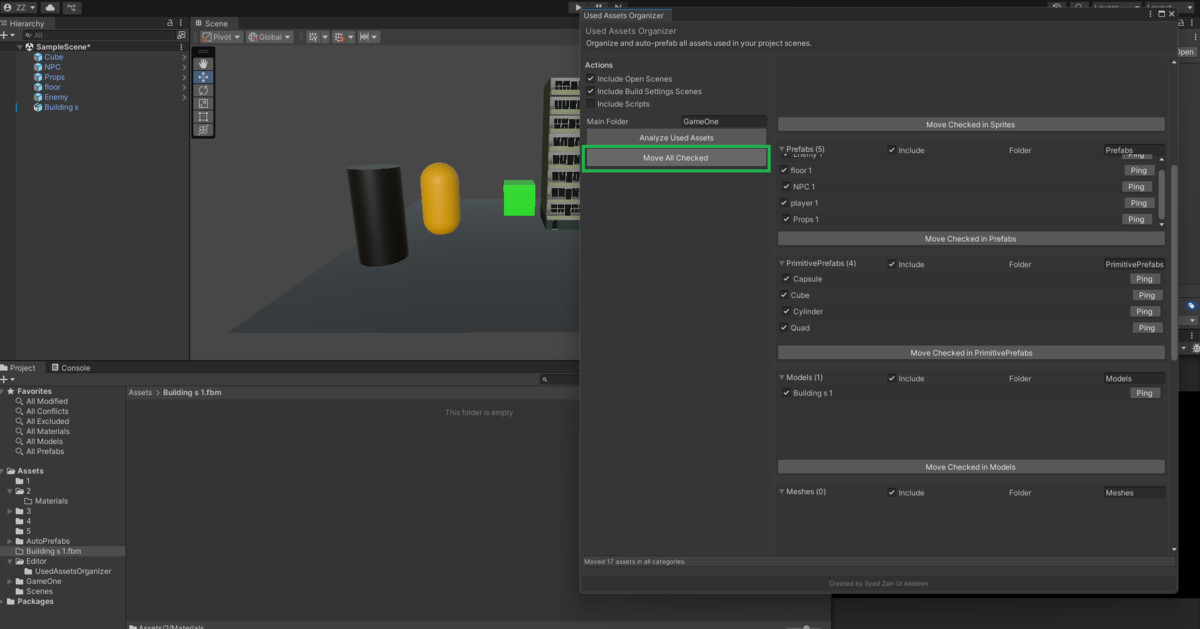
- One-click move to structured project folders
- Works with Unity Editor Light & Dark themes
🎯 Why Use It?
- Avoid unused clutter in builds
- Keep project hierarchy clean and professional
- Perfect for optimization, archiving, and team workflows
📂 Organize your assets instantly and speed up production!
From the publisher's Asset Store listing.
Technical details
Requirements
- Unity 2021.3 LTS or higher (tested up to 2025.x)
- Works in both Windows and macOS editors
- Compatible with Built-in, URP, and HDRP projects (no rendering dependency)
Editor Only
- This is an Editor Utility; it does not add runtime scripts or components to your build.
- Safe to include in production projects.
Workflow
- Open the tool via Tools → Used Assets Organizer.
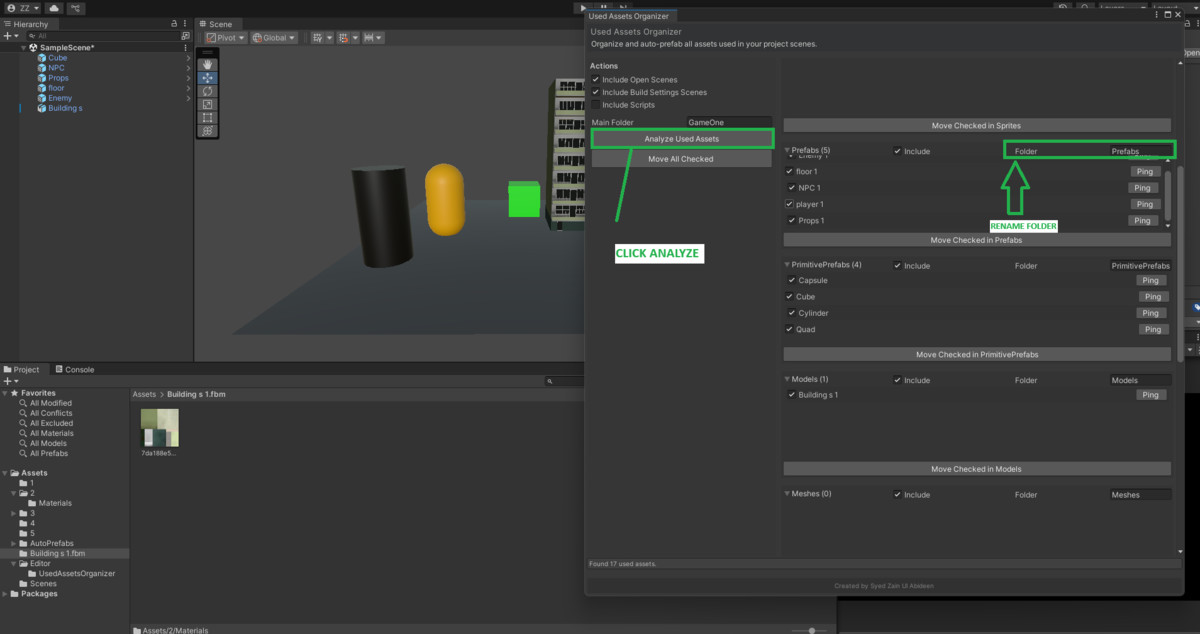
- Click Analyze Used Assets to scan open/build scenes.
- The tool automatically:
Detects and lists assets actually referenced in your project.
Categorizes them (Materials, Textures, Prefabs, Models, Animations, Audio, Shaders, Scripts).
Detects Unity primitives by mesh (Cube, Sphere, Capsule, etc.) and generates prefabs for them. - Review items, check/uncheck, and move them into auto-created folders with one click.
- Customize folder names per category directly in the UI.
Performance
- Uses AssetDatabase.GetDependencies for reliable asset detection.
- Optimized scanning for large projects.
- Ignores unused assets → reduces clutter and keeps the build clean.
Customization
- Each category has its own renameable folder.
- Toggle inclusion per category (e.g., exclude Scripts if not needed).
- Works seamlessly with existing project hierarchies.
Output Structure
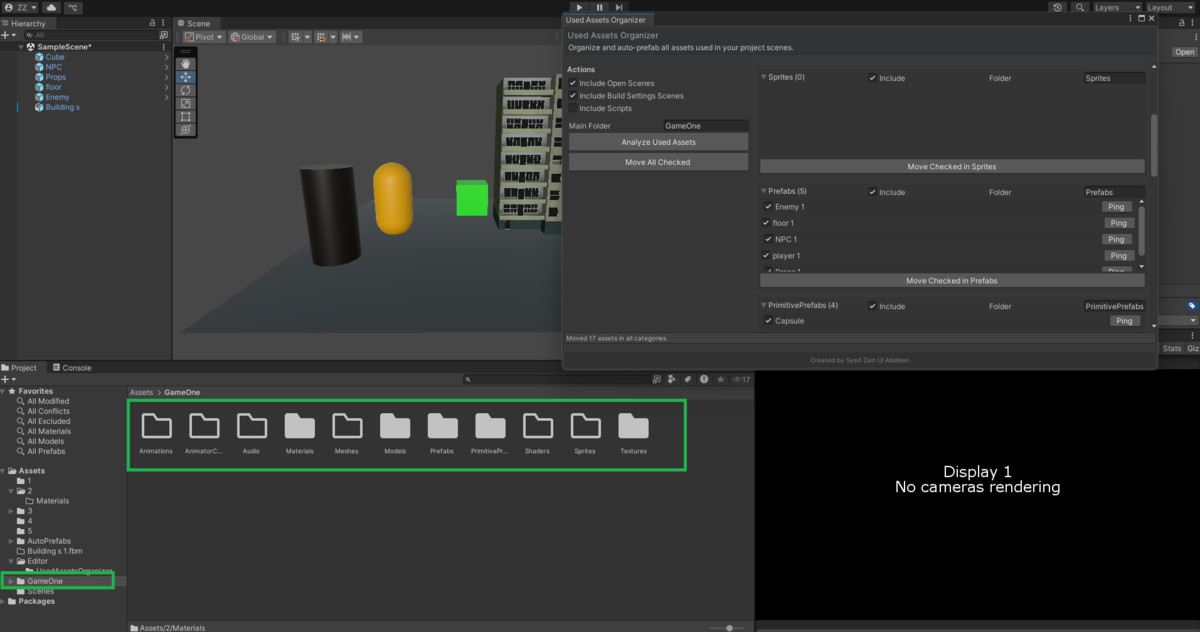
After moving assets, your project is organized under:
Assets/
└── GameOne/ (or your custom root folder)
├── Materials/
├── Textures/
├── Sprites/
├── Prefabs/
├── PrimitivePrefabs/
├── Models/
├── Meshes/
├── Audio/
├── Animations/
├── AnimatorControllers/
├── Shaders/
└── Scripts/
Supported Platforms
- Works in Editor on Windows & macOS.
- Supports projects targeting PC, Mobile, Console, VR, AR (since it’s editor-only, no platform restrictions).
Compatibility
| Unity version | Built-in | URP | HDRP | Custom |
|---|---|---|---|---|
| 2022.3.42f1 | Compatible | Compatible | Compatible | Compatible |
- Editor-only utility, works with Unity 2021.3 LTS and newer. Tested in 2022.3+ LTS. Compatible with Built-in, URP, HDRP, and Custom RP. Supports Windows and macOS editors. No runtime impact, no external dependencies, safe for projects targeting PC, Mobile, Console, VR, and AR.
As listed on the Asset Store.