
 View on Asset Store (opens in new tab)
Package details
- Latest version
- 1.7.0
- Last updated
- First released
- Unity version
- 6000.0.55 or later
- Package size
- 105 KB
- Files
- 11
- Favorites
- 12
- Views in the past week
- 11
Price tracking
- Last checked
- Tracked since
- Lowest recorded
- $17.49 on
Keywords
- Search for Decal converter
- Search for Automatic Conversion
- Search for Pipeline Upgrade
- Search for Legacy Pipeline
- Search for URP to HDRP
- Search for Shader
- Search for Conversion Tool
- Search for Migration Tool
- Search for render pipeline
- Search for universal render pipeline
- Search for Material Converter
- Search for Unity 6 Tool

Null Migration Helper | URP/HDRP Converter
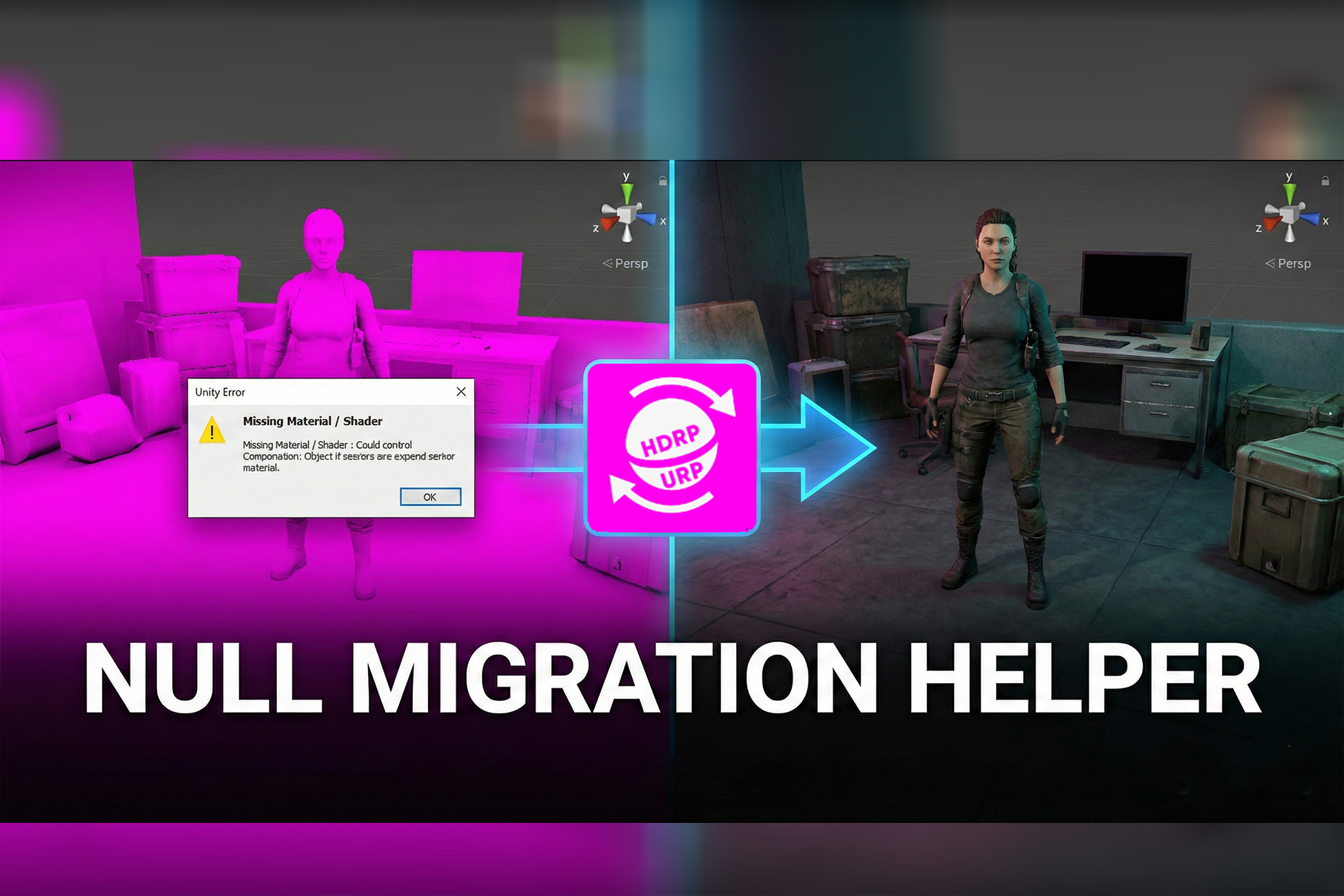
Null Migration Helper lets you switch between Unity’s URP and HDRP with ease. It auto-converts scenes, materials, lighting, and effects while keeping visuals and structure intact.
Affiliate link · Purchases support this site
Price history
Last 6 months
USDAsset preview
1 / 2

Null Migration Helper | URP/HDRP Converter screenshot 1

About this asset
OVERVIEW
--------
Null Migration Helper is the ultimate solution for Unity developers who need
to convert their projects between Universal Render Pipeline (URP) and High
Definition Render Pipeline (HDRP). Whether you're upgrading to HDRP for
better graphics or downgrading to URP for broader platform support, this tool
handles the complex conversion process automatically.
KEY FEATURES
------------
✓ BIDIRECTIONAL CONVERSION
• Full support for both URP → HDRP and HDRP → URP conversion
• All features work in both directions
• Reversible conversions with consistent results
✓ COMPREHENSIVE SCENE CONVERSION
• Converts entire scenes with one click
• Automatically converts all materials, decals, and lighting
• Preserves scene hierarchy and object properties
• Optional scene duplication for safe conversion
• Organized asset management with automatic folder structure
✓ INTELLIGENT MATERIAL CONVERSION
• Converts materials between URP and HDRP shaders
• Preserves textures, colors, and material properties
• Supports material variants and hierarchy inheritance
• Batch conversion of multiple materials
• Custom shader assignment option
• Filter materials by current scene or entire project
✓ ADVANCED DECAL CONVERSION
• Converts decal projectors and materials
• Supports ShaderGraph decals and legacy decals
• Preserves decal settings (scale mode, fade, rotation)
• Two conversion methods: objects in scene or materials in project
• Automatic Decal Renderer Feature enabling for URP
✓ LIGHTING & POST-PROCESSING
• Automatic light intensity adjustment for both pipelines
• Environment lighting configuration
• Skybox assignment and ambient lighting setup
• Emissive materials adjustment (bidirectional)
• Volume profile conversion with post-processing effects
• Exposure, bloom, tonemapping, and color adjustment conversion
✓ PIPELINE ACTIVATION TOOLS
• One-click URP/HDRP asset creation
• Automatic pipeline activation
• Settings management and configuration
• Assets created in organized Settings folder
✓ TROUBLESHOOTING & AUTO-FIX
• Automatic issue detection and scanning
• One-click auto-fix for common problems
• Manual troubleshooting tools
• Detailed console logging for debugging
• Post-conversion auto-fix option
✓ USER-FRIENDLY INTERFACE
• Clean, organized three-tab layout
• Clear step-by-step workflow
• Visual feedback with progress bars
• Helpful tooltips and descriptions
• Color-coded buttons matching pipeline
WHAT GETS CONVERTED
--------------------
• Materials (Standard, Lit, Unlit, Custom)
• Decals (Projectors, Materials, ShaderGraph)
• Lighting (Directional, Point, Spot lights)
• Environment Lighting (Skybox, Ambient, Intensity)
• Emissive Materials (Glowing objects, Neon, Screens)
• Post-Processing (Exposure, Bloom, Tonemapping, Color)
• Volume Profiles (All post-processing settings)
• Material Variants (Child materials with inheritance)
• Textures (Albedo, Normal, Metallic, Emission, etc.)
PERFECT FOR
-----------
• Developers switching between URP and HDRP
• Teams maintaining multiple pipeline versions
• Projects targeting different platforms (mobile + PC)
• Asset creators supporting both pipelines
• Prototyping with different render pipelines
• Learning and comparing URP vs HDRP
WORKFLOW EXAMPLE
----------------
1. Open the tool: Window > Null Station > Migration Helper
2. Activate target pipeline (URP or HDRP)
3. Choose conversion direction
4. Select options (materials, decals, lighting, etc.)
5. Click Convert button
6. Done! Scene is converted automatically
The tool handles all technical details including shader mapping, property
preservation, light intensity adjustment, and post-processing conversion.
WHY CHOOSE NULL MIGRATION HELPER
---------------------------------
• SAVES TIME: Automates hours of manual conversion work
• RELIABLE: Extensively tested with real-world projects
• SAFE: Optional scene duplication prevents data loss
• COMPLETE: Converts everything, not just materials
• BIDIRECTIONAL: Full support for both conversion directions
• MAINTAINED: Regular updates for latest Unity versions
• DOCUMENTED: Comprehensive documentation included
• PROCEDURAL: No hardcoded values, works on any project
TECHNICAL HIGHLIGHTS
--------------------
• Reflection-based component handling for maximum compatibility
• Robust material property preservation using SerializedObject
• Intelligent shader detection and mapping
• Asset GUID remapping for duplicated scenes
• Automatic dependency tracking and conversion
• Error handling with detailed logging
• Unity 6+ optimized with latest API usage
REQUIREMENTS
------------
• Unity 6 or newer
• Universal RP package (for URP conversion)
• High Definition RP package (for HDRP conversion)
INCLUDES
--------
• Main Editor Tool (NullMigrationHelper.cs)
• Assembly Definition for proper compilation
• Comprehensive Documentation (Documentation.txt)
• README with quick start guide
• Backup system for safety
GET STARTED IN MINUTES
-----------------------
Import the package, open the tool window, and start converting! The intuitive
interface guides you through each step. Detailed documentation explains every
feature with simple language and clear examples.
Transform your Unity projects between render pipelines with confidence!
From the publisher's Asset Store listing.
Technical details
SYSTEM ARCHITECTURE
-------------------
• Editor Window Extension (EditorWindow)
• Reflection-based Unity API access for maximum compatibility
• SerializedObject manipulation for property preservation
• Asset Database integration for file management
• Scene management with hierarchy traversal
• Material shader mapping system
• Component conversion with property transfer
CONVERSION METHODOLOGY
----------------------
MATERIAL CONVERSION:
• Stores all material properties before shader change
• Maps properties between URP and HDRP shaders
• Preserves textures using SerializedObject
• Handles material variants with parent relationship
• Supports custom shader assignment
• Property name mapping: _BaseMap, _MainTex, _Color, etc.
DECAL CONVERSION:
• Detects DecalProjector components (URP/HDRP specific)
• Converts material first, then recreates component
• Transfers all properties: size, rotation, fade, scale mode
• Handles ShaderGraph decals and legacy decals
• Preserves hierarchy and transform data
• Scale mode enum name matching for reliability
LIGHTING CONVERSION:
• Light intensity adjustment ratio: 10x multiplier
• HDRP → URP: Divide intensity by ratio
• URP → HDRP: Multiply intensity by ratio
• Ambient intensity: 0 for URP, 1 for HDRP
• Skybox assignment with default fallback
• Environment lighting mode set to Skybox
EMISSIVE MATERIALS:
• HDRP → URP: Divide emission by 10 (if > 5)
• URP → HDRP: Multiply emission by 10 (if 0.01-5 range)
• Physical units (HDRP) vs arbitrary values (URP)
• Preserves emission color and intensity relationship
VOLUME PROFILE CONVERSION:
• Converts Exposure, Bloom, Tonemapping, Color Adjustments
• Maps volume override components between pipelines
• Preserves parameter values and override states
• Handles missing components gracefully
• Creates new profiles if needed
SHADER MAPPING
--------------
URP SHADERS:
• Universal Render Pipeline/Lit
• Universal Render Pipeline/Simple Lit
• Universal Render Pipeline/Unlit
• Shader Graphs/Decal
• Legacy Shaders/Decal
HDRP SHADERS:
• HDRP/Lit
• HDRP/Unlit
• HDRP/Decal
PROPERTY MAPPING:
• _BaseMap (URP) ↔ _BaseColorMap (HDRP)
• _BaseColor (URP) ↔ _BaseColor (HDRP)
• _Metallic (URP) ↔ _Metallic (HDRP)
• _Smoothness (URP) ↔ _Smoothness (HDRP)
• _EmissionColor (both)
• _BumpMap (both)
ASSET MANAGEMENT
----------------
• Duplicate scene with GUID remapping
• Organized folder structure creation
• Material renaming with pipeline suffix
• Texture and asset dependency tracking
• Automatic asset database refresh
• Settings folder for pipeline assets
ERROR HANDLING
--------------
• Try-catch blocks for all critical operations
• Detailed console logging with emoji indicators
• EditorUtility.DisplayDialog for user feedback
• Graceful degradation for missing components
• Validation before conversion operations
• Undo support for reversible operations
PERFORMANCE OPTIMIZATION
------------------------
• Batch material conversion for efficiency
• Progress bar updates for user feedback
• Asset database refresh optimization
• Delayed execution for timing-sensitive operations
• HashSet for processed asset tracking
• Efficient scene traversal algorithms
API USAGE
---------
• UnityEditor namespace for editor functionality
• UnityEngine.Rendering for pipeline detection
• System.Reflection for dynamic type access
• AssetDatabase for file operations
• EditorUtility for dialogs and progress bars
• SceneManagement for scene operations
• SerializedObject for property manipulation
COMPATIBILITY
-------------
• Unity 6+ (optimized for latest version)
• Universal RP package required for URP
• High Definition RP package required for HDRP
• Windows, Mac, Linux editor support
• No runtime dependencies (editor-only tool)
CODE STRUCTURE
--------------
• Single C# file: NullMigrationHelper.cs (~5700 lines)
• Assembly definition for proper compilation
• Organized into logical sections:
- UI Drawing methods
- Conversion methods
- Pipeline activation methods
- Troubleshooting methods
- Utility methods
- Asset management methods
SAFETY FEATURES
---------------
• Optional scene duplication before conversion
• Backup folder support
• Undo system integration
• Validation checks before operations
• Confirmation dialogs for destructive actions
• Detailed logging for troubleshooting
EXTENSIBILITY
-------------
• Modular method structure for easy updates
• Reflection-based approach for future Unity versions
• Custom shader support for user extensions
• Procedural design with no hardcoded project paths
• Clear code documentation for modifications
Compatibility
| Unity version | Built-in | URP | HDRP | Custom |
|---|---|---|---|---|
| 6000.0.55f1 | Compatible | Compatible | Compatible | Compatible |
As listed on the Asset Store.