
 View on Asset Store (opens in new tab)
Package details
- Latest version
- 1.4
- Last updated
- First released
- Unity version
- 6000.5.8 or later
- Package size
- 4.6 MB
- Files
- 22
- Favorites
- 22
- Views in the past week
- 23
Price tracking
- Last checked
- Tracked since
- Lowest recorded
- $9.99 on
Keywords

Decal Painter Pro (URP)
- Price drop
Advanced URP decal painting tool with scatter/path modes, surface filtering, material palettes, built-in presets, visual variation, smart deletion, and one-click URP setup wizard.
Lowest in 6 months
Get 20% off on Asset Store (opens in new tab)Affiliate link · Purchases support this site
Price history
Last 6 months
USDAsset preview
1 / 17

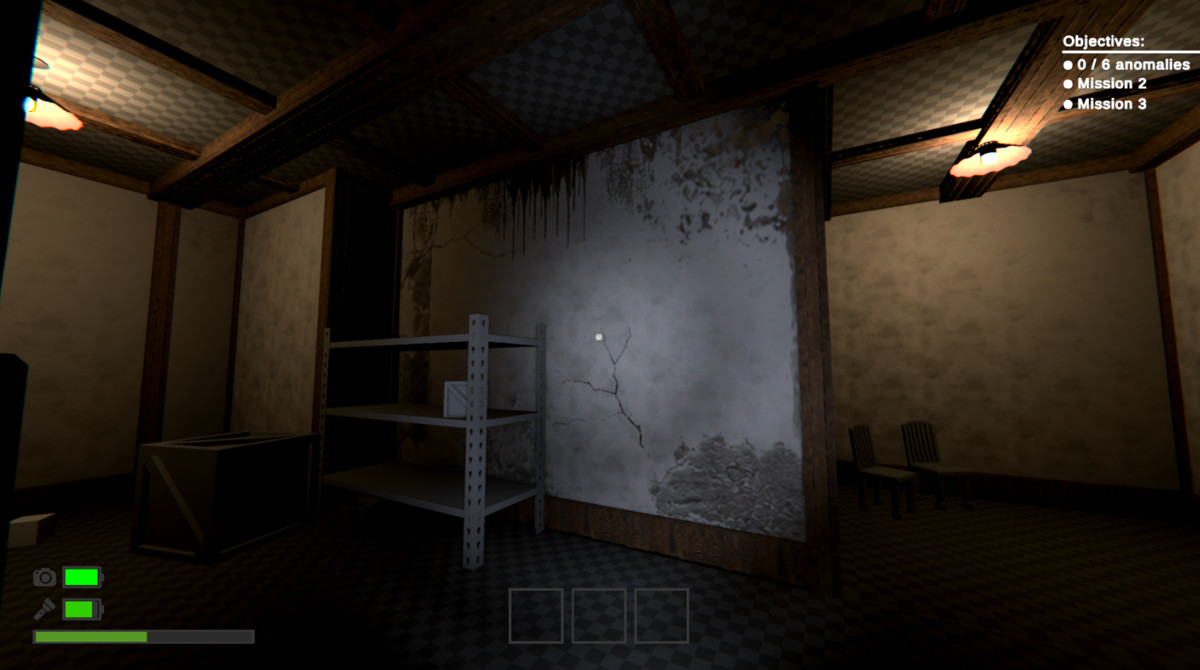
Decal Painter Pro (URP) screenshot 1





About this asset
Decal Painter Pro (URP)
Adding decals in Unity used to mean placing URP DecalProjectors one by one, wrestling with surface alignment, and ending up with repetitive patterns that look hand-placed. Decal Painter Pro lets you paint, scatter, and path-draw hundreds of real DecalProjectors directly onto your scene geometry — aligned to any surface, randomised automatically, in seconds.
Three painting modes
Single Stamp — Precise placement with full rotation, scale, and depth control. Click once, get a perfectly aligned decal.
Scatter — Paint realistic damage patterns, debris fields, or organic weathering across any surface. Spherical and planar modes with Poisson distribution so nothing looks repeated.
Path Mode — Draw tire tracks, cracks, piping, or any linear detail as a smooth spline. Adjust tension and spacing after the fact.
Prefab Painting
You can now paint prefabs and prefab objects with decals applied to them. Useful for modular or procedural level generation.
Surface intelligence that actually works
Decals orient automatically to whatever surface you paint on — walls, ceilings, curved geometry. Angle filtering lets you restrict placement to floors only, walls only, or any slope range you define. Adaptive depth prevents decals from clipping on uneven surfaces.
Built for speed
25+ one-click presets get you painting immediately. A material palette system lets you switch between decal types without touching the inspector. Smart delete options allow for tighter editting. The setup wizard gets URP configured correctly in under a minute.
What's included
- Full C# source code
- 25+ ready-to-use presets
- Sample decal materials to start immediately
- Video tutorials
- Documentation
- Lifetime updates
From the publisher's Asset Store listing.
Technical details
Key Features - Decal Painter URP
Multi-Mode Painting System
4 Paint Modes: Single stamp, scatter burst, path drawing, continuous brush
Real-time Mode Switching: Instant workflow adaptation with visual feedback
Contextual Controls: Mode-specific settings appear automatically
Advanced Scatter System
Planar & Spherical Scatter: Flat surfaces or 360° explosion patterns
Poisson Distribution: Natural, non-overlapping placement for realistic results
Customizable Density: 1-100 decals per click with intelligent spacing
Professional Path Drawing
Spline Smoothing: Convert rough sketches into smooth curves
Adaptive Spacing: Consistent decal placement along any path length
Real-time Preview: See your path before committing to placement
Smart Surface Intelligence
Auto Surface Alignment: Perfect orientation on any surface angle
Angle Filtering: Target floors (0-30°), walls (60-120°), or ceilings (150-180°)
Adaptive Depth Control: Automatic projection adjustment for surface slopes
Corner Detection: Specialized handling for edges and complex geometry
Dual-Axis Rotation Control (great for corner projections)
Y-Axis Rotation: Spin around surface normal (0-360°)
X-Axis Rotation: Tilt for corner projections (-90° to 90°)
Snap Rotation: Align to architectural features with custom increments
Random Rotation: Per-axis randomization with custom ranges
Material Palette System
Visual Thumbnails: See all materials at a glance
Hotkey Selection: Numbers 1-9 for instant material switching
Weighted Randomization: Control probability of each material
Sequential/Random Cycling: Automatic material variation
25+ Built-in Presets
Battle Damage: Realistic combat wear and explosion effects
Natural Weathering: Organic aging and environmental wear
Industrial Markings: Clean, precise technical applications
Horror Elements: Blood splatter, grime, and atmospheric decay
Vehicle Effects: Tire tracks, skid marks, and road wear
Advanced Variation System
Size Randomization: Independent width/height scaling (0.1x to 5x)
Visual Variation: Random fade, tint, and flip options
Non-uniform Scaling: Different X/Y scaling for organic results
Color Tinting: Per-decal color variation with custom ranges
Professional Overlap Control
Queue Jittering: Automatic Z-fighting prevention
Render Priority Management: Per-material sorting control
Proximity Spacing: Intelligent overlap prevention
Visual Pattern Breaking: Random flipping to avoid repetition
Quality of Life Features
Real-time Preview: See decal placement before committing (WIP)
Intersection Prediction: Visual feedback on projection quality
One-Click Undo: Remove entire painting strokes instantly
Batch Operations: Clear all, select by type, mass deletion tools
Precision Deletion Tools
Multiple Delete Modes: Click, area, brush, and box selection
Smart Radius Control: Precise, normal, and area deletion sizes
Visual Feedback: Red circles show deletion radius in real-time
Undo Support: All deletions are undoable
Performance Optimized
Smart Material Caching: Efficient memory usage
Batch Undo System: Smooth workflow with minimal overhead
Render Queue Optimization: Automatic sorting for best performance
Scalable Architecture: Handles hundreds of decals smoothly
Render Distance Editting: Change the render distance for your brushstrokes at any time, even after painting a scene.
Developer-Friendly
Complete Source Code: Full C# source included
Extensible Architecture: Easy to add custom features
Well-Documented API: Clear code structure and comments
Custom Preset System: Save and share your configurations
Unity Integration
URP Native: Built specifically for Universal Render Pipeline
Unity 2022.3+ Compatible: Future-proof technology
Scene View Integration: Seamless editor workflow
Undo System Compatible: Full Unity undo/redo support
Compatibility
| Unity version | Built-in | URP | HDRP |
|---|---|---|---|
| 6000.5.8f1 | Not listed | Compatible | Not listed |
URP Required
As listed on the Asset Store.