
 View on Asset Store (opens in new tab)
Package details
- Latest version
- 1.0.0
- Last updated
- First released
- Unity version
- 2022.3.47 or later
- Package size
- 31 KB
- Files
- 6
- Views in the past week
- 2
Price tracking
- Last checked
- Tracked since
- Lowest recorded
- $4.99 on
Keywords

Prefab Backup Manager
Easily save, restore, and manage prefab versions in Unity. Backup with one click, restore anytime. Editor-only tool for fast iteration.
Affiliate link · Purchases support this site
Price history
Last 6 months
USDAsset preview
1 / 2
Prefab Backup Manager screenshot 1
About this asset
Never lose a prefab again!
Prefab Backup Manager is the ultimate Unity Editor tool for backing up, versioning, and restoring prefabs safely during development. Whether you're experimenting with gameplay elements or making big design changes, this tool ensures you can roll back anytime with confidence.
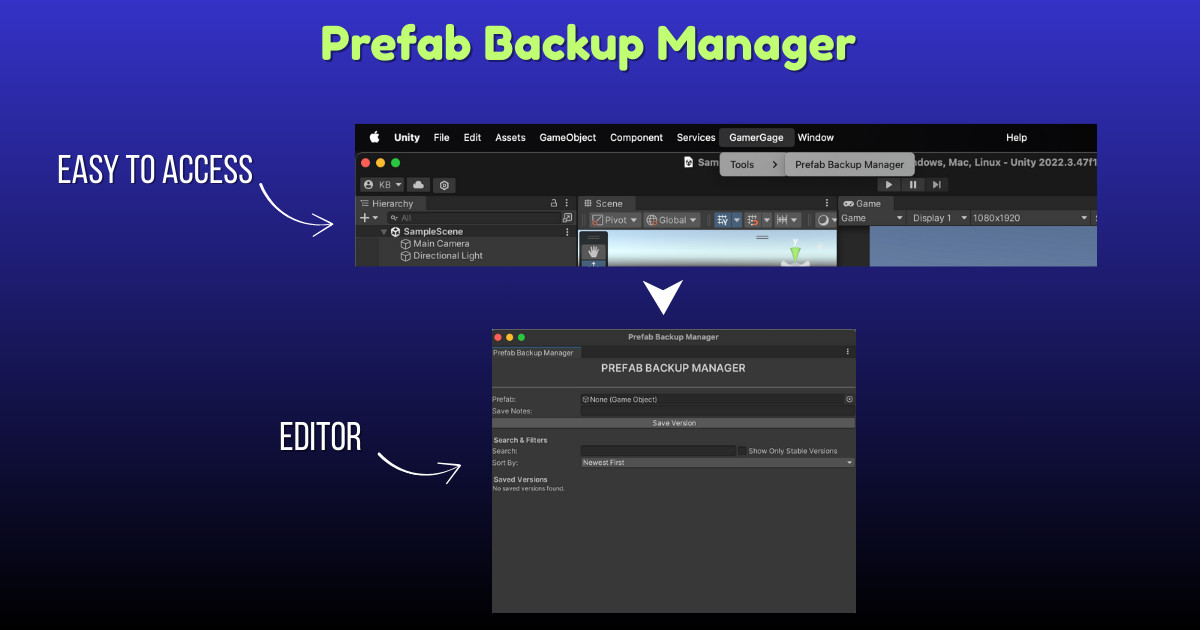
Designed with simplicity and performance in mind, Prefab Backup Manager automatically saves prefab versions with timestamps, offers seamless restore options, and even cleans up unused backups — all from a beautifully organized editor window.
Features
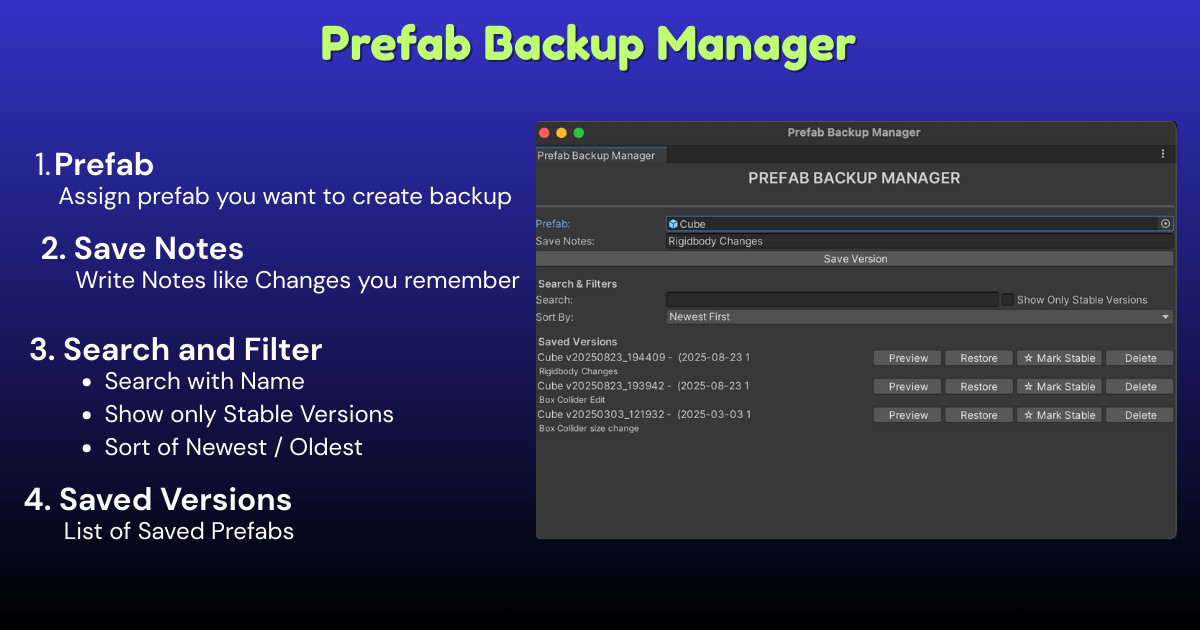
- Save Prefab Version: One-click save with timestamp to keep track of changes.
- Restore Version: Replace the original prefab with any saved version instantly.
- Delete Old Versions: Remove unused or outdated versions easily.
- Auto Folder Setup: Automatically creates and manages Assets/PrefabVersions/ for clean storage.
- Structured UI: Clean, professional UI with studio branding — ideal for showcasing in team workflows.
What Gets Saved in a .prefab Backup
Unity prefab files preserve all serialized properties, which means that virtually everything visible in the Inspector for components gets saved. Here's a breakdown:
Commonly Saved Properties
These will be backed up in every prefab version:
- Transform (position, rotation, scale)
- MeshRenderer, MeshFilter, SkinnedMeshRenderer
- Materials, Textures
- BoxCollider, SphereCollider, CapsuleCollider, MeshCollider (all their settings: size, isTrigger, center, etc.)
- Rigidbody (mass, drag, interpolation, collision detection, constraints)
- Script components with [SerializeField] or public fields
- Animator (controller, avatar, apply root motion, etc.)
- AudioSource
- NavMeshAgent, Light, Camera etc.
Basically, if it's a component visible in the Inspector, and the fields are serializable, they're saved
What Doesn’t Get Saved
Some things are not stored in the .prefab file directly:
- Editor-only components/scripts (e.g., [ExecuteInEditMode] with non-serialized fields)
- Runtime-only data (anything modified only in Start() or Update() and not serialized)
- Missing script references (won’t recover if the script is deleted from project)
Support
Have questions or need help?
Contact us at [email protected] — we're happy to help!
From the publisher's Asset Store listing.
Technical details
Features
- Save unlimited prefab versions with timestamped backups
- One-click restore to any previous version
- Organized version folder per prefab
- Delete old versions with ease
- Auto-creates backup folder if missing
- Non-destructive workflow – original prefab is preserved
- Built-in Unity Editor window UI
- Works seamlessly with nested prefabs
- Simple and clean codebase for easy extension
Supported OS
- Windows
- macOS
- Linux (Editor only)
Requires Unity Editor (no runtime dependency). Works in all pipelines (URP, HDRP, Built-in).
Documentation - Click Here
Support
If you face any issues or need help, contact:
Mail : [email protected]
Discord : Join
Compatibility
| Unity version | Built-in | URP | HDRP | Custom |
|---|---|---|---|---|
| 2022.3.47f1 | Compatible | Compatible | Compatible | Compatible |
As listed on the Asset Store.