
 View on Asset Store (opens in new tab)
Package details
- Latest version
- 1.0
- Last updated
- First released
- Unity version
- 6000.0.55 or later
- Package size
- 448 KB
- Files
- 49
- Favorites
- 5
- Views in the past week
- 7
Price tracking
- Last checked
- Tracked since
- Lowest recorded
- $17.49 on
Keywords
- Search for QR Code
- Search for wireless input
- Search for Touch Controls
- Search for Local Multiplayer
- Search for phone gamepad
- Search for virtual controller
- Search for input system
- Search for Remote Control
- Search for mobile gamepad
- Search for party game
- Search for smartphone controller
- Search for browser controller

PrestoPad
Transform smartphones into game controllers for Unity projects. Players scan QR code to instantly connect via browser - no app required. Supports 6 simultaneous players, full Input System integration.
Affiliate link · Purchases support this site
Price history
Last 6 months
USDAsset preview
1 / 5
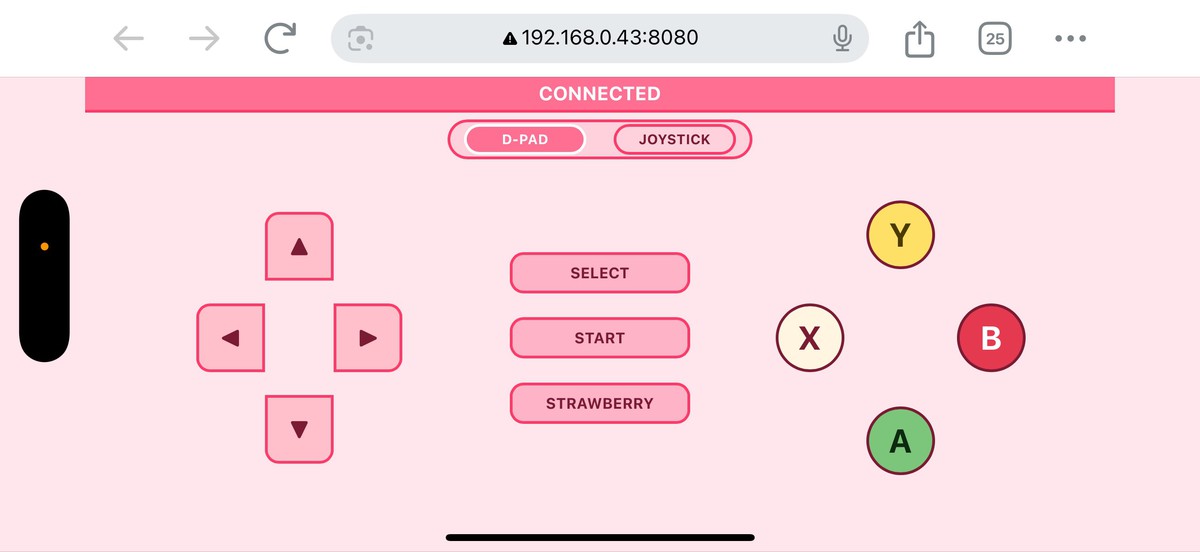
PrestoPad screenshot 1
About this asset
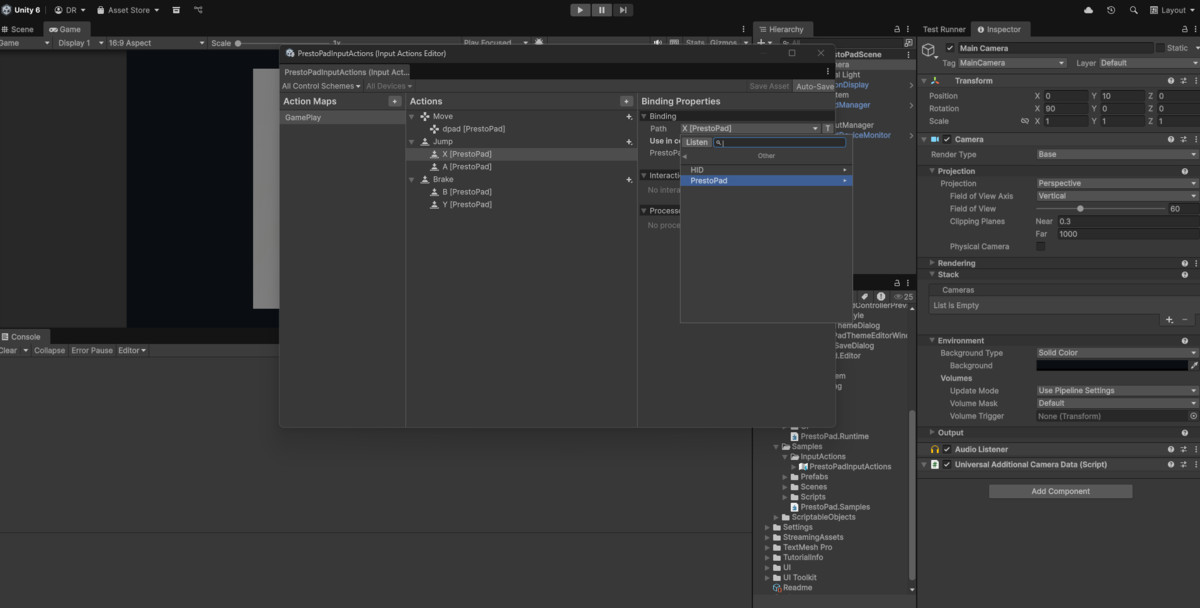
PrestoPad is a revolutionary Unity asset that transforms any smartphone into a wireless game controller,eliminating the traditional barrier between players and local multiplayer experiences. By simply scanning a QR code, players can instantly connect their iOS or Android devices through their web browser - no app installation required. This seamless connection system supports up to 6 simultaneous controllers, making it perfect for party games, local co-op experiences, or any project where additional input devices would enhance gameplay. The system integrates directly with Unity's Input System, providing full button mapping, analog stick support, D-pad controls, and even haptic feedback on compatible devices.
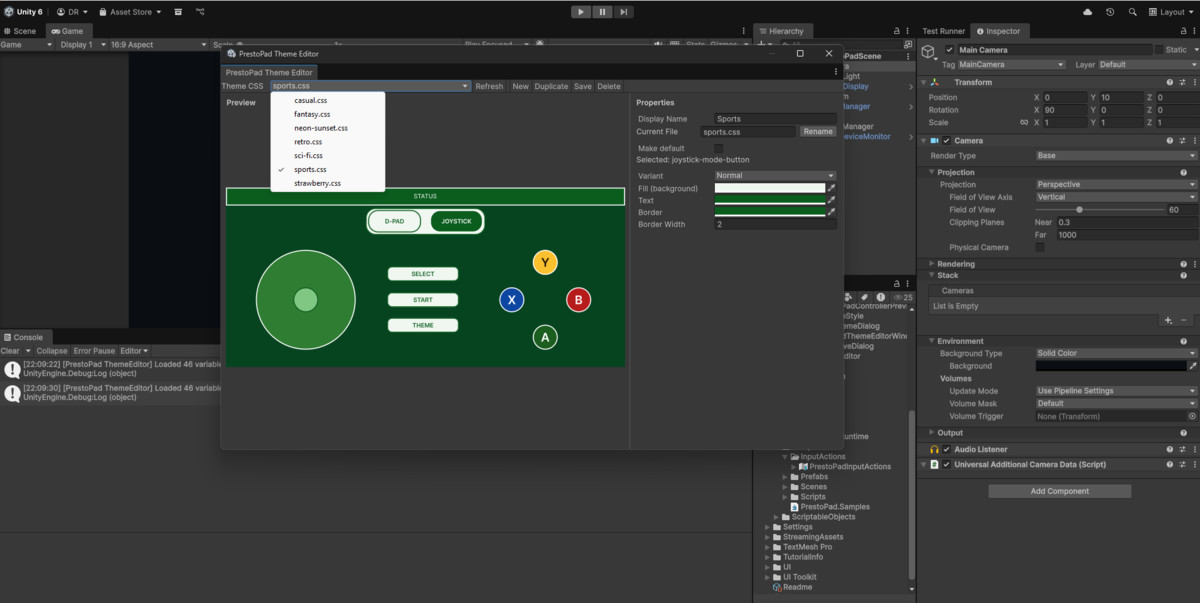
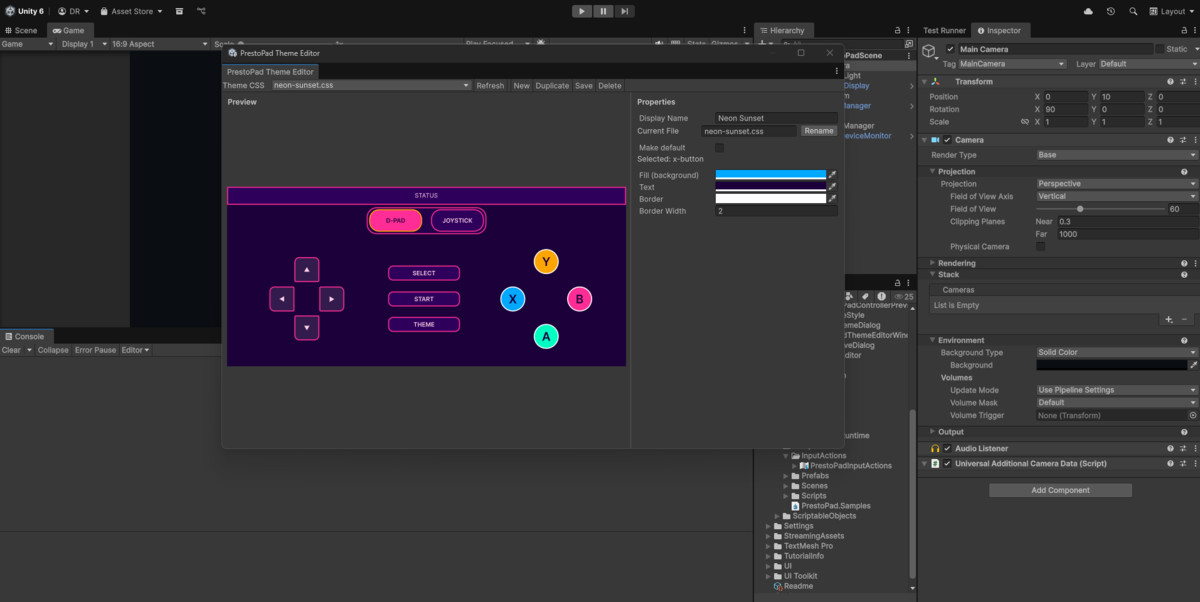
What truly sets PrestoPad apart is its built-in Theme Editor window, accessible directly from the Unity Tools menu. This powerful customization feature allows developers to create controller themes that perfectly match their game's aesthetic, whether you're building a retro pixel-art platformer, a sleek sci-fi shooter, or a whimsical children's game.
Beyond its versatility, PrestoPad excels in practical implementation with features like automatic reconnection handling, and efficient binary protocol for low-latency communication. The package includes a complete sample scene, detailed documentation, and production-ready prefabs that can be dropped directly into any project. Whether you're creating an accessible gaming experience, adding local multiplayer to a single-player game, or building interactive installations for events and exhibitions, PrestoPad provides a professional, polished solution that works out of the box while offering extensive customization for developers who want to create something truly unique.
License: Per-seat, as defined by the Unity Asset Store EULA. Requires Unity Input System
From the publisher's Asset Store listing.
Technical details
Requirements
- Requires Unity Input System package
Core Connectivity Features
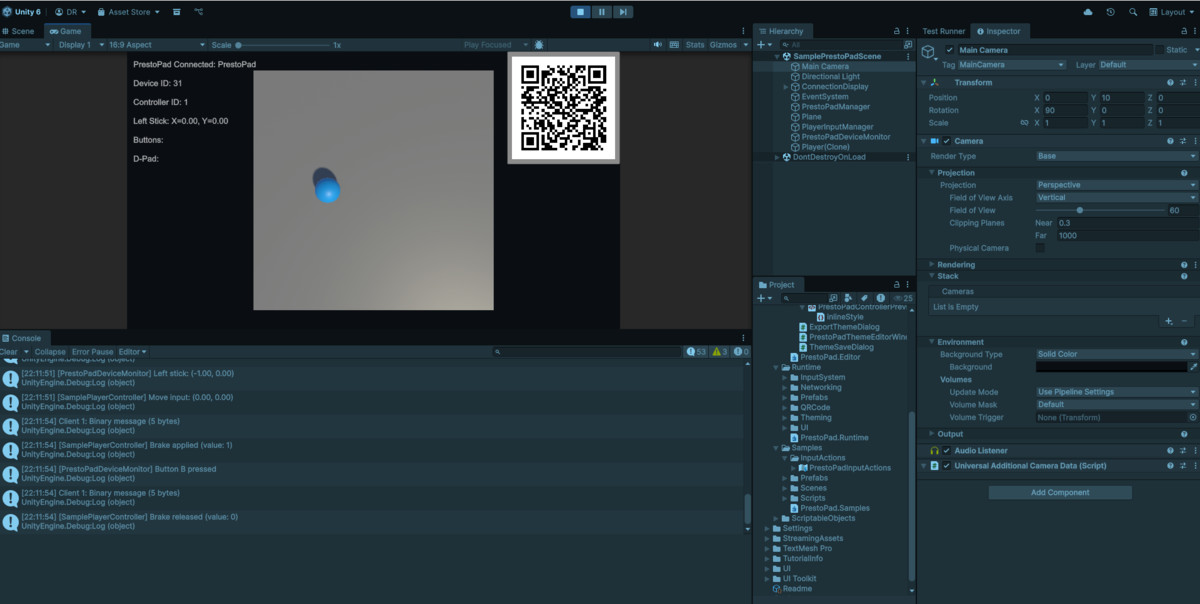
- Instant QR Code Connection - Players scan a QR code to connect instantly
- No App Installation Required - Works directly in mobile web browsers (iOS Safari, Android Chrome)
- Multi-Controller Support - Connect up to 6 simultaneous controllers
- Automatic Reconnection - Handles connection drops gracefully
- Local Network Operation - Works over WiFi, no internet required
Input & Control Features
- Full Unity Input System Integration - Seamlessly works with Unity's modern Input System
- Complete Controller Layout:
- 4 action buttons (A, B, X, Y)
- Start and Select buttons
- D-Pad with 4 directions
- Analog joystick
- Haptic Feedback Support - Vibration on compatible devices
- Low-Latency Communication - Binary protocol for real-time responsiveness
Customization Features
- Built-in Theme Editor Window - Visual editor accessible via Tools > PrestoPad menu
- CSS-Based Theming System - Full control over controller appearance
- D-Pad or Joystick layout - Adapt the interface to your game's needs
- HTML/CSS/JavaScript Access - Complete control for advanced customization
- Multiple Theme Support - Create and manage different controller skins
Developer Features
- Ready-to-Use Prefabs - PrestoPadManager and ConnectionDisplay prefabs
- ScriptableObject Network Configuration - Easy setup through inspector
- Comprehensive Debug Logging - Detailed connection and message logging
- Thread-Safe Operations - Robust multi-threaded networking
- Object Pooling - Memory-efficient performance optimization
- Rate Limiting - Built-in protection against spam/abuse
Technical Features
- HTTP Server (Port 8080) - Serves controller web interface
- WebSocket Server (Port 8081) - Real-time bidirectional communication
- Binary Protocol - Efficient 12-byte state packets
- Sample Scene Included - Complete working example with player controller
- Extensive Documentation - Setup guides, API reference, troubleshooting
Additional Features
- Connection Status Display - Visual feedback for QR codes and connection state
- Device ID System - Unique identification for each controller (1-6)
- Firewall-Friendly - Uses standard HTTP/WebSocket ports
Compatibility
| Unity version | Built-in | URP | HDRP | Custom |
|---|---|---|---|---|
| 6000.0.55f1 | Compatible | Compatible | Compatible | Compatible |
As listed on the Asset Store.