
 View on Asset Store (opens in new tab)
Package details
- Latest version
- 1.0
- Last updated
- First released
- Unity version
- 6000.2.14 or later
- Package size
- 3.8 MB
- Files
- 20
- Favorites
- 14
- Views in the past week
- 16
Price tracking
- Last checked
- Tracked since
- Lowest recorded
- $14.39 on
Keywords

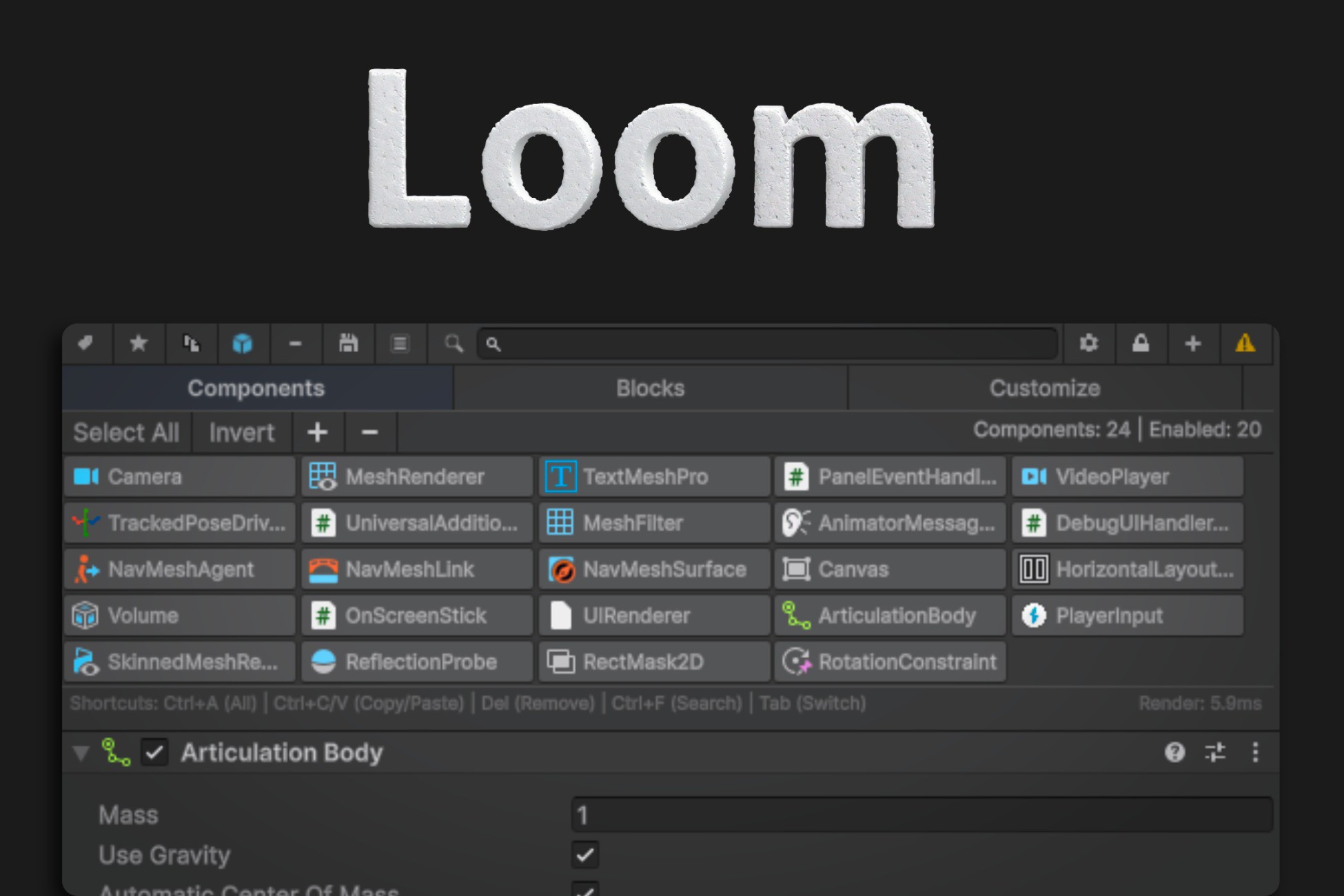
Loom – Your Inspector Workflow Booster
Affiliate link · Purchases support this site
Price history
Last 6 months
USDAsset preview
1 / 12
Loom – Your Inspector Workflow Booster screenshot 1

About this asset
Loom – Your Inspector Workflow Booster
Inspector Loom is the definitive productivity tool designed to tame the chaos of the Unity Inspector. It transforms the default Inspector into a powerful, organized, and highly efficient command center, allowing you to manage complex GameObjects with unprecedented speed and precision.
Stop scrolling through endless lists of components. Start organizing, isolating, and manipulating your data like a pro.
Key Features
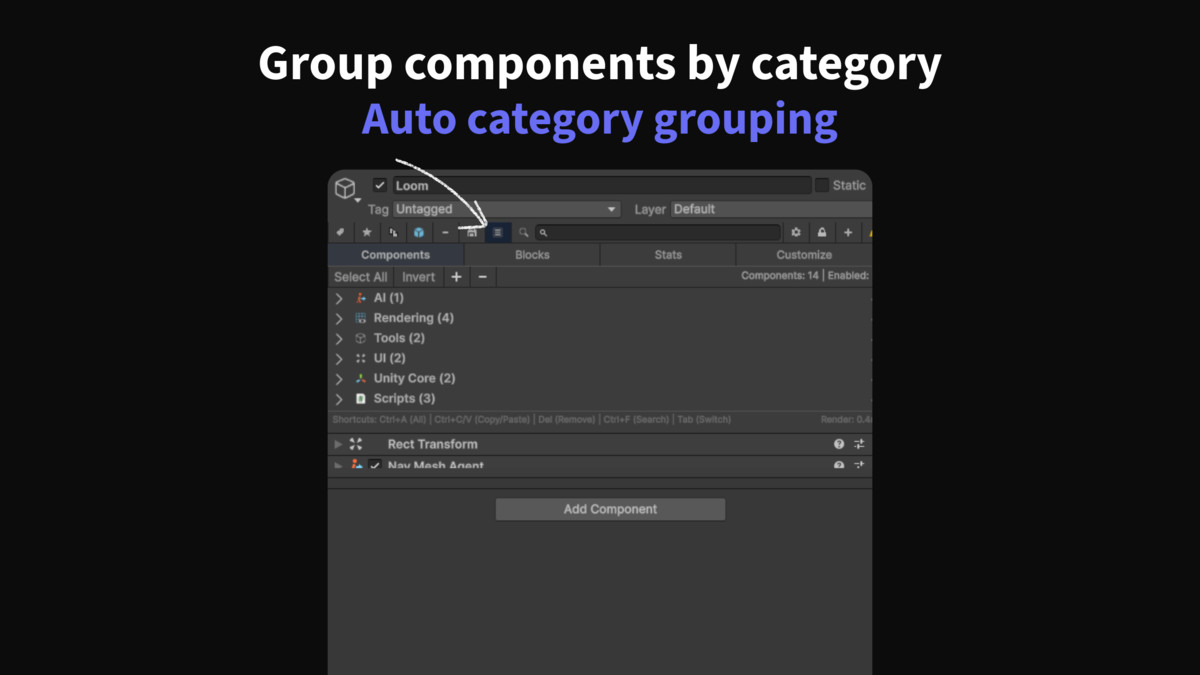
Component Blocks The Folder System for Components
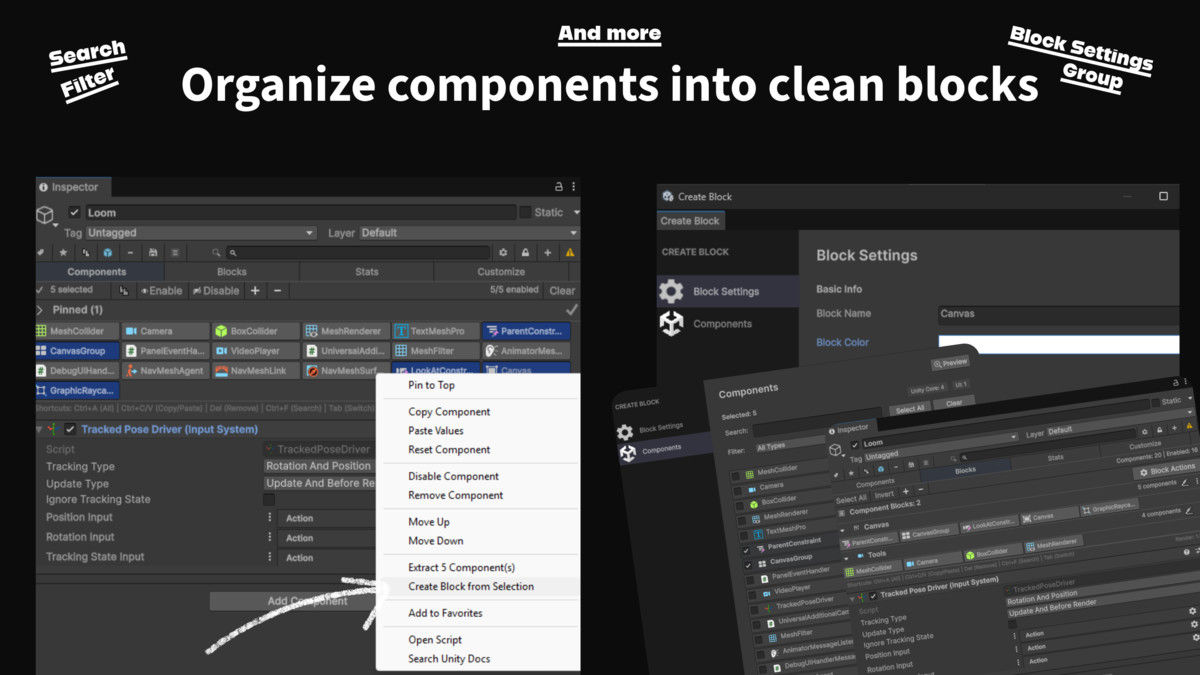
Finally a way to organize your components! Component Blocks allow you to group related components into logical "folders" within the Inspector.
Group & Organize Select multiple components (e.g. all your Colliders or all Audio scripts) and group them into a named Block.
Rename & Customize Give your blocks meaningful names like "Physics Setup" "Audio Logic" or "UI Events" to instantly understand your object's structure.
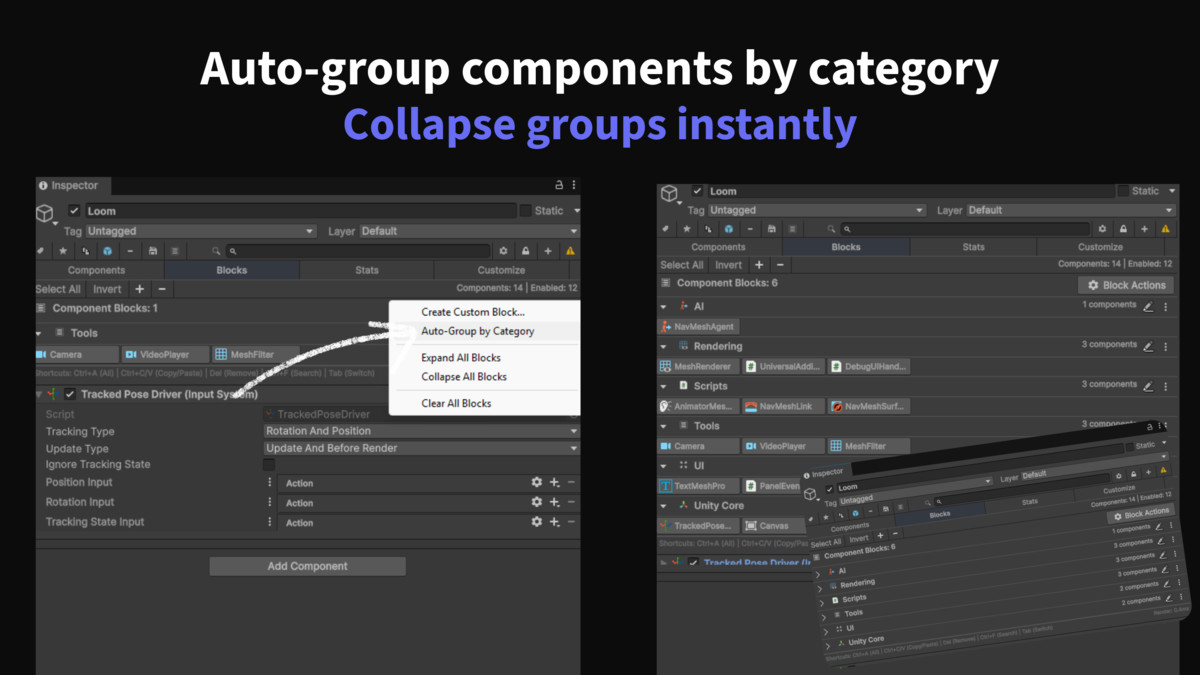
Collapse & Expand Keep your Inspector clean by collapsing blocks you aren't working on. Focus only on the relevant groups.
Drag & Drop Reorder blocks to prioritize the most important systems at the top of your Inspector.
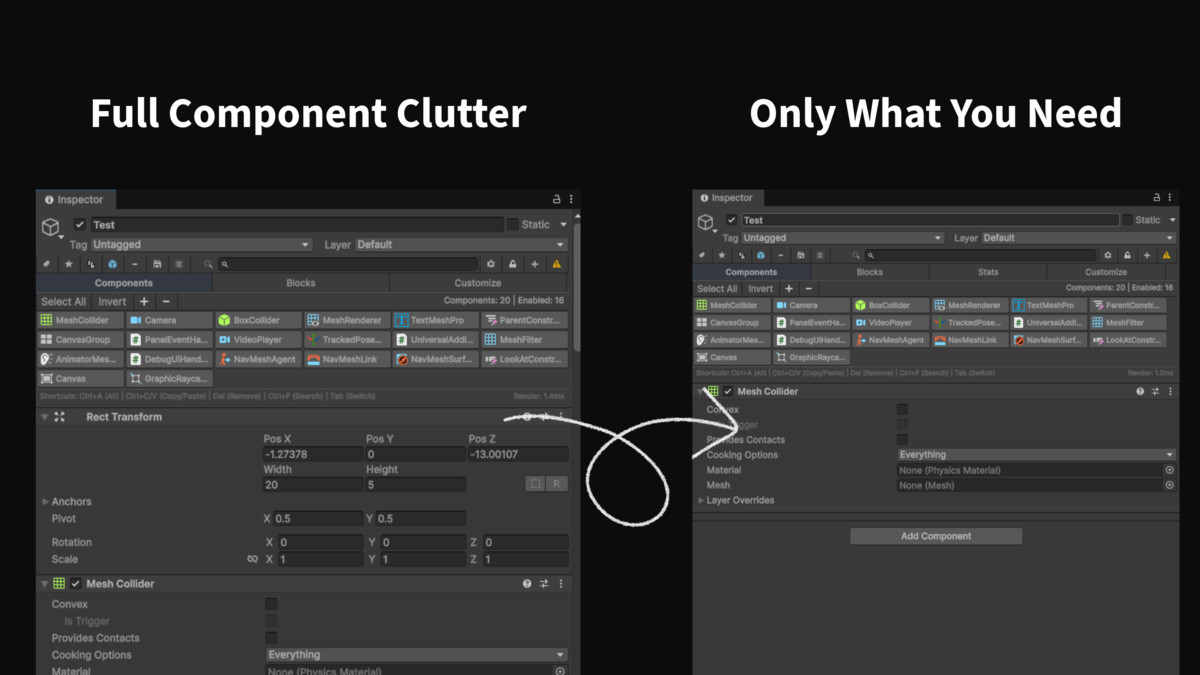
True Component Isolation Focus on What Matters
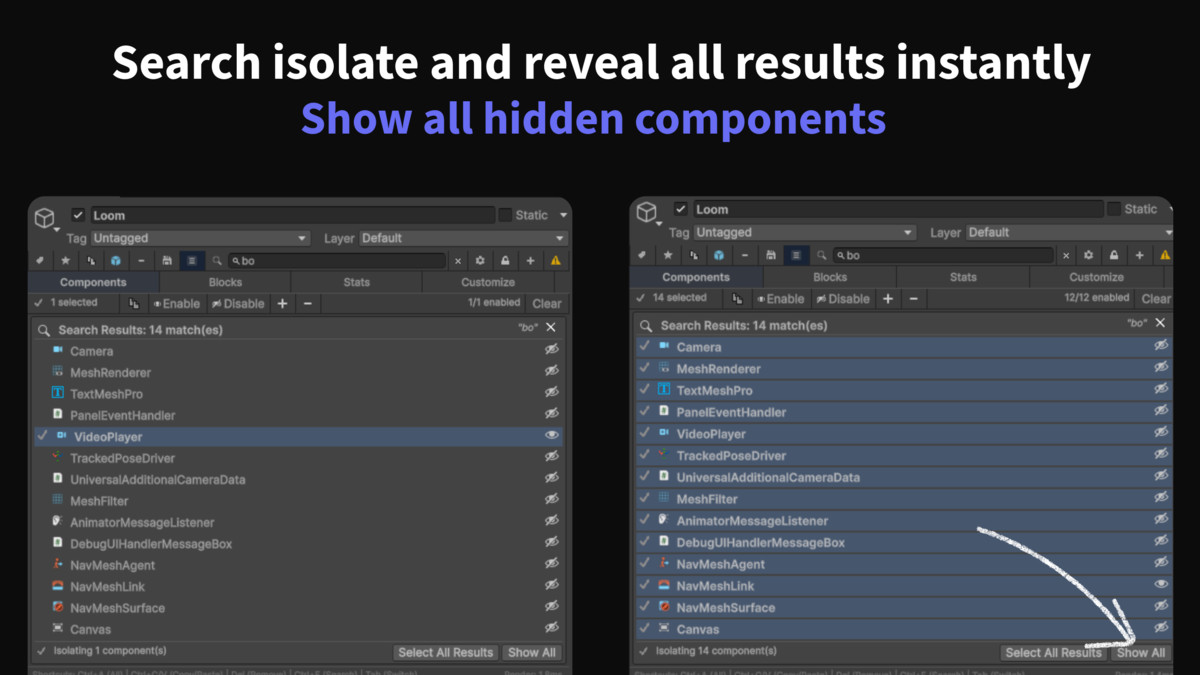
The killer feature of Loom. In complex projects GameObjects can have dozens of components making it impossible to find what you need. Loom solves this with Isolation Mode.
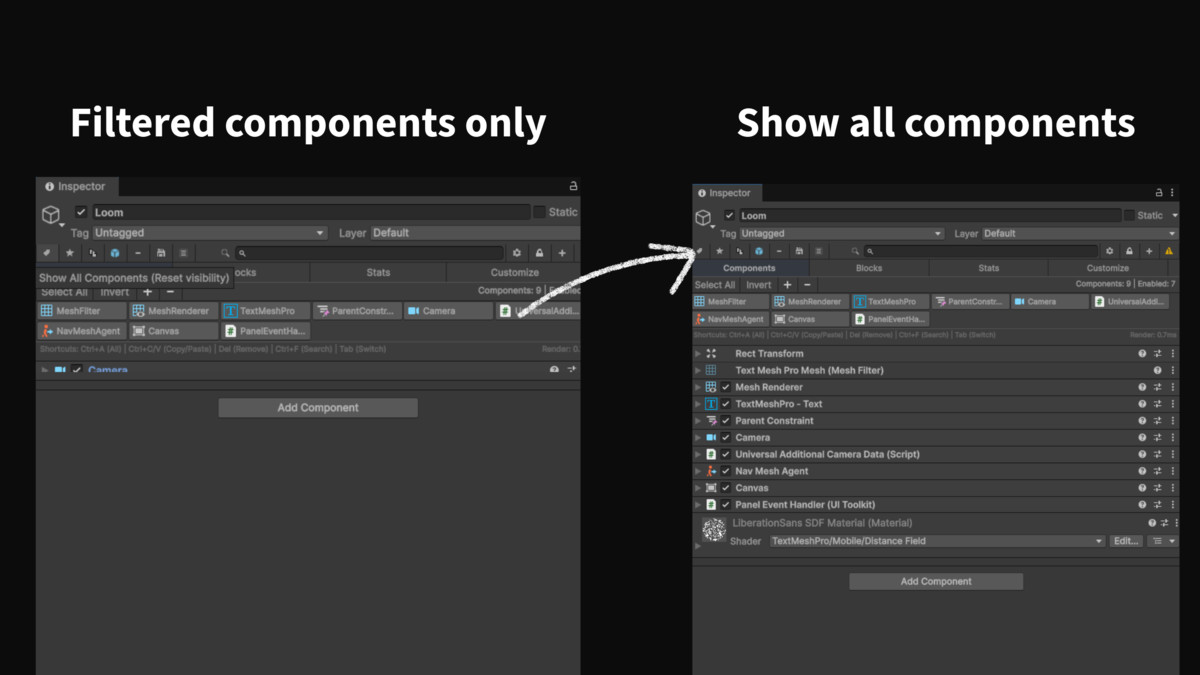
Instant Focus Select one or more components and instantly "Isolate" them. Loom hides everything else showing you only the components you selected.
Distraction Free Editing Debug a specific script or tweak a specific collider without the visual noise of twenty other components cluttering your view.
Smart Filtering Use Ctrl+Click to add components to your view and Shift+Click to select ranges. Build your perfect workspace on the fly.
Intelligent Copy & Paste
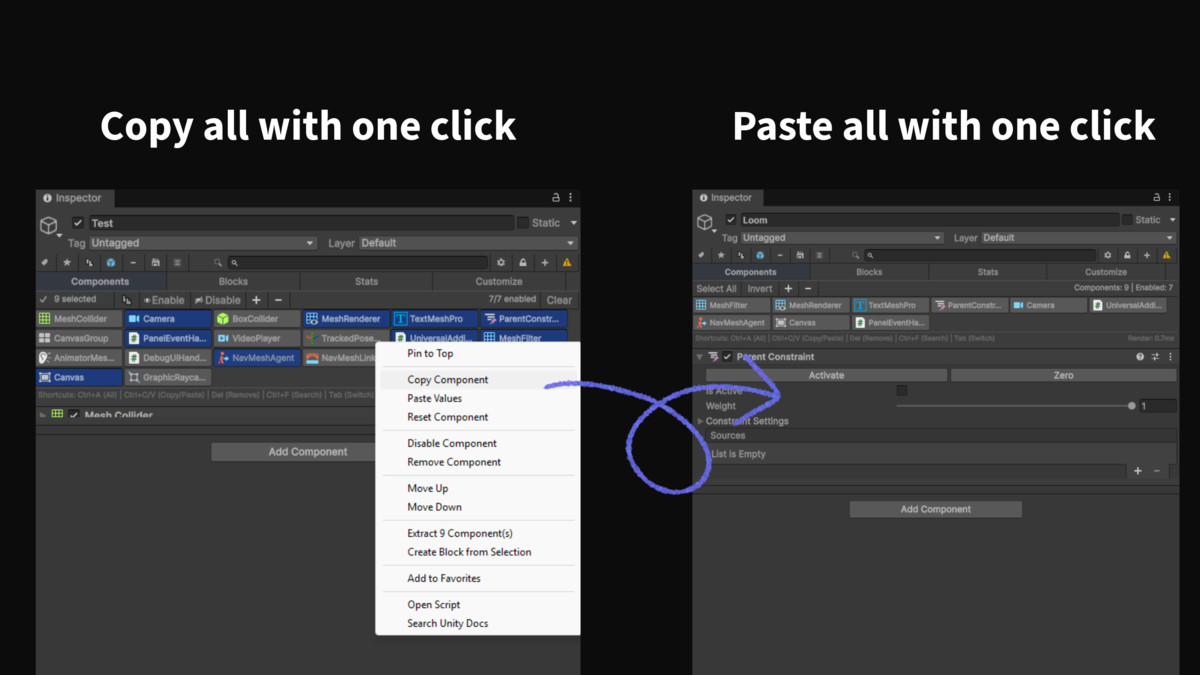
Unity's default copy/paste is limited to one component at a time. Loom changes the game.
Multi Component Copy Copy any number of selected components to your clipboard at once.
Dependency Awareness Loom is smart. When you paste it automatically sorts components by dependency (e.g. pasting a MeshFilter before a MeshRenderer) ensuring your setup never breaks.
Cross Object Pasting Copy a complex setup of scripts and colliders from one object and paste them onto multiple other objects in seconds.
Component Extraction & Refactoring
Refactoring complex GameObjects has never been easier.
One Click Extraction Select a group of components and "Extract" them. Loom instantly creates a new child GameObject and moves those components to it.
Preserves Data All values references and positions are perfectly preserved.
Clean Up Hierarchy Quickly break down "God Objects" into smaller modular child objects without manually copying values or resetting references.
Smart Bulk Actions
Perform actions on multiple components simultaneously with safety and precision.
Bulk Remove Delete multiple components at once. Loom checks for dependencies before deletion to prevent errors.
Bulk Enable/Disable Toggle entire groups of scripts or colliders with a single click.
Safety Checks Loom warns you if you're about to do something destructive like deleting a component that others depend on.
Powerful Search & Navigation
Find exactly what you're looking for instantly.
Deep Search Search for components by name or type. Loom highlights matches across your entire object.
Fuzzy Matching You don't need to type the exact name. Loom's smart pattern matching finds what you mean.
Keyboard Navigation Use arrow keys to navigate your component list and shortcuts to perform actions without touching the mouse.
Pinning & Context Retention
Never lose your place again.
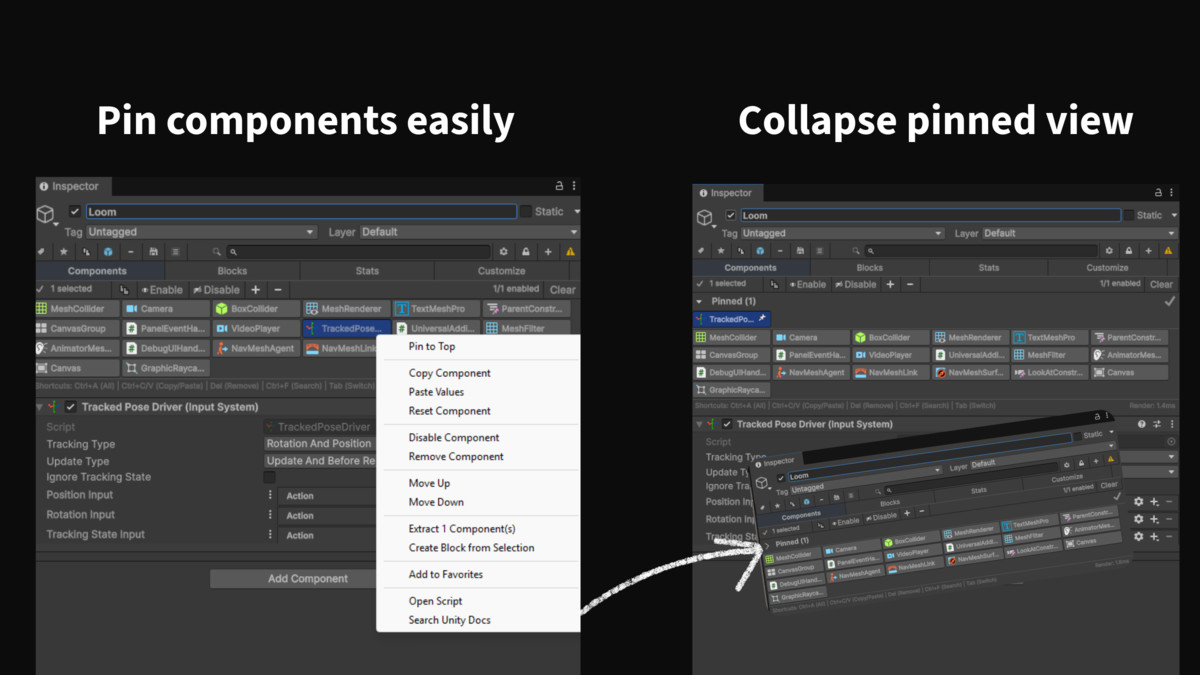
Pin Components "Pin" important components to keep them visible on screen even when you select a completely different GameObject in the Hierarchy.
Compare & Reference Easily drag references from a pinned component to your currently selected object or compare values side by side.
Favorites & Quick Access
Favorites System Mark your most used scripts and components as "Favorites".
Quick Filtering With one click filter the Inspector to show only your favorite components giving you instant access to your essential tools.
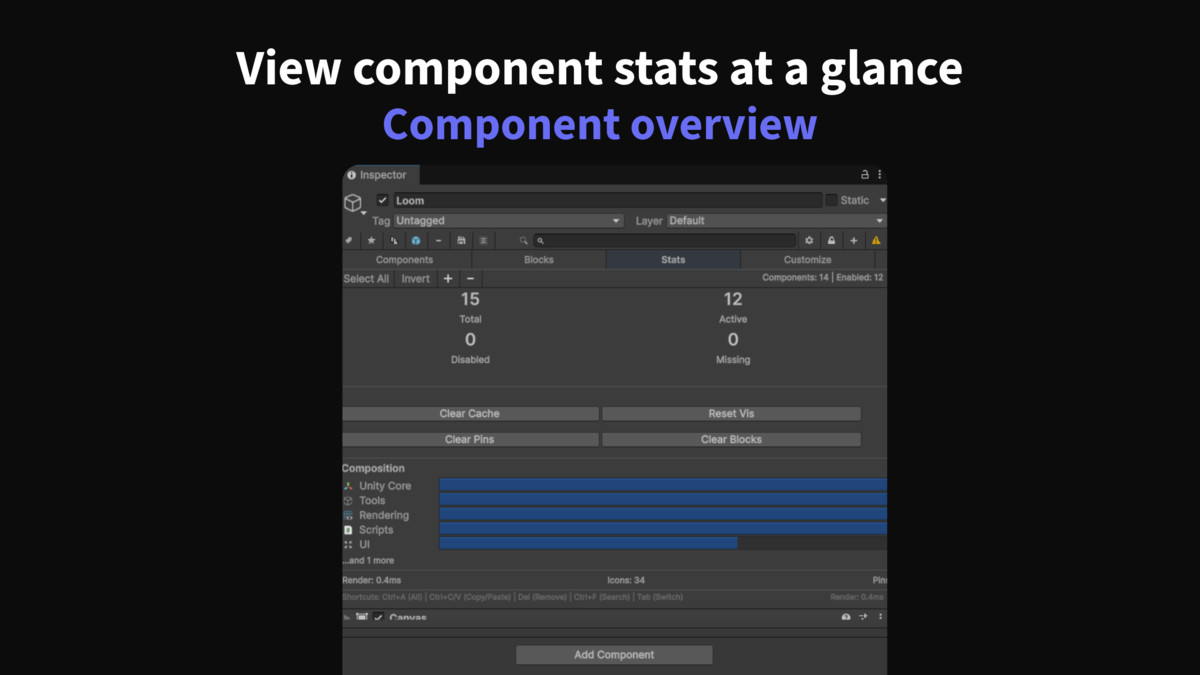
Performance Statistics
Understand the "weight" of your GameObjects.
Component Counts See exactly how many scripts colliders and renderers are on an object.
Memory Estimates Get a rough idea of the memory footprint of your components.
Built for Professionals
Zero Overhead Loom is an Editor only tool. It adds absolutely no size to your build and leaves no garbage scripts in your project.
Undo/Redo Support Every action grouping extracting removing pasting is fully undoable. Experiment with confidence.
Custom Inspector Support Loom respects your custom editors. Your beautifully crafted custom inspectors will look and work exactly as intended.
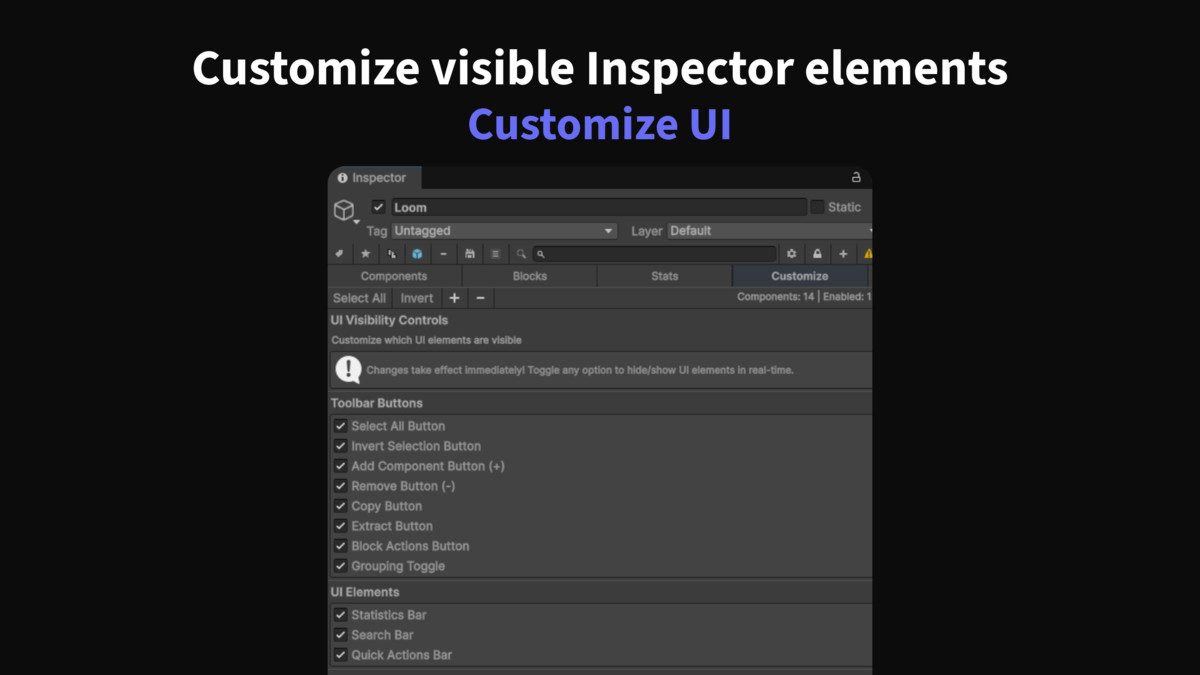
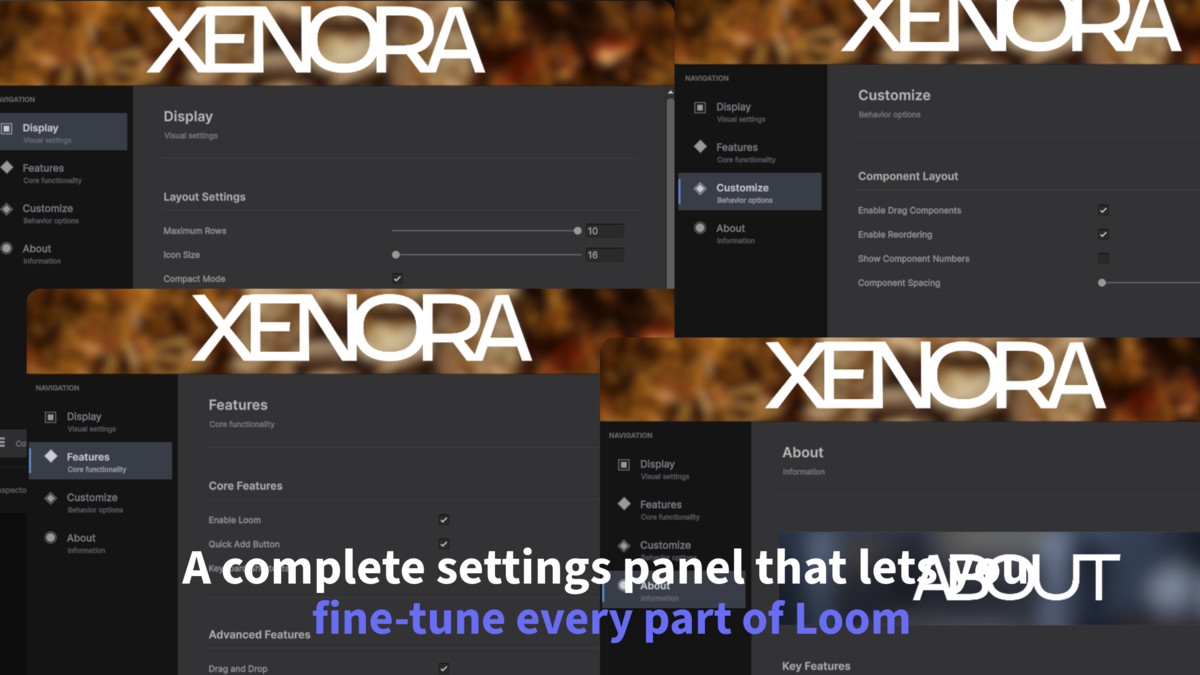
Fully Customizable Tweak every aspect of the UI from icon sizes to row spacing to match your personal workflow.
Upgrade your workflow today. Stop fighting the Inspector and start Weaving with Loom.
From the publisher's Asset Store listing.
Technical details
Inspector Loom - Technical Details
Supported Unity Versions
Unity 2020.3 LTS and above Unity 2021.3 LTS (Recommended) Unity 2022.3 LTS (Recommended) Unity 2023.x Unity 6 (Fully Compatible)
Supported Platforms
All Platforms (Editor Only Tool) Windows Editor macOS Editor Linux Editor
Technology Stack
C# Scripts Only No DLLs or Native Plugins No Third-Party Dependencies Pure Unity Editor API
Package Contents
13 C# Editor Scripts 2 Banner Images (PNG) 1 USS Style Sheet 1 License File Full Source Code Included
File Size
Approximately 500 KB
Performance
Zero Runtime Overhead (Editor-Only) No Build Size Impact Lightweight and Fast
Requirements
Unity Editor 2020.3 or newer No Additional Packages Required Works with All Render Pipelines (Built-in, URP, HDRP)
Compatibility
Compatible with All Unity Project Types (2D, 3D, AR, VR) Works with Custom Inspectors No Conflicts with Other Editor Extensions Safe for Team Projects (Version Control Friendly)
Compatibility
| Unity version | Built-in | URP | HDRP |
|---|---|---|---|
| 6000.2.14f1 | Compatible | Compatible | Compatible |
As listed on the Asset Store.