
 View on Asset Store (opens in new tab)
Package details
- Latest version
- 1.0.0
- Last updated
- First released
- Unity version
- 6000.0.47 or later
- Package size
- 458 KB
- Files
- 9
- Favorites
- 2
- Views in the past week
- 7
Price tracking
- Last checked
- Tracked since
- Lowest recorded
- $9.99 on
Keywords
Simple Hierarchy Highlight
Color-code Hierarchy rows to group objects fast, lightweight, and saved project-wide.
Price $9.99
Buy on Asset Store (opens in new tab)
Affiliate link · Purchases support this site
Price history
Last 6 months
USDAsset preview
1 / 4
Simple Hierarchy Highlight screenshot 1
About this asset
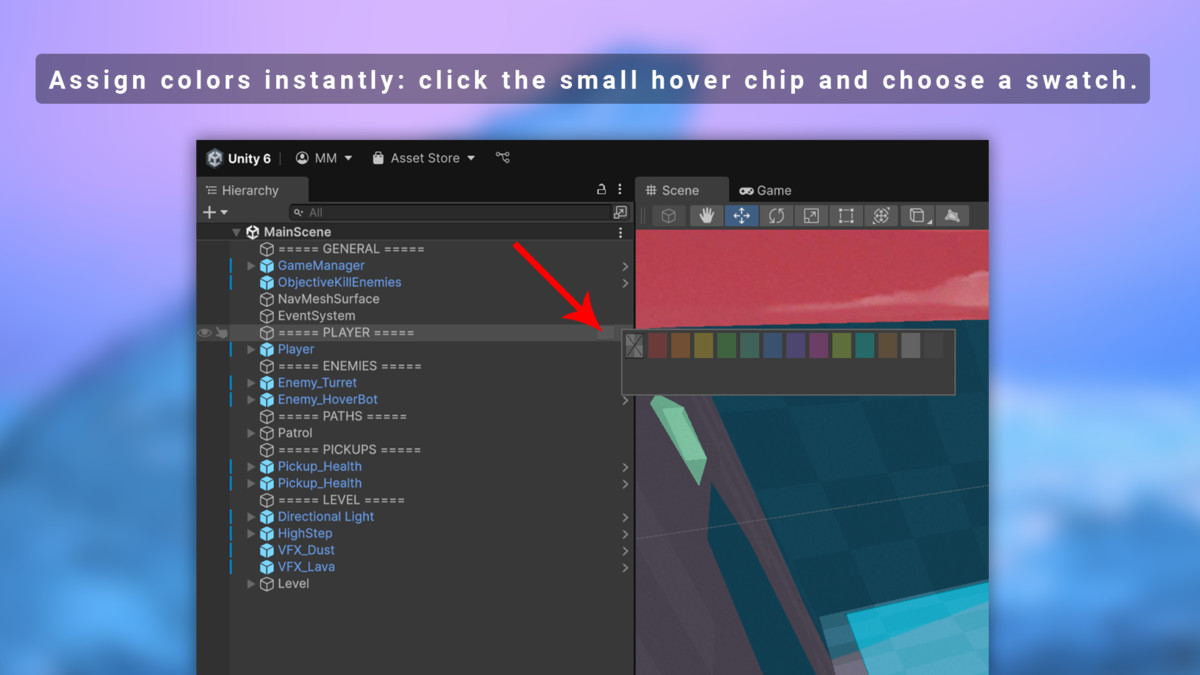
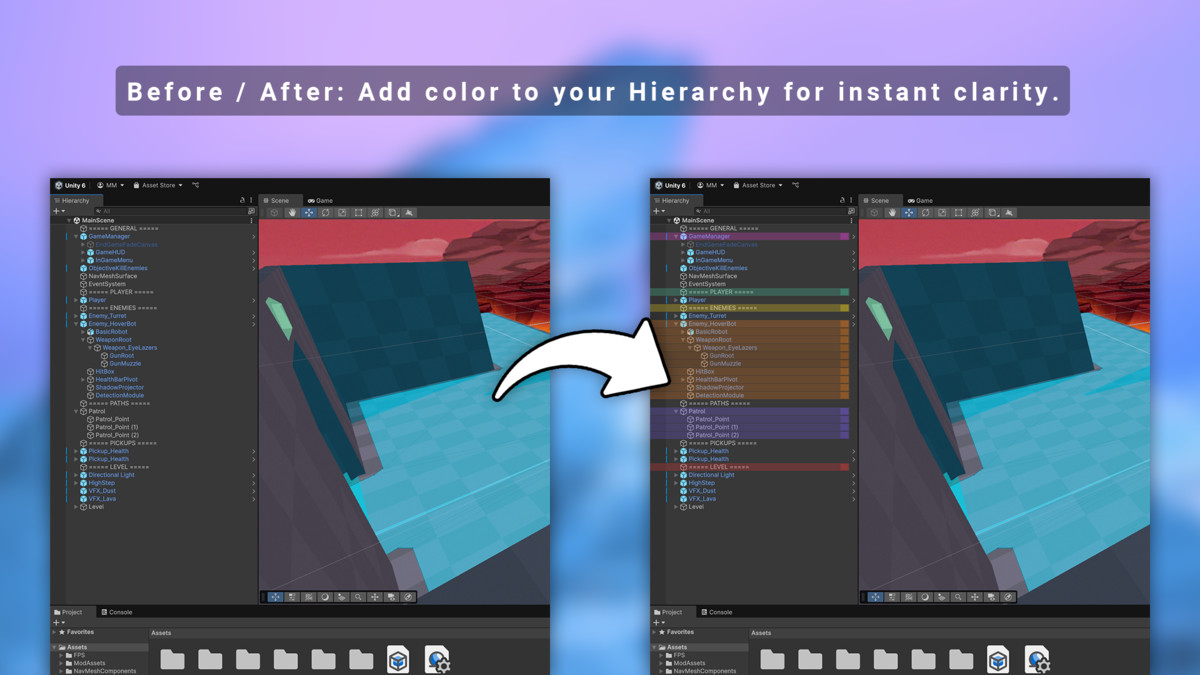
Simple Hierarchy Highlight helps you organize large scenes by colorizing rows in the Unity Hierarchy — without adding any components or polluting your scenes. All highlights are stored globally in ProjectSettings and persist across reloads and editor restarts.
Why use it?
- Quickly spot groups of objects in complex scenes
- Zero scene pollution: no hidden markers or scripts on GameObjects
- Lightweight and fast — only runs during repaint
How it works
- Hover Chip: A small color chip appears when hovering a row. Click to open the quick color picker.
- Shortcut (Alt+H): Open the picker at the focused window.
- Menu: GameObject/Hierarchy Highlight/ → Pick Color or Clear.
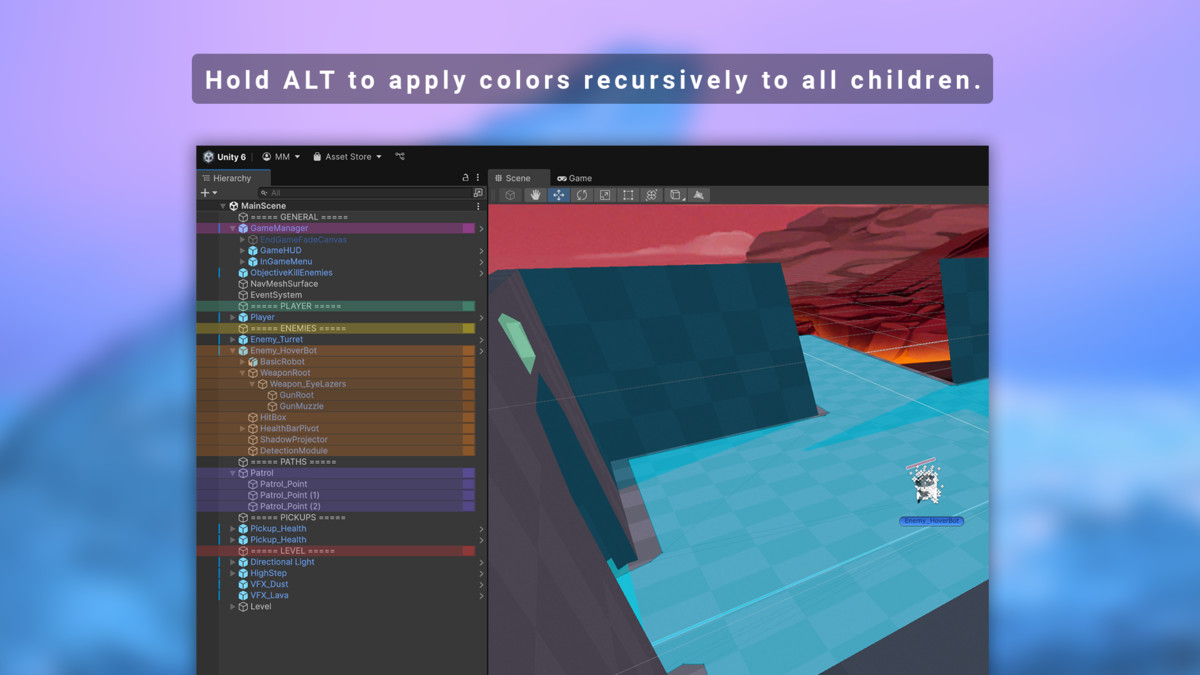
- Recursive by Alt: Apply or clear colors on selected objects + children with subtle depth shading.
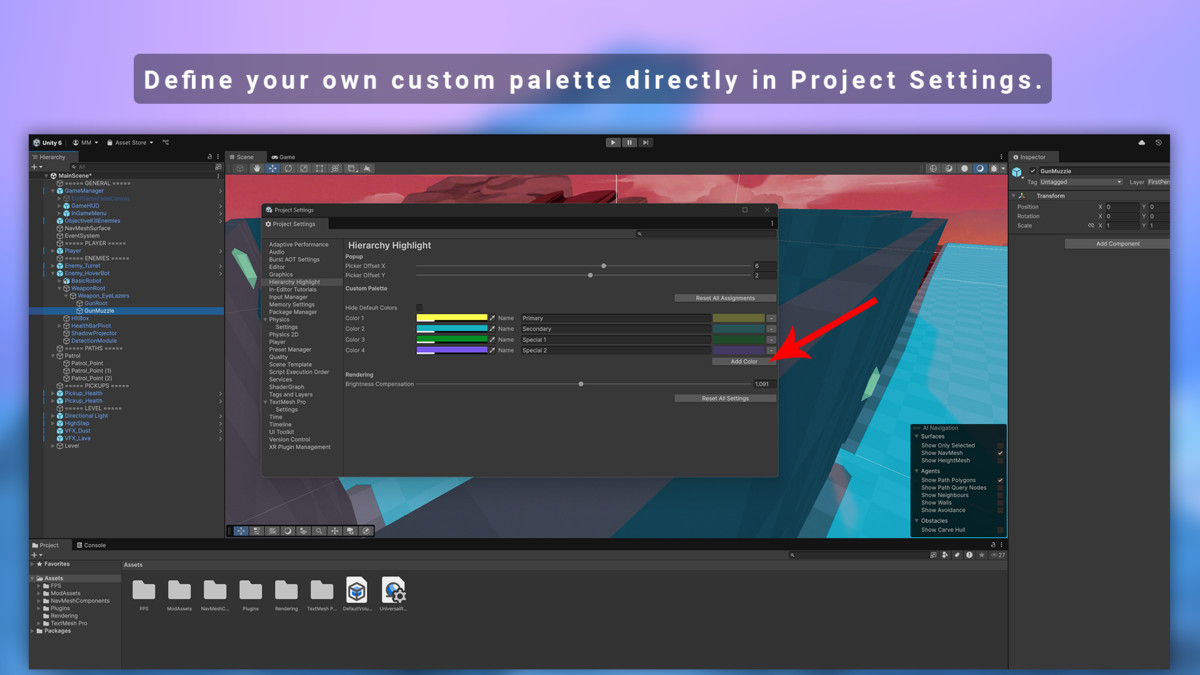
- Custom Palette: Define your own team colors with optional names, or hide defaults for a clean workflow.
- Brightness Compensation: Adjust HSV brightness for perfect readability in Light or Pro skin.
Project Settings Integration
- Fine-tune popup offset (X/Y).
- Add, rename, or remove custom colors.
- Reset all assignments (with confirmation).
- Toggle default palette visibility.
Perfect for Teams: Colors are saved in ProjectSettings/HierarchyHighlightSettings.asset and can be version-controlled and shared across team members.
From the publisher's Asset Store listing.
Technical details
- Editor-only (no runtime code, no impact on builds)
- Unity 2021.3 LTS, 2022.3 LTS, and Unity 6
- Works on Windows and macOS
- Compatible with Built-in, URP, HDRP (skin-independent)
- Persistent storage in ProjectSettings (team-shareable via VCS)
- Quick access: Hover chip, Alt+H shortcut, context menu
- Recursive apply/clear with subtle depth shading
- Customizable palette with names and tooltips
- Adjustable brightness compensation for readability
Compatibility
| Unity version | Built-in | URP | HDRP | Custom |
|---|---|---|---|---|
| 6000.0.47f1 | Compatible | Compatible | Compatible | Compatible |
As listed on the Asset Store.