
 View on Asset Store (opens in new tab)
Package details
- Latest version
- 1.1.0
- Last updated
- First released
- Unity version
- 6000.2.13 or later
- Package size
- 9.4 MB
- Files
- 24
- Favorites
- 15
- Views in the past week
- 6
Price tracking
- Last checked
- Tracked since
- Lowest recorded
- $12.50 on
Keywords

Animation Control Hub
- Price drop
Visualize & Control everything: Animations, Timeline, Events, Bones, IK, Scaling & Blend Shapes. The ultimate Unity workflow tool.
Affiliate link · Purchases support this site
Price history
Last 6 months
USDAsset preview
1 / 12
Animation Control Hub screenshot 1


About this asset
Anim Control Hub is an all-in-one tool to visualize, organize, and control animations in Unity quickly and intuitively.
It’s built to speed up your workflow and give you full control over animation clips and character setup, without cluttered menus or unnecessary steps.
✨ Key Features
🆕 Utilities Panel
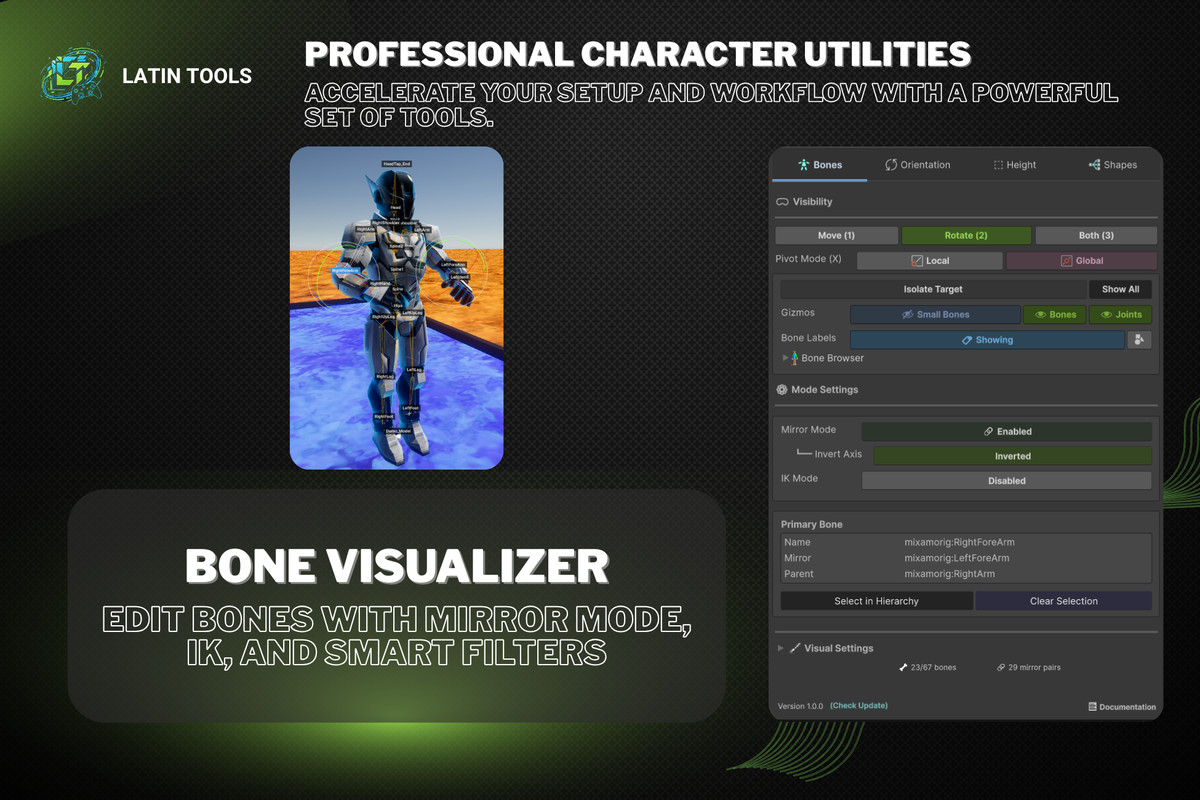
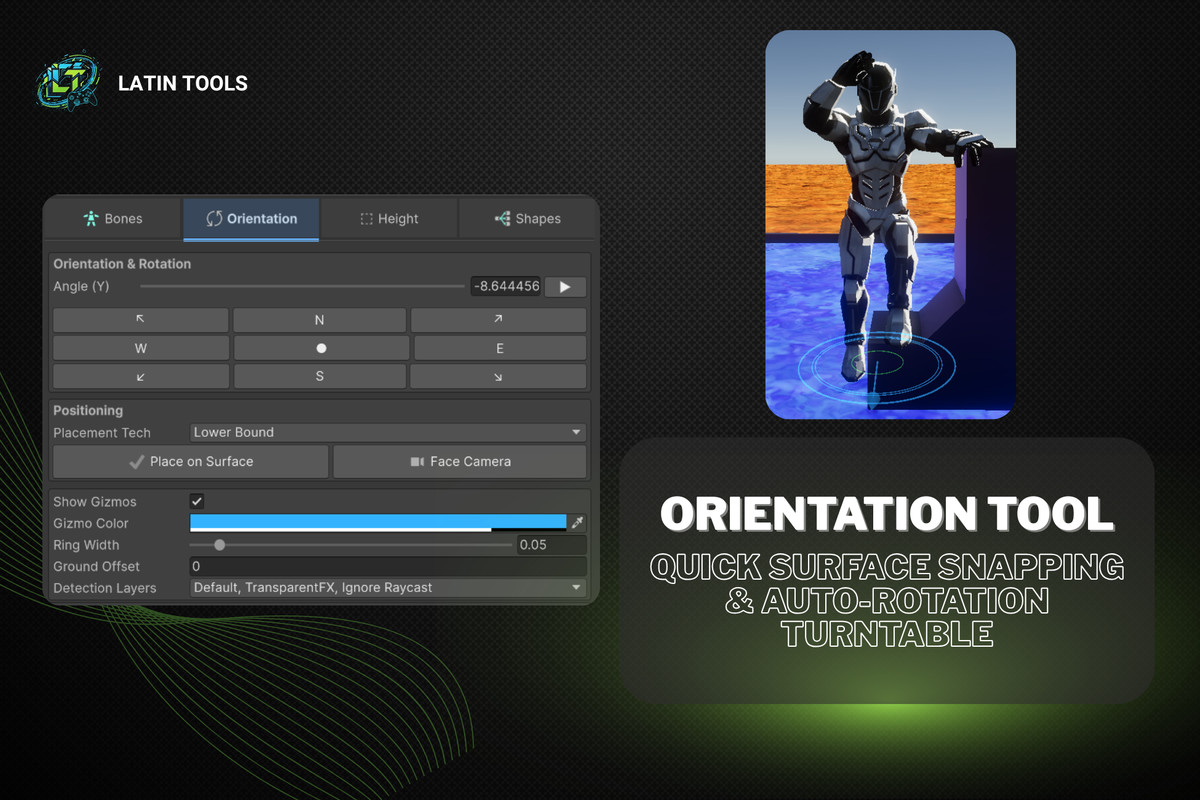
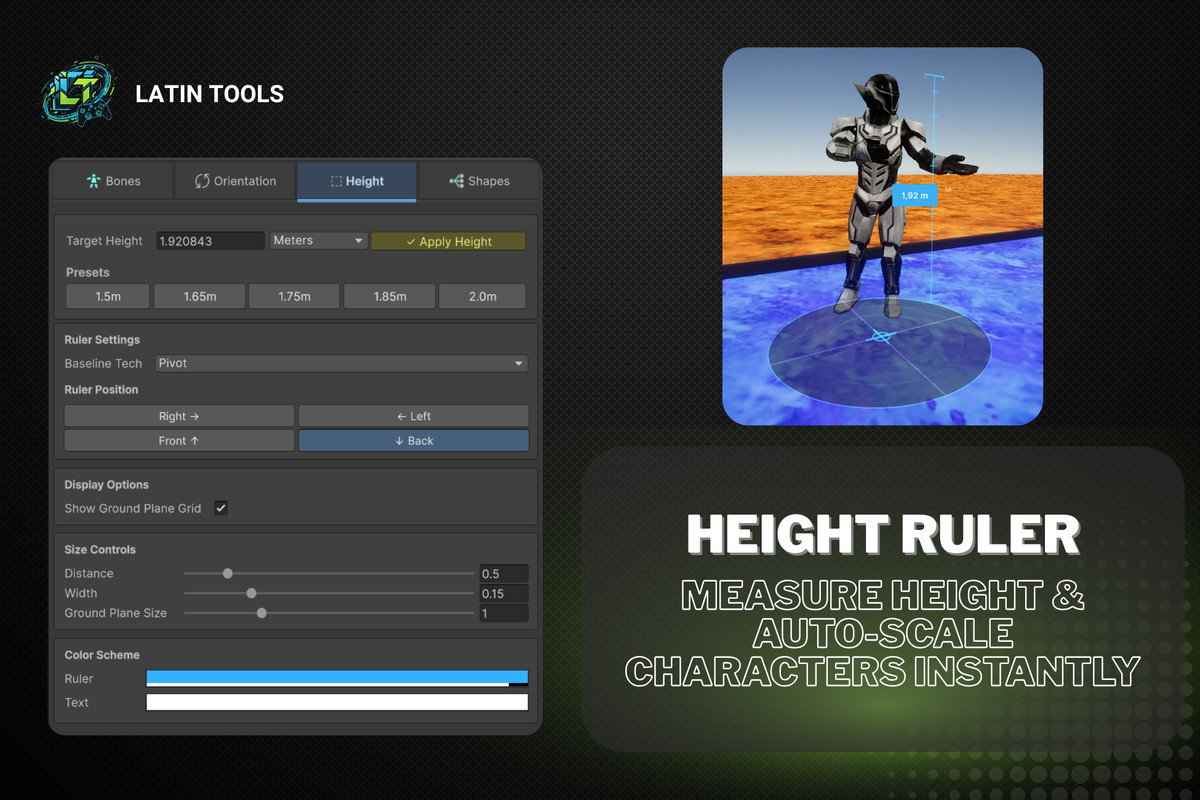
A set of 4 professional tools designed to streamline character setup:
- Categorized bone browserBone VisualizerEdit bones directly in the Scene View with:
Mirror Mode (Normal / Inverted)
Simple IK
Visibility filters (hide small bones) - Measure character height and auto-scale meshes to a target size (e.g. 1.80 m) with a single click.Height Ruler
- Name filtering for a cleaner viewBlend Shapes ManagerEasily manage multiple blend shapes:
Master slider control
Copy / paste values between meshes - Auto-rotation to inspect characters from every angleOrientation ToolInstantly snap characters to the ground (Place on Surface)
🎞️ Core Animation Tools
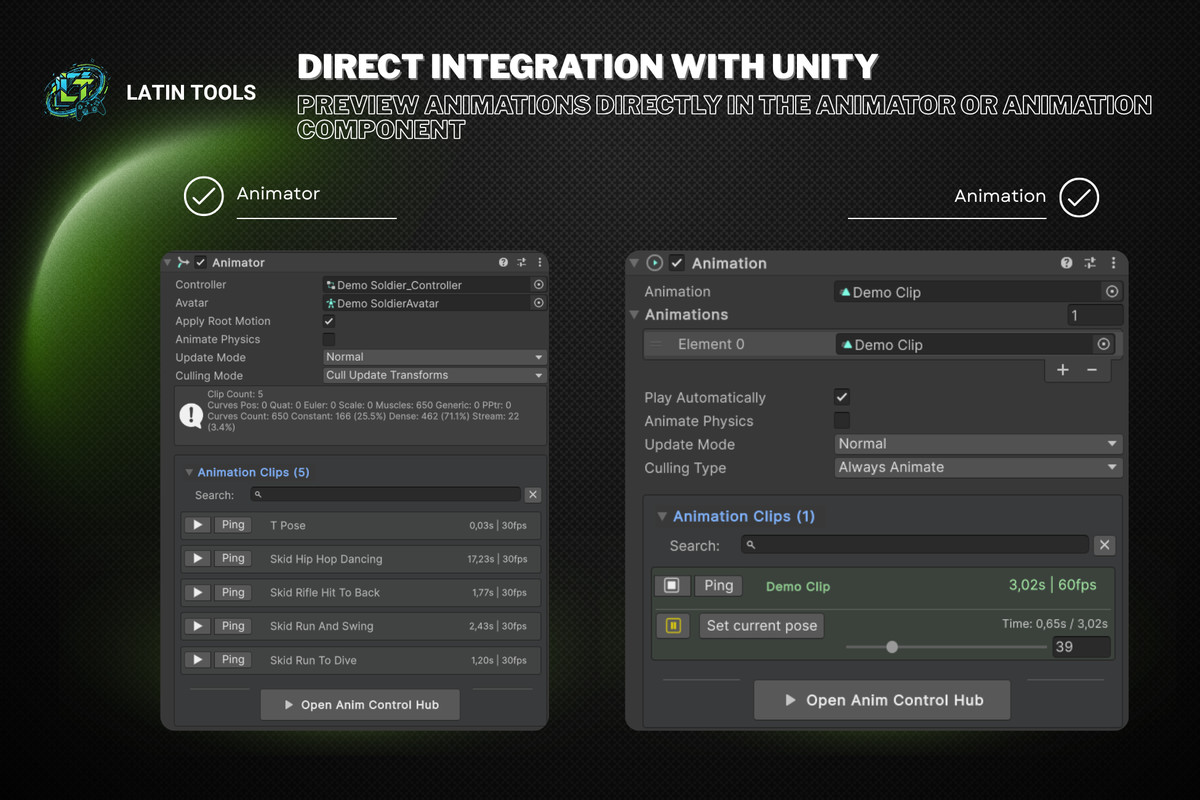
- View all animations from any object using an Animator or Animation component.Animation Explorer
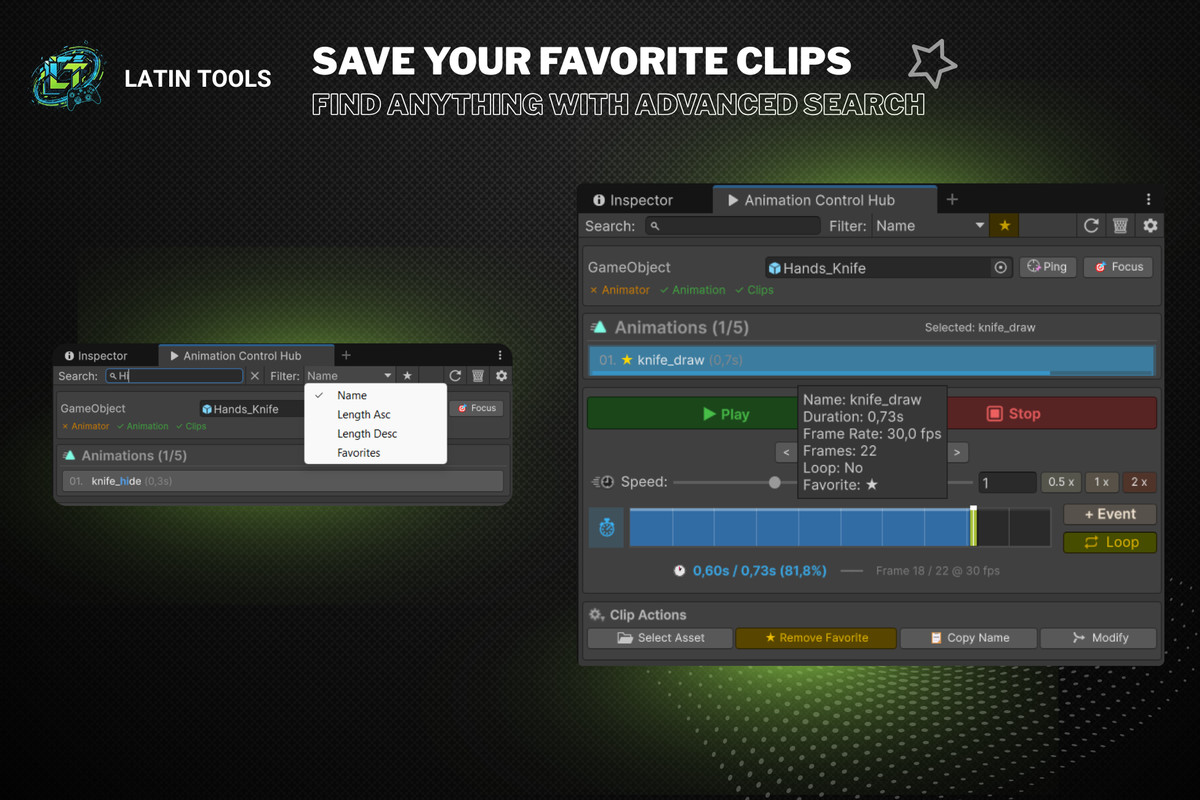
- Save important clips and find them instantly using powerful filters.Favorites & Advanced Search
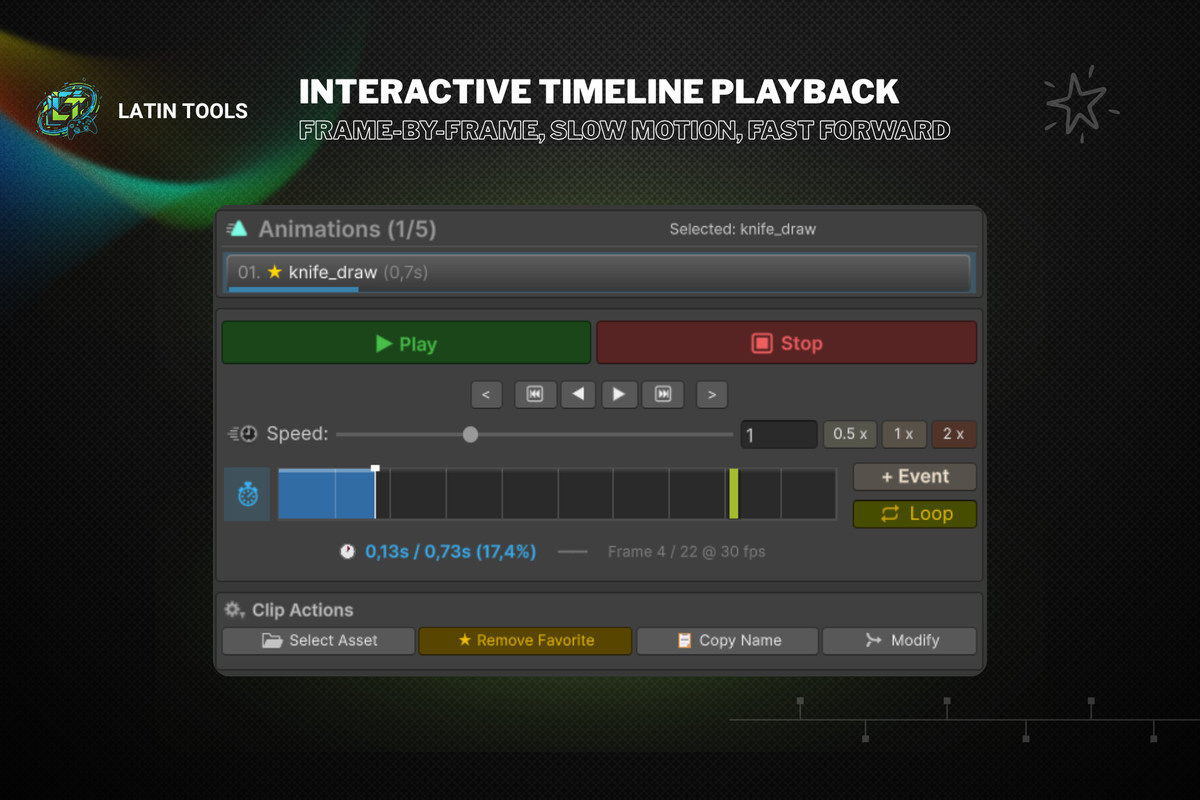
- Smoothly scrub animations, adjust playback speed, or step frame-by-frame.Interactive Timeline
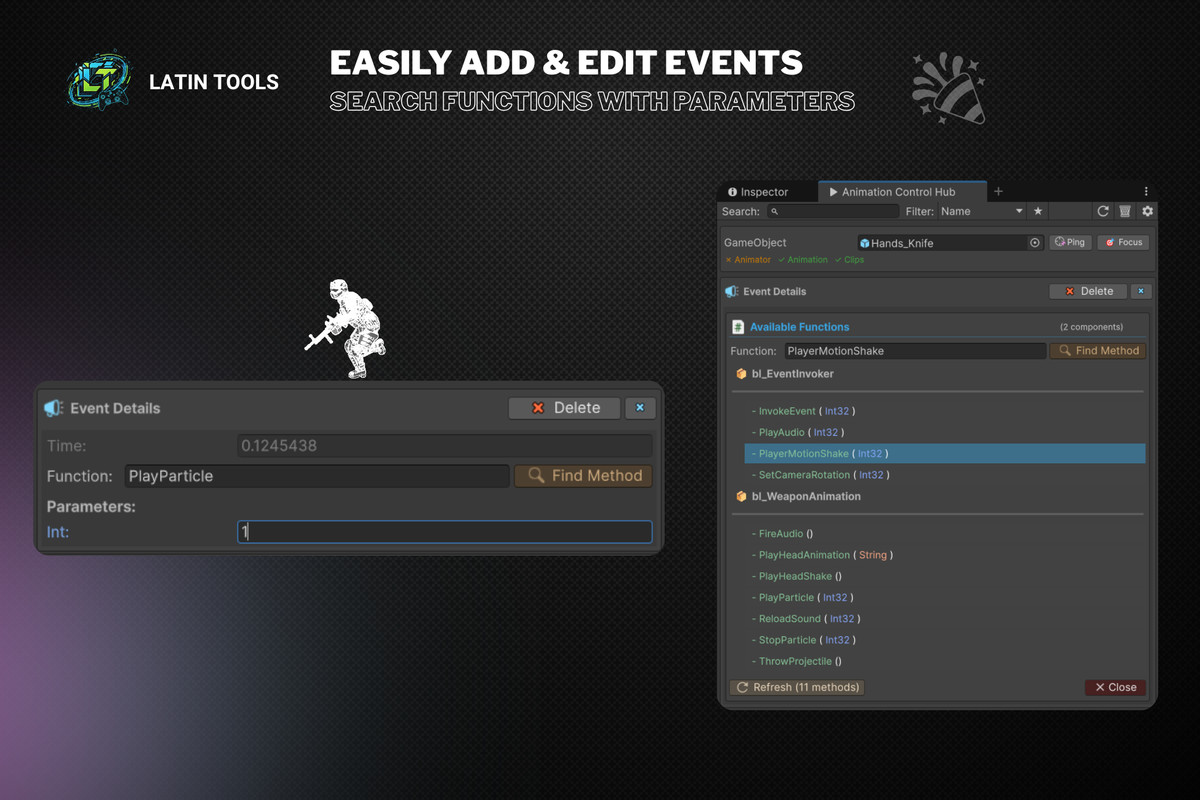
- Quickly add, edit, and assign animation events with parameters using a built-in function search.Event Manager
- Instantly check clip duration, total frames, FPS, loop status, event count, and more.Detailed Insights
- Export models as FBX in the exact pose of the animation at the current playback time.FBX Pose Export
- Locate clips in the project, toggle slow motion, and navigate faster.Smart Shortcuts
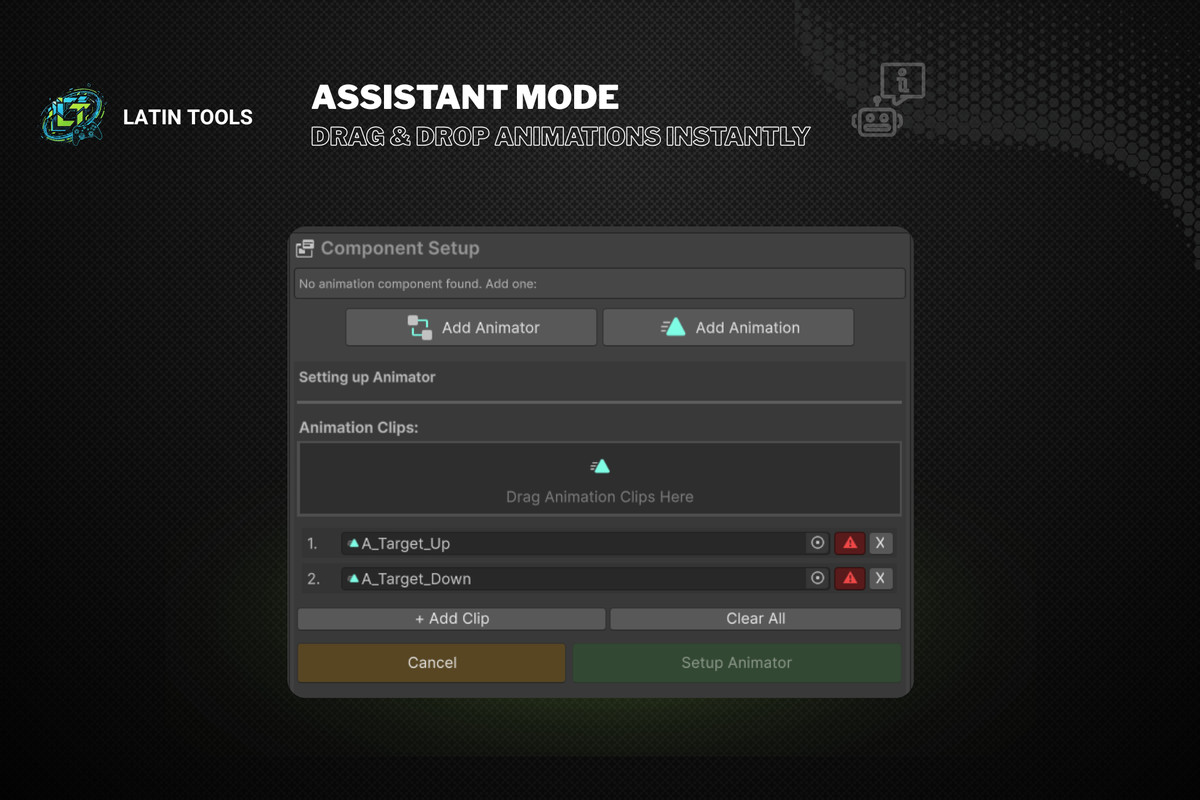
- No Animator? Simply drag and drop clips to automatically create and assign one (Animator or Legacy).Automatic Assistant
🛠️ Perfect for
- Developers who want real productivity when working with animations.
- Technical artists who need precise control over bones, blend shapes, and events.
- Indie creators and studios aiming for a faster, cleaner Unity workflow.
✅ Compatibility
- Supports Animator Controller and Legacy Animation
- Compatible with URP, HDRP, and Built-in Pipeline
From the publisher's Asset Store listing.
Technical details
Requirements:
- Unity 2019.3 LTS or higher (recommended).
- Works with both Animator Controller and Legacy Animation.
Render Pipeline Support:
- ✅ Built-in Render Pipeline
- ✅ Universal Render Pipeline (URP)
- ✅ High Definition Render Pipeline (HDRP)
Platform Compatibility:
- Editor only (not required at runtime).
- Compatible with Windows, macOS, and Linux editors.
Dependencies:
- No external dependencies.
- Fully integrated with Unity’s native Animator and Animation systems.
Performance:
- Lightweight editor tool, no runtime overhead.
- Optimized for large projects with many animation clips.
Limitations:
- Designed for use inside the Unity Editor (not for in-game animation control).
- Does not replace the Animator Controller — works as a visualization and management tool.
Compatibility
| Unity version | Built-in | URP | HDRP | Custom |
|---|---|---|---|---|
| 6000.2.13f1 | Compatible | Compatible | Compatible | Compatible |
As listed on the Asset Store.