
 View on Asset Store (opens in new tab)
Package details
- Latest version
- 1.2.1
- Last updated
- First released
- Unity version
- 6000.0.60 or later
- Package size
- 112 KB
- Files
- 8
- Favorites
- 5
- Views in the past week
- 3
Price tracking
- Last checked
- Tracked since
- Lowest recorded
- Free on
Keywords
DebugSweeper – Clean, Optimize, Visualize Your Project
- Price drop
DebugSweeper quickly scans and cleans dev-only code in Unity, with batch operations, contextual replacements, and a colorful visualizer for easy management.
Affiliate link · Purchases support this site
Price history
Last 6 months
USDAsset preview
1 / 3
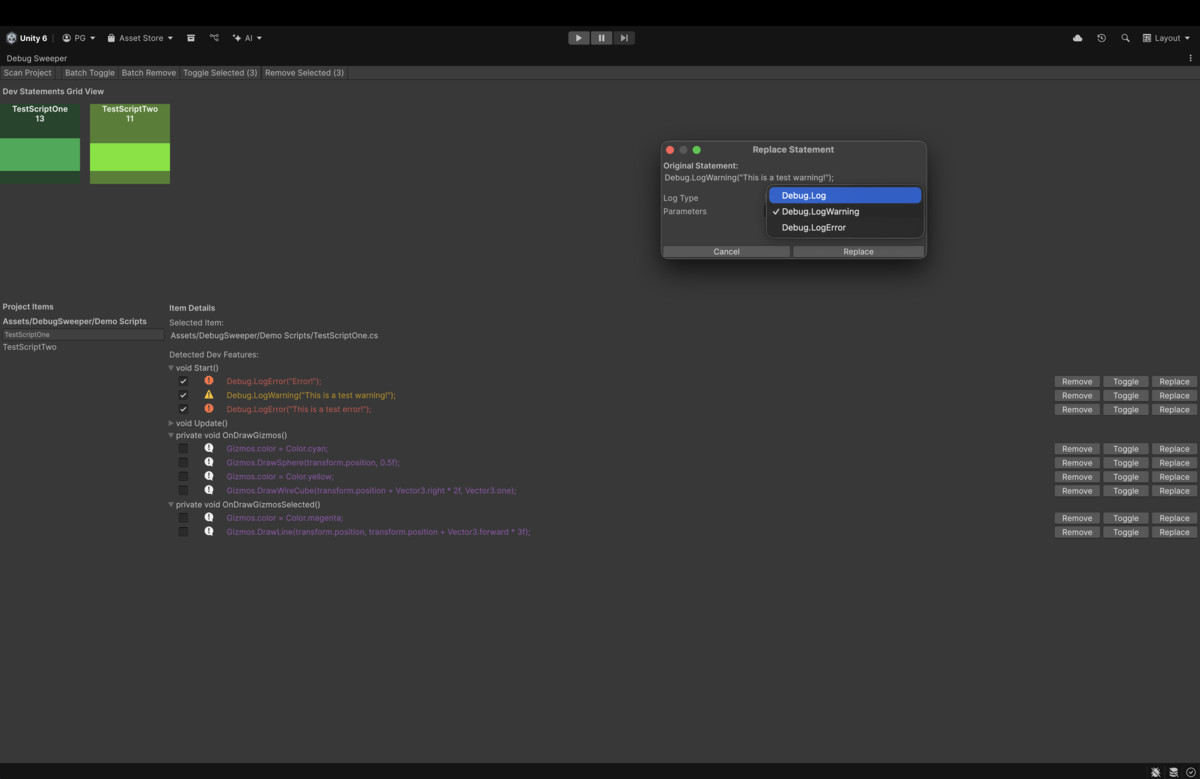
DebugSweeper – Clean, Optimize, Visualize Your Project screenshot 1

About this asset
DebugSweeper is a fully customizable Unity Editor extension designed to help developers identify, manage, and clean up development-only code such as Debug.Log, Debug.Assert, Debug.Draw*, and Gizmos. It scans your project scripts (excluding Editor scripts) and provides detailed insights per method, showing exactly where dev statements occur.
Key features include:
- Batch Operations: Comment or remove dev statements across all scripts at once.
- Individual Script Operations: Comment, remove or modify dev statements across specific scripts.
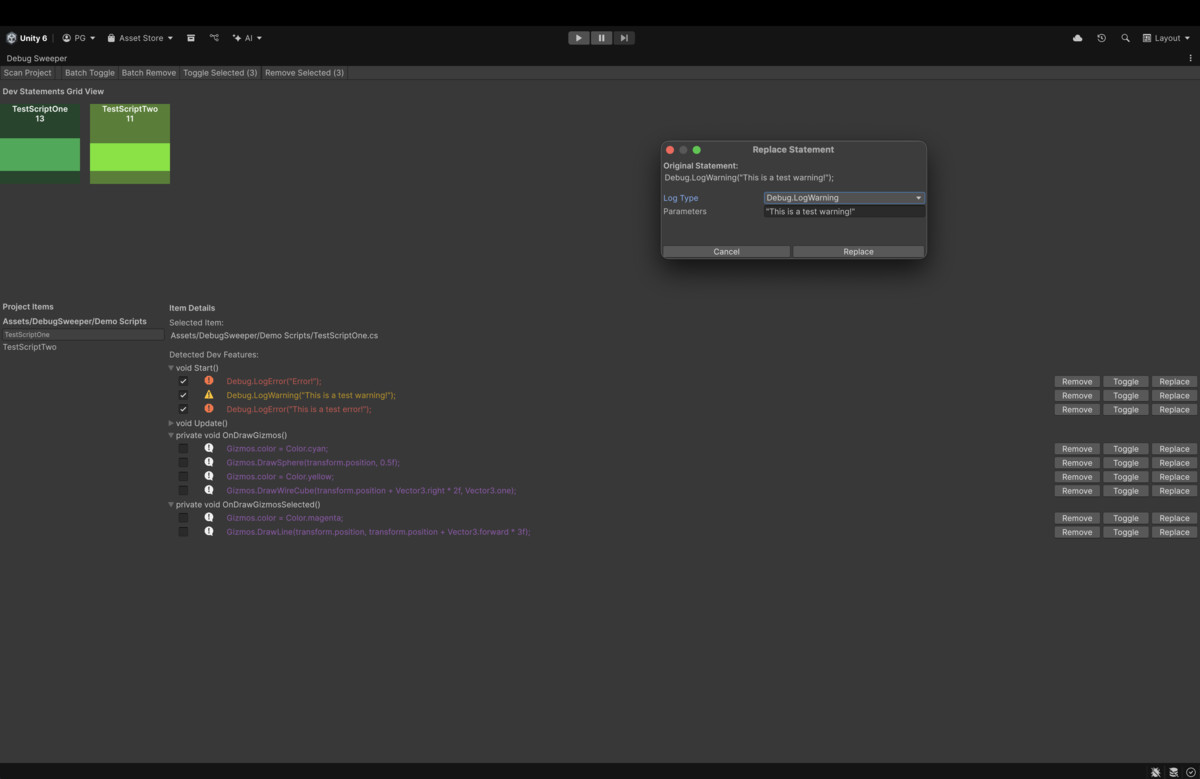
- Contextual Replacement: Modify Debug.Log and Debug.Assert calls directly from the Editor.
- Interactive Visualizer: Colorful, professional block view shows script statement density for quick insights.
- Flexible & Customizable: Fully integrated into the Unity Editor, works with any project type or genre, and helps optimize performance for production builds.
DebugSweeper saves time, keeps your project clean, and ensures development-only code doesn’t impact your final build.
From the publisher's Asset Store listing.
Technical details
- Comprehensive Script Scanning: Detects Debug.Log, Debug.LogWarning, Debug.LogError, Debug.Assert, Debug.Draw*, and Gizmos across all project scripts (excluding Editor scripts).
- Per-Method Analysis: Shows which methods contain development-only statements, with foldout views for easy navigation.
- Batch Operations: Comment, remove, or replace multiple dev statements across all scripts at once.
- Contextual Replacement: Replace Debug.Log and Debug.Assert statements with a customizable popup for log type and parameters.
- Interactive Visualizer: Colorful, professional block-style view representing scripts and their dev statement counts.
- Non-Blocking Processing: Asynchronous batch operations with progress bar, keeping the Editor responsive.
- Customizable Colors & Layouts: Easily distinguish different statement types with color coding and icons.
- Safe & Reversible: Commenting instead of removal allows safe toggling without losing code.
- Optimized for Production: Helps clean dev-only code to improve build performance.
Compatibility
| Unity version | Built-in | URP | HDRP | Custom |
|---|---|---|---|---|
| 6000.0.60f1 | Compatible | Compatible | Compatible | Compatible |
As listed on the Asset Store.