
 View on Asset Store (opens in new tab)
Package details
- Latest version
- 1.0
- Last updated
- First released
- Unity version
- 6000.0.42 or later
- Package size
- 4.0 MB
- Files
- 53
- Favorites
- 4
- Views in the past week
- 10
Price tracking
- Last checked
- Tracked since
- Lowest recorded
- $12.49 on
Keywords

Simple Interaction System
- Price drop
Drop‑in, Inspector‑driven first‑person interactions: one controller handles detection, input, UI prompts, selection highlights, pickup/placement, and look‑to‑interact.
Lowest in 6 months
Get 20% off on Asset Store (opens in new tab)Affiliate link · Purchases support this site
Price history
Last 6 months
USDAsset preview
1 / 8

Simple Interaction System screenshot 1


About this asset
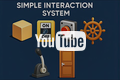
Simple Interaction System is a drop‑in, Inspector‑driven framework for first‑person projects. Add a single InteractionController to your player, place the Interactable component on scene objects, pick a type, and press Play.
Supported out of the box
- Door
- Button
- Lever
- Wheel
- Switch
- Tangible (pickup/hold)
- Place (placement)
- Custom
This asset is used by our upcoming game, more features and updates will be added as they are needed during the games development.
If you need any features not covered then contact the support email below with your request.
Demo Game Coming Soon...The Reactor
Why use it
- One controller orchestrates detection (overlap and raycast), input, UI prompts, selection and highlighting, and simple animations.
- Clean editor flow: focused custom inspector per type, plus a bulk‑add window.
- Look‑to‑interact option and “auto start/stop” when NeedInteraction is disabled.
- Placement previews and “out‑of‑range” indicators built in.
- UnityEvents on Interactable let you hook gameplay without writing code.
What’s included
- Core runtime: Interactable, InteractionController, InteractionType and Exclusivity
- Editor tooling: custom inspector and Interactable window
- URP outline material for selection highlights
- Minimal demo scene and prefabs for every interaction type
- DOCUMENTATION.pdf (setup, tips, and notes)
How it works (runtime highlights)
- Periodic sphere overlap collects nearby colliders; per‑frame selection with optional camera‑based look targeting.
- Doors, buttons, and switches animate via coroutines. Levers and wheels expose angle and percentage, with clamp or free‑spin modes.
- Holding: mouse wheel adjusts distance; right mouse plus move rotates held items; drop key restores physics.
- Exclusivity: world‑lock or type‑lock prevents conflicting interactions.
Limitations
- Single‑player only (no networking).
- Uses Unity’s classic Input by default (New Input System not integrated, update coming soon).
- URP outline material included; Built‑in/HDRP users should supply a compatible outline or disable highlight, updates for HDRP and Built-In shaders soon.
- Demo controller uses a Unity 6 API; see Compatibility.
Support
Email: [email protected] (typical response 24–48 hours)
From the publisher's Asset Store listing.
Technical details
Unity versions
- Core scripts are engine‑agnostic MonoBehaviours. The included demo targets Unity 6.
Render pipelines
- Core logic works with Built‑in, URP, and HDRP.
- URP outline material is included. Built‑in/HDRP: provide your own outline or disable highlighting.
Input & UI
- Classic Input (KeyCode/GetAxis).
- Requires TextMeshPro (TMP).
Platforms
- Windows, macOS, Linux Standalone, WebGL.
- Mobile and XR are feasible with appropriate input/camera setup (not covered by the demo).
Contents
- Runtime: Interactable.cs, InteractionController.cs, InteractionType.cs
- Editor: InteractableEditor.cs, InteractableWindow.cs
- Prefabs: InteractionController, InteractionPanel, InteractionText (TMP)
- Demo: Scenes/DemoShowcase.unity, SimpleFPSController, example interactables and materials
- Shaders/Materials: URP outline shader/material
- Docs: DOCUMENTATION.md
Performance notes
- One Physics.OverlapSphere per tick (configurable).
- Cost hotspots: outline material swaps, TMP row instantiation, small GC from LINQ.
- Tune InteractionTickRate, InteractionLayerMask, and InteractionRadius to your scene.
Extensibility
- Add new interaction types by extending the enum, Interactable fields/events, and controller handlers.
- Programmatic control is typically via UnityEvents or controller extension methods.
Known edge cases
- Requires a child Camera under the LocalPlayer for look‑to‑interact and holding.
- Tangibles without a Rigidbody work but have limited physics on drop.
Compatibility
| Unity version | Built-in | URP | HDRP |
|---|---|---|---|
| 6000.0.42f1 | Not listed | Compatible | Not listed |
Minimum editor for the included demo: Unity 6000.x (Unity 6) because the demo uses Rigidbody.linearVelocity.
Using 2022.3 LTS: import the Core, Core/Editor, and Prefabs folders; exclude the Demo folder or wrap the demo controller for pre‑6. Core scripts are compatible.
Render pipelines: URP outline included. Built‑in and HDRP should use a compatible outline material or leave outline disabled.
As listed on the Asset Store.