
 View on Asset Store (opens in new tab)
Package details
- Latest version
- 1.2
- Last updated
- First released
- Unity version
- 6000.0.35 or later
- Package size
- 29.4 MB
- Files
- 37
- Favorites
- 12
- Views in the past week
- 5
Price tracking
- Last checked
- Tracked since
- Lowest recorded
- Free on
Keywords

AnimaTween
The animation tween you see in any game engine. A simple and flexible way to animate fields and properties of your objects directly in Unity.
Affiliate link · Purchases support this site
Price history
Last 6 months
USDAsset preview
1 / 2
AnimaTween screenshot 1

About this asset
AnimaTween: The Elegant Tween Engine
Animate anything with a single line of code. AnimaTween is a powerful, lightweight, and intuitive tweening engine designed for developers who value speed, simplicity, and flexibility.
Heavily inspired by the clean APIs of the Defold engine, AnimaTween brings a straightforward, code-first animation philosophy to your Unity projects. Forget complex setups and Animator windows—achieve smooth, dynamic motion directly in your scripts.
From UI elements to game physics and shader properties, AnimaTween gives you the tools you need in a performance-first, zero-setup package.
✨ Why Choose AnimaTween?
- Animate Anything, Instantly: Use one simple function, ATween("propertyName", ...), to animate any public property or field. If it's a number, a Vector, a Color, or even a custom value in your own scripts, AnimaTween can handle it.
- Optimized Performance: AnimaTween uses a hybrid approach. Common animations like moving a Transform or changing a Material color are highly optimized to avoid reflection and memory allocation, giving you top-tier performance where it matters most.
- Zero Footprint: The system is completely self-managing. It automatically adds and removes lightweight components as needed and cleans up memory when objects are destroyed. Your scene hierarchy stays clean.
- Full Control: A powerful and clear API lets you AComplete(), AStop(), or ACancel() any animation. Control playback with loops, ping-pong, and callbacks.
- Juice Included: Add impact with built-in AShake() and APunch() functions. Create screen shakes, button feedback, and impactful effects with ease.
💻 Code Examples
Move a Transform:
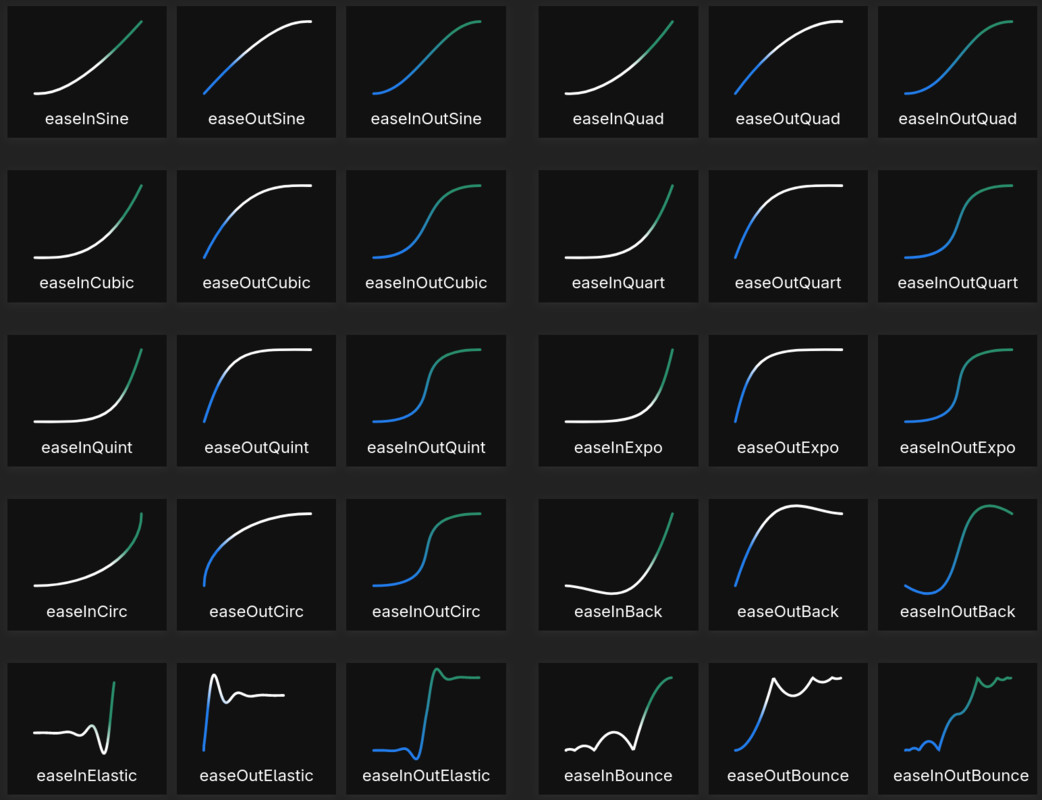
- transform.ATween("position", new Vector3(10, 0, 0), 2f, Easing.OutElastic);
Fade a Canvas Group and run a callback:
- myCanvasGroup.AFade(1f, 1.5f, onComplete: () => Debug.Log("Fade complete!"));
Animate a custom "Health" property in your script:
- playerScript.ATween("Health", 100f, 1.0f);
Shake the camera:
- mainCamera.transform.AShake("position", 0.5f, strength: 0.2f);
For complete documentation, installation instructions (including Package Manager via Git URL), and to contribute to the project, please visit the official GitHub repository.
From the publisher's Asset Store listing.
Technical details
Technical Details
- Full C# source code included.
- Requires Unity 2021.3 LTS or newer.
- Includes an Assembly Definition file for fast compilation and better project organization.
Compatibility
| Unity version | Built-in | URP | HDRP | Custom |
|---|---|---|---|---|
| 6000.0.35f1 | Compatible | Compatible | Compatible | Compatible |
Must work in every unity, but the example uses the legacy label
As listed on the Asset Store.