
 View on Asset Store (opens in new tab)
Package details
- Latest version
- 1.1
- Last updated
- First released
- Unity version
- 2021.3.9 or later
- Package size
- 493 KB
- Files
- 75
- Favorites
- 4
- Views in the past week
- 5
Price tracking
- Last checked
- Tracked since
- Lowest recorded
- $7.99 on
Keywords
AIContextExtractor - Scene-to-AI Context Tool
Easily convert and extract any GameObject, Component and Scene Performance, Render pipeline (Builtin and URP) into structured, prompt-ready data for AI tools.
Affiliate link · Purchases support this site
Price history
Last 6 months
USDAsset preview
1 / 9

AIContextExtractor - Scene-to-AI Context Tool screenshot 1

About this asset
AIContextExtractor is a lightweight, offline Unity Editor tool that lets you extract detailed context from any GameObject, Component, or scene and convert it into AI-ready structured data.
No additional payments
AIContextExtractor works without any API keys, subscriptions, or additional costs required. Use it seamlessly with browser-based AI tools without any hidden setup.
Super easy to use
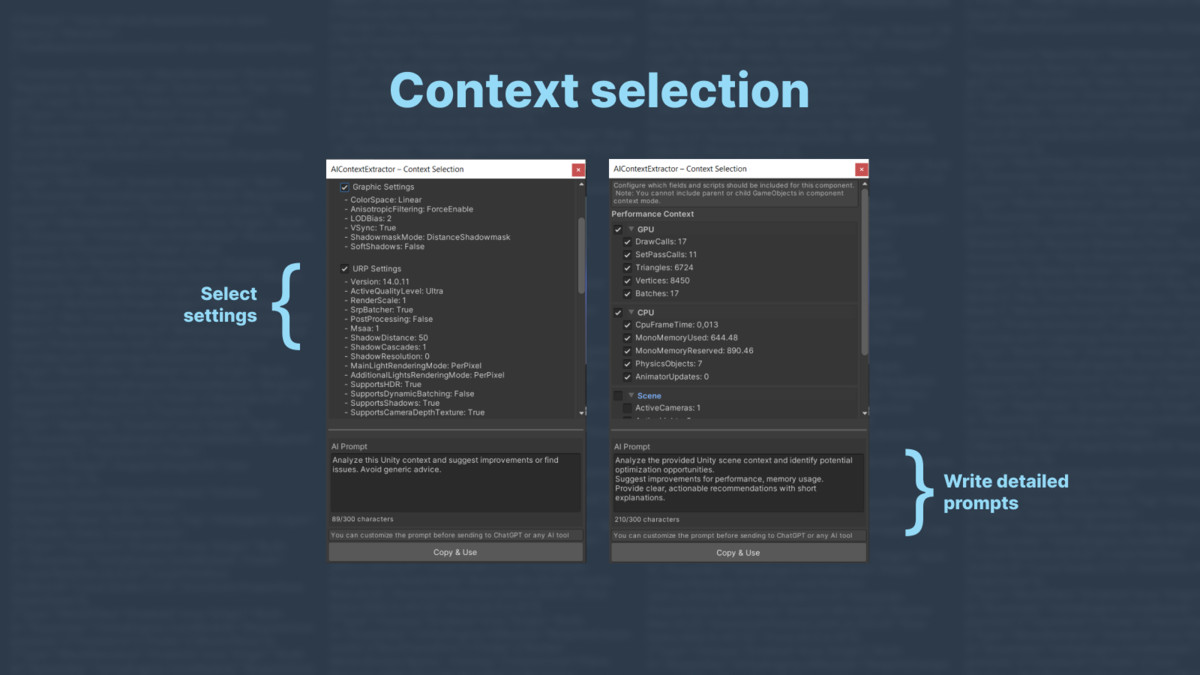
Simply select the object, component, or any other context, deselect any data you don’t need (optional), and the context will be automatically copied to the clipboard. You can then paste it directly into your preferred AI tool.
Assistant for development
AIContextExtractor doesn’t generate code or images. It’s a tool to assist your workflow, helping you extract, analyze scene context, and fix issues efficiently with any AI tool.
With full control over the output, you can:
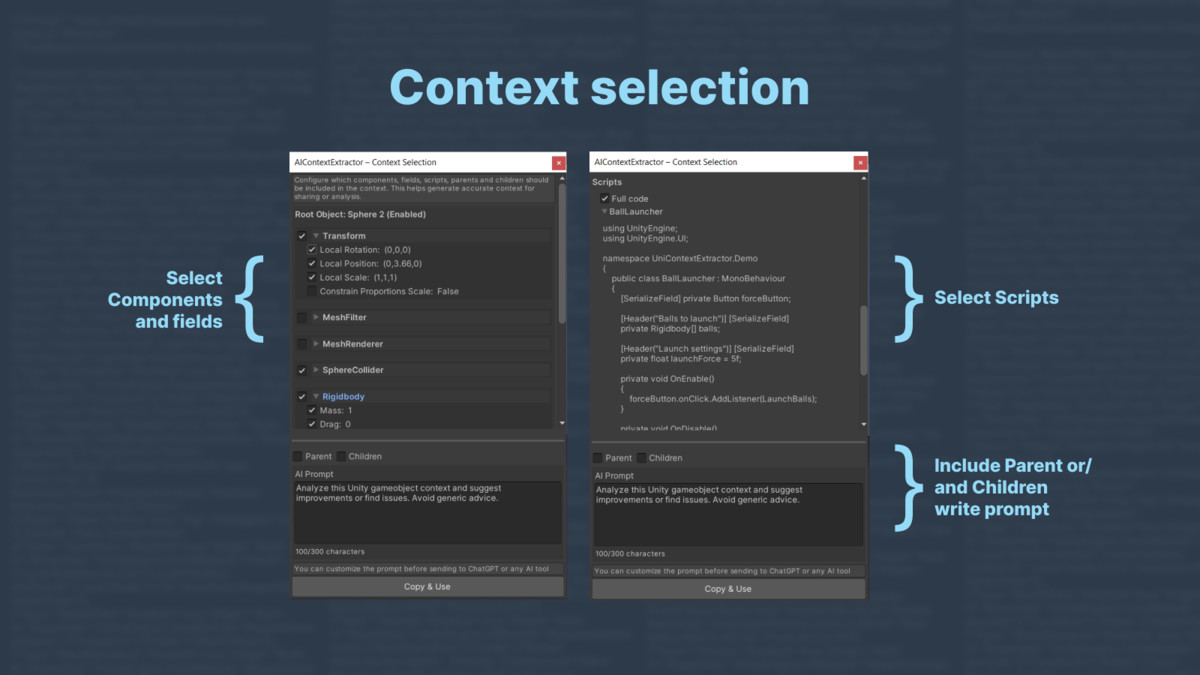
- choose which components, fields, properties, and attached scripts to include;
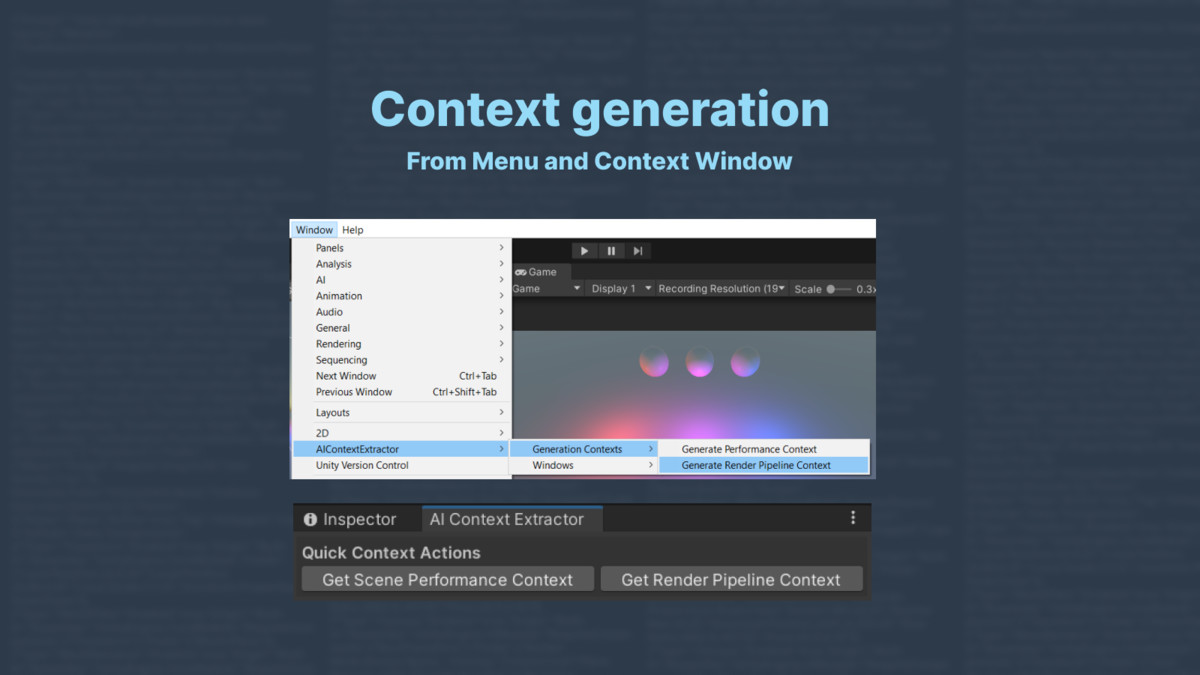
- choose optimization parameters and render pipeline settings (Builtin and URP)
- decide whether to include parents or/and children;
- write your own prompt template, into which the extracted context will be embedded -making the output instantly ready for intelligent assistants or automated AI workflows.
Use Cases
- Capture the full context of your scene, including GameObjects, components, and settings.
- Extract only relevant fields and components to minimize prompt size and improve LLM performance.
- Generate structured snapshots for debugging, adjusting settings, and feeding them into LLMs.
- Analyze bottlenecks, heavy assets, or misconfigured components automatically.
- Receive insights from AI to optimize performance, reduce lag, and improve frame rates.
- Perfect for quickly evaluating third-party assets, complex levels, or large projects.
Support / Feedback
For bug reports, suggestions, or questions, please contact us at:
From the publisher's Asset Store listing.
Technical details
Click Context Extraction
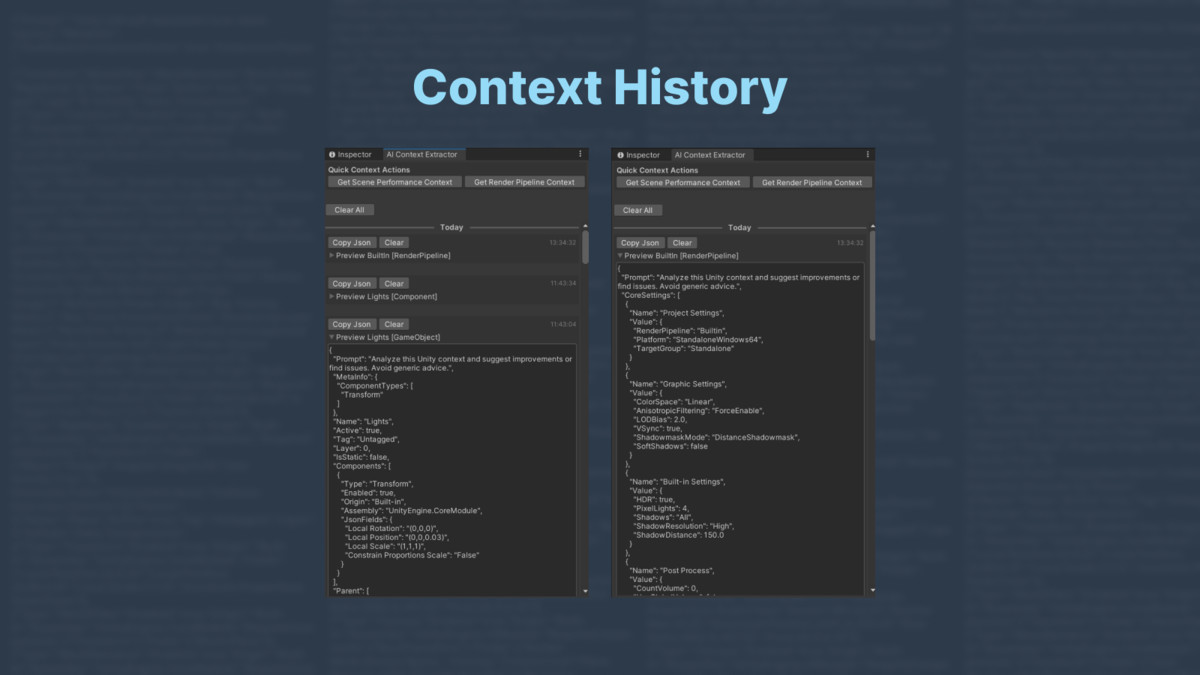
Generate structured JSON/text output from any selected GameObject, Component and Performance. The extracted context includes everything what LLM needs to deeply understand and reason about the selected object.
AI-Prompt Ready Output
The extracted context is automatically formatted for seamless use in AI prompts. You can embed it directly into chat AI tools or local LLMs with clean, readable structure designed to maximize LLM comprehension and reduce prompt engineering overhead.
No API Keys, No Extra Costs
AIContextExtractor does not require any API keys, subscriptions, or external integrations to work. It doesn’t send data directly to AI or any LLM provider. All extracted context and prompt generation happens entirely inside the Unity Editor giving you full control over what to copy and where to send it.
Flexible Context Scope
You decide how deep and wide the context should go. Extract a single GameObject, its parent chain, its children, or the entire scene hierarchy. Choose which components and scripts to include for each object, giving you precise control over the level of detail in your AI prompt. Perfect for tasks ranging from debugging a single object to analyzing full gameplay systems.
Component & Script Awareness
The tool inspects both built-in and custom MonoBehaviour scripts attached to GameObjects. It extracts public and serialized fields, detects references to other objects, and includes relevant values in the structured output. This ensures that the AI receives a comprehensive snapshot of not just what an object is, but what it does and how it’s connected.
LLM-Ready Formatting & Copy-Paste Simplicity
The generated context is structured in clean, readable JSON ideal for AI input. No post-processing, cleanup, or formatting is needed. Just hit "Copy&Use" and paste it directly into LLM chat. This makes the tool perfect for fast iterations, debugging, or even AI-driven scene understanding.
Compatibility
| Unity version | Built-in | URP | HDRP | Custom |
|---|---|---|---|---|
| 2022.3.30f1 | Compatible | Compatible | Compatible | Compatible |
| 2021.3.9f1 | Compatible | Compatible | Compatible | Compatible |
As listed on the Asset Store.