
 View on Asset Store (opens in new tab)
Package details
- Latest version
- 1.0
- Last updated
- First released
- Unity version
- 2022.3.35 or later
- Package size
- 3.8 MB
- Files
- 27
- Favorites
- 7
- Views in the past week
- 16
Price tracking
- Last checked
- Tracked since
- Lowest recorded
- $24.99 on
Keywords

Auto Fix Pro
Auto-Fix Pro scans and repairs missing refs, broken shaders, converts pipelines and optimizes builds—all in one Editor window, so you can fix issues and ship clean builds faster.
Affiliate link · Purchases support this site
Price history
Last 6 months
USDAsset preview
1 / 7
Auto Fix Pro screenshot 1
About this asset
Auto-Fix Pro is the all-in-one Unity Editor suite designed to tackle every last niggling issue in your project—so you can focus on building great games instead of chasing errors. In a single, polished window you get four powerhouse modules working in concert:
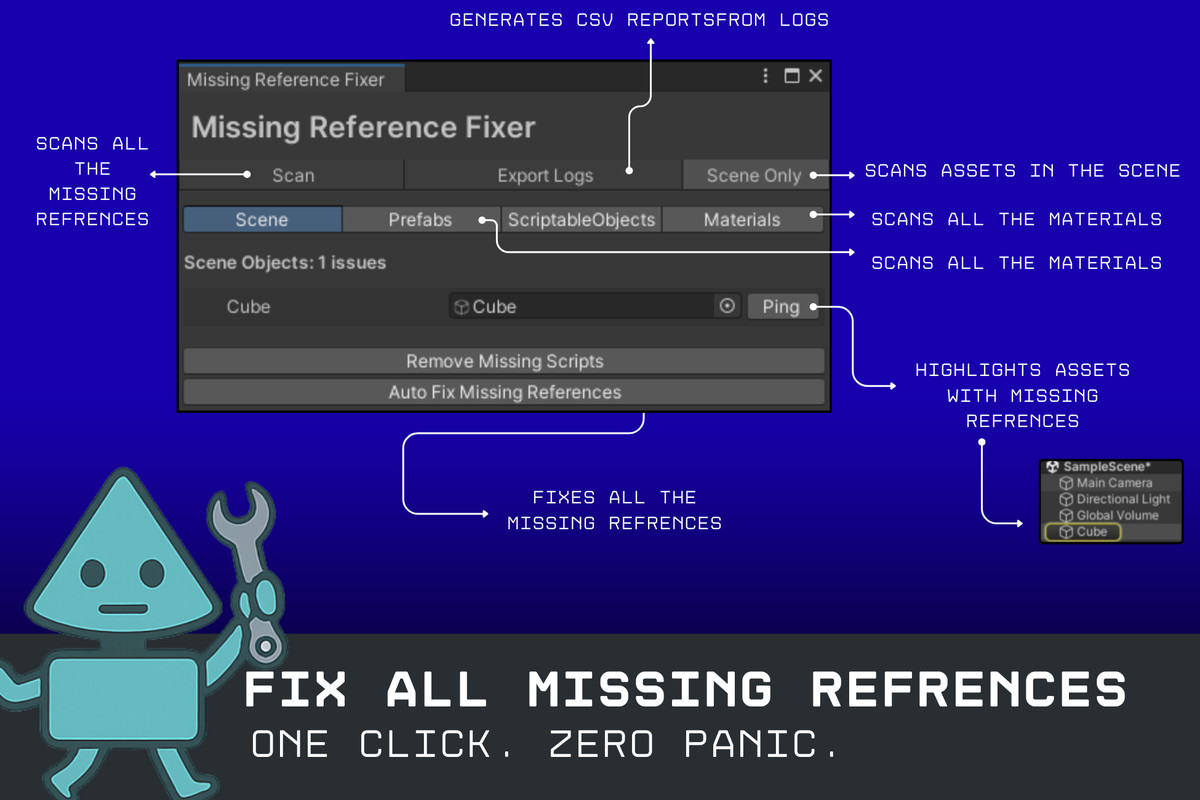
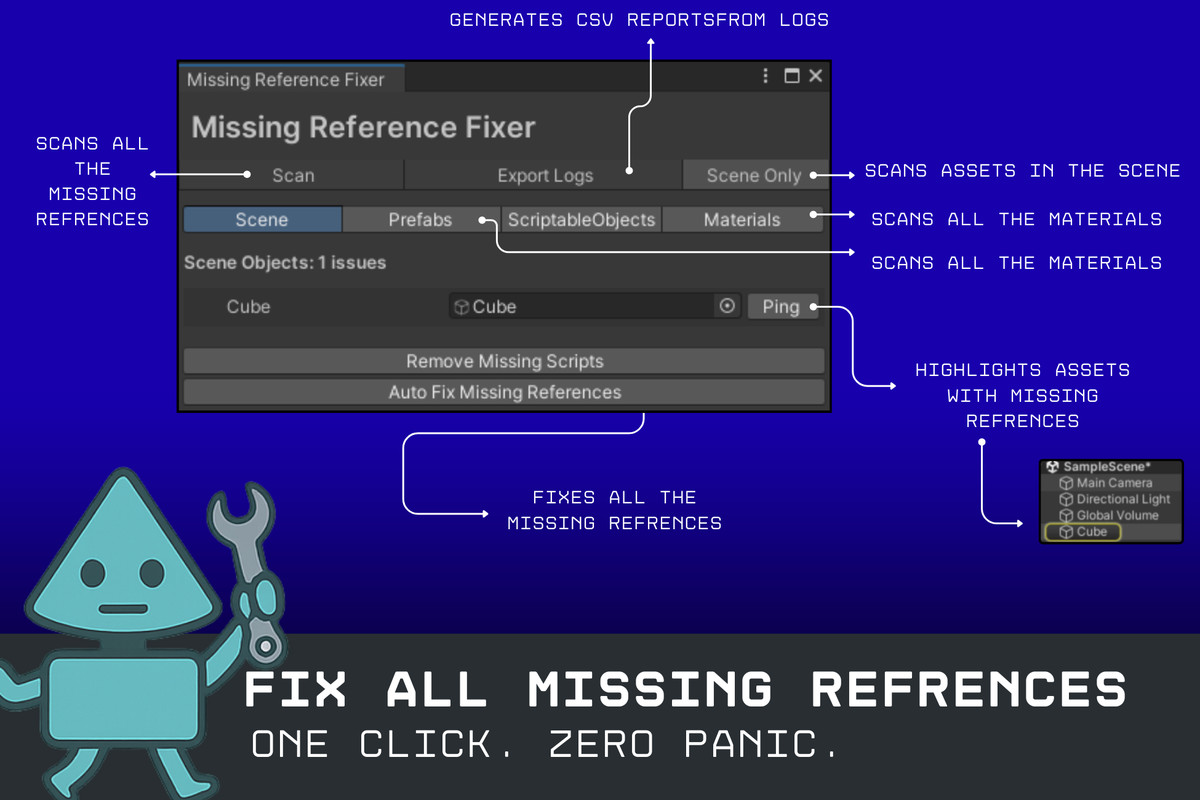
- Missing Reference Fixer: Instantly identifies broken GameObject, Component, and Script links across scenes and prefabs. Preview each issue, swap in a valid asset or remove the dead link entirely, and apply fixes in bulk with full Undo support.
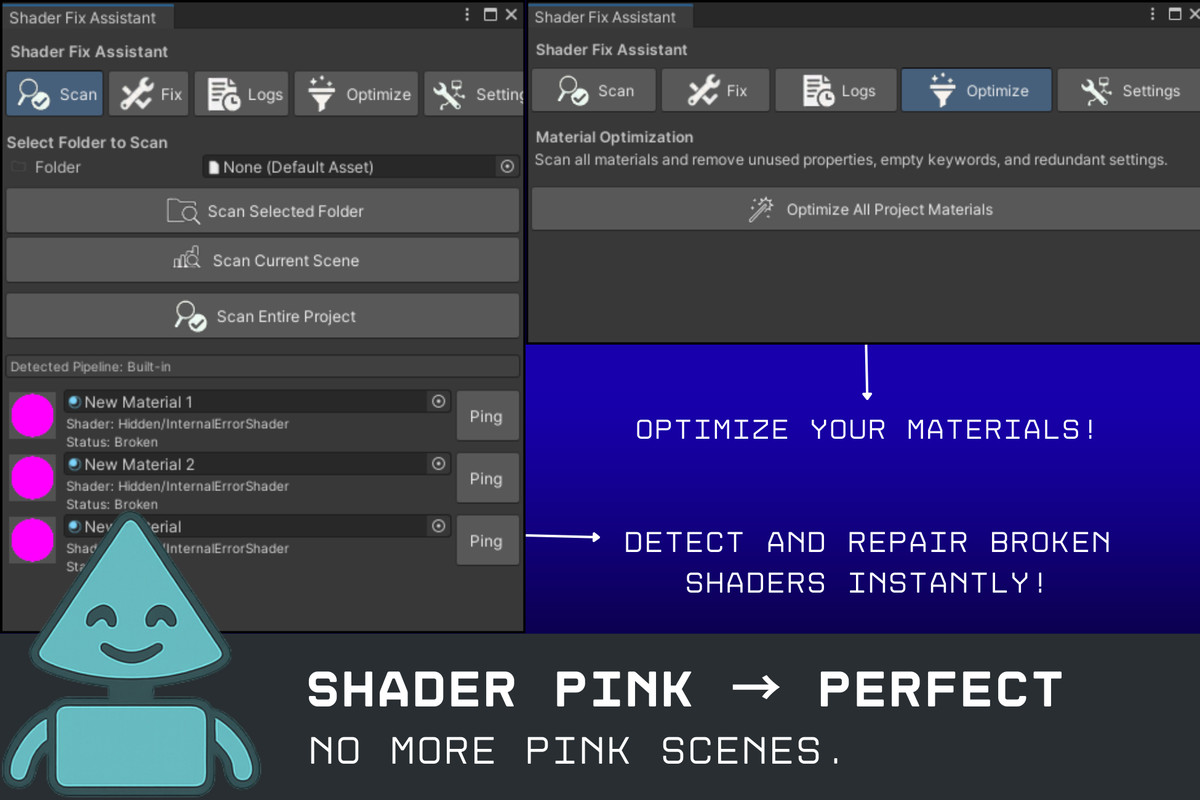
- Shader Fix Assistant: Scans materials for deprecated or unsupported shaders and automatically wraps fixes in #if UNITY_EDITOR guards or remaps to modern URP/HDRP alternatives. No more pink glitches or missing effects at runtime.
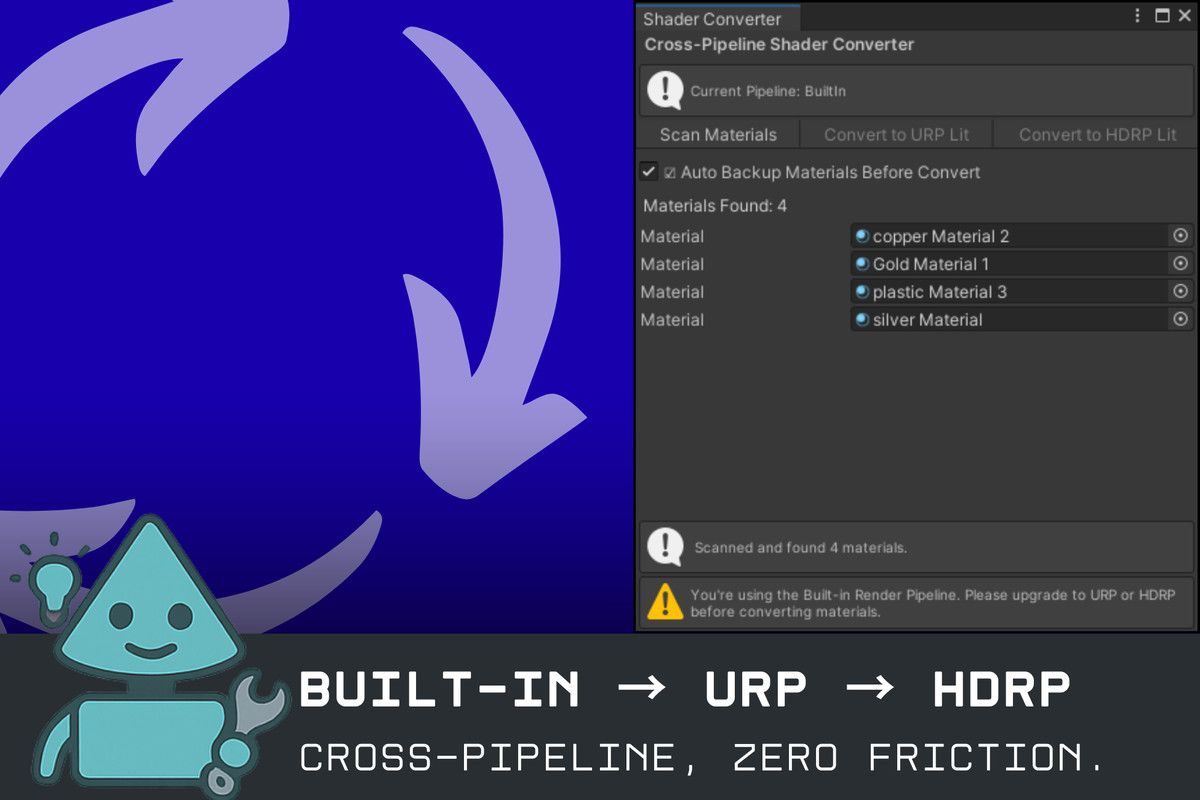
- Cross-Pipeline Shader Converter: Migrate your entire project between Built-in Render Pipeline, URP, and HDRP with one click. Use built-in mapping rules or import custom JSON mappings, and fall back gracefully to default shaders when needed.
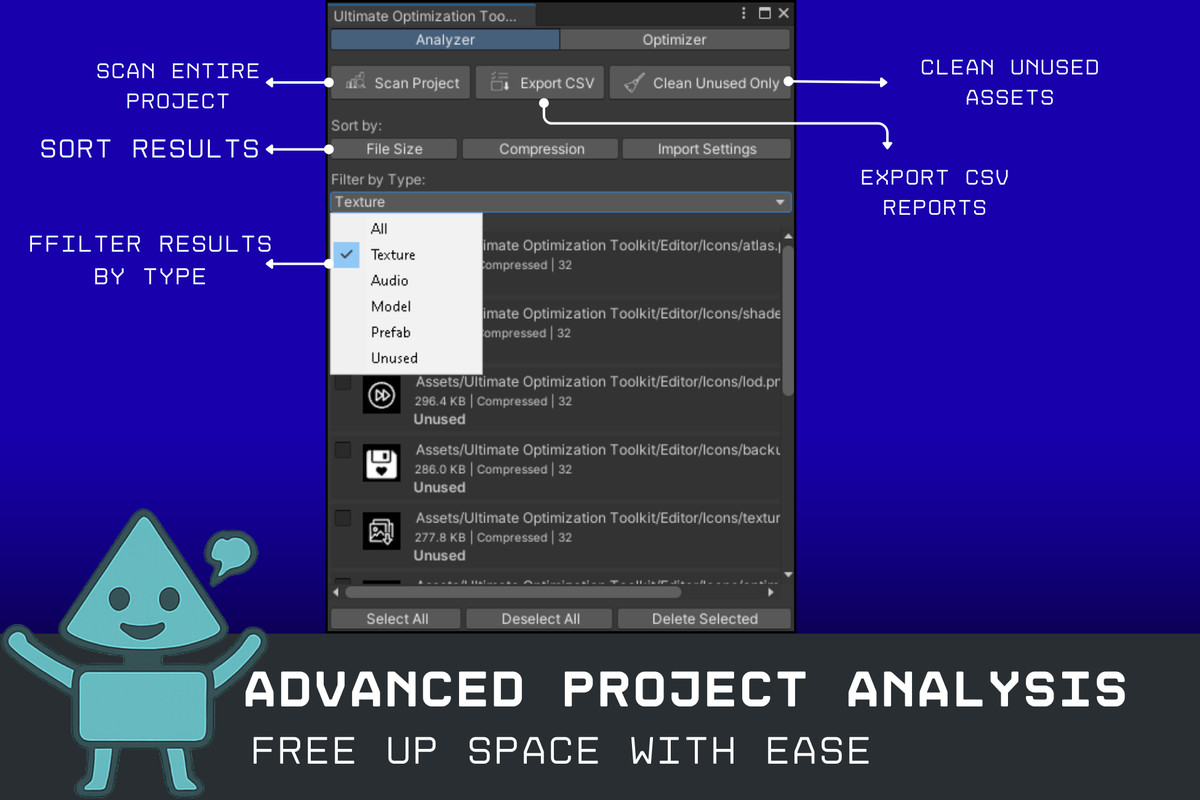
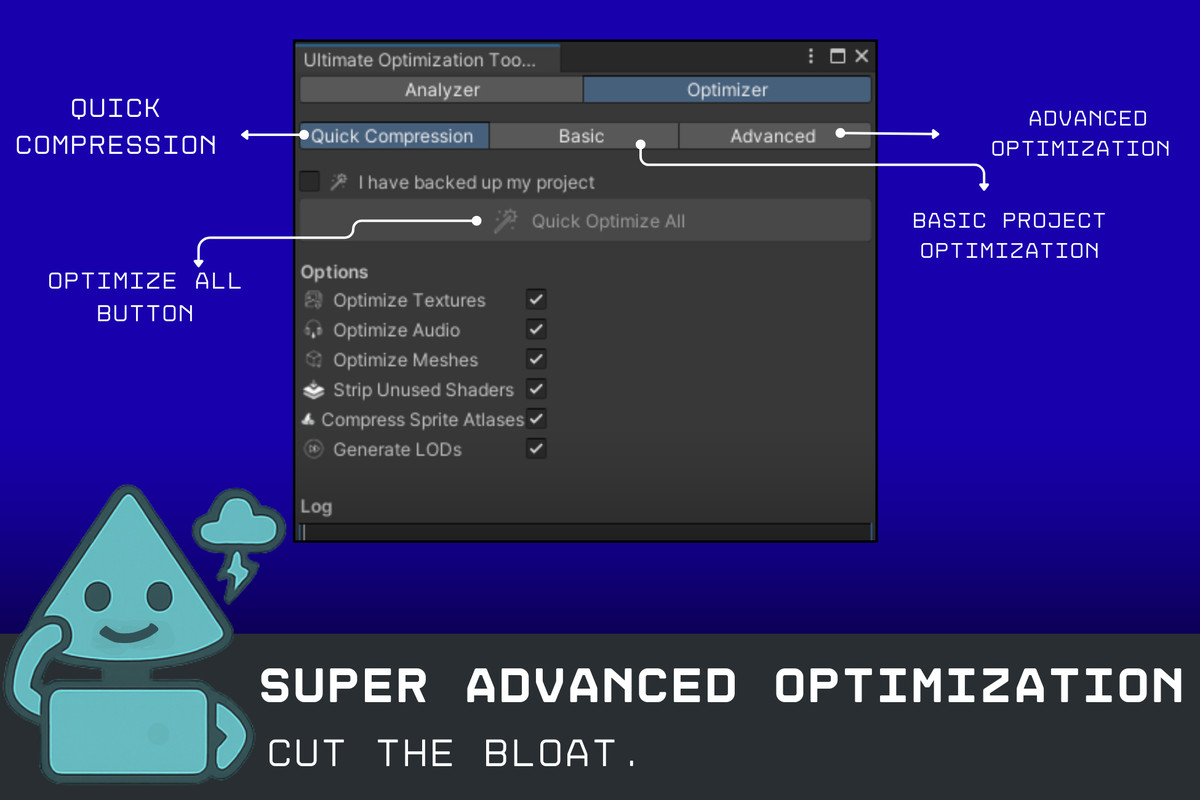
- Ultimate Optimization Toolkit: Parse Unity’s Editor.log or JSON build reports to pinpoint large or duplicated assets, uncompressed textures/audio, and unused files. Visualize scene breakdowns, compare multiple reports side by side, then clean up with “Clean Unused” or export detailed CSV/HTML reports for your team.
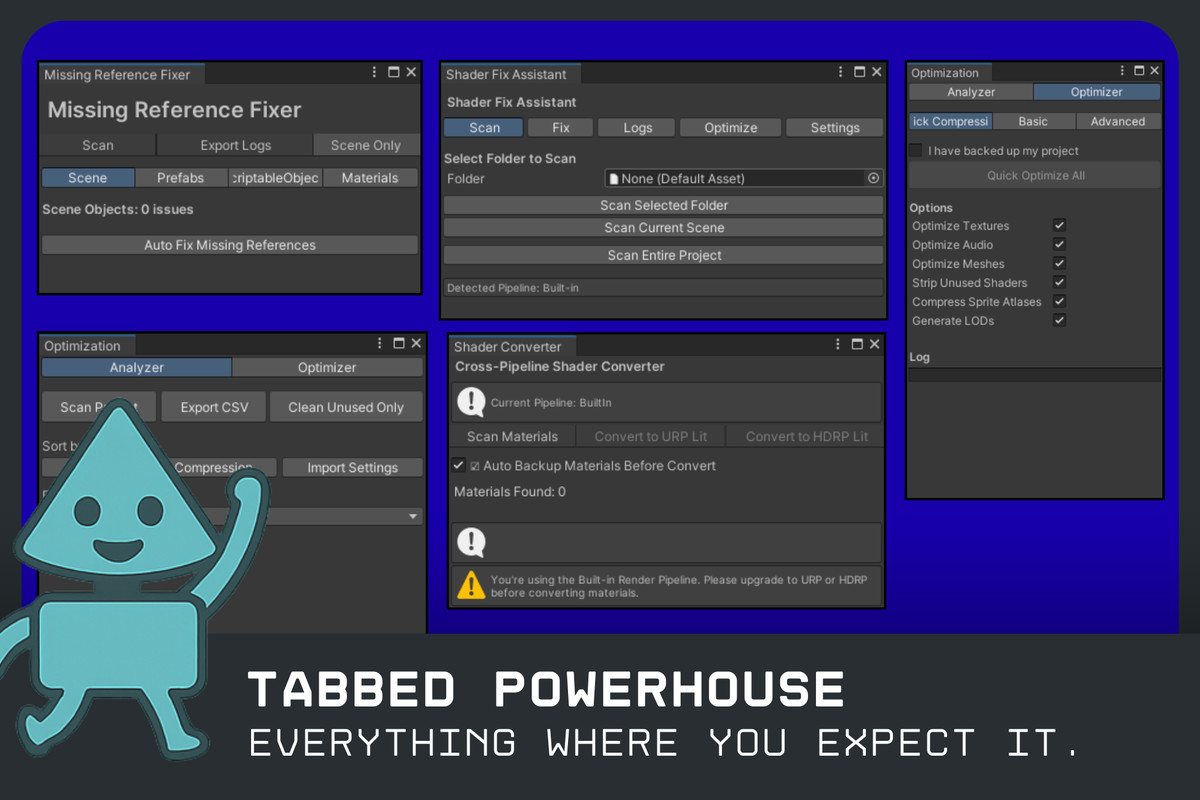
Everything lives under Tools ▶ Auto-Fix Pro in a sleek tabbed interface. Progress bars guide you through lengthy operations; a rich log panel keeps you informed, and search/path filters let you zero in on specific paths, types, or size thresholds. Whether you’re prepping a last-minute build or auditing a massive legacy codebase, Auto-Fix Pro streamlines your workflow and eliminates the manual grind.
Ship cleaner, leaner, and faster—Auto-Fix Pro ensures no missing refs, no broken shaders, and no wasted bytes make it into your final build. Perfect for solo indies, small teams, or studio pipelines that demand rock-solid consistency every time.
From the publisher's Asset Store listing.
Technical details
Key Features
- Missing Reference Fixer: Scan scenes & prefabs for broken GameObject, Component, and Script links; preview, replace, or remove dead references in bulk.
- Shader Fix Assistant: Detect deprecated or unsupported shader variants and automatically wrap fixes in #if UNITY_EDITOR guards or remap to URP/HDRP shaders.
- Cross-Pipeline Shader Converter: Batch-convert materials between Built-in, URP, and HDRP using built-in or custom JSON mapping rules, with graceful fallback shaders.
- Ultimate Optimization Toolkit: Parse Editor.log or JSON build reports to identify large assets, duplicates, uncompressed textures/audio, and unused files; visualize breakdowns and compare reports side-by-side.
- Unified Tabbed UI: Single Tools ▶ Auto-Fix Pro window with four clearly labeled tabs, progress bars, detailed logs panel, and full Undo support.
- Exportable Reports: Save scan and optimization results as CSV or HTML for offline review and team sharing.
- Filter & Customization: Narrow results by path, type, or size threshold; import/export custom pipeline mapping rules.
- Extensible API: Automate scans, fixes, conversions, and cleanups via static runtime APIs in your own Editor scripts.
- Example Scenes & Documentation: Included sample scenes and comprehensive docs to get you up and running immediately.
Supported OS
- Windows (Unity Editor)
- macOS (Unity Editor)
- Linux (Unity Editor)
Compatibility
| Unity version | Built-in | URP | HDRP |
|---|---|---|---|
| 2022.3.35f1 | Compatible | Compatible | Compatible |
As listed on the Asset Store.