
 View on Asset Store (opens in new tab)
Package details
- Latest version
- 1.0
- Last updated
- First released
- Unity version
- 6000.0.23 or later
- Package size
- 5.1 MB
- Files
- 24
- Favorites
- 17
- Views in the past week
- 10
Price tracking
- Last checked
- Tracked since
- Lowest recorded
- $12.50 on
Keywords
Ultra Performance Tools
A professional performance suite. Go beyond FPS with a customizable real-time monitor, an advanced benchmark module with HTML reports, and a flexible API for true data-driven optimization.
Affiliate link · Purchases support this site
Price history
Last 6 months
USDAsset preview
1 / 7
Ultra Performance Tools screenshot 1


About this asset
Ultra Performance Tools
Your Complete Performance Monitoring & Benchmarking Suite.
Stop guessing and start optimizing. Ultra Performance Tools is a comprehensive, professional-grade suite that goes far beyond a simple FPS counter. It provides you with the in-depth data and powerful analysis tools you need to monitor, benchmark, and truly optimize your Unity projects.
Whether you're an indie developer hunting down performance bottlenecks or a professional studio needing detailed reports for QA, this suite is your all-in-one solution for making data-driven decisions.
📈 Key Features
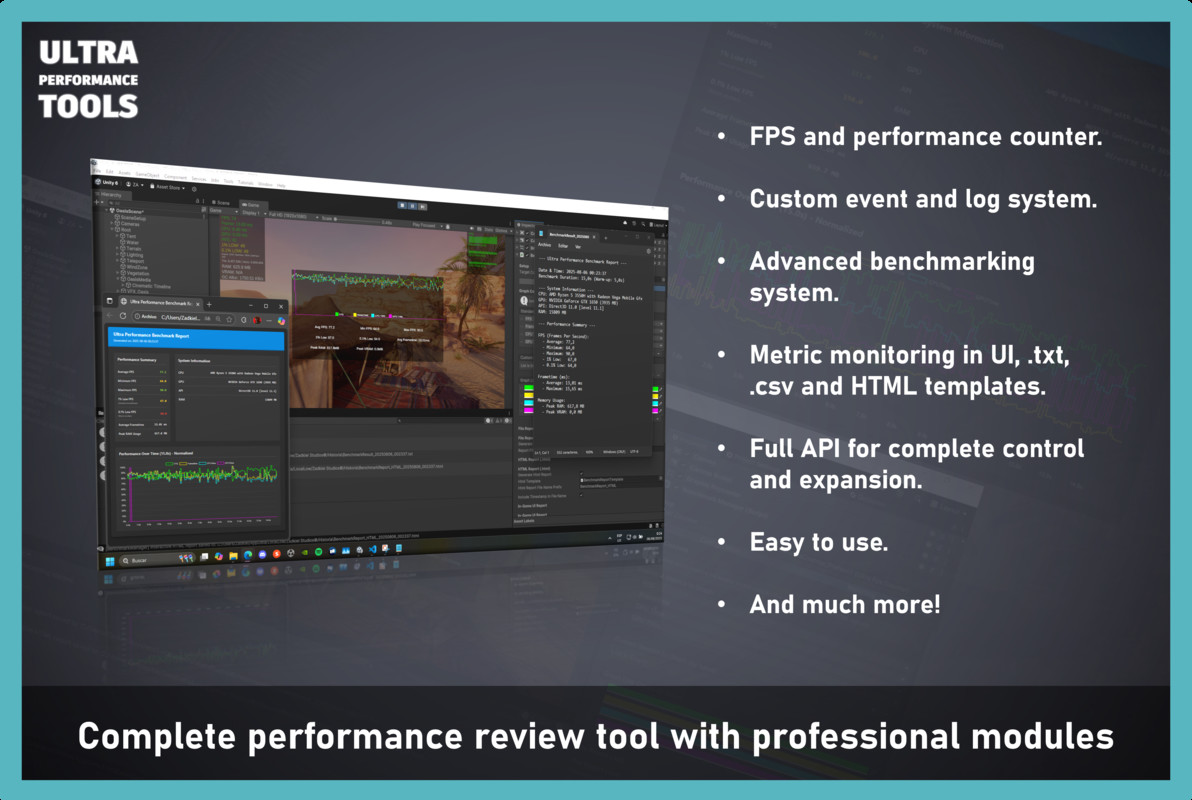
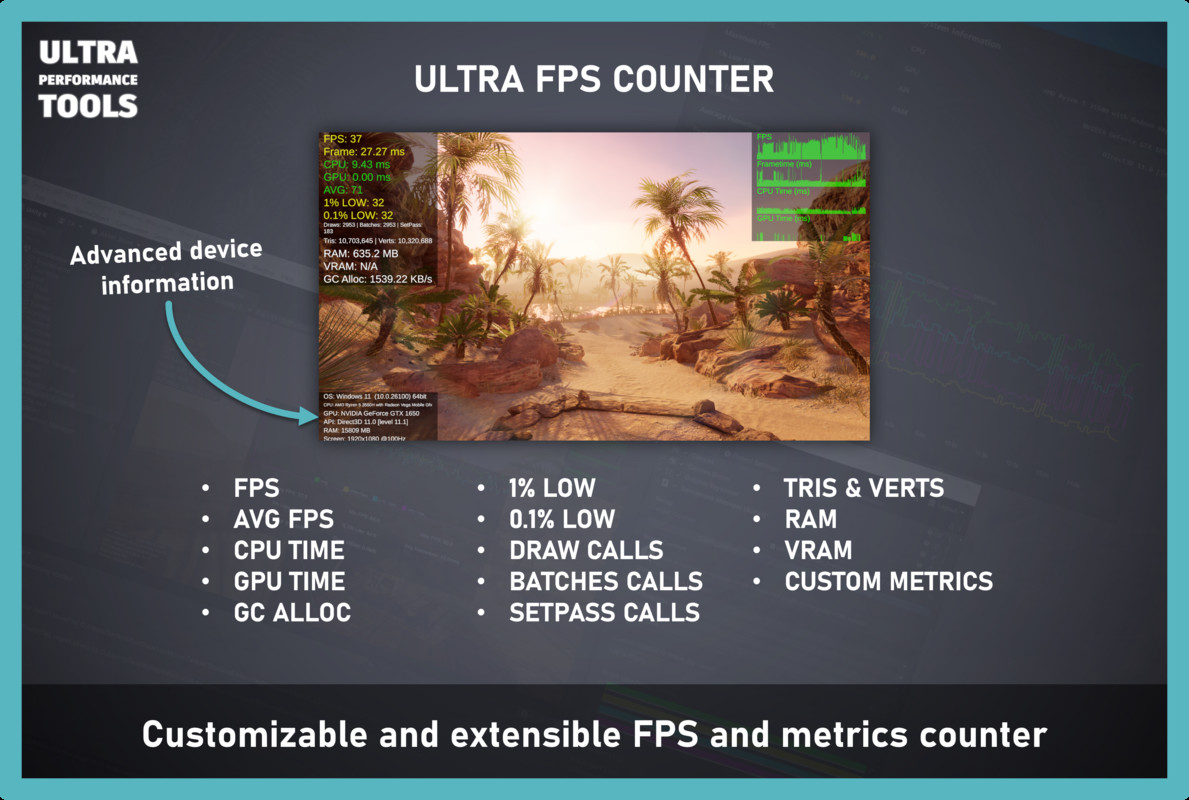
- Real-time Performance Monitoring: Track FPS, Frametime, CPU/GPU Time, Memory (RAM & VRAM), GC Allocations, Draw Calls, Batches, and more with high precision.
- 📊 Advanced Benchmarking Suite: Run controlled performance tests with warm-up periods. Generate detailed .txt reports and stunning, interactive .html reports with multi-metric comparative graphs.
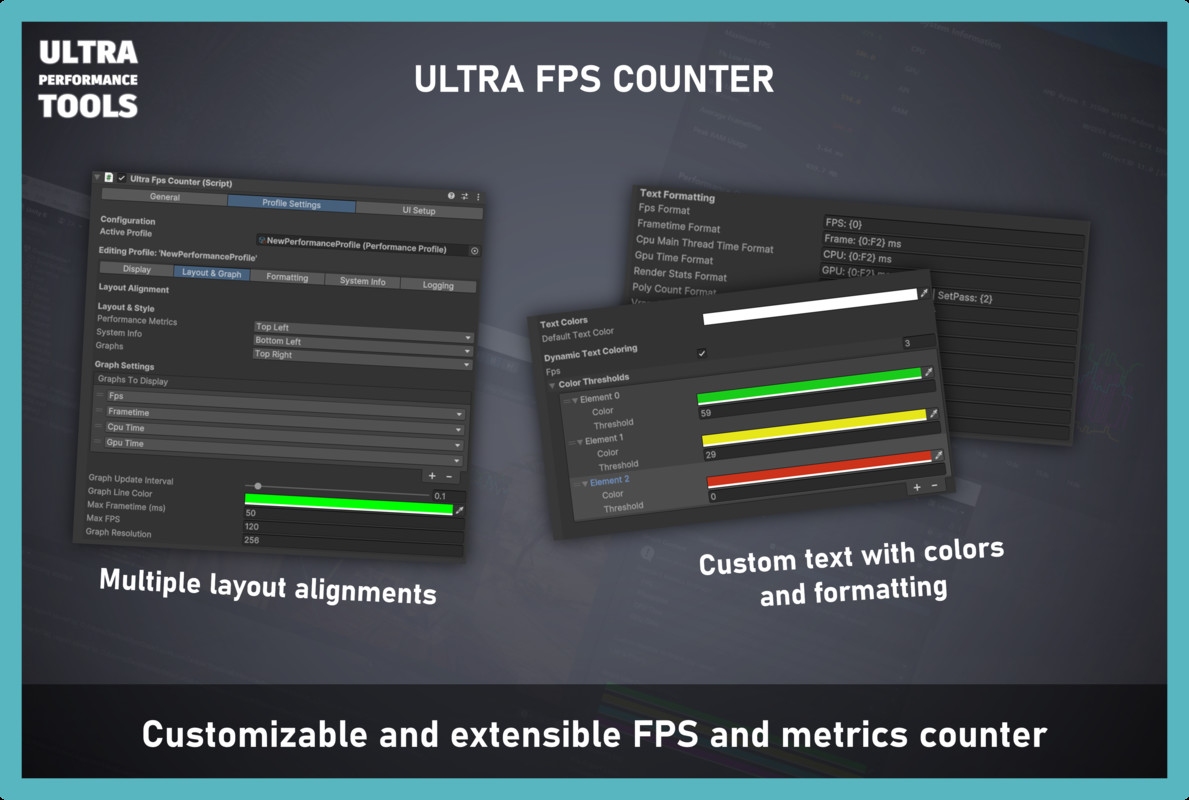
- 🎨 Deeply Customizable UI: Utilize PerformanceProfile ScriptableObjects to create, save, and switch between different monitoring layouts. Control everything from colors and text formatting to UI alignment.
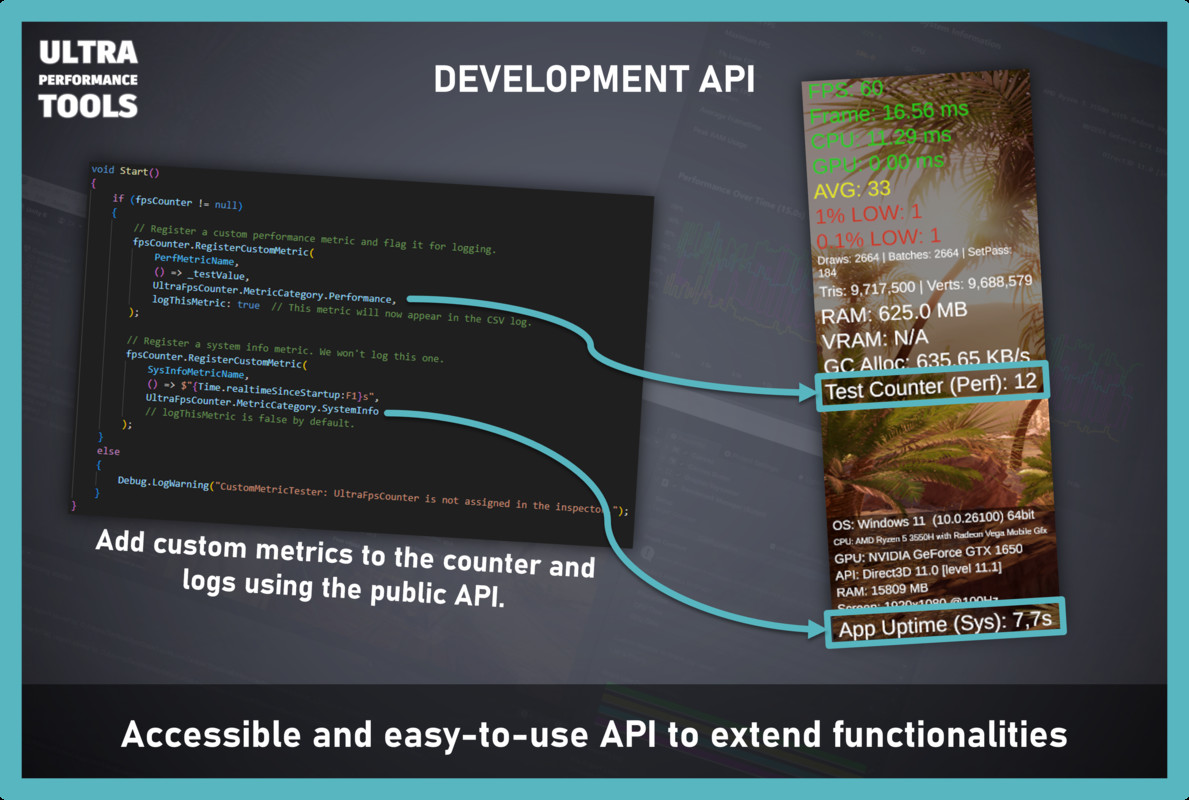
- 🔌 Extensible API: Add your own custom game data as new metrics to the counter. Use the core engine headlessly (without UI) for custom server-side logging or your own tools.
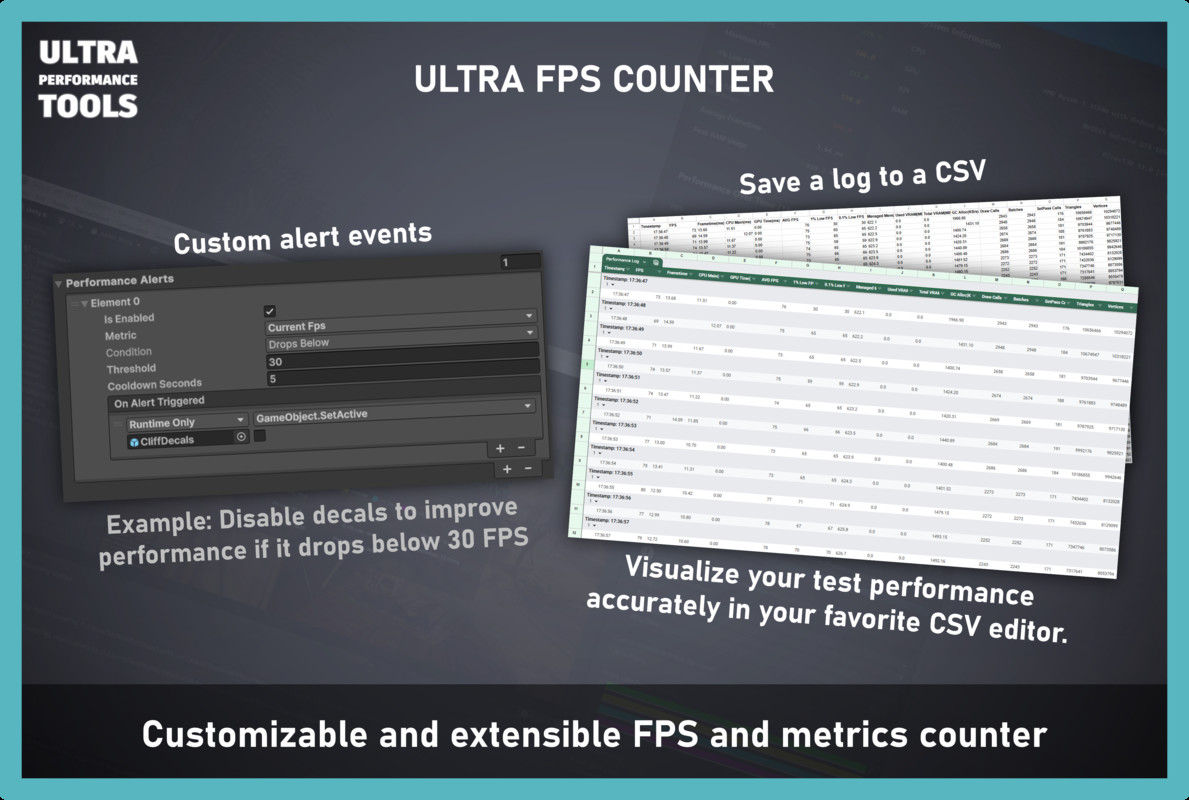
- 🔔 Performance Alerts: Trigger your own game logic via UnityEvents when performance drops below or exceeds a certain threshold.
- 🚀 Plug & Play Setup: Get started in seconds with dedicated menu items that create a fully configured counter and benchmark UI with a single click.
Why Choose Ultra Performance Tools?
Go Beyond a Simple FPS Counter
Most performance tools just show you the FPS. We provide a complete picture. With our PerformanceProfile system, you can create multiple monitoring layouts—a minimal view for gameplay testing, a detailed view for deep debugging—and switch between them on the fly. Configure dynamic colors to instantly spot when performance drops.
Benchmark Like a Pro
The built-in Benchmark Manager is a game-changer.
- Run Controlled Tests: Define warm-up periods and test durations for consistent, reliable results.
- Automate Scenarios: Use UnityEvents to trigger camera fly-throughs, AI routines, or VFX sequences in sync with your benchmark.
- Generate Stunning Reports: Get a simple .txt summary or a beautiful, interactive HTML report with comparative graphs. Analyze how CPU spikes affect your framerate with multi-metric visualization. Share these reports with your team easily.
Total Visual and Functional Control
The entire system is designed for flexibility.
- Customizable UI: Don't like our prefabs? Use your own! Simply link your styled UI elements in the inspector.
- Extensible API: Need to track how many enemies are active or how much network traffic you're generating? Register it as a custom metric with one line of code. These metrics are automatically available for display, CSV logging, and benchmark graphing.
Designed for Your Workflow
- One-Click Installers: Use the Tools > Ultra Performance Tools menu to instantly add a Counter or a Benchmark Manager to your scene.
- Clean Inspector: All components feature a clean, organized, and tabbed inspector to make configuration a breeze.
- Headless Engine: The core data collection engine is a pure C# class, completely decoupled from the UI. Use it on its own for server-side monitoring or to feed data into your own custom debugging tools.
What's Included?
- UltraFpsCounter - The main UI controller.
- UltraPerformanceEngine - The core data collection engine.
- BenchmarkManager - The advanced benchmarking module.
- PerformanceProfile - The ScriptableObject for UI configuration.
- Powerful, intuitive custom editor inspectors for all components.
- One-click menu installers for easy setup.
- Pre-configured prefabs for the Counter UI and the Benchmark Report UI.
- A professional HTML template for interactive benchmark reports.
- Full C# source code.
- Comprehensive PDF documentation.
💡 RECOMMENDED COMPANION
To professionally optimize your game after analyzing performance issues, check out our complementary resource: [Ultra Optimizer Tools] - The perfect edit-time optimizer solution to complement this runtime monitoring.
LIMITED-TIME OFFER!
Get a 5$ discount on Ultra Optimizer Tools if you purchase this asset. !!!
From the publisher's Asset Store listing.
Technical details
Real-time Performance Monitor
- Track FPS, Frametime, CPU & GPU Time (ms)
- Monitor Memory: Managed RAM & VRAM Usage
- Analyze Rendering Stats: Draw Calls, Batches, SetPass Calls, Triangles & Vertices
- Profile Garbage Collector: GC Allocations per second
📊 Advanced Benchmarking Suite
- Run controlled tests with configurable warm-up and duration periods.
- Generate detailed .txt and beautiful, interactive .html reports.
- Visualize multiple metrics (standard & custom) on normalized, comparative graphs.
- Automate test scenarios with UnityEvents (OnBenchmarkStart/OnBenchmarkEnd).
- Display final results and graphs directly in your game's UI.
- Optionally trigger detailed CSV logging in sync with benchmarks.
🎨 Deeply Customizable UI & Configuration
- Performance Profile System: Create and switch between different UI layouts using ScriptableObjects.
- Dynamic Coloring: Set custom color thresholds for any metric (e.g., green for high FPS, red for low).
- Custom Text Formatting: Full control over how data is displayed using C# format strings.
- Real-time Graphs: Display small, live-updating graphs for key metrics on your UI.
- Flexible Layouts: Align UI blocks to any corner of the screen.
🔌 Powerful & Extensible API
- Custom Metrics: Register your own game variables as new metrics with a single line of code.
- Integrated Logging: Include your custom metrics in detailed CSV logs and benchmark graphs.
- Full Control: Enable/disable the counter, start/stop logging, and run benchmarks from your own scripts.
- Headless Engine: The core UltraPerformanceEngine is a pure C# class that can be used independently of the UI for custom tools or server builds.
🔔 Performance Alerts
- Trigger UnityEvents when any performance metric drops below or exceeds a user-defined threshold.
🚀 Editor Integration & Workflow
- One-Click Installers: Add the Counter or Benchmark Manager to your scene via a simple Tools menu item.
- Clean, Tabbed Inspectors: Easy-to-navigate custom editors for all components.
- Full C# Source Code Included.
- Comprehensive PDF Documentation.
Compatibility
- Supports all scriptable render pipelines (Built-in, URP, HDRP).
- Compatible with Unity 2021.3 LTS and newer.
Compatibility
| Unity version | Built-in | URP | HDRP | Custom |
|---|---|---|---|---|
| 6000.0.23f1 | Compatible | Compatible | Compatible | Compatible |
As listed on the Asset Store.