
 View on Asset Store (opens in new tab)
Package details
- Latest version
- 1.0.0
- Last updated
- First released
- Unity version
- 2022.3.21 or later
- Package size
- 933 KB
- Files
- 10
- Favorites
- 5
- Views in the past week
- 2
Price tracking
- Last checked
- Tracked since
- Lowest recorded
- $17.50 on
Keywords

Rando
Rando is your new all-purpose random number generation tool. High performance, great randomization. Direct Managed C#, General multi-threading, Burst/Jobs, GPU (or Jobs using pre-calculated arrays)
Affiliate link · Purchases support this site
Price history
Last 6 months
USDAsset preview
1 / 4
Rando screenshot 1
About this asset
We constantly find ourselves needing random numbers, and as such we need as much performance as we can get while still getting high quality random results.
This tool will provide all of that for you and a lot more: It comes with several different RNG algorithms, each implementing 20 odd methods to quickly get you going on all platforms from CPU, Multithreaded etc. up to and including GPU. You no longer have to investigate and test other RNG's that only have partial support, we've done all the hard work for you.
We also provide you with some extra ways to use RNG, for example using arrays to get existing RNG platforms such as Engine/Mathematics working inside of for example Burst/Jobs.
From the publisher's Asset Store listing.
Technical details
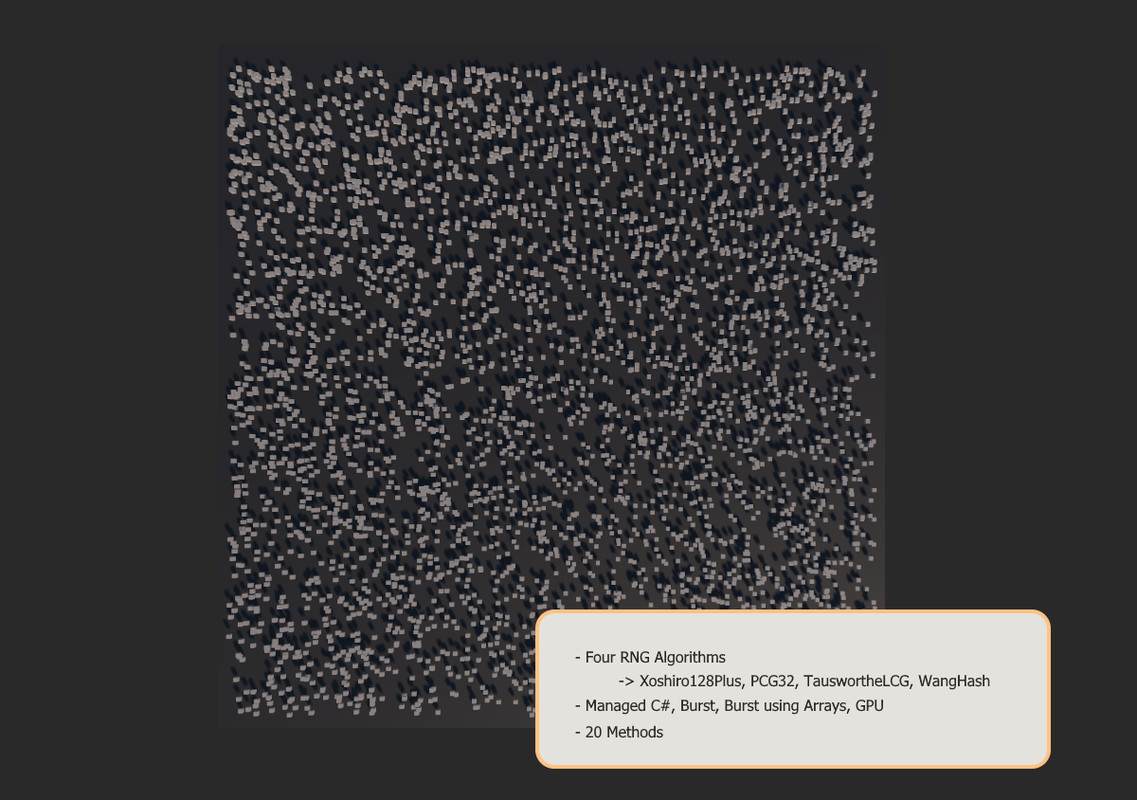
Four random number algorithms:
- Xoshiro128Plus
- PCG32
- TauswortheLCG
- WangHash
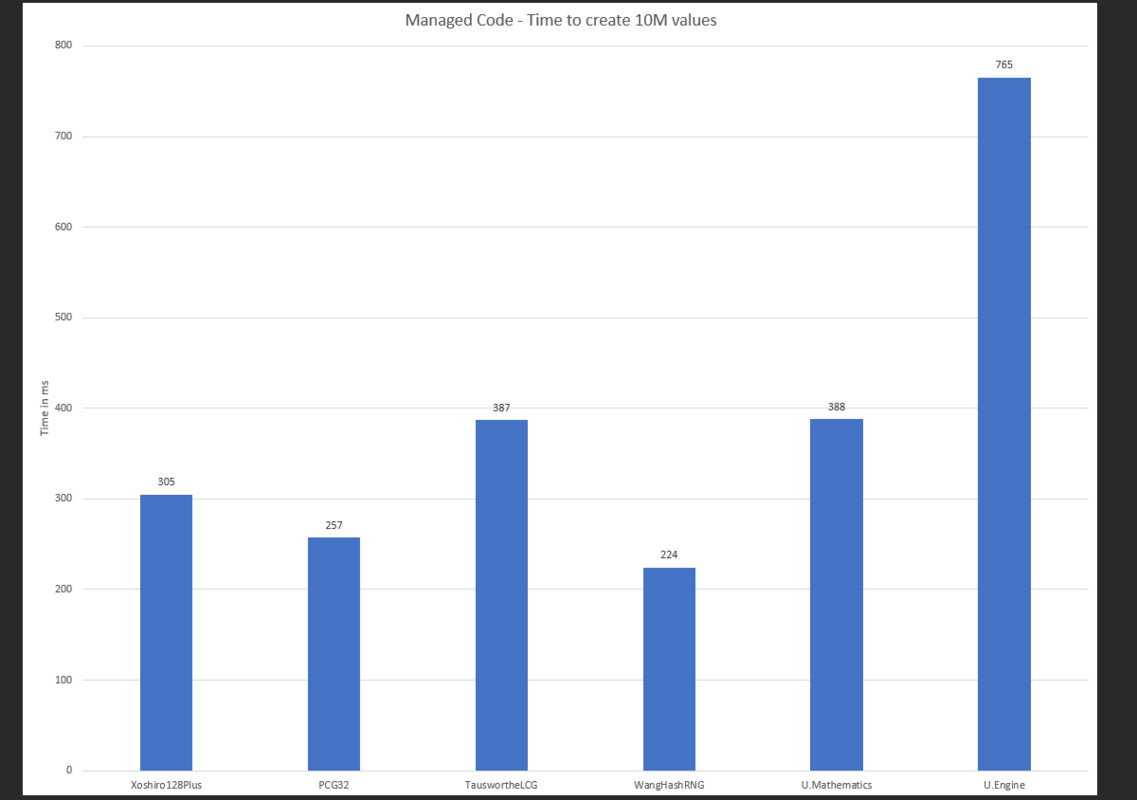
Refer to the screenshots, but these perform anywhere up to almost 2x faster than the RNG inside of Mathematics (or 3.14 times faster than the old Engine RNG).
Four Platforms:
- Managed C#
- Direct calculation in any multithreading system such as Tasks, or using Burst/Jobs
- Examples with named instantiation or by using generic Jobs<T>
- Pre-calculate and save data to arrays to use anywhere (and/or use an IJob for calculation)
- Helper methods to advance the array index and refill it at the end of the frame
- GPU, both compute or generic shaders
- Simple use case is to just include one of the RNG header hlsl files
- Also supports the more complex case of using keywords to disable/enable a specific RNG algorithm
Twenty Methods:
- UInt [0, uint.maxValue) where [ denotes inclusion and ) exclusion
- Int [0, int.maxValue)
- Float [0, 1)
- Bool True/False
- Sign 1/-1
- UIntRange [min, max)
- IntRange [min, max)
- FloatRange [min, max)
- Float2 (all these with each component the same 0-1 as Float)
- Float3
- Vector2
- Vector3
- InsideUnitCircle
- OnUnitCircle
- InsideUnitSphere
- OnUnitSphere
- quaternion (as per the newer math library)
- Quaternion
- ColorHSVDefault (Random Color via HSV with some default ranges for HSVA)
- ColorHSV
Code:
- As always our code in all of the C# and HLSL files are fully documented, the same goes for the demo
Documentation/Demo:
- A comprehensive 13-page document to walk you through all the use cases, modes, algorithms and the demo
- The demo is a comprehensive 1.2k (documented) lines that covers all the algorithms and platforms, as well as several of the methods
Compatibility
| Unity version | Built-in | URP | HDRP |
|---|---|---|---|
| 2022.3.21f1 | Compatible | Compatible | Compatible |
Code only package.
As listed on the Asset Store.