
 View on Asset Store (opens in new tab)
Package details
- Latest version
- 1.0.5
- Last updated
- First released
- Unity version
- 6000.3.8 or later
- Package size
- 4.9 MB
- Files
- 2,411
- Favorites
- 3
- Views in the past week
- 13
Price tracking
- Last checked
- Tracked since
- Lowest recorded
- $29.99 on
Keywords
AI Image Studio
AI image generation and editing tools for Unity. Create, edit, upscale, remove backgrounds, and apply a consistent style without leaving the Editor.
Affiliate link · Purchases support this site
Price history
Last 6 months
USDAsset preview
1 / 6
AI Image Studio screenshot 1
About this asset
Website • Documentation • Discord
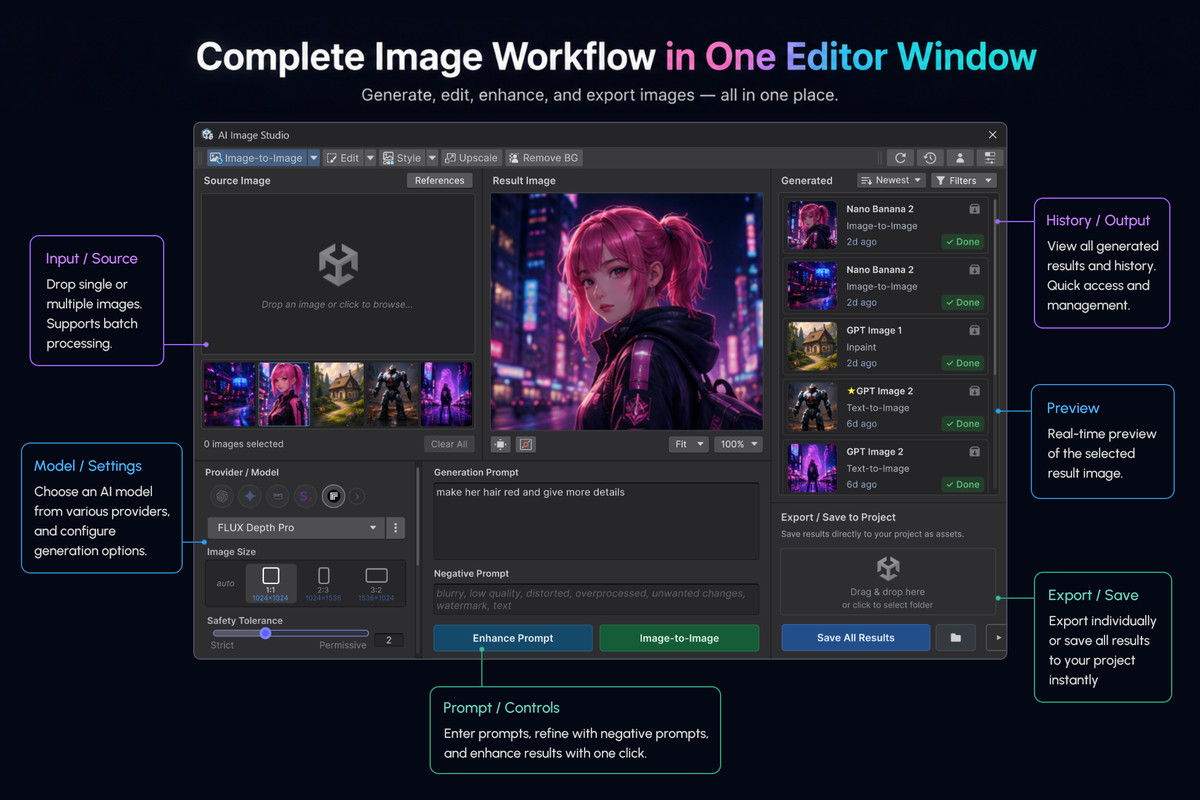
AI Image Studio is an add-on package for AIDevKit that lets you generate, edit, clean up, and reuse image assets directly inside the Unity Editor.
It adds a dedicated AI image generation and editing window, plus shortcuts for selected images and objects, so you can handle common image production tasks without switching between external tools and Unity import workflows.
You can use it for:
- character concepts
- item icons
- UI graphics
- background art
- sprites
- transparent cutout assets
- prototype textures
- marketing images
- placeholder art
**Built on the free AIDevKit base package.**
---------------------------------------------------------------------------------
Key Features
1. Generate Images
- Text-to-Image
- Image-to-Image
- Sketch-guided generation
- Structure-guided generation
- Style-guided generation
2. Edit Images
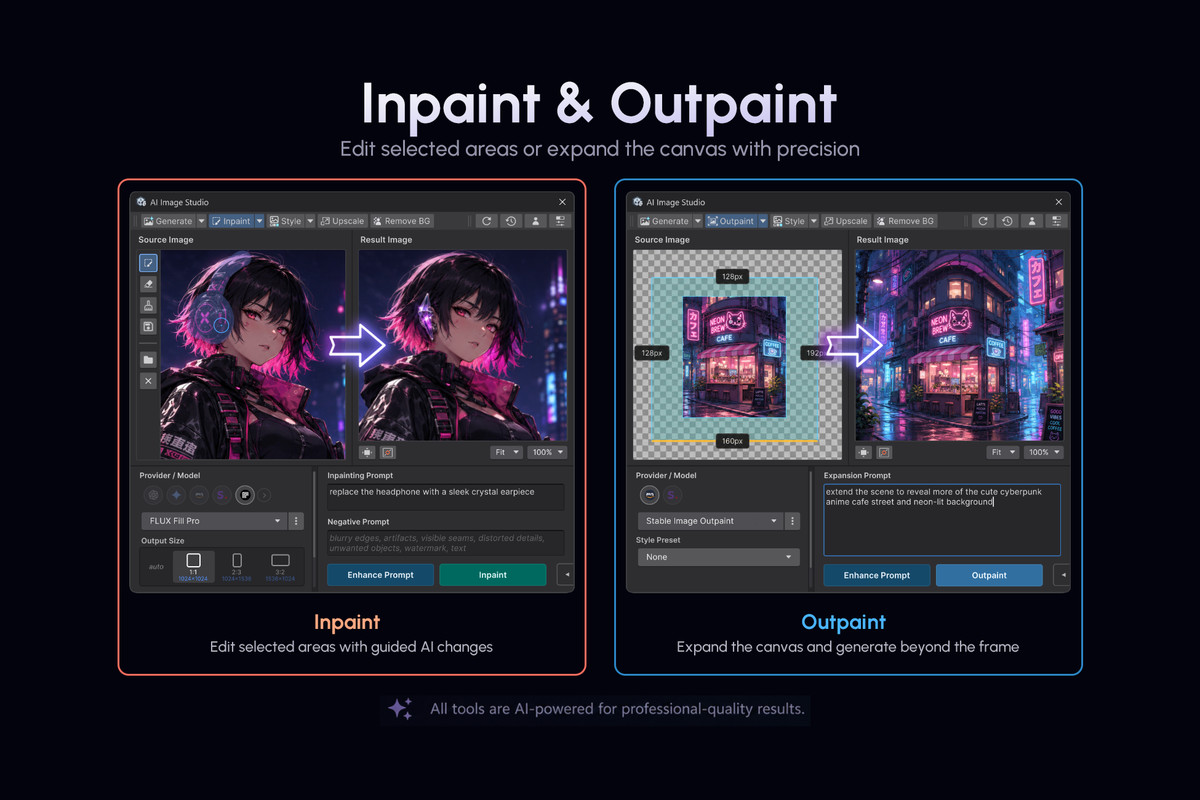
- paint a mask and regenerate only that area
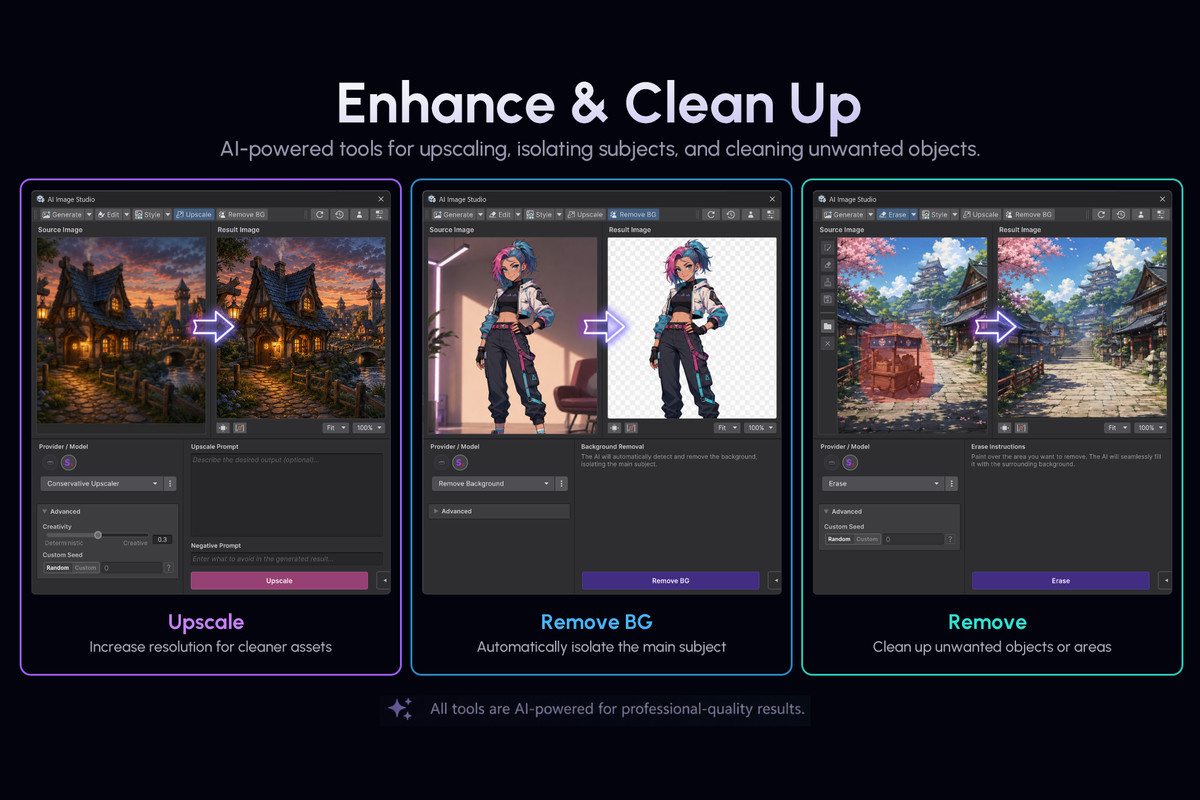
- erase unwanted objects
- expand the canvas with outpainting
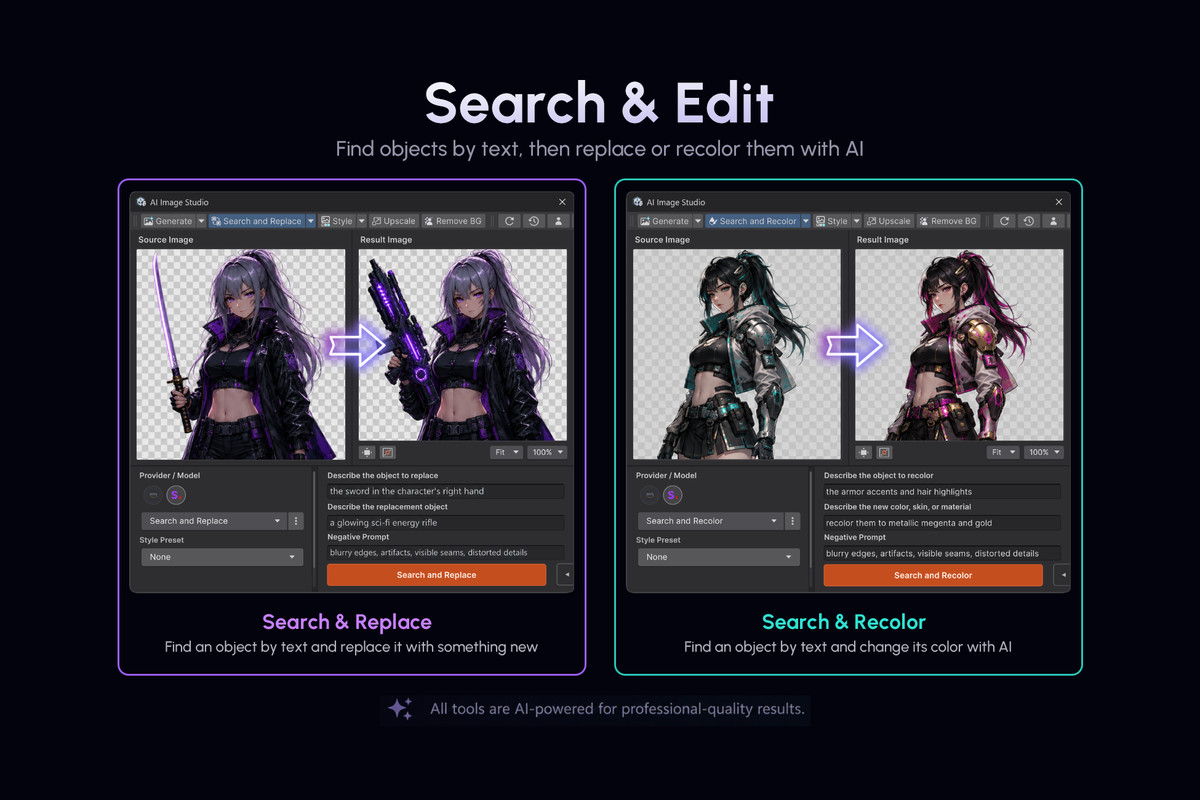
- replace objects by describing what to find
- recolor objects by describing what to recolor
3. Clean Up Assets
- upscale small images
- remove backgrounds
- create transparent PNG-style cutouts
- apply your project style to selected textures
---------------------------------------------------------------------------------
Unity Editor Workflow
- open images with dedicated editor window with AI tools
- use quick actions on selected textures in the Project window
- batch process supported texture assets in the Project window
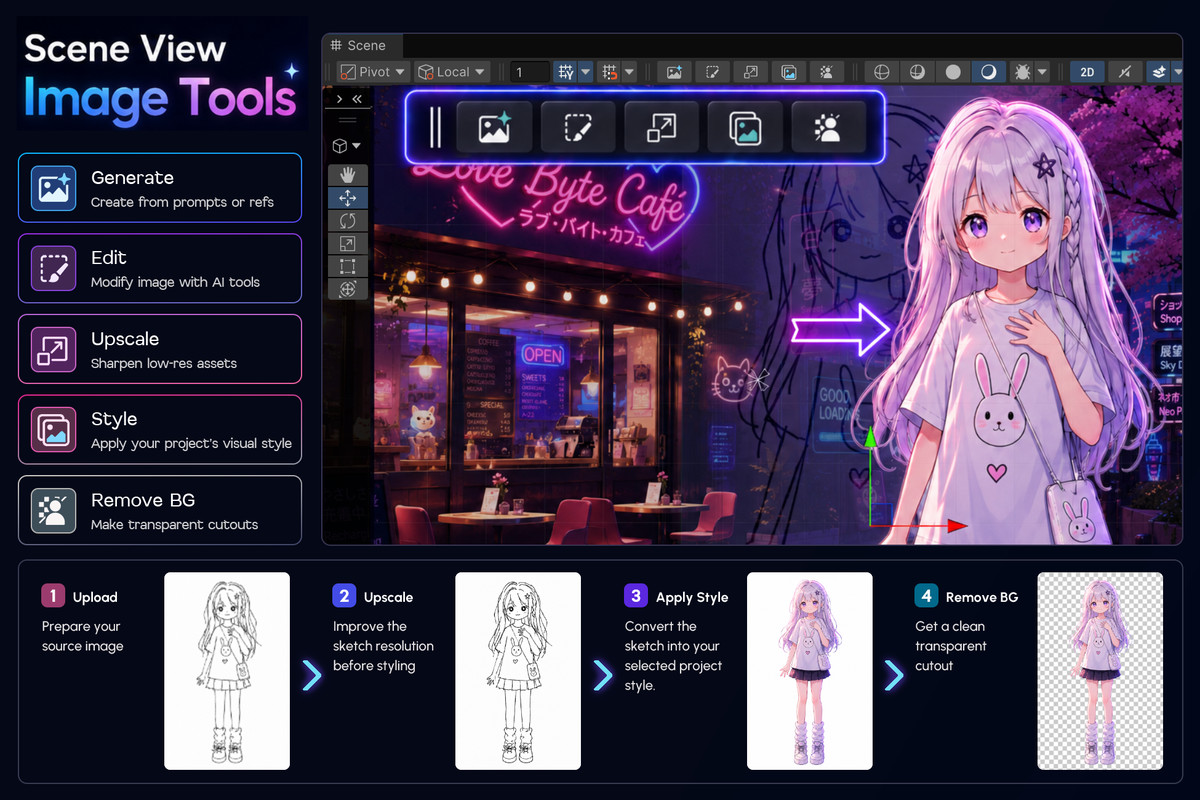
Scene View actions are available when selecting objects with:
- SpriteRenderer
- UI.Image
- UI.RawImage
Available Scene View actions:
- Generate
- Edit
- Upscale
- Apply Style
- Remove Background
*You can enable or hide these overlay buttons in Unity Project Settings.*
---------------------------------------------------------------------------------
Unified API for Automation
- `ImageOutpaintRequest` / `GENOutpaint`
- `UpscaleRequest` / `GENUpscale`
- `BackgroundRemovalRequest` / `GENBackgroundRemoval`
- `SearchAndRecolorRequest` / `GENSearchAndRecolor`
- `SearchAndReplaceRequest` / `GENSearchAndReplace`
- `EraseObjectRequest` / `GENErase`
- `ImageSketchRequest` / `GENSketch`
- `ImageStructureRequest` / `GENStructure`
- `StyleGuideRequest` / `GENStyleGuide`
- `StyleTransferRequest` / `GENStyleTransfer`
- Replace Background and Relight — `ReplaceBackgroundAndRelightRequest`
Example pattern:
.SetModel(...).ExecuteAsync()
Supported Providers
AI Image Studio works with image providers available through AIDevKit.
It also adds dedicated editor support for:
- Stability AI
- Replicate
>> See all supported providers
Supported Platforms
- Windows, macOS, Linux
- iOS, Android
- Consoles
- WebGL (integrated but unstable – testers welcome)
This package does not train, validate, or develop AI/ML models. It does not use Unity Offerings, Unity Asset Store content, or Unity-generated outputs for AI/ML training. Any AI requests are initiated by the user and sent only to user-configured providers or local endpoints.
This asset uses UniTask under MIT License. See the Third-Party Notices.txt file in the package for license details.
From the publisher's Asset Store listing.
Technical details
- AI image generation and editing tools for Unity
- Text-to-Image, Image-to-Image, Sketch, Structure, and Style-guided generation
- Inpaint, Outpaint, Erase, Search and Replace, Search and Recolor
- Upscale, Remove Background, Style Transfer, Replace Background / Relight
- Dedicated editor window with mask painting and canvas expansion tools
- Project window quick actions and Scene View overlay tools
- Batch processing for selected texture assets
- Before / After dialogs and project-folder save workflows
- Unified API request classes for editor and runtime automation
- Stability AI and Replicate support via the free AIDevKit base package
Compatibility
| Unity version | Built-in | URP | HDRP | Custom |
|---|---|---|---|---|
| 6000.3.8f1 | Compatible | Compatible | Compatible | Compatible |
As listed on the Asset Store.