
 View on Asset Store (opens in new tab)
Package details
- Latest version
- 1.1
- Last updated
- First released
- Unity version
- 2022.3.38 or later
- Package size
- 85.9 MB
- Files
- 5
- Favorites
- 14
- Views in the past week
- 20
Price tracking
- Last checked
- Tracked since
- Lowest recorded
- $5.99 on
Keywords
LOD Extractor
LOD Extractor is a Unity editor tool that quickly creates standalone prefabs from any LOD level, supporting single and multi-mesh groups, with optional collider copying and mesh merging.
Affiliate link · Purchases support this site
Price history
Last 6 months
USDAsset preview
1 / 7
LOD Extractor screenshot 1

About this asset
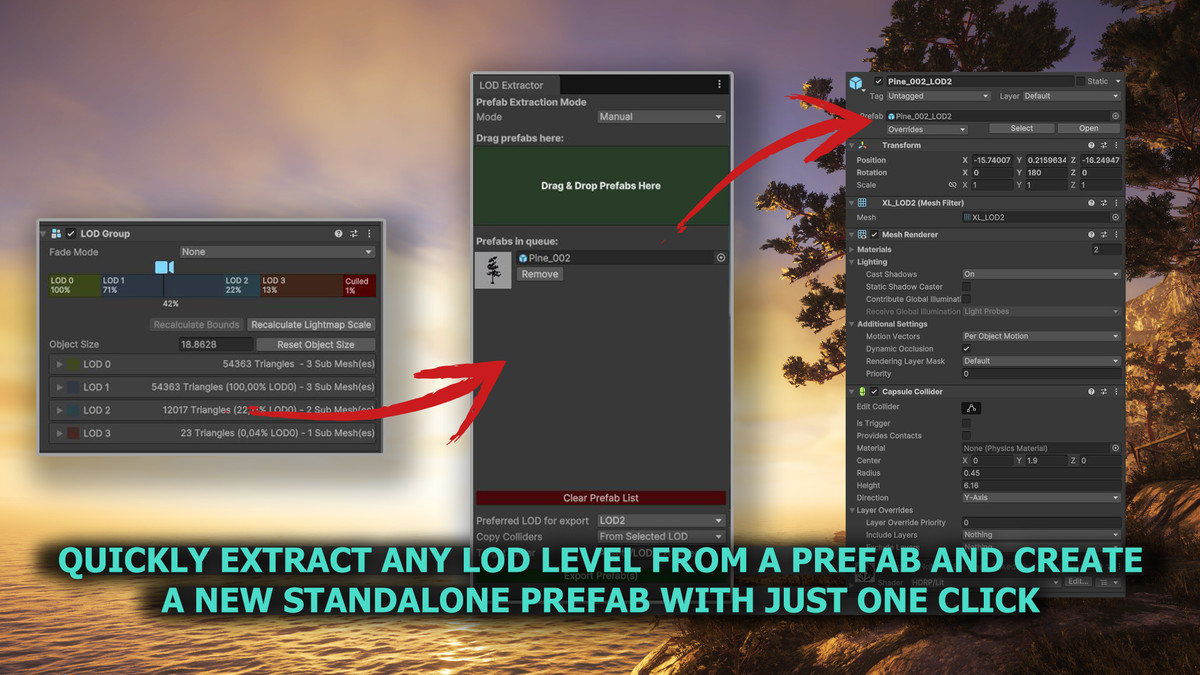
The LOD Extractor is a Unity Editor tool designed to simplify and speed up the process of extracting specific Levels of Detail (LOD) from prefabs containing LODGroup components.
Manually duplicating prefabs, removing unnecessary LOD levels, and cleaning up components can be time-consuming, especially when working with large projects or complex assets. This tool automates the entire process, creating standalone prefabs that include only the selected LOD, along with its meshes, materials, and optional colliders.
LOD Extractor is perfect for:
- Optimizing Scenes: Generate low-poly prefabs for distant objects or background details to improve performance.
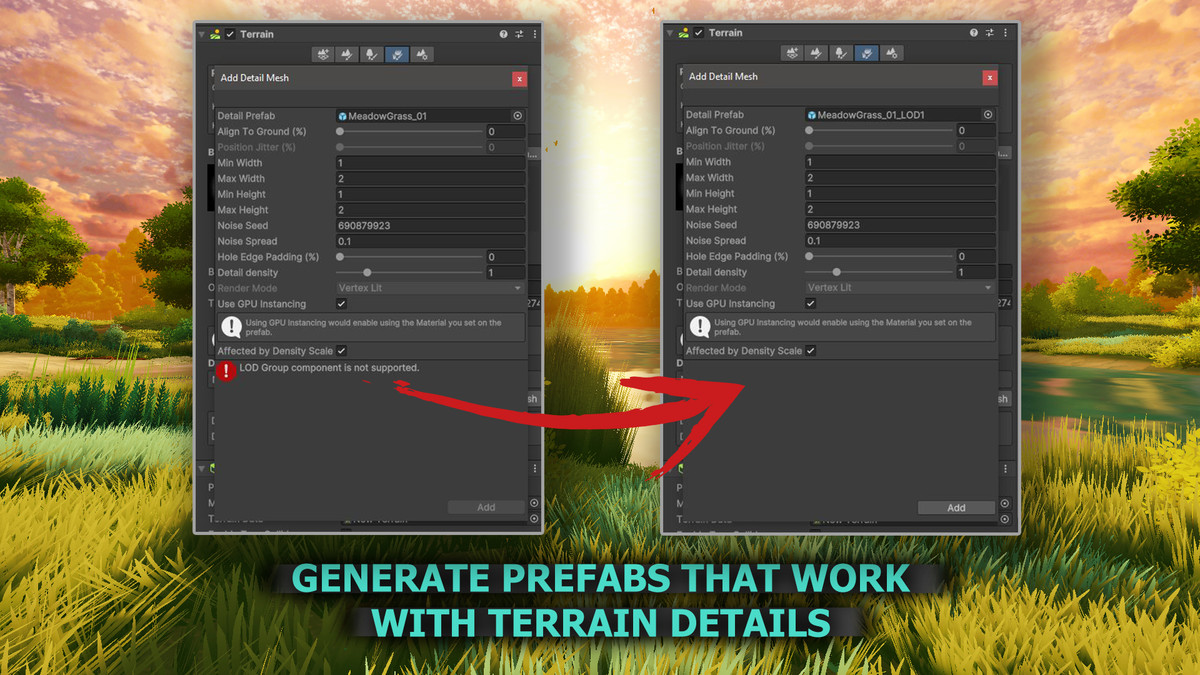
- Unity Terrain: Create prefabs compatible with Unity Terrain, which does not support LODGroups.
- Large Projects: Quickly process multiple prefabs without manually editing each one.
- Asset Preparation: Faster workflow compared to manual extraction.
Includes an optional Mesh Combine feature:
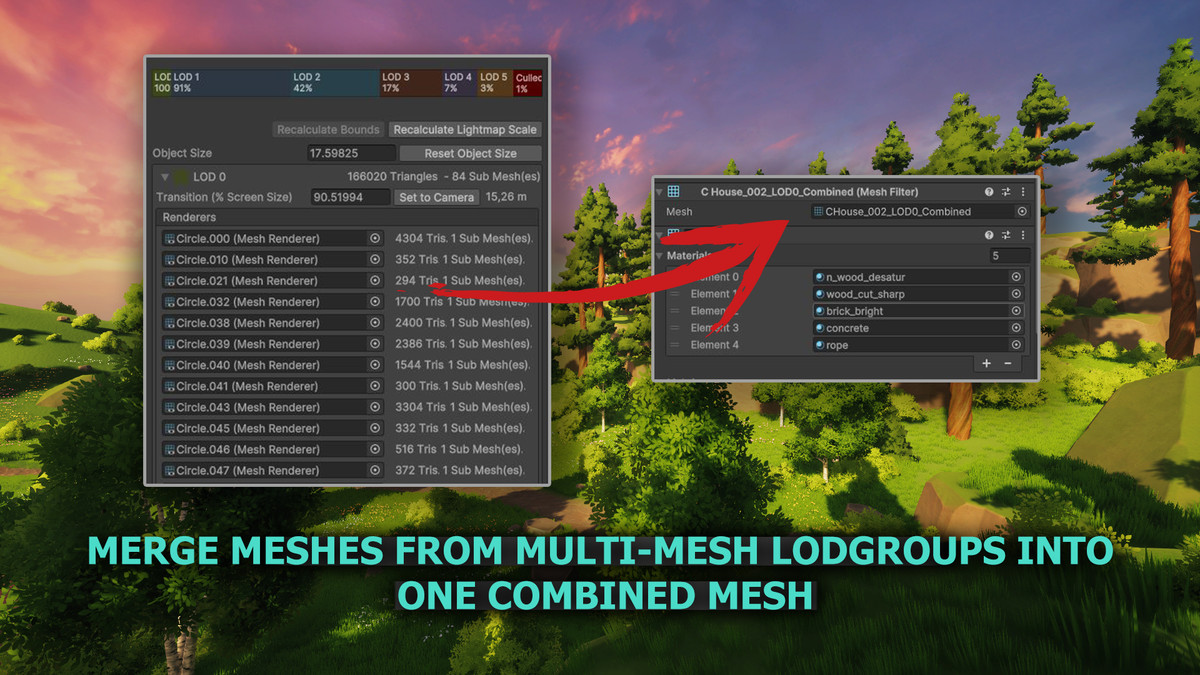
- Automatically merge multiple meshes from the selected LOD into a single mesh to reduce draw calls
- Optionally group meshes by material, combining in to new mesh only those that share the same material. This helps avoid combining parts like foliage and trunks that require separate shaders (e.g for wind).
- Combined meshes can be saved as reusable .asset files or used as temporary meshes for testing and previewing.
From the publisher's Asset Store listing.
Technical details
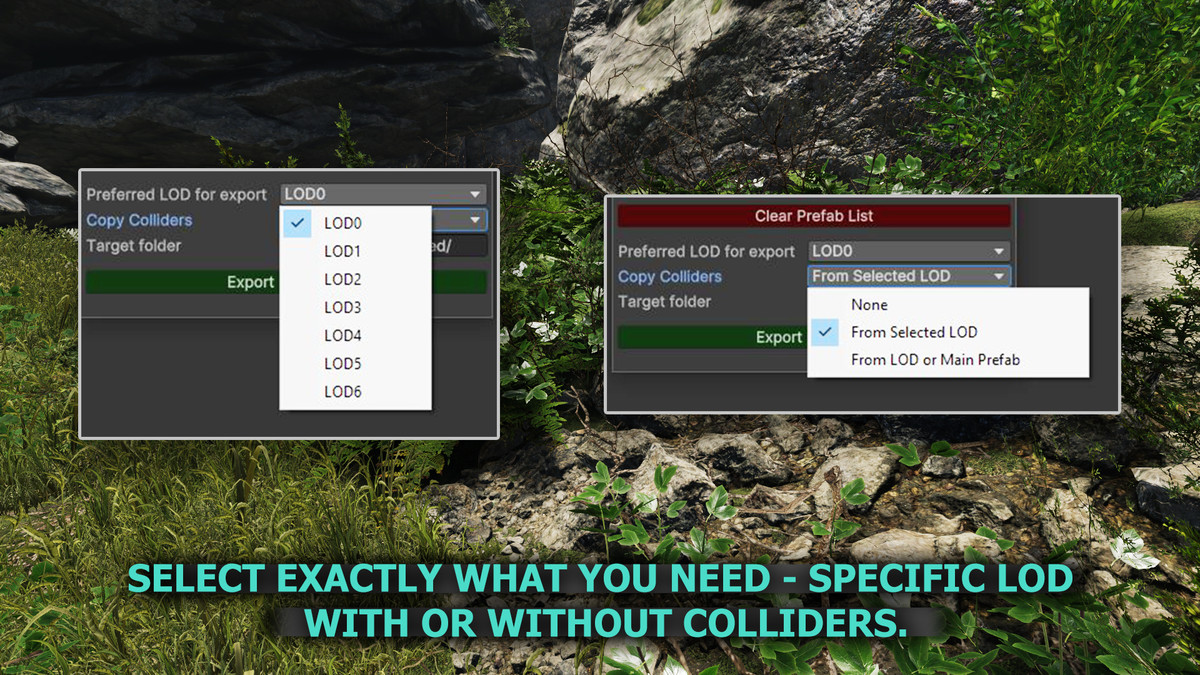
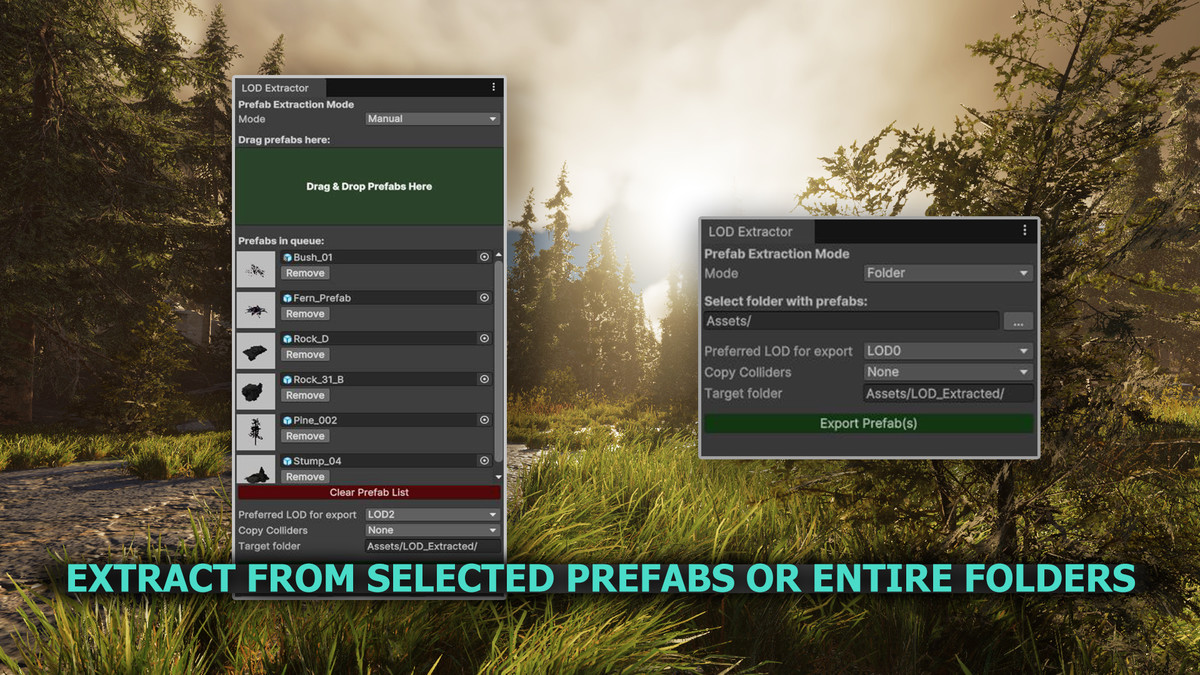
- Extract Any LOD Level: Create a prefab from any chosen LOD (LOD0, LOD1, etc.), ideal for scene optimization or background props.
- Perfect for Unity Terrain: Generate prefabs that work seamlessly with Terrain Details, even though LOD Groups are not supported by default.
- Collider Control: Choose whether colliders are copied from the LOD object or from the original prefab, or skip them entirely.
- Two Extraction Modes: Drag & drop specific prefabs (Manual Mode) or process all prefabs inside a folder (Folder Mode) with ease.
- Optimized Workflow: Save time by avoiding manual LOD extraction and prefab cleanup, everything is done automatically with one click.
- Non-Destructive: Original prefabs stay untouched.
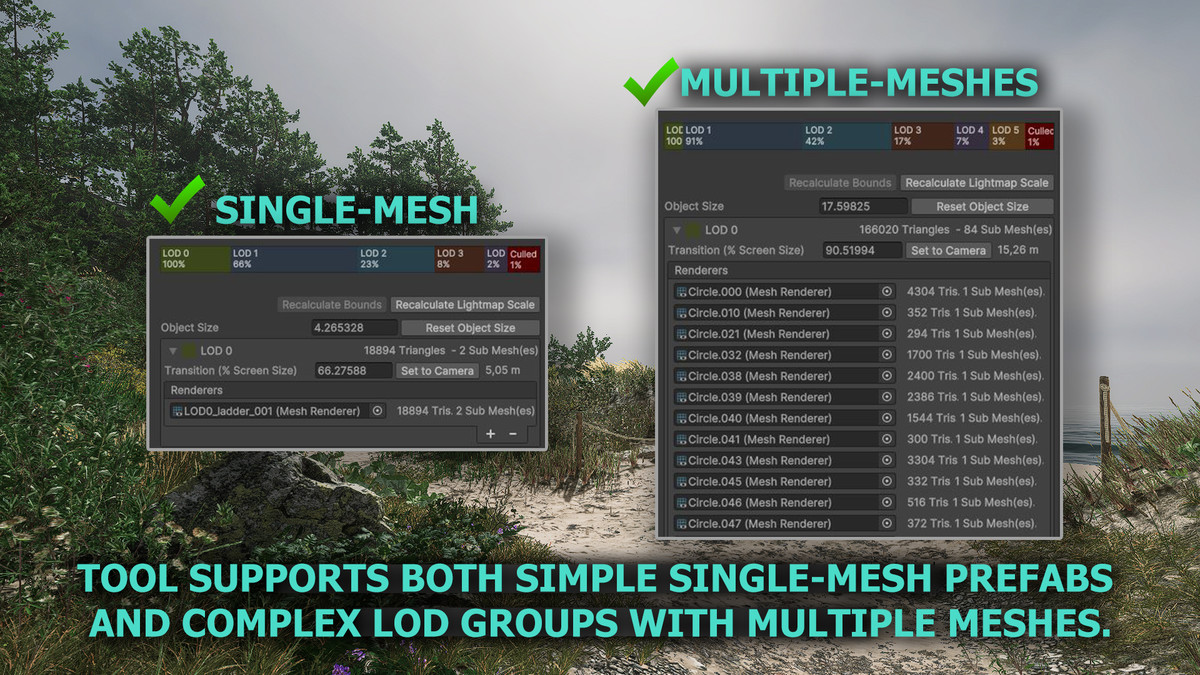
- Supports both single-mesh prefabs and complex multi-mesh LOD groups.
- Mesh Combining (Optional): Merge all meshes from the selected LOD into a single mesh to reduce draw calls and improve performance. Optionally, group meshes by material to avoid combining visually distinct elements (e.g. foliage vs. trunk).
- Demo Scene(only in HDRP): so you can test the tool:)
Compatibility
| Unity version | Built-in | URP | HDRP |
|---|---|---|---|
| 6000.3.0f1 | Not listed | Not listed | Compatible |
| 6000.2.0b12 | Compatible | Compatible | Compatible |
| 6000.1.0b15 | Compatible | Compatible | Compatible |
| 6000.0.25f1 | Compatible | Compatible | Compatible |
| 2022.3.38f1 | Compatible | Compatible | Compatible |
LOD Extractor is an editor tool and is fully compatible with all render pipelines (Built-in, URP, HDRP) since it only processes meshes and prefabs.
Note: The included demo scene is configured for HDRP by default. If you are using URP or Built-in, you may need to convert materials and lighting settings to match your pipeline.
As listed on the Asset Store.