
 View on Asset Store (opens in new tab)
Package details
- Latest version
- 1.0.1
- Last updated
- First released
- Unity version
- 6000.1.9 or later
- Package size
- 52.0 MB
- Files
- 86
- Favorites
- 63
- Views in the past week
- 42
Price tracking
- Last checked
- Tracked since
- Lowest recorded
- Free on
Keywords
Veridian Imposters
Generate static cross-tree imposters to replace high-poly background assets. Procedurally bake custom geometry using intersecting vertical planes and optional horizontal top-down planes.
Affiliate link · Purchases support this site
Price history
Last 6 months
USDAsset preview
1 / 6
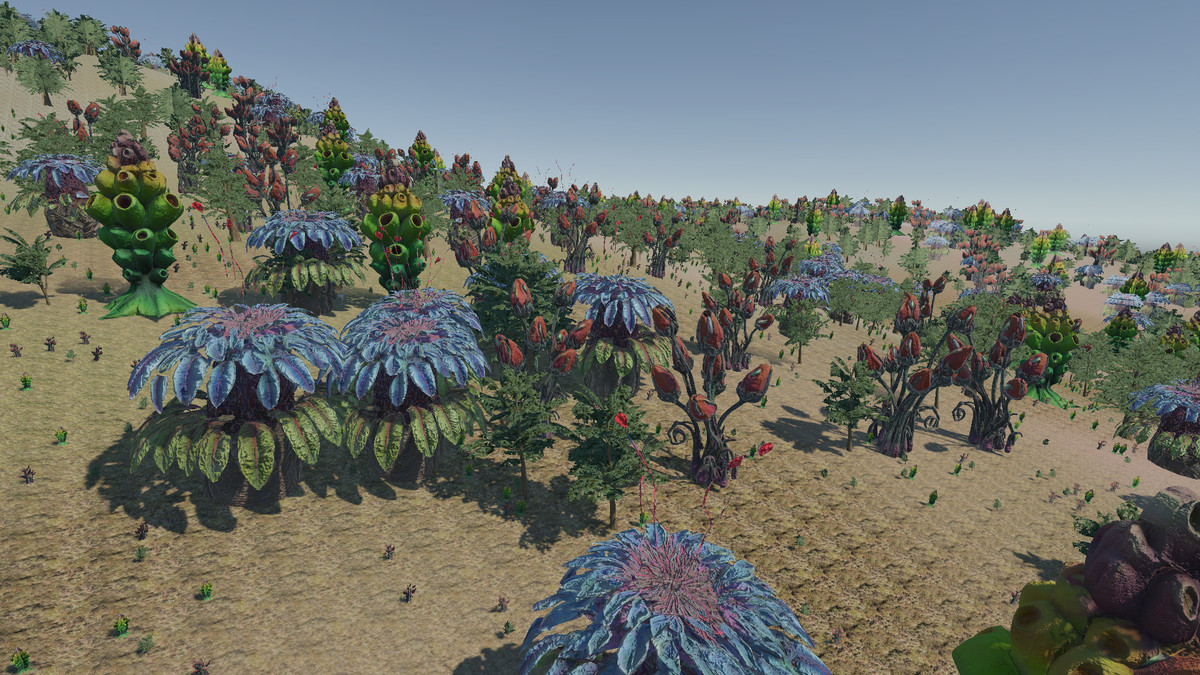
Veridian Imposters screenshot 1
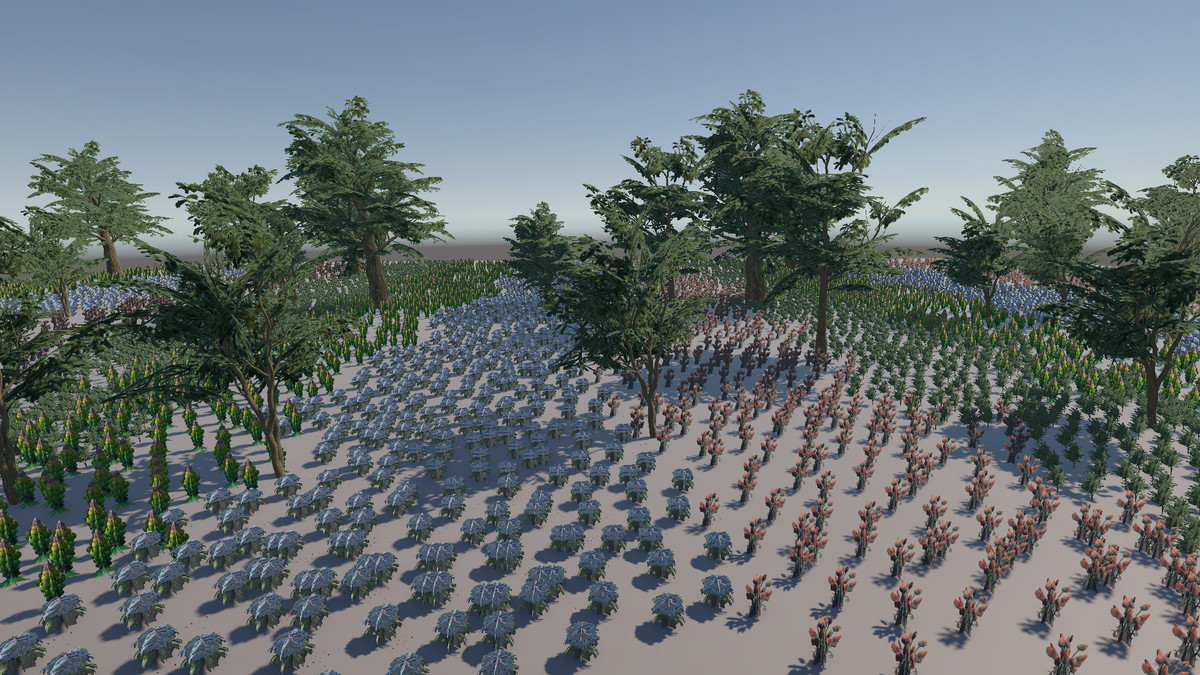
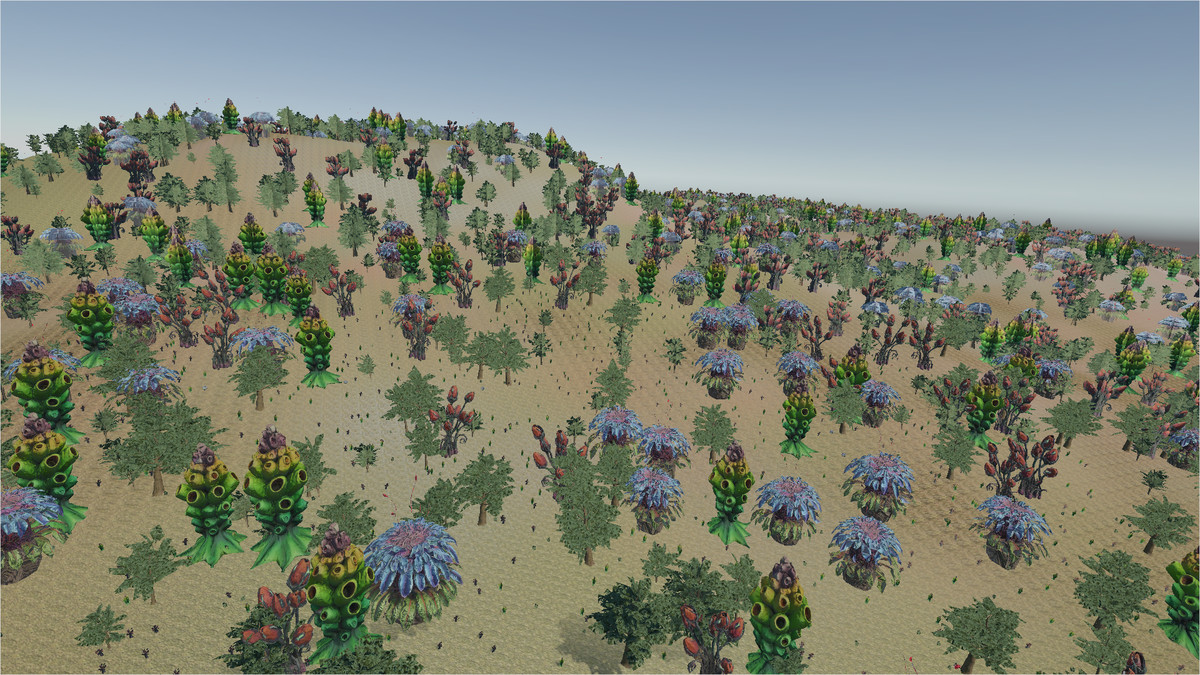
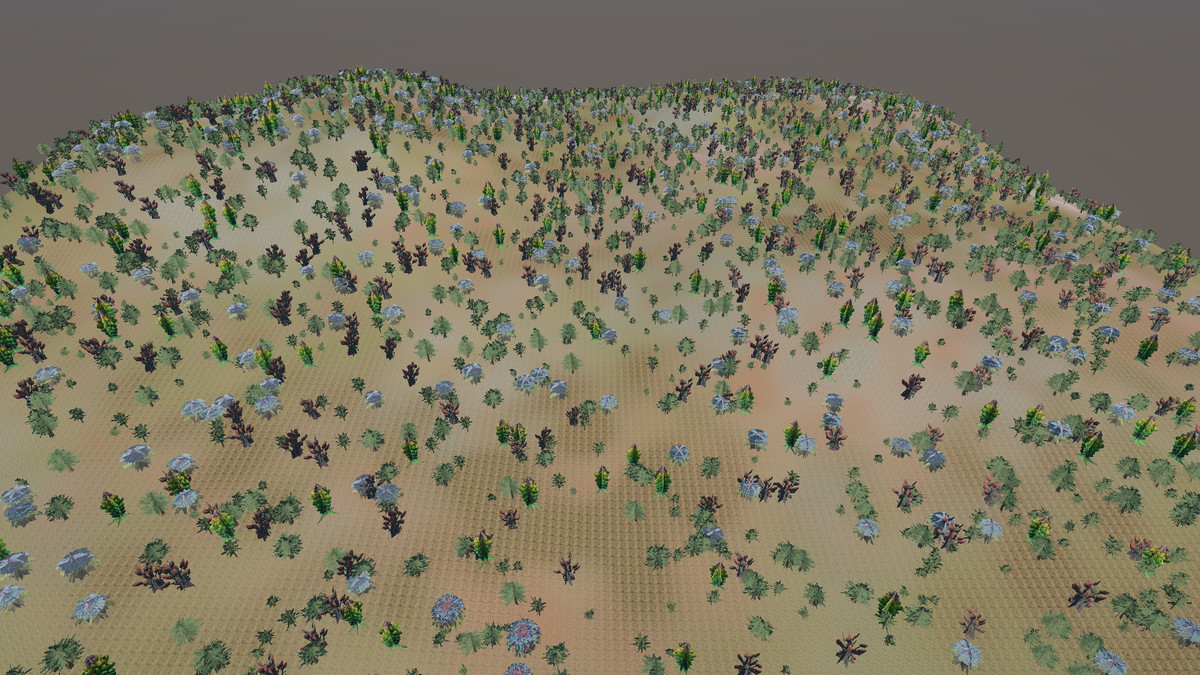
About this asset
Veridian Imposters is a profile-driven editor utility designed to convert high-poly 3D models into lightweight, multi-plane 3D imposters. Rather than relying on standard flat planes or basic two-plane cross-trees, this tool generates intersecting vertical and horizontal geometry to preserve the volume, parallax, and silhouette of your original asset.
It is designed specifically for optimizing dense forests, background architecture, and heavy props in the mid-to-background, drastically reducing vertex counts while maintaining environmental depth.
The Core Editor Pipeline
The entire generation process is non-destructive and managed entirely within the Unity Editor.
- Data-Driven Profiles: Generation rules are saved via BillboardSettings ScriptableObjects. This allows you to create repeatable, distinct optimization profiles (e.g., 'PineTree_Settings', 'BackgroundBldg_Settings') and apply them consistently across multiple assets.
- Isolated Snapshot Capture: During generation, the tool temporarily moves your target mesh to an isolated layer, sets up a controlled lighting environment, and utilizes an off-screen camera to capture high-fidelity albedo and normal data without interference from your active scene.
- Clean Asset Baking: Once generated, the tool automatically packs the resulting atlases, meshes, materials, and prefabs into a dedicated, cleanly named companion folder. Your original source prefabs are never permanently altered.
Architectural & Generation Capabilities
- Custom Mesh Construction: Fine-tune the imposter's geometric complexity. Generate between 2 and 16 intersecting vertical planes to balance visual detail and performance. You can also inject horizontal top-down quads—essential for giving tree canopies and grass fields structural volume when viewed from above.
- Quad vs. Octagon Profiles: Choose a standard Quad profile for absolute maximum rendering performance, or select a tapered Octagon profile to closely hug the physical silhouette of your asset, significantly reducing transparent alpha overdraw in dense scenes.
- Universal View-Space Normals: The tool utilizes a universally compatible, pipeline-agnostic capture shader to bake View-Space normal maps. This ensures that standard Lit materials will react accurately to your scene's directional lighting, regardless of how the flat imposter planes are rotated.
- Custom Shader Fallbacks: Highly complex custom vegetation shaders can sometimes fail to render on off-screen cameras. We’ve built in strict "escape hatches" to guarantee capture compatibility:
Albedo Material Override: Assign a temporary standard material (like URP Lit) to your asset just for the capture phase. The tool will instantly swap it in, take the snapshot, and restore your custom shader in milliseconds.
Force Camera Depth/Color: Some advanced foliage shaders require scene depth or color data to calculate subsurface scattering or edge fades. You can now force the snapshot camera to render depth and opaque color passes to feed data-hungry shaders during the capture phase. - Seamless LOD Integration: The generator can automatically inject the baked imposter as the final Level of Detail into an existing LOD Group, or generate a brand new LOD Group using your original high-poly model as LOD0.
System Constraints & Limitations
To ensure this tool fits your project's scope, it is important to be completely upfront about its technical constraints:
- Mid-to-Background Focus: This tool generates flat, intersecting geometry. It does not generate raymarched volumetric or true depth-mapped imposters. It is strictly designed to optimize objects viewed at a distance, rather than up close.
- Editor-Only Baking: This is an Editor-based asset pipeline tool. It processes prefabs and bakes assets into your project folder. It does not dynamically generate imposters at runtime.
- Alpha Overdraw: While the Octagon profile significantly tightens the geometric silhouette around your mesh, dense clusters of imposters (like a deep forest) will still incur standard transparent overdraw costs.
Recommended Workflow Tools
If you are building massive environments, consider integrating these other tools from my publisher page to complete your optimization pipeline:
- Procedural Building Builder: Generate sprawling, low-poly cities with distinct architectural profiles, then use Veridian Imposters to convert those heavy background structures into ultra-cheap billboards for the horizon.
- BurstLOD: If you need automated, ultra-fast batch LOD generation for the rest of your standard 3D meshes, this system is designed to process heavy geometry at exceptional speeds.
Compatibility, Getting Started, & The Future
- Requirements: This asset requires Unity 6 or newer.
- The Demo Scene: The package includes a demo scene configured for the Universal Render Pipeline (URP). However, the underlying meshes and generated textures are universally compatible with Built-in and HDRP. Once you understand the workflow, the entire demo folder can be safely deleted to keep your project clean.
- In Development (Pro Version): A premium "Pro" version of Veridian Imposters is currently in active development. It will feature a dedicated Viewer Window for real-time imposter adjustments and support for advanced, true-3D Octahedral Imposters.
Support the Developer
As a solo developer, creating, maintaining, and sharing free tools takes a considerable amount of time and effort. If this asset speeds up your workflow, fits well into your project, or saves your framerate, please consider taking a moment to leave a rating and a review on the Asset Store.
From the publisher's Asset Store listing.
Technical details
Core Features
- Mesh Generation: Creates multi-plane meshes with 2, 3, 4, 6, or 8 intersecting vertical planes (corresponding to up to 16 capture angles). Optionally inject any number of horizontal planes for solid top-down coverage.
- Texture Generation: Captures Albedo and high-fidelity, View-Space Normal Maps. Includes built-in Supersampling (SSAA) and an Edge Padding algorithm to eliminate transparent halo artifacts.
- In-Editor Snapshot Previews: Review the generated Albedo and Normal map atlases directly in the Editor window before baking the final assets, allowing for rapid iteration and adjustment.
- Customizable Capture Lighting: Fine-tune the key and ambient light intensity, color, and rotation within the isolated capture environment to ensure the imposter's baked lighting perfectly matches your scene.
- Precise Pivot Control: Override automatic center detection by placing a simple BillboardAnchor object in your source prefab to explicitly define the imposter's rotation and grounding point.
- Automatic LOD Integration: Intelligently creates or appends to LOD Group components on your prefabs. The entire workflow is non-destructive, outputting all new assets into a dedicated, clean folder.
- Settings Presets: Save all tool settings to BillboardSettings ScriptableObjects to create and share reusable profiles for different types of models (e.g., "Conifer_Profile," "Grass_Profile").
Limitations & Workflow Considerations
The tool is fully compatible with the Built-in, URP, and HDRP render pipelines. However, please be aware of the following inherent limitations:
- Static Imposters: The generated imposters are static and do not support vertex animations (like wind flutter). They represent a captured "photograph" of your source model.
- Lighting and Shadow Rendering: Imposters are fundamentally constructed from flat planes. As such, they do not receive or cast complex, high-fidelity shadows. A shadow cast onto an imposter can look unnatural close up, which is why this technique is strictly intended for mid-to-background optimization.
- Using with HDRP: If your project uses the High Definition Render Pipeline, two minor setup steps are needed. First, you must add the UNITY_HDRP Scripting Define Symbol to your Project Settings. Second, because HDRP uses advanced volume-based lighting, you will need to utilize the tool's "Albedo Override Material" slot to temporarily assign an Unlit material during capture to prevent overexposure. Full instructions are provided in the manual.
- Best for Symmetrical Models: The tool produces the cleanest results for objects that are roughly symmetrical, such as single-trunk trees, bushes, and towers. It is not recommended for highly asymmetrical models or objects with massive concave gaps.
What's Included
- The core Veridian Imposters Editor Tool scripts.
- A comprehensive Demo Scene (configured for URP) showcasing the final quality.
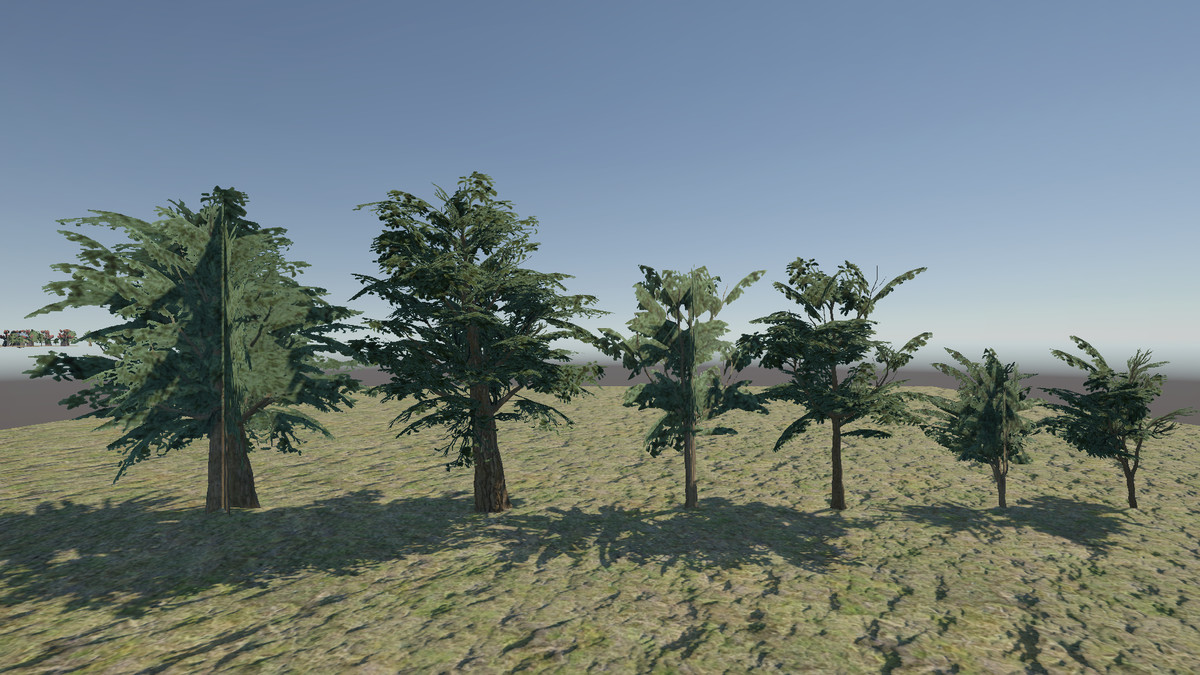
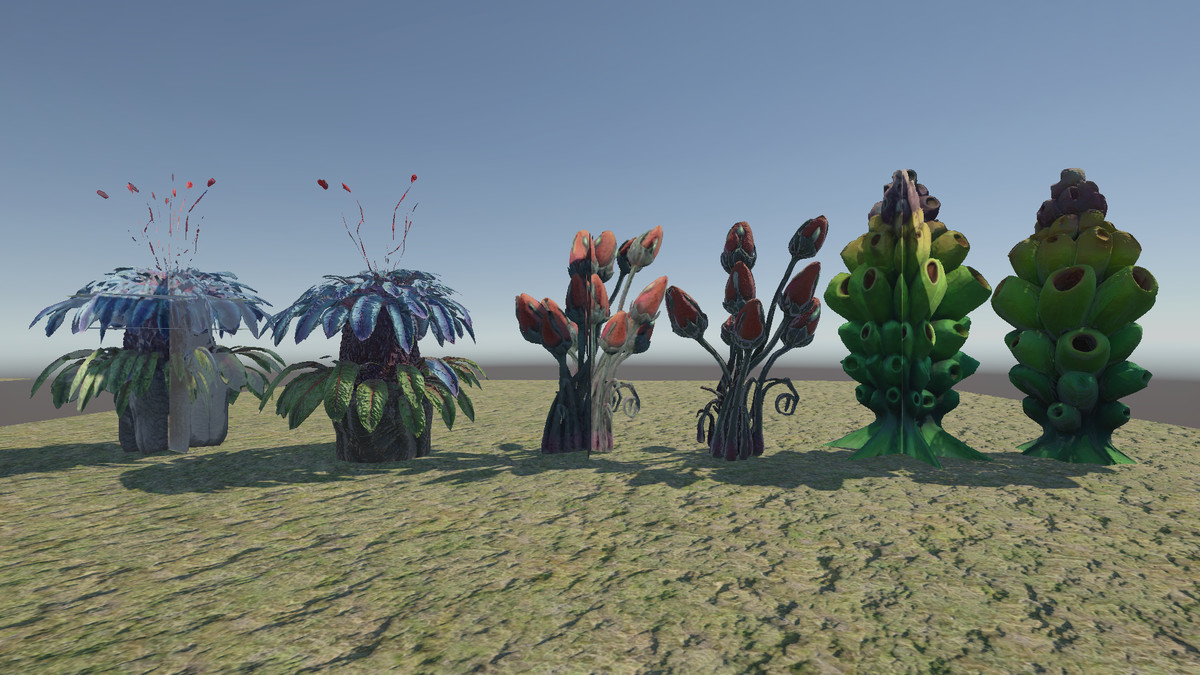
- Example 3D Models: Three realistic oak trees and three stylized alien trees.
- Extensive Documentation: A link to a 38-page online user manual with step-by-step guides, plus well-commented C# scripts for advanced users.
- The BillboardSettings preset profiles used to create the demo content.
Compatibility
| Unity version | Built-in | URP | HDRP |
|---|---|---|---|
| 6000.4.5f1 | Compatible | Compatible | Compatible |
| 6000.1.9f1 | Compatible | Compatible | Compatible |
This asset is fully compatible with the Built-in and Universal (URP) render pipelines.
For High Definition Render Pipeline (HDRP) projects, a specific workflow is required for correct texture captures due to the lighting.
The included demo scene is configured for URP, but uses materials that can be converted to the Built-in or HDRP pipelines.
As listed on the Asset Store.