
 View on Asset Store (opens in new tab)
Package details
- Latest version
- 2.9.4
- Last updated
- First released
- Unity version
- 6000.3.8 or later
- Package size
- 63 KB
- Files
- 45
- Favorites
- 44
- Views in the past week
- 25
Price tracking
- Last checked
- Tracked since
- Lowest recorded
- Free on
Keywords

CustomToolbar
Boost your productivity with a fully customizable editor toolbar.
Affiliate link · Purchases support this site
Price history
Last 6 months
USDAsset preview
1 / 1

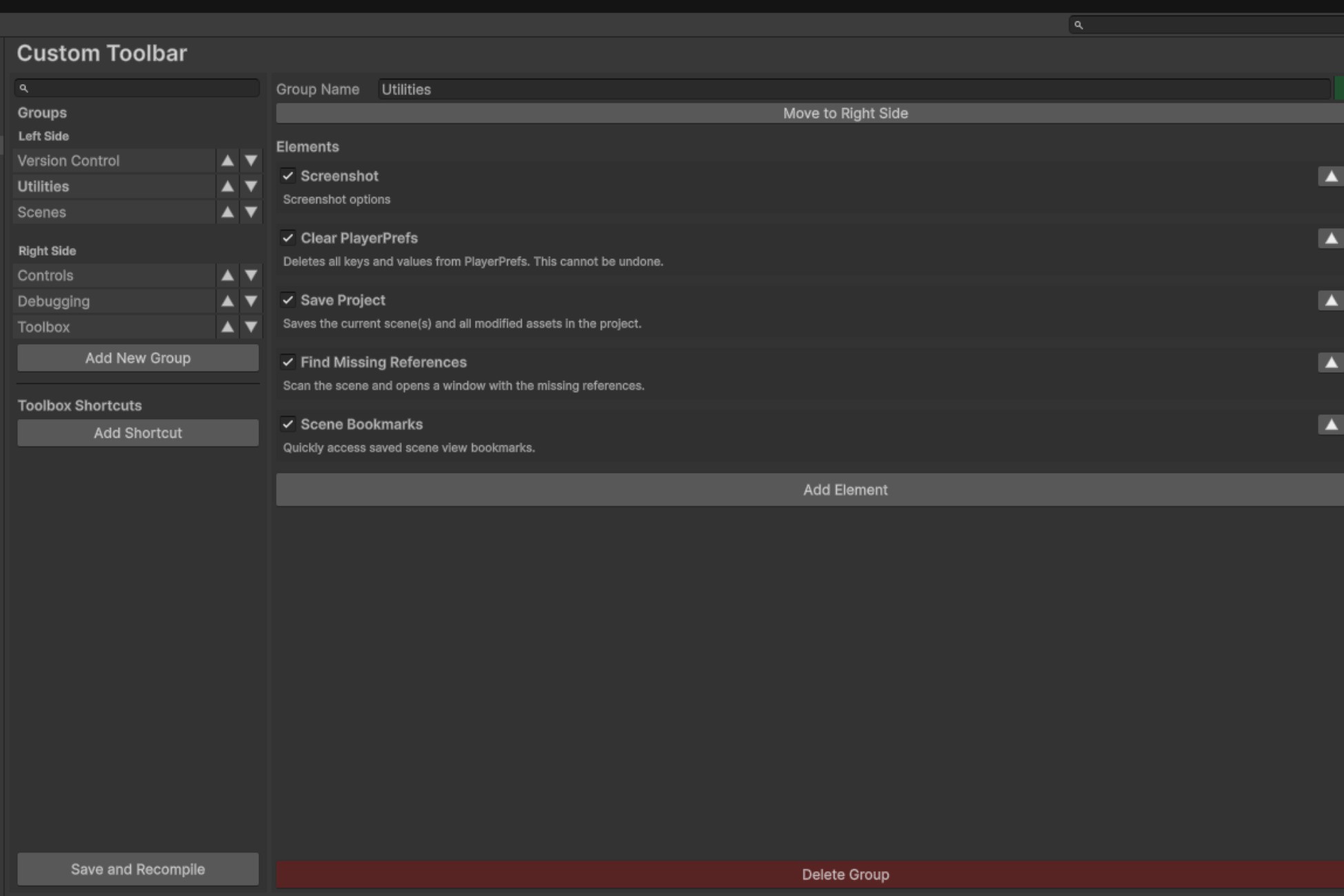
CustomToolbar screenshot 1
About this asset
Supercharge your Unity Editor with Custom Toolbar, a powerful and highly extensible toolbar engine designed to streamline your workflow and integrate your tools seamlessly.
With Custom Toolbar, you can build your perfect editor layout by organizing tools into groups, creating advanced shortcuts, and extending the toolbar with your own C# scripts.
Core Features
- Powerful Configuration: Manage every aspect of your toolbar from a polished and intuitive settings window.
- Group Management: Organize tools into groups on either side of the play controls and reorder them with ease.
- Extensible by Design: Easily create your own toolbar elements by inheriting from a simple base class.
- The Toolbox: A fully customizable dropdown menu for shortcuts to any Unity window, project asset, URL, or even static C# methods.
- Rich Set of Built-in Elements: Comes with many essential tools like scene management, Git integration, and debugging utilities right out of the box.
Easy to Extend
Creating a new button is as simple as creating a new C# script that inherits from the BaseToolbarElement class.
Documentation & Support
This asset is free and open-source. For detailed information, installation instructions, and to contribute, please visit the official GitHub repository.
From the publisher's Asset Store listing.
Technical details
Key Information
- Supported Unity Version: Works with Unity 2021.3 and higher.
- Editor-Only Tool: This asset is a pure editor extension. It adds no runtime overhead to your builds.
- No External Dependencies: Requires only the built-in Unity Editor modules. No other packages from the Asset Store or Package Manager are needed.
- Fully Self-Contained: All scripts and resources are organized within a single root folder for clean project management.
Package Content
- Full C# source code included.
- Robust object-oriented architecture built for extensibility.
- Settings are managed via a ScriptableObject asset, allowing for easy backup and version control.
- Uses standard Unity IMGUI for drawing elements, ensuring forward compatibility.
- No DLLs or pre-compiled libraries.
Technical Features
- Leverages [InitializeOnLoad] to integrate automatically upon installation.
- Uses a clean callback system to inject GUI elements into the main toolbar without modifying internal Unity layouts.
- Supports creating shortcuts for static C# methods with parameters via reflection.
- Includes a complete set of built-in tools for scene management, debugging, and project utilities.
Compatibility
| Unity version | Built-in | URP | HDRP | Custom |
|---|---|---|---|---|
| 6000.3.8f1 | Compatible | Compatible | Compatible | Compatible |
As listed on the Asset Store.