
 View on Asset Store (opens in new tab)
Package details
- Latest version
- 1.1.0
- Last updated
- First released
- Unity version
- 6000.0.44 or later
- Package size
- 80 KB
- Files
- 13
- Favorites
- 2
- Views in the past week
- 3
Price tracking
- Last checked
- Tracked since
- Lowest recorded
- $4.99 on
Keywords
E-Hierarchy
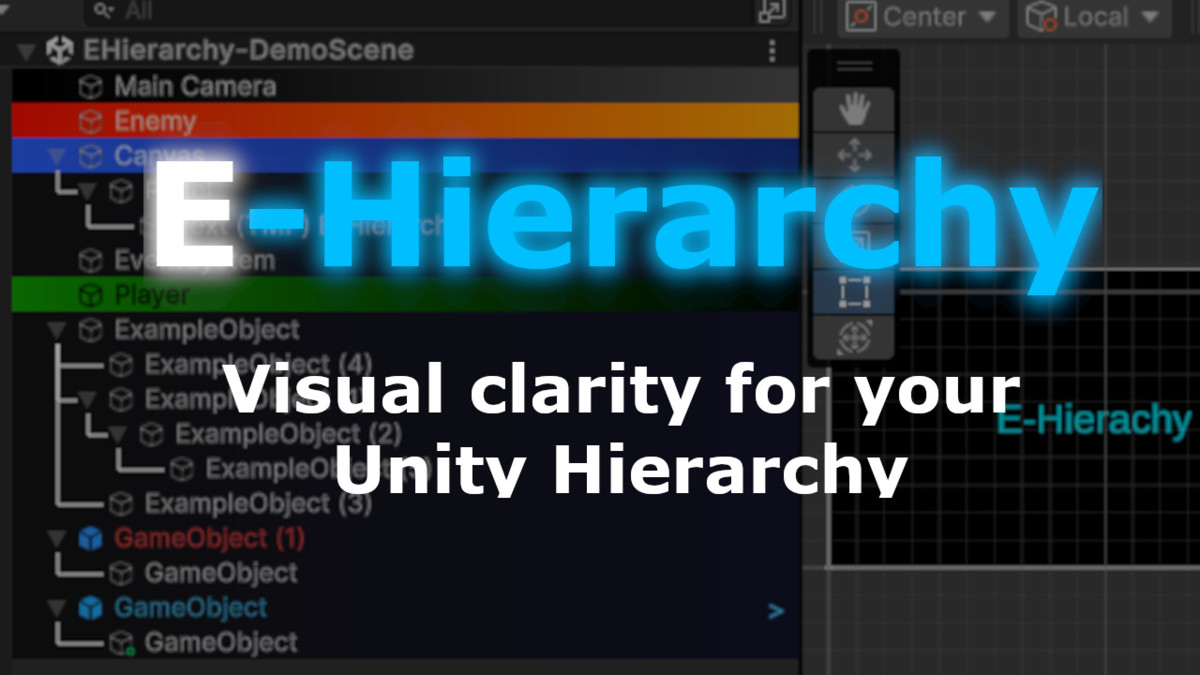
Unity Hierarchy tool with 4 display modes, 4 themes, custom colors, tag badges, component icons, object customization, script editor, guidelines & more for enhanced scene organization and workflow.
Affiliate link · Purchases support this site
Price history
Last 6 months
USDAsset preview
1 / 10
E-Hierarchy screenshot 1
About this asset
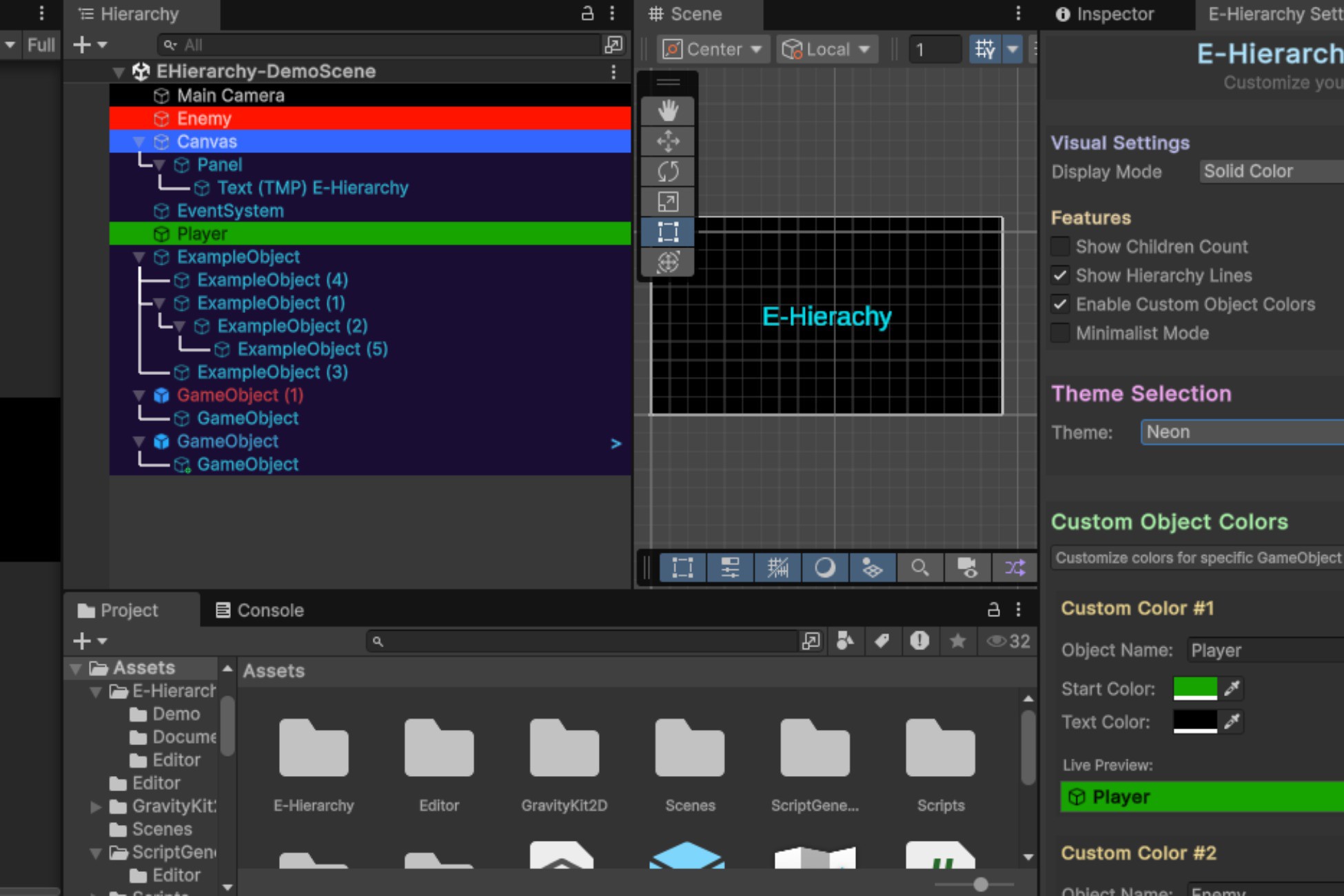
E-Hierarchy v1.1.0 is a powerful Unity Editor tool that transforms your hierarchy window with enhanced visual modes, advanced customization options, and professional workflow features.
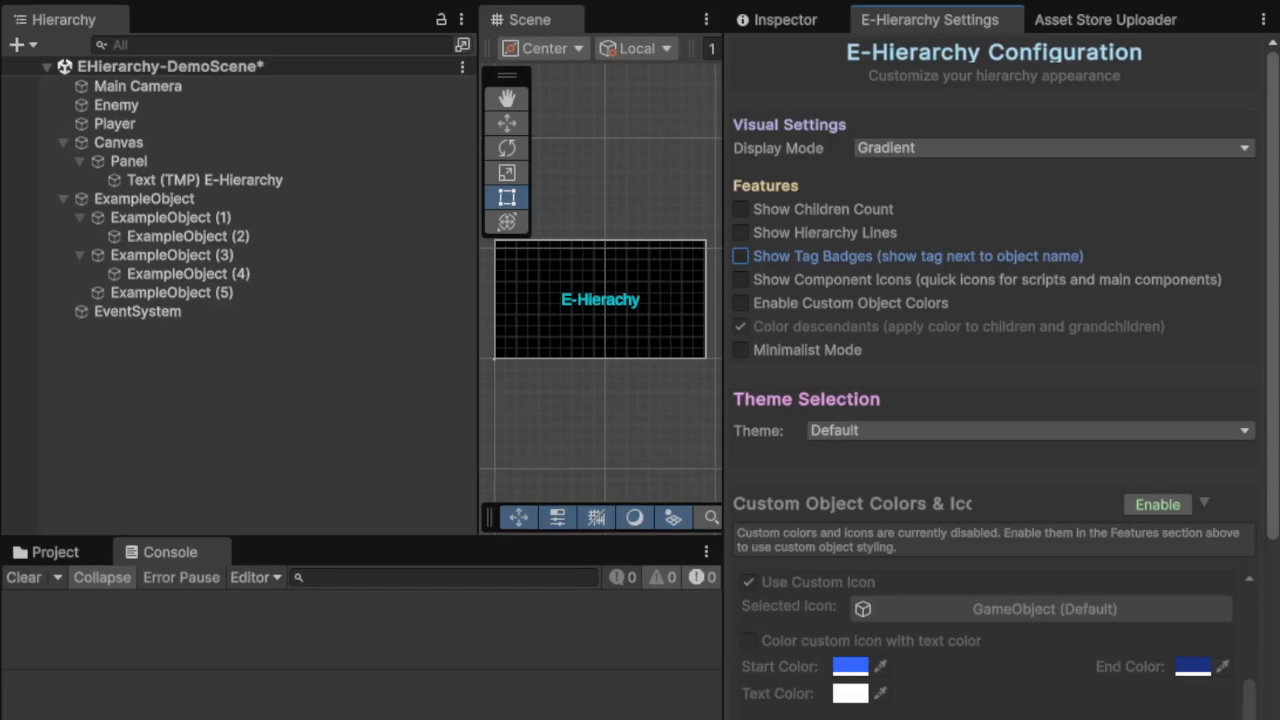
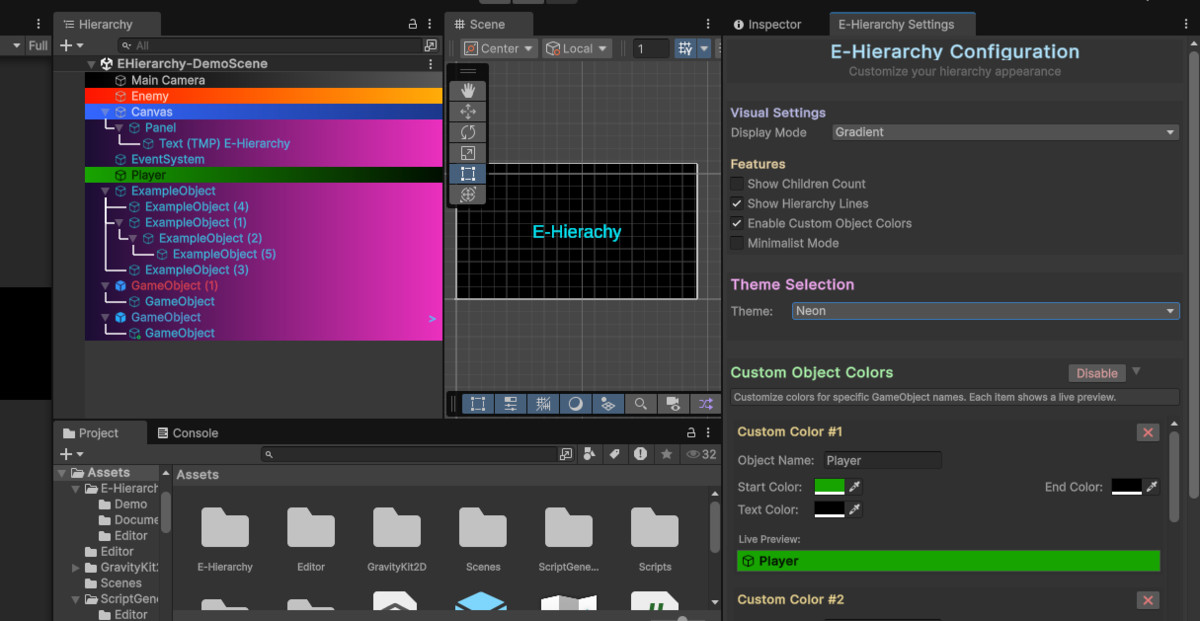
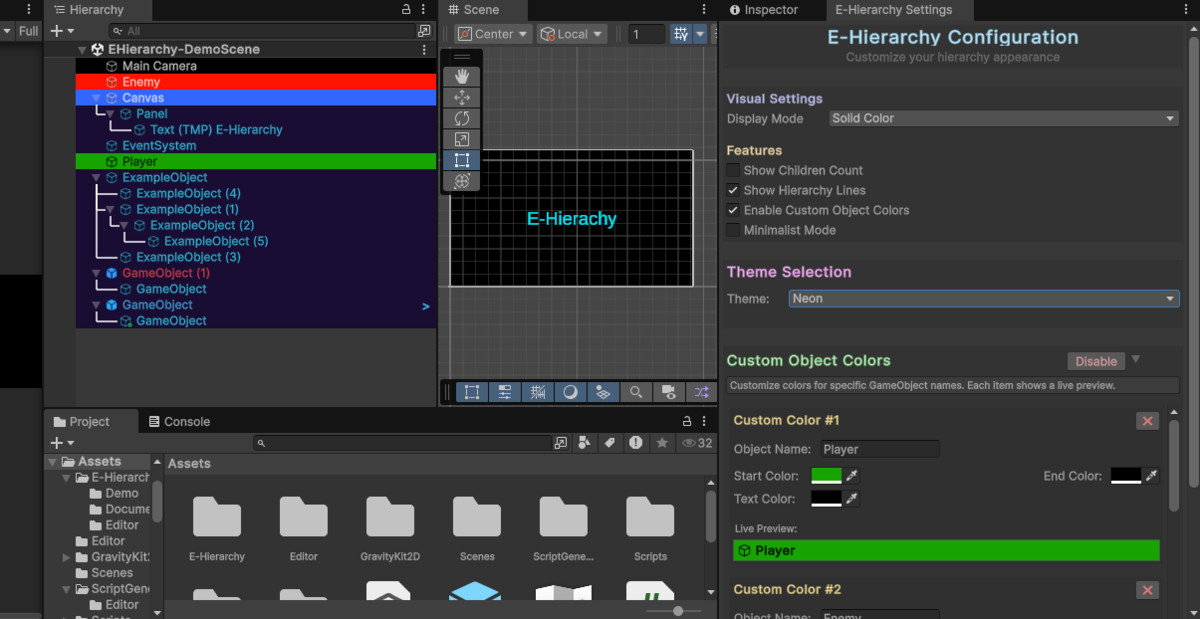
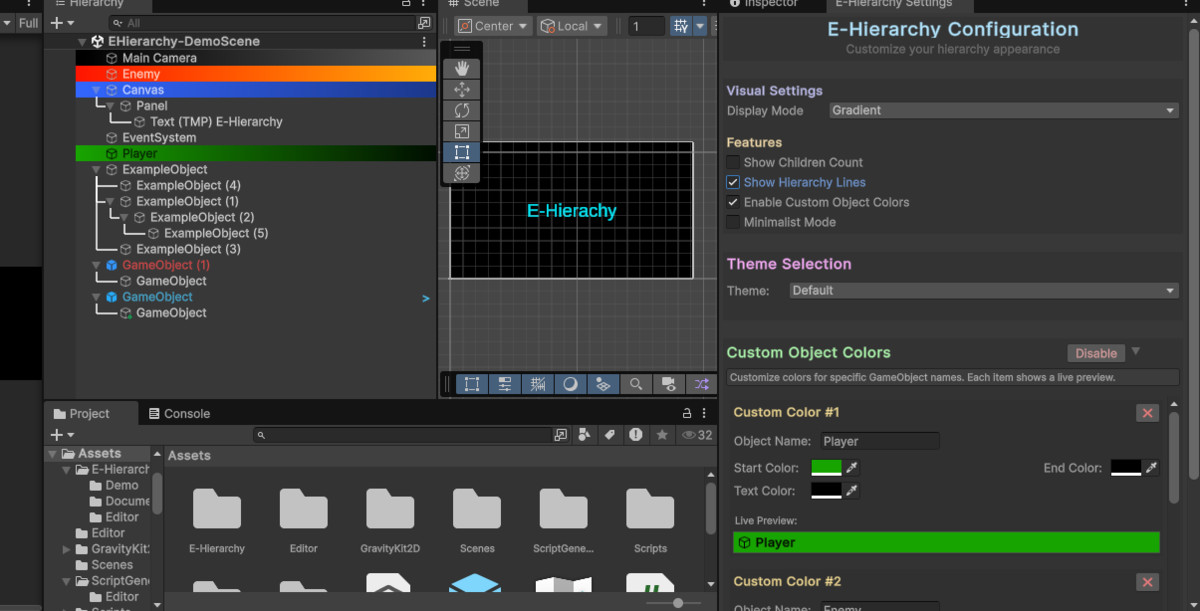
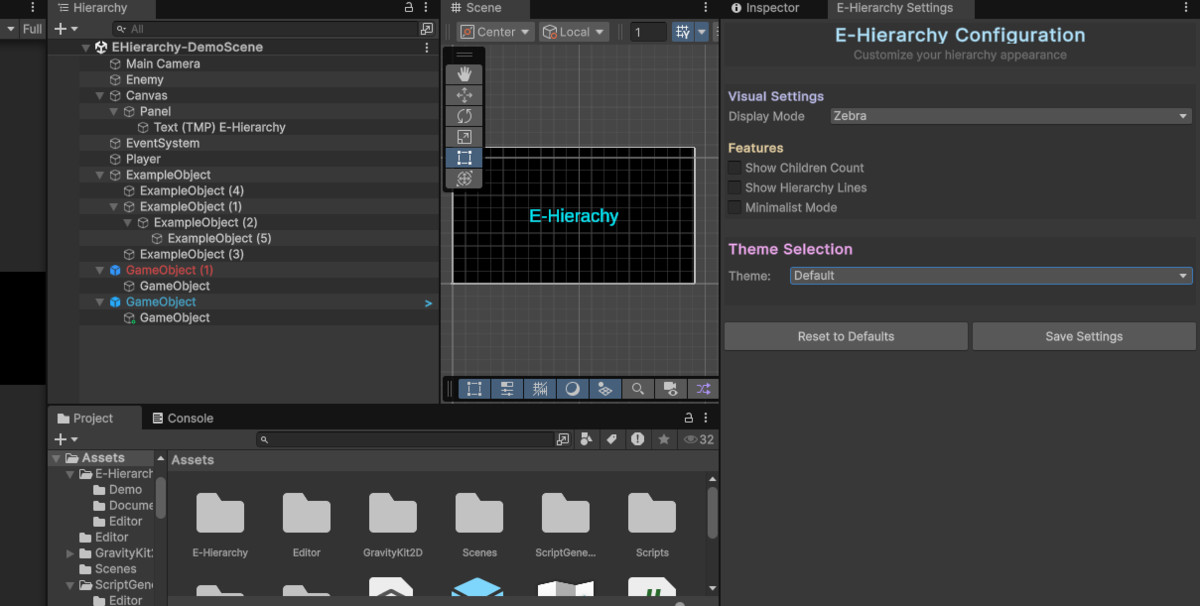
Features 4 distinct display modes:
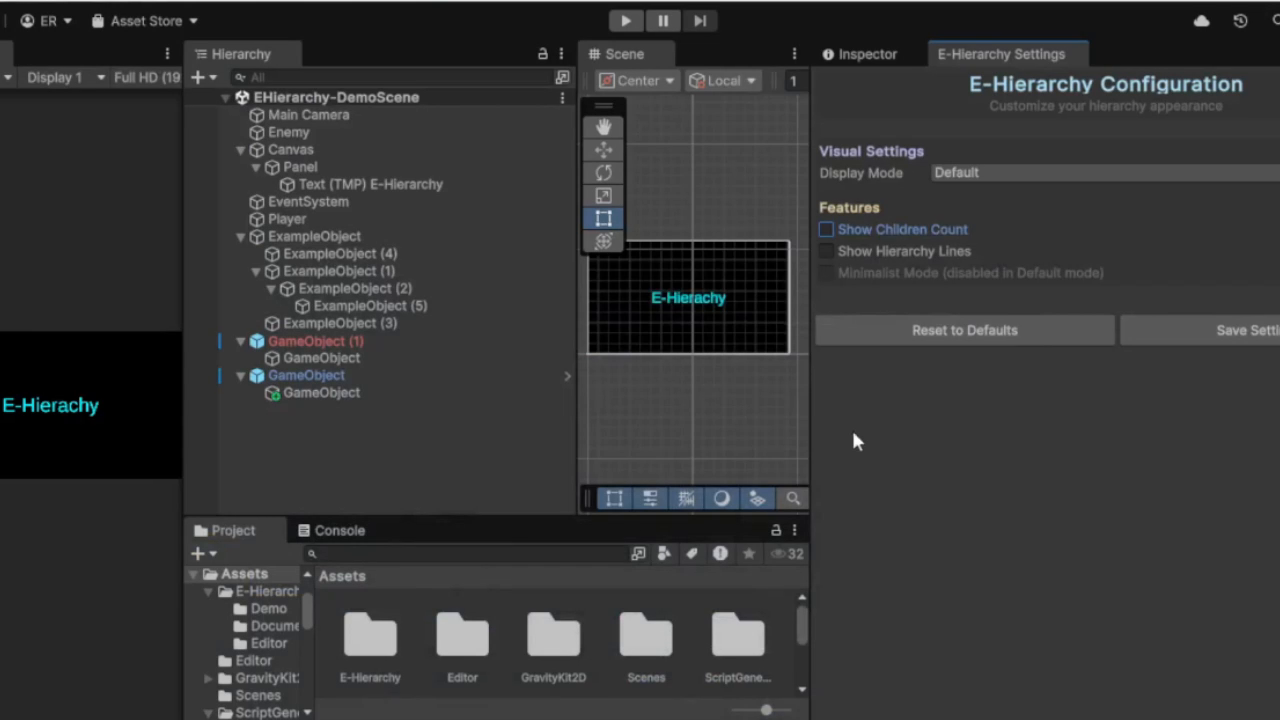
• Default - Standard Unity appearance
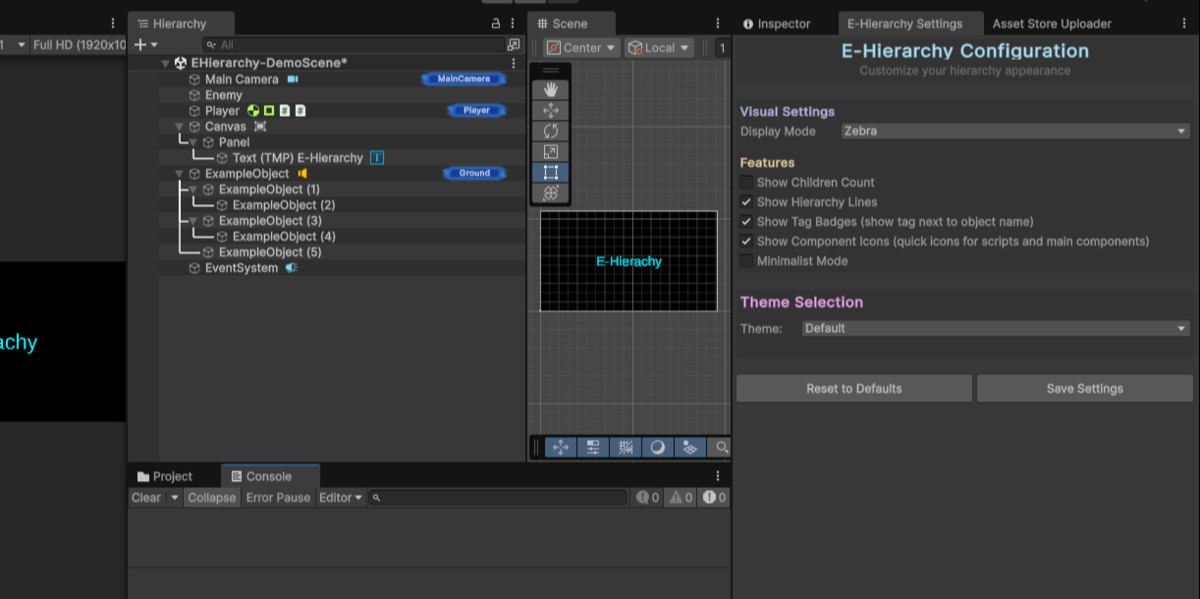
• Zebra - Alternating row colors for better readability
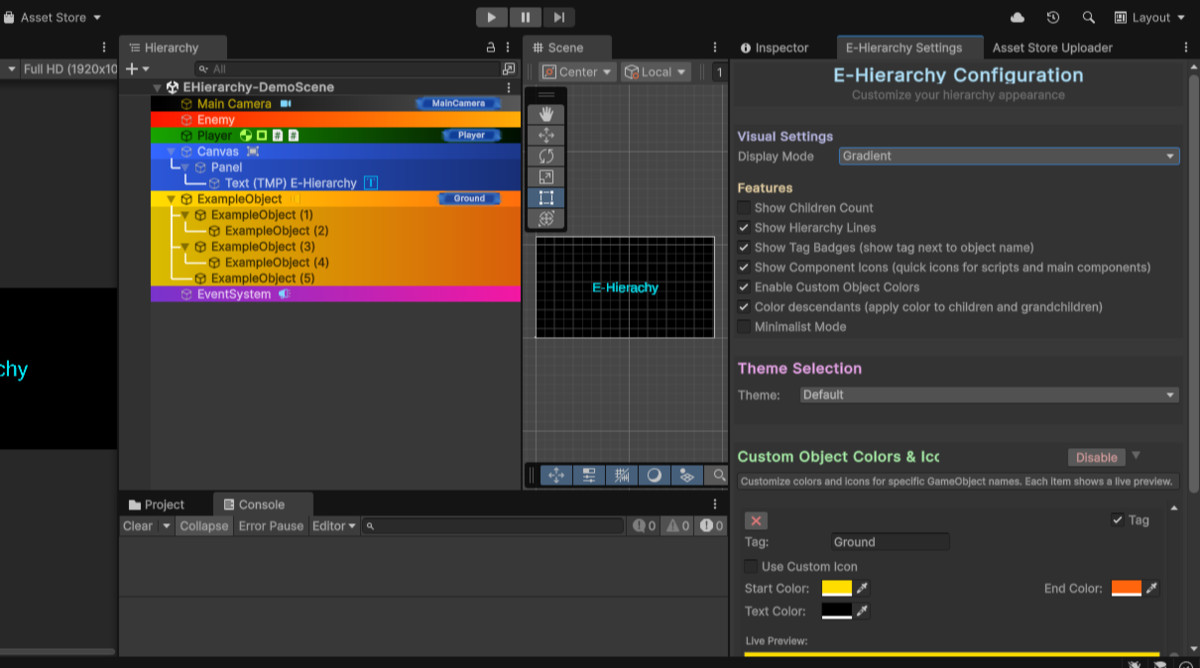
• Gradient - Smooth color transitions
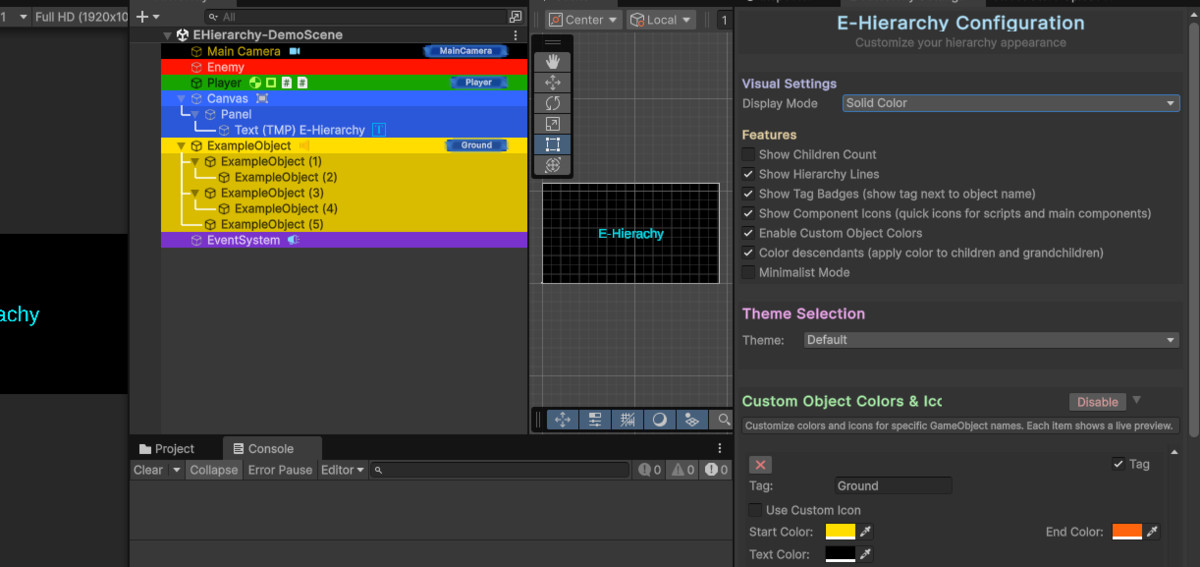
• Solid Color - Uniform backgrounds with custom object highlighting
Theme support: Default, Dark, Neon, Retro
NEW in v1.1.0:
• Tag Badges - Visual badges displaying GameObject tags with custom colors
• Component Icons - Visual indicators showing attached components on each object • Descendant Color Inheritance - Child objects automatically inherit parent colors (15% darker)
• Object Icon Customization - Right-click to set custom icons for any GameObject
• Script Variable Editor - Quick popup editor for script variables directly from hierarchy
Core capabilities:
• Custom colors for specific GameObject names
• Children count badges for parent objects
• Visual hierarchy guidelines and connections
• Minimalist mode for clean interface
• Modern settings window with live previews
• Enhanced prefab handling and object status representation
• Persistent settings via EditorPrefs
Perfect for developers who want to improve their workflow organization and visual clarity in complex scenes. Works seamlessly with any Unity project without affecting runtime performance.
Technical enhancements:
• Optimized rendering pipeline for new visual elements
• Better memory management for component detection
• Enhanced compatibility with Unity's built-in systems
Includes comprehensive documentation, quick start guide, API reference, and troubleshooting resources.
From the publisher's Asset Store listing.
Technical details
Core Features:
• 4 Visual Display Modes (Default, Zebra, Gradient, Solid Color)
• 4 Themes (Default, Dark, Neon, Retro)
• Custom GameObject Color Mapping by Name
• Children Count Display with Badges
• Hierarchy Visual Guidelines and Connections
• Minimalist Mode Toggle
NEW in v1.1.0:
• Tag Badges System with Customizable Colors
• Component Icons for Visual Component Identification
• Descendant Color Inheritance with 15% Darker Child Colors
• Object Icon Customization via Right-Click Context Menu
• Script Variable Editor with Popup Interface
• Enhanced Prefab Status Representation
User Interface:
• Modern Settings Window with Live Previews
• Intuitive Settings Organization and Layout
• One-Click Reset to Defaults
• Automatic Settings Persistence
• EditorPrefs Integration for Persistent Settings
Performance & Optimization:
• Optimized Rendering Pipeline for New Visual Elements
• Better Memory Management for Component Detection
• Performance Optimized with Caching Systems
• Enhanced Performance for Large Hierarchies
• Zero Runtime Performance Impact
Technical Architecture:
• Reflection-Based Settings Communication
• Enhanced Compatibility with Unity's Built-in Systems
• Improved Error Handling and Edge Case Management
• Smart Priority System for Color Inheritance
• Recursive Hierarchy Traversal for Nested Inheritance
Compatibility & Support:
• Unity 2019.4 LTS or Newer Compatibility
• Cross-Platform Support (Windows, macOS, Linux)
• No External Dependencies Required
• Editor-Only Implementation
• Professional Documentation Suite with API Reference
• Comprehensive Troubleshooting Guide
Development Features:
• Clean, Documented Codebase
• Extensive Error Handling
• Professional Code Quality Standards
• Modular Architecture Design
Compatibility
| Unity version | Built-in | URP | HDRP |
|---|---|---|---|
| 6000.0.44f1 | Compatible | Compatible | Compatible |
As listed on the Asset Store.