
 View on Asset Store (opens in new tab)
Package details
- Latest version
- 2.0
- Last updated
- First released
- Unity version
- 6000.0.24 or later
- Package size
- 114 KB
- Files
- 5
- Favorites
- 11
- Views in the past week
- 4
Price tracking
- Last checked
- Tracked since
- Lowest recorded
- Free on
Keywords

AssetTrace
Track where assets are used in your Unity project with a clear, color-coded tree view. Supports scenes, prefabs, materials, and more — all inside the Editor.
Affiliate link · Purchases support this site
Price history
Last 6 months
USDAsset preview
1 / 6
AssetTrace screenshot 1
About this asset
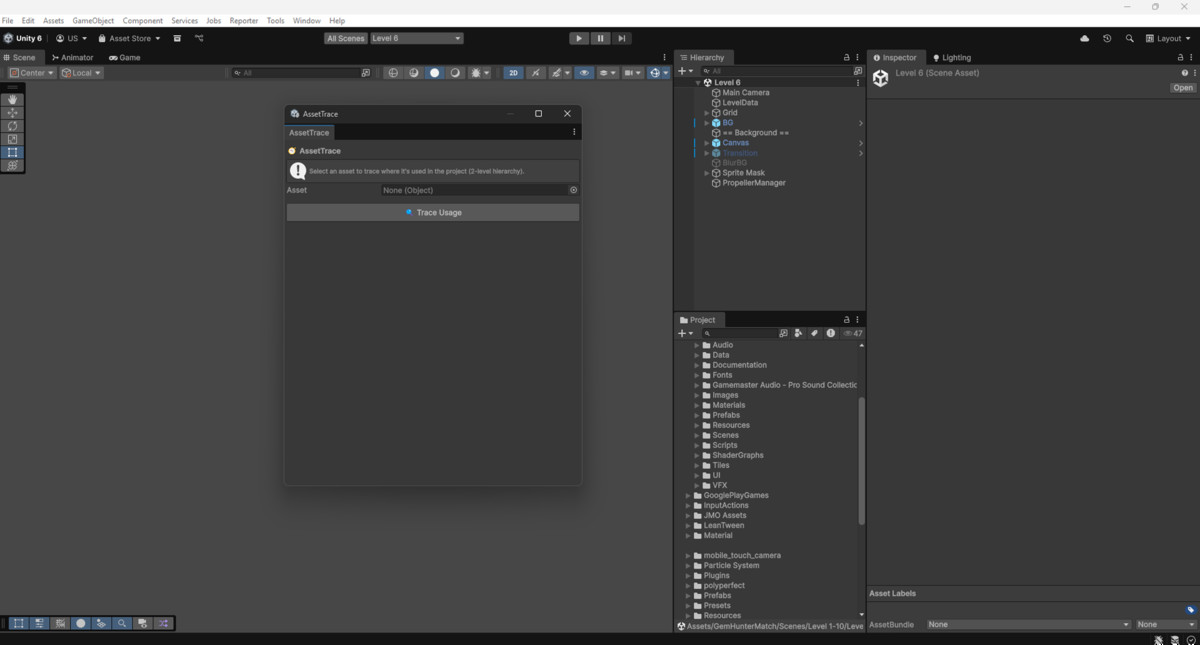
AssetTrace is the ultimate Unity Editor extension for tracking asset dependencies in your project.
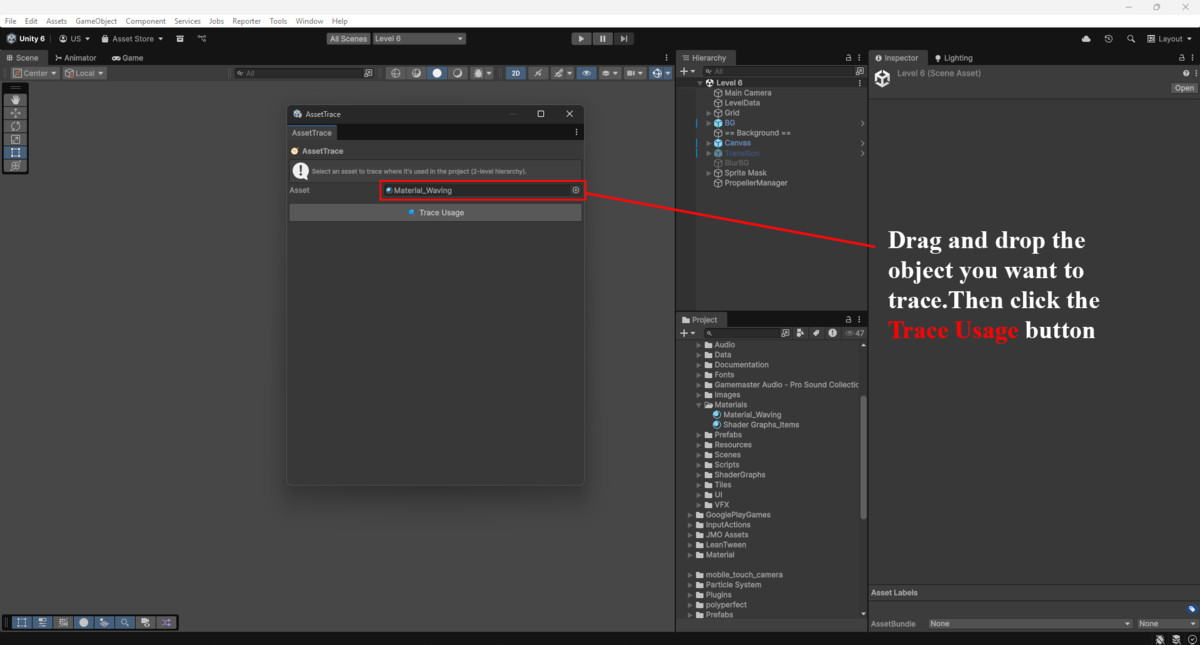
Whether you're cleaning up unused assets or investigating complex prefab-scene-material links, AssetTrace helps you visualize exactly where your assets are used — fast, simple, and reliable.
🔍 Key Features:
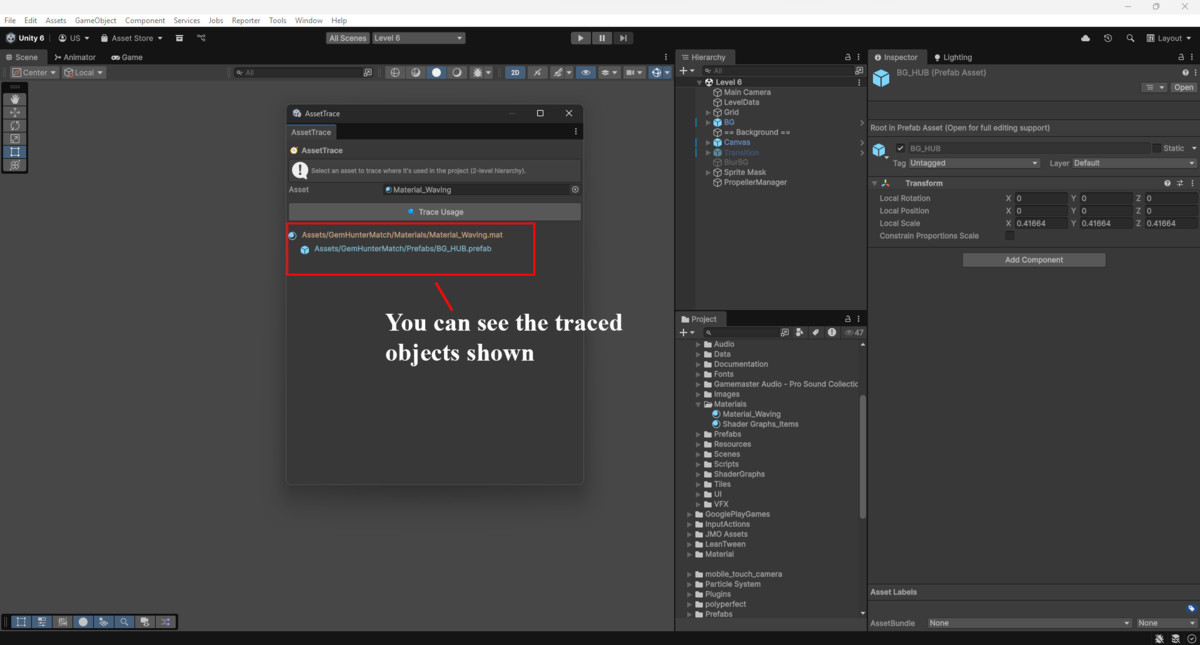
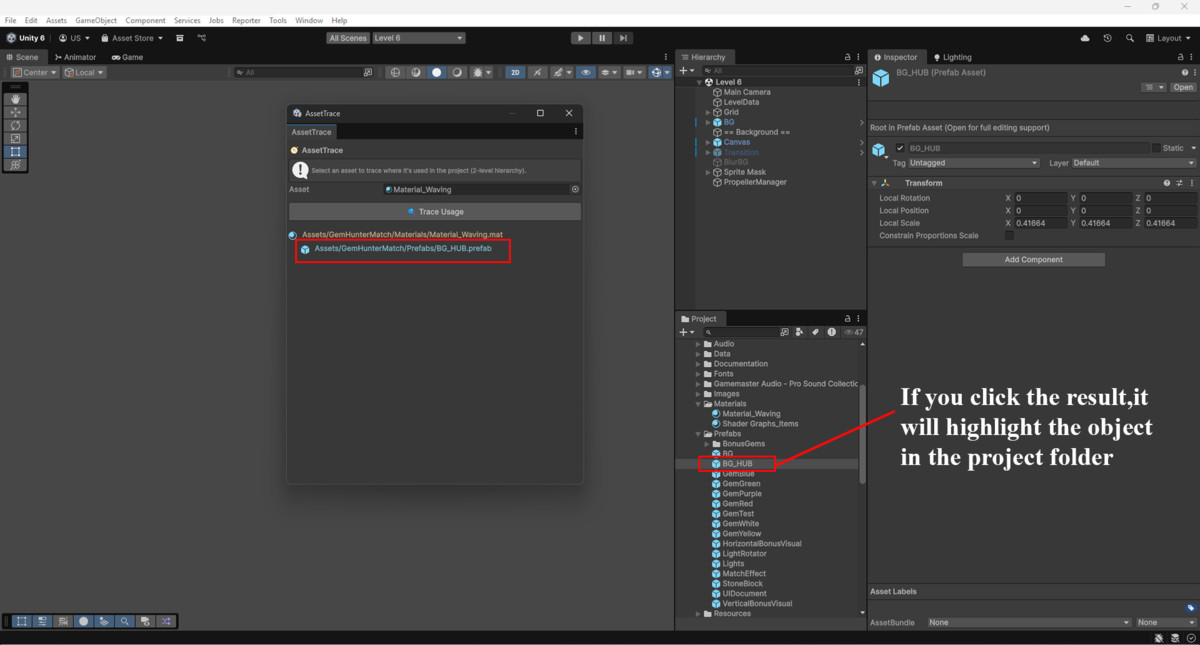
- 🌳 Visual Tree View: Shows up to 2 levels of asset usage as a dependency tree.
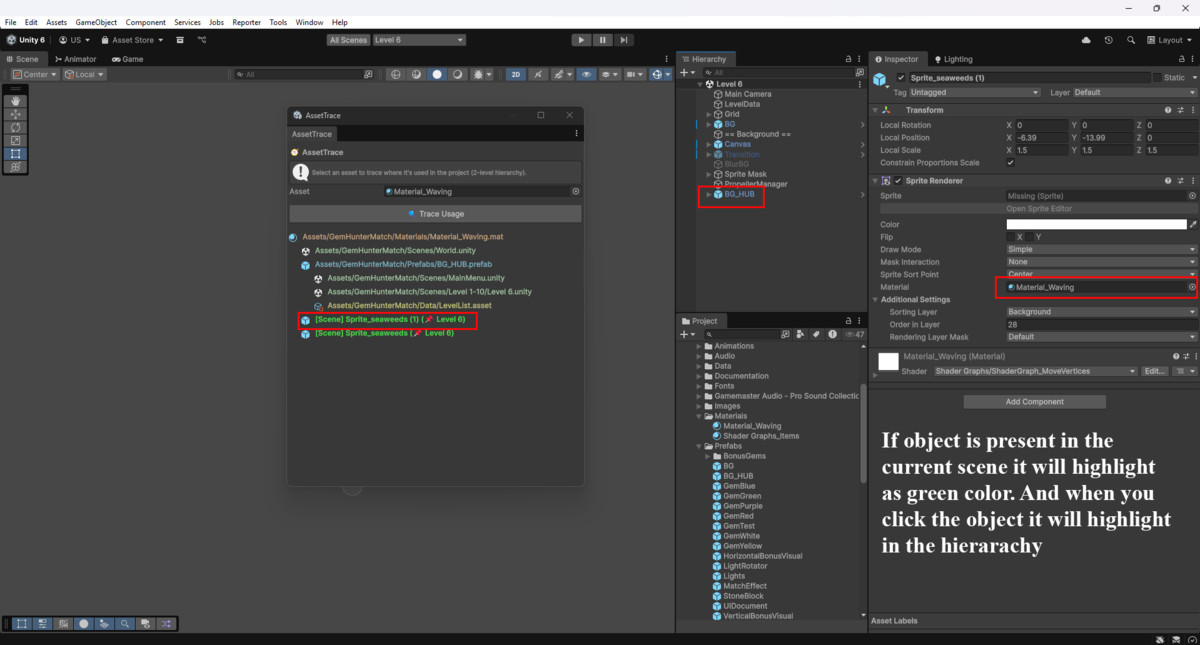
- 🎨 Color-Coded Results: Instantly identify prefabs, scenes, materials, and more.
- 🔍 Scene Usage Detection: Highlights if an asset is used in the currently open scene.
- 🖱️ Interactive Navigation: Click to open any referenced asset in the Project or Hierarchy.
- ⚙️ Supports All Common Assets: Prefabs, textures, animations, ScriptableObjects, audio, and more.
- 🚫 No Runtime Code: 100% Editor-only – does not affect builds.
Perfect for large projects, cleanup tasks, and refactoring workflows.
Whether you're a solo dev or part of a studio, AssetTrace saves time, avoids broken references, and gives you clarity.
From the publisher's Asset Store listing.
Technical details
Requirements:
✔️ Unity 2019.4 LTS or later
✔️ Works with URP, HDRP, and Built-in RP
❌ Not for runtime use
Supported Asset Types:
- Prefabs
- Scenes
- Materials
- Textures
- AudioClips
- ScriptableObjects
- AnimatorControllers
- AnimationClips
Limitations:
- Only finds serialized references using AssetDatabase.GetDependencies.
- Does not support runtime references (e.g., Resources.Load, Addressables, or Asset Bundles).
Installation:
- Import the AssetTrace folder.
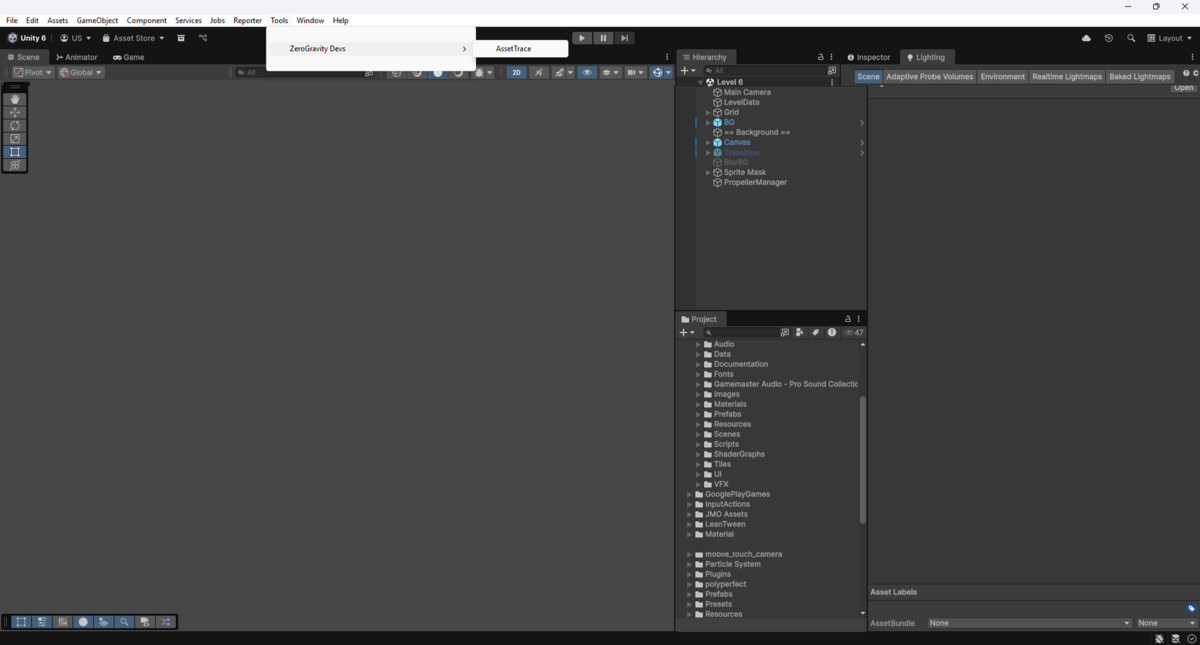
- Open via Tools > AssetTrace.
Editor-Only:
- AssetTrace runs only inside the Unity Editor and does not affect your final builds.
Compatibility
| Unity version | Built-in | URP | HDRP |
|---|---|---|---|
| 6000.0.24f1 | Compatible | Compatible | Compatible |
As listed on the Asset Store.