
 View on Asset Store (opens in new tab)
Package details
- Latest version
- 1.0.4
- Last updated
- First released
- Unity version
- 6000.1.0 or later
- Package size
- 10.9 MB
- Files
- 22
- Favorites
- 4
- Views in the past week
- 6
Price tracking
- Last checked
- Tracked since
- Lowest recorded
- $10.50 on
Keywords
Functional Scrolling Altimeter
Customizable UI altimeter with plug and play functionality. Simply drag your aircraft object into the Tracking Target field, and the altimeter will display its altitude!
Affiliate link · Purchases support this site
Price history
Last 6 months
USDAsset preview
1 / 7

Functional Scrolling Altimeter screenshot 1




About this asset
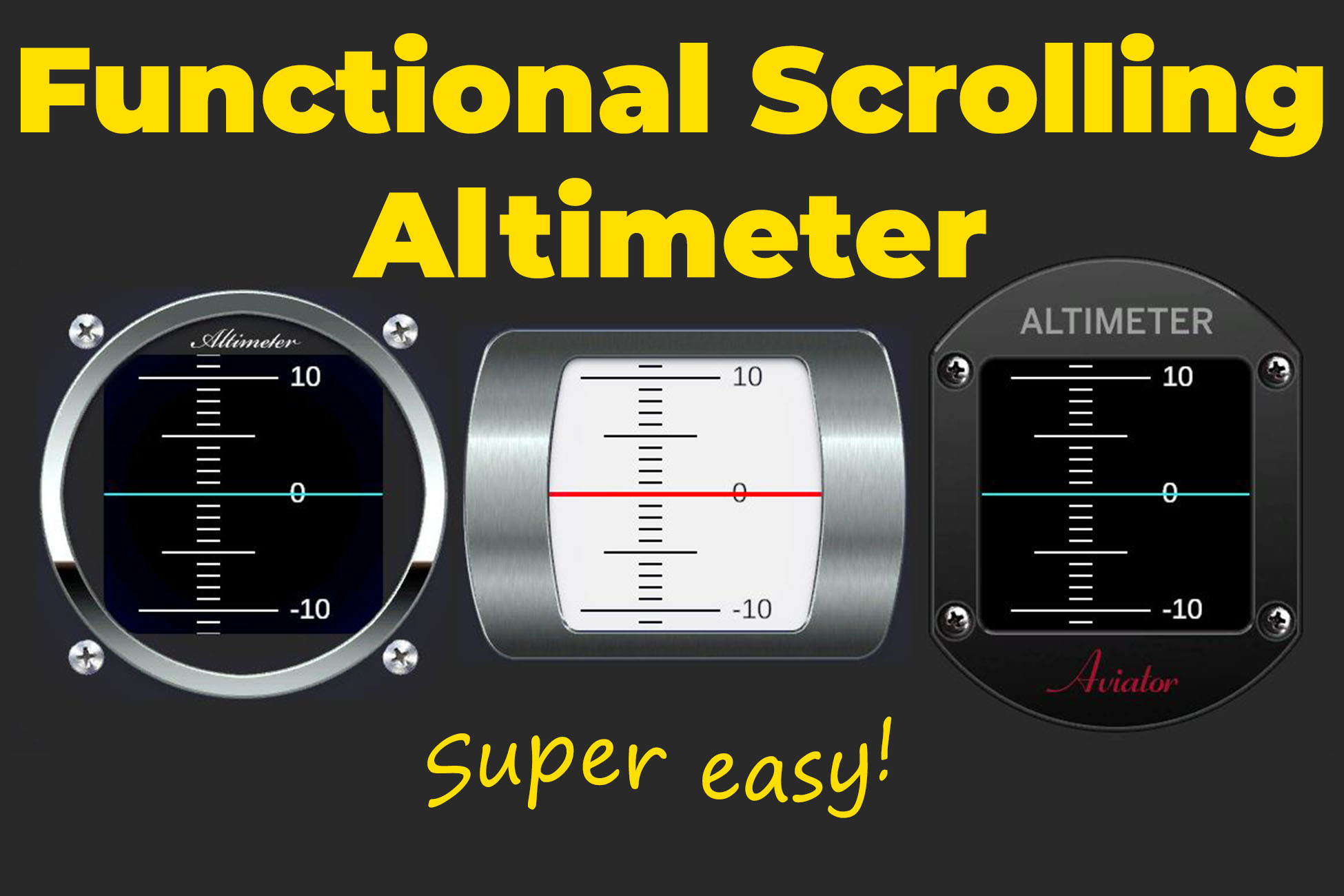
It's not a typical altimeter with clock hands! Scrolling lines look so much more intuitive as you gain or lose altitude! Fly as high or low as you want, even below sea level, and the altimeter will continue to display your altitude smoothly and correctly.
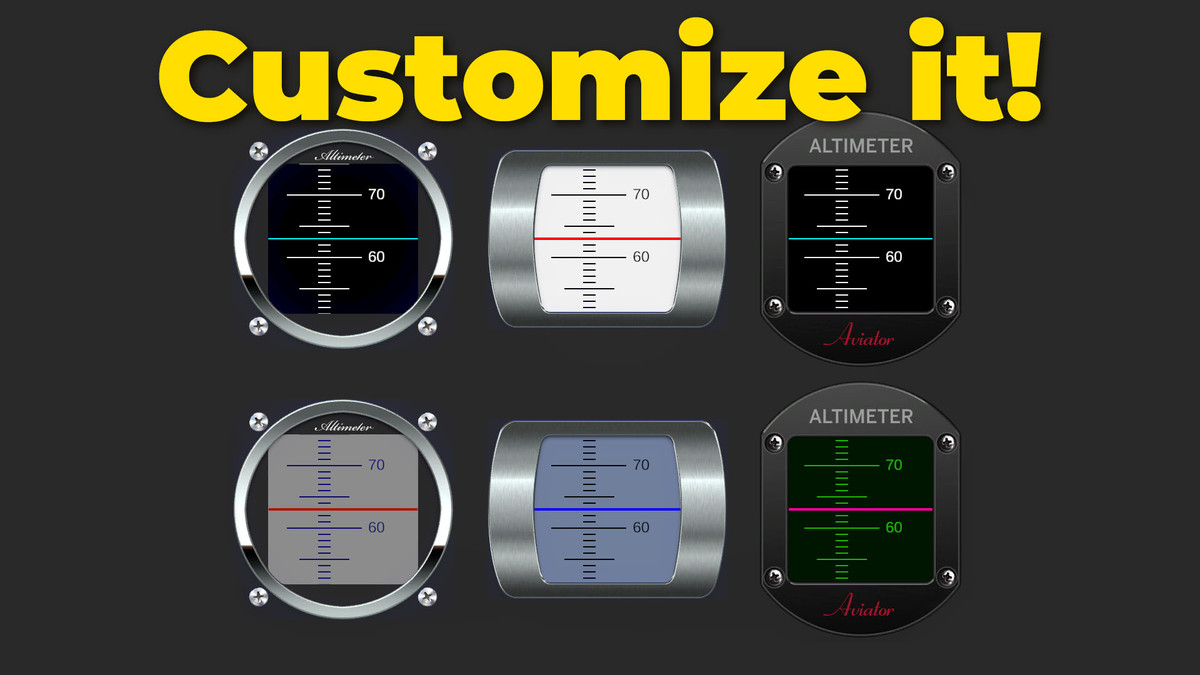
Super lightweight, fully customizable, measure altitude in meters or feet. Change display colours, choose from 3 different frame styles or make your own. PSD file included!
Documentation, tutorial video, and friendly developer support to make your experience using this asset simply enjoyable.
No custom shaders, the script works by simply moving the graduated lines image up and down according to altitude change. The numbers are just 3 Text Mesh Pro labels which get swapped to the next position when one leaves the display area. Clever, lightweight, efficient - super fast even on mobile devices!
Perfect for sci-fi games, not so much for accurate airplane games as altimeters typically use clock hands style display... but scrolling lines looks so much cooler!
From the publisher's Asset Store listing.
Technical details
Requires TextMeshPro Essentials, a free asset. If you don't already have it installed in your project, you will be prompted to install it.
No custom shaders used, only URP unlit shader. Tested in URP, should be compatible with other pipelines but I haven't tested it. Scripts will work in any RP, but materials will have to be converted.
Includes setter method SetAltitude() which coders can use to set altitude from their own code. However, most users can simply drag and drop the Tracking Target into the included Altitude Reporter script, and the altimeter will work without writing any code.
Compatibility
| Unity version | Built-in | URP | HDRP |
|---|---|---|---|
| 6000.2.5f1 | Not listed | Compatible | Not listed |
| 6000.1.0f1 | Not listed | Compatible | Not listed |
If you don't have it installed already, the asset will prompt you to import Text Mesh Pro Essentials, which is a free package offered by Unity. This asset uses Text Mesh Pro for the altitude readings. Included is the OpenSans-Regular font, with license allowing free personal and commercial usage.
As listed on the Asset Store.