
 View on Asset Store (opens in new tab)
Package details
- Latest version
- v1.1.1
- Last updated
- First released
- Unity version
- 2022.3.21 or later
- Package size
- 4.1 MB
- Files
- 60
- Favorites
- 20
- Views in the past week
- 9
Price tracking
- Last checked
- Tracked since
- Lowest recorded
- Free on
Keywords
[Custom Property Attribute]
Provides ‘CustomPropertyAttribute’s to easily customize Inspector.
Affiliate link · Purchases support this site
Price history
Last 6 months
USDAsset preview
1 / 5
[Custom Property Attribute] screenshot 1
About this asset
This asset provides ‘CustomPropertyAttribute’s that allow you to easily customize inspectors. It was created to eliminate the hassle of having to write editor scripts from scratch every time you customize an inspector. We built this using Unity's ‘PropertyAttribute’ and ‘CustomPropertyDrawer’ and improved the biggest issue with ‘CustomPropertyDrawer’ which doesn't allow multiple 'PropertyAttribute's to be applied to a single field to enable free inspector customization.
Please check the Document for more details.
From the publisher's Asset Store listing.
Technical details
CustomPropertyAttribute
You can create a new ‘CustomPropertyAttribute’ by inheriting the corresponding class. The ‘Initialize’ function initializes the attribute. The ‘Preset’ function sets the state of the field, and the ‘Draw’ function draws the field.
[UsingCustomProperty]
Collect all ‘CustomPropertyAttribute’ declared in the field and draw the fields at once. This improves the issue where multiple ‘PropertyAttribute’ cannot be applied to a field.
[Alias]
Assign aliases to fields. Specify ‘Null’ as a parameter to draw an empty label. Specify ‘Empty(“”)’ to not draw a label.
[Button]
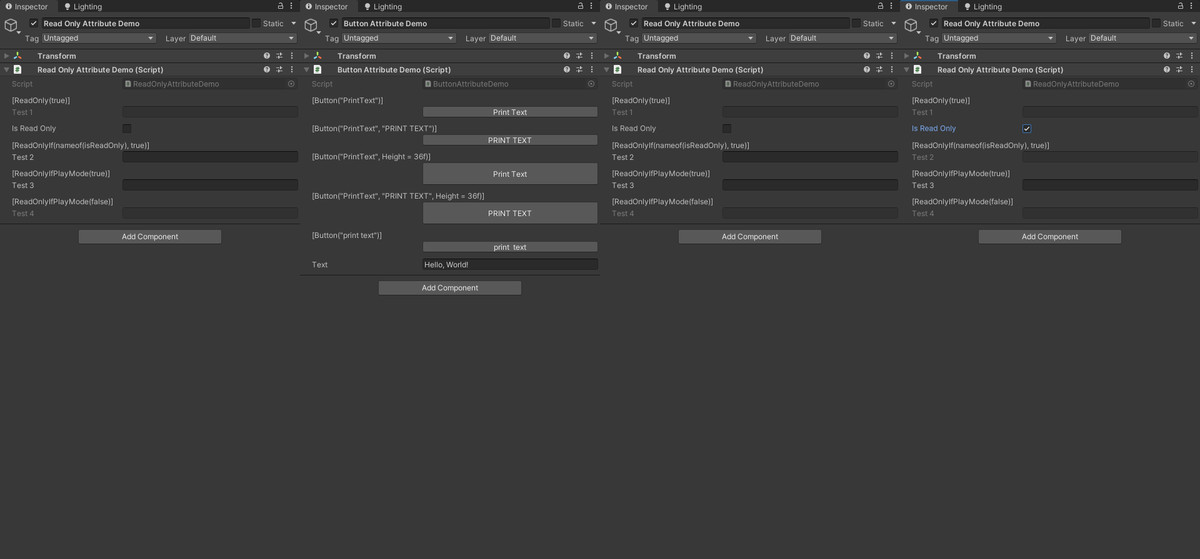
Displays the function as a button in the inspector. You can specify the text and height of the button as parameters.
[ReadOnly]
Sets the fields and attributes as read-only.
[ReadOnlyIf]
[ReadOnlyIfPlayMode]
Set as read-only only under specific conditions, such as when the value of a specific field is compared or when the application is playing.
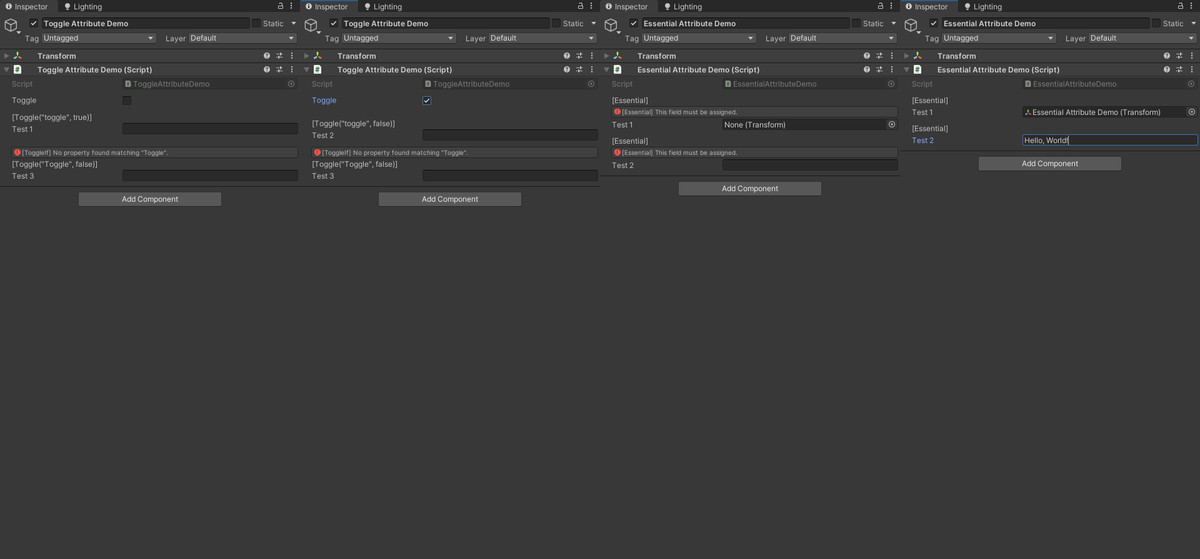
[Toggle]
Disables the fields and attributes declared under the specified attribute. It is also possible to disable them only under specific conditions by comparing the status of specific fields.
[Essetial]
Displays a warning message when the field value is ‘Null’ or ‘Empty (“”)’.
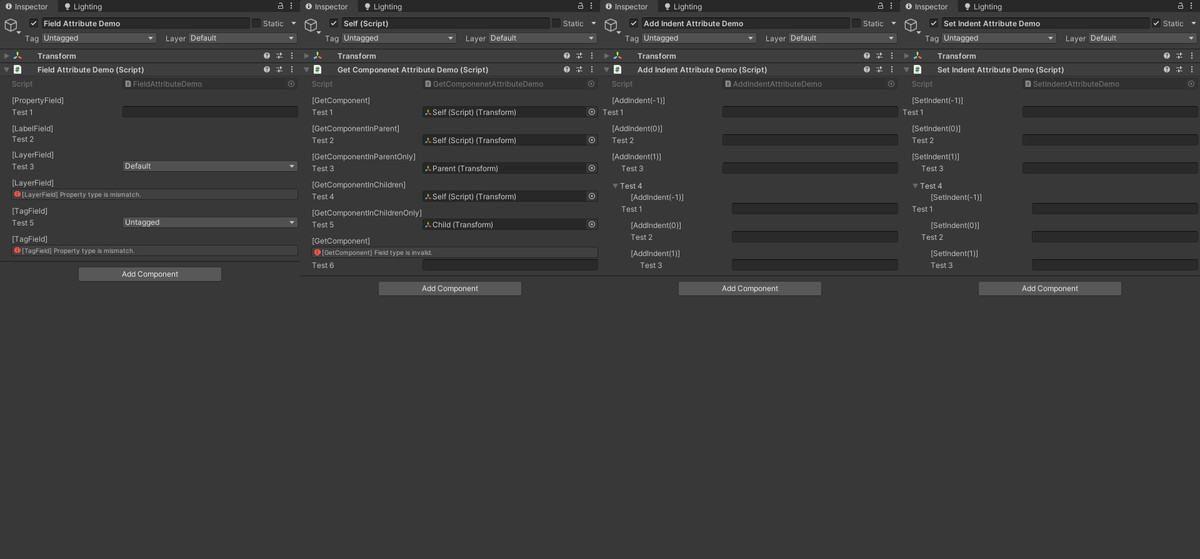
[PropertyField]
Draw the field before other attributes.
[LabelField]
Draw only the labels in the field.
[LayerField]
Displays the ‘int’ type field as the ‘Layer’ drop-down menus.
[TagField]
Displays the ‘string’ type field as the ‘Tag’ drop-down menus.
[GetComponent]
[GetComponentInParent]
[GetComponentInParentOnly]
[GetComponentInChildren]
[GetComponentInChildrenOnly]
Finds and assigns components of the corresponding type to the ‘Component’ type field within each scope.
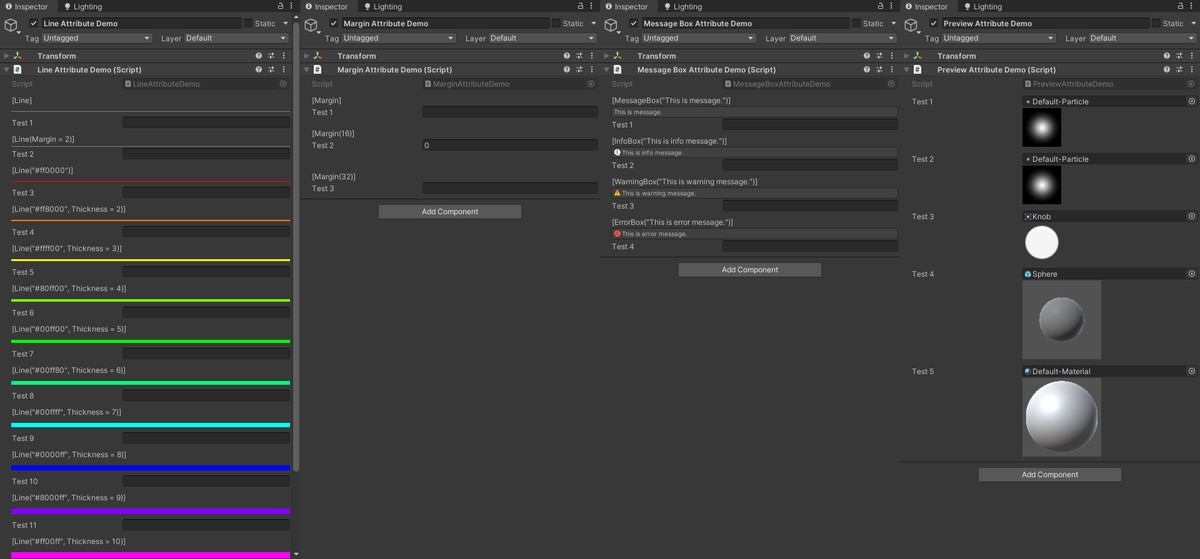
[MessageBox]
[InfoBox]
[WarningBox]
[ErrorBox]
Draw a message box with the corresponding icon.
[AddIndent]
Indents the field by the specified value.
[SetIndent]
Specifies the amount of indentation in the field.
[Line]
Draw a dividing line. You can specify the color and thickness of the line with parameters.
[Margin]
Draws a margin. You can specify the height of the margin as a parameter.
[Preview]
Draws a preview for ‘Object’ type fields containing images such as Texture, Sprite, GameObject, and Material.
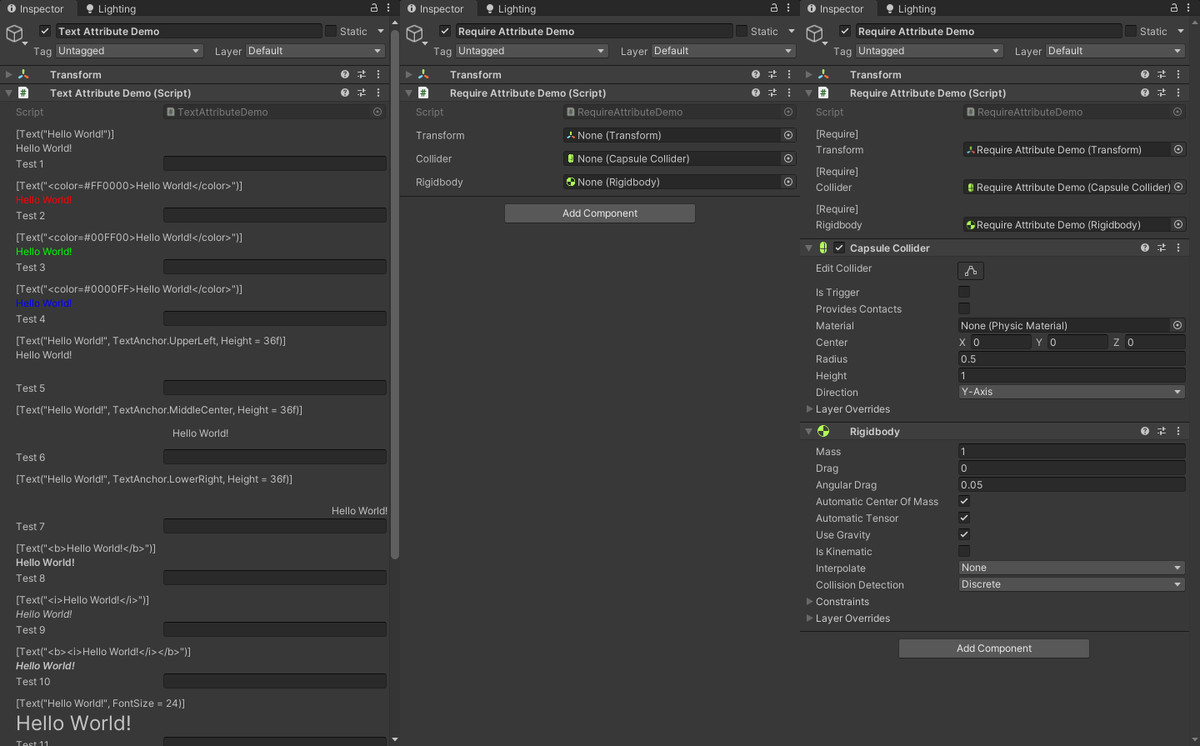
[Text]
Draws text. You can specify the color, alignment position, style, and font size of the text as parameters.
[Require]
Automatically adds and assigns the required components.
Compatibility
| Unity version | Built-in | URP | HDRP | Custom |
|---|---|---|---|---|
| 2022.3.21f1 | Compatible | Compatible | Compatible | Compatible |
As listed on the Asset Store.