
 View on Asset Store (opens in new tab)
Package details
- Latest version
- 1.0.1
- Last updated
- First released
- Unity version
- 2022.3.55 or later
- Package size
- 98 KB
- Files
- 10
- Favorites
- 1
- Views in the past week
- 5
Price tracking
- Last checked
- Tracked since
- Lowest recorded
- $4.99 on
Keywords
Shift Joystick – Simple Mobile Joystick
- Price drop
Mobile joystick system with dynamic/static modes, deadzone, and smooths controls
Lowest recorded price
Buy on Asset Store (opens in new tab)Affiliate link · Purchases support this site
Price history
Last 6 months
USDAsset preview
1 / 2
Shift Joystick – Simple Mobile Joystick screenshot 1
About this asset
A lightweight and mobile-friendly joystick made for developers who just want things to work, no clutter, no bloat.
Simply drag the prefab into your scene and you're ready to go. Touch input works immediately — no configuration needed.
🚨 Built for Unity's New Input System — Not compatible with the old Input Manager.
Perfect if you're looking for a simple and efficient joystick that just does its job — fast, clean, and reliable.
✨ Key Features
🎮 Mobile-Ready Input — Smooth and responsive touch controls
🧱 Plug & Play Setup — Drop the prefab in, no extra setup required
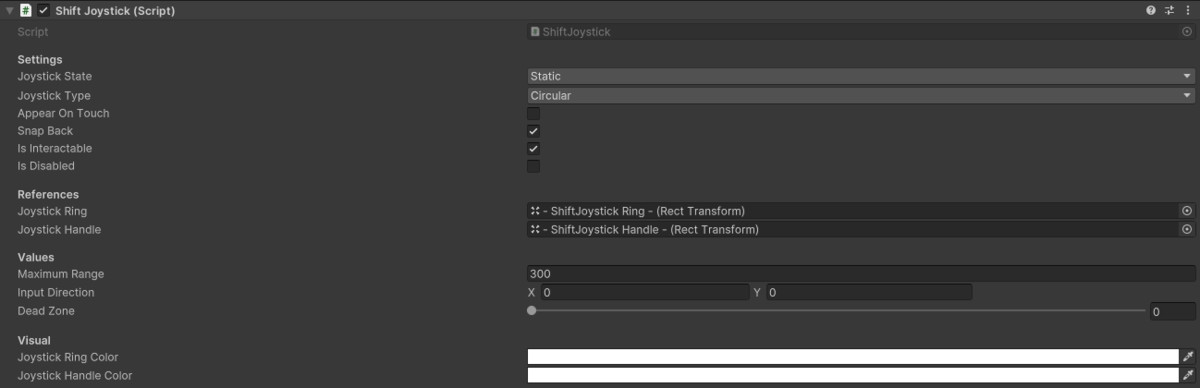
🧭 Static or Dynamic Modes — Keep it fixed or show on touch
🔄 Auto-Center Handle — Snaps back when released
🎨 Custom Colors — Easily tweak the ring and handle look
🧠 Dead Zone Support — Fine control over joystick sensitivity
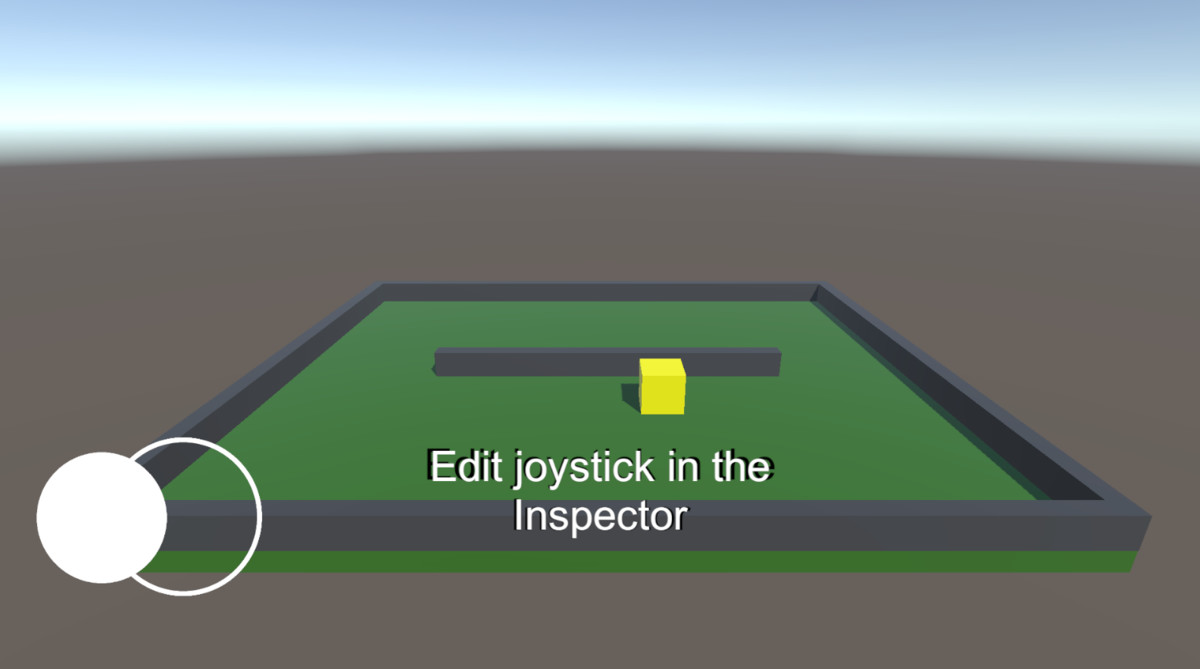
🚧 Demo Scene Included — Includes a basic movement setup to help you get started
⚠️ Demo Scene is for Built-in Pipeline only — URP/HDRP users must manually update materials
From the publisher's Asset Store listing.
Technical details
- No configs, no stress. Just drag into your scene and it's ready to go.🕹️ Instant Joystick Setup, Drop it in & Play
- 🧪 Includes a demo scene so you can see it in action fast📱 Works only with Unity's Enhanced Touch (Input System)
🎮 Responsive analog feel, smooth control with built-in dead zone
🔁 Static or dynamic modes
👆 On touch option keeps your UI clean
↩️ Handle snaps back naturally when released
📐 Choose between circular or square input zones
🧭 Tweak movement range however you like
🎨 Customize ring & handle colors right from the Inspector - ⚠️ Demo Scene is for Built-in Pipeline only — URP/HDRP users must manually update materials
Compatibility
| Unity version | Built-in | URP | HDRP | Custom |
|---|---|---|---|---|
| 2022.3.55f1 | Compatible | Compatible | Compatible | Compatible |
The joystick UI works with all render pipelines (Built-in, URP, HDRP, and custom), since it uses Unity UI (Canvas)
However, the included demo scene was built using the Built-in Render Pipeline. If you're using URP or HDRP, you may need to convert materials or replace them with your own
As listed on the Asset Store.