
 View on Asset Store (opens in new tab)
Package details
- Latest version
- 1.0.1
- Last updated
- First released
- Unity version
- 6000.0.44 or later
- Package size
- 103 KB
- Files
- 11
- Views in the past week
- 7
Price tracking
- Last checked
- Tracked since
- Lowest recorded
- $4.99 on
Keywords
Missing Reference Pinger
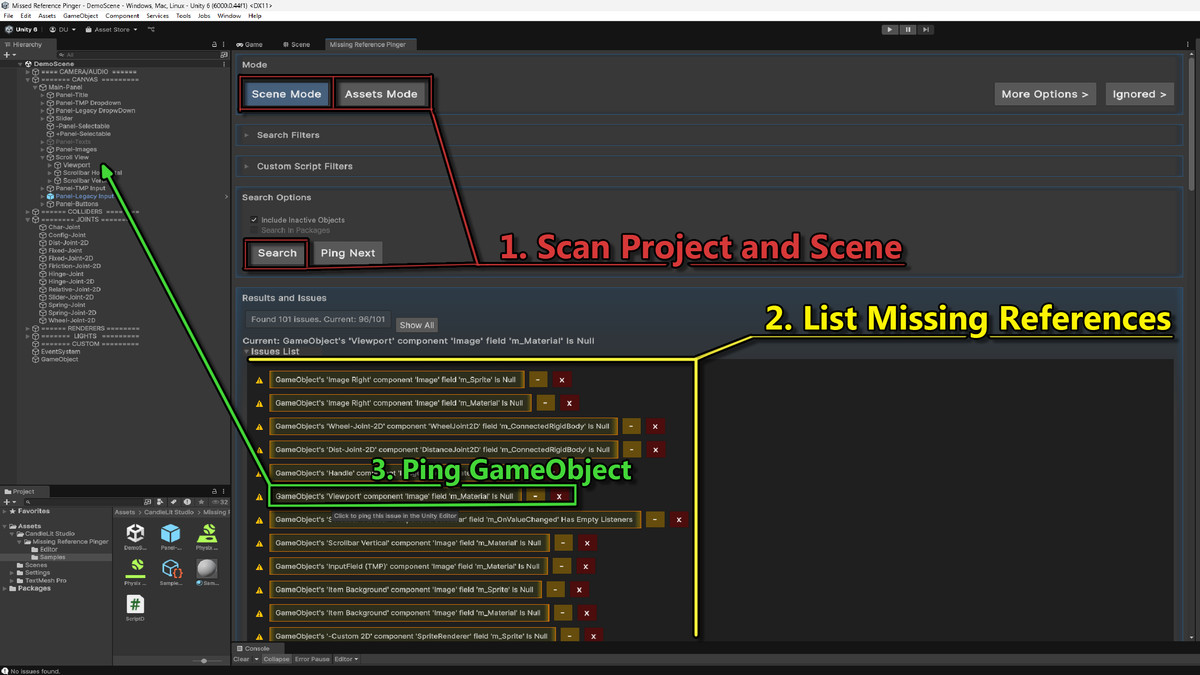
Missing Reference Pinger is an Editor tool designed to find Missing, Null or Mismatched references and display them in a list that allows you to ping the problematic objects in unity editor.
Affiliate link · Purchases support this site
Price history
Last 6 months
USDAsset preview
1 / 6
Missing Reference Pinger screenshot 1

About this asset
Enhance your Unity development workflow with Missing Reference Pinger, an essential tool for detecting and managing null or missing references across your scenes and assets. This editor extension empowers developers to quickly identify problematic fields in components, ScriptableObjects, and prefabs, ensuring your project runs smoothly.
Key Features:
- Comprehensive Scanning: Detect null references, missing scripts, and mismatched types in scenes, assets, and custom scripts.
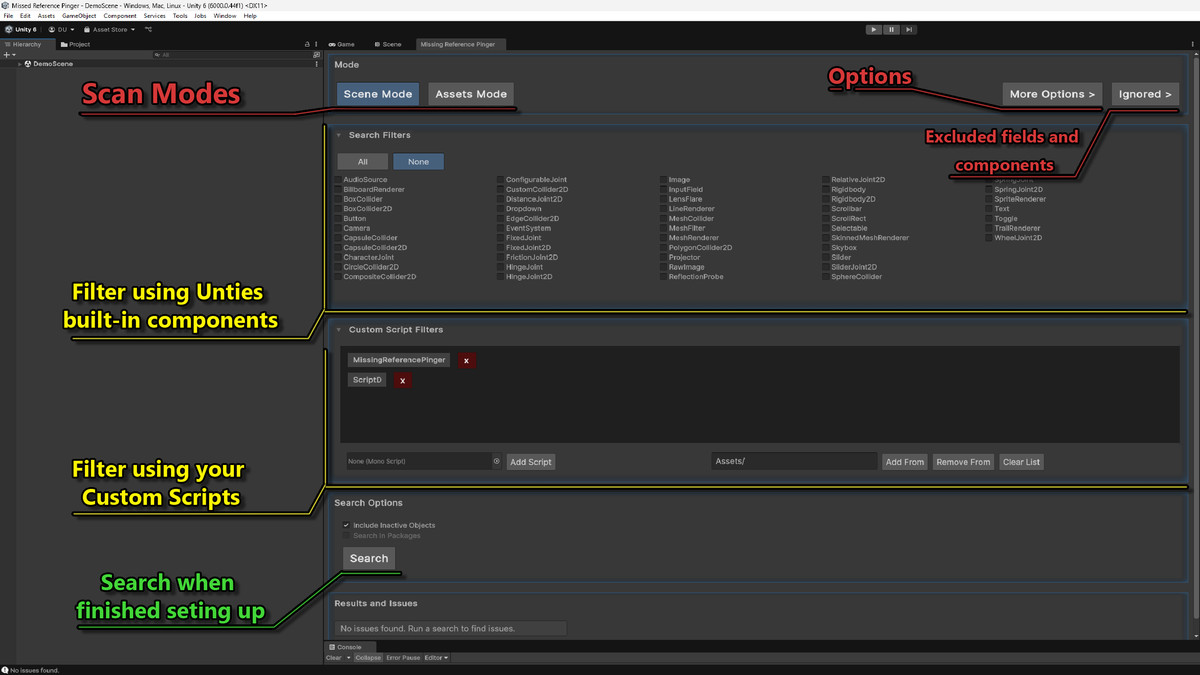
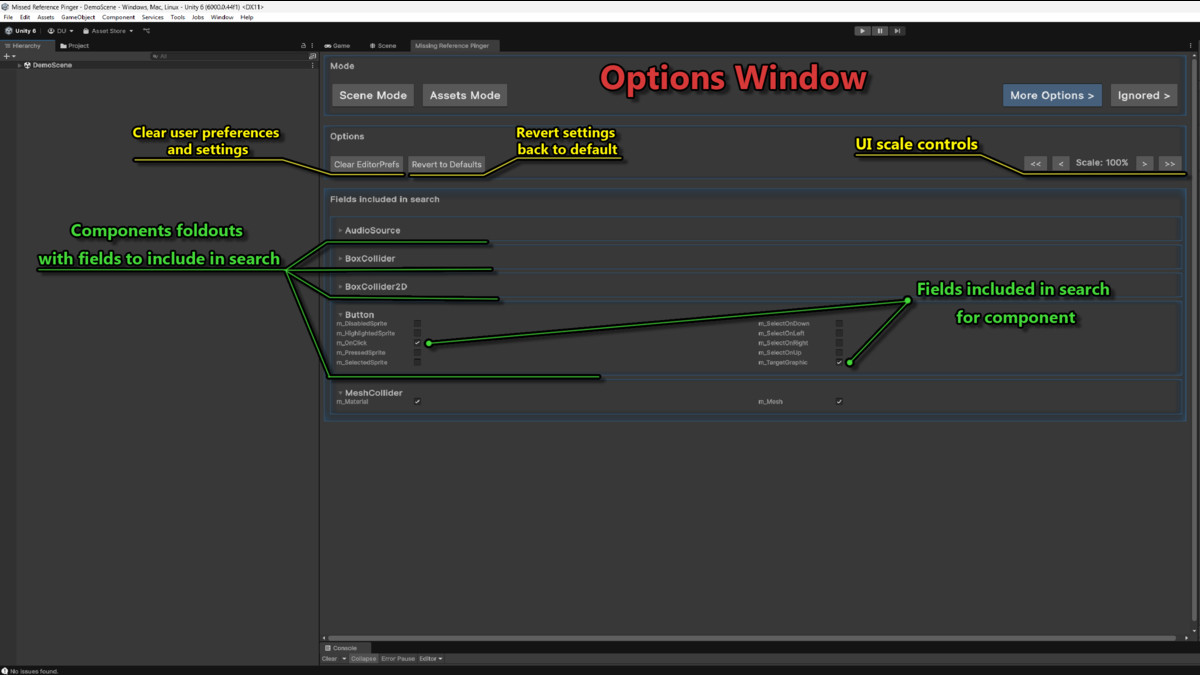
- Customizable Filters: Choose specific components (e.g., UI, TextMeshPro, AudioSource) and fields to scan, tailoring the tool to your project's needs.
- Interactive UI: Intuitive interface with foldouts, toggleable filters, and issue navigation for efficient debugging.
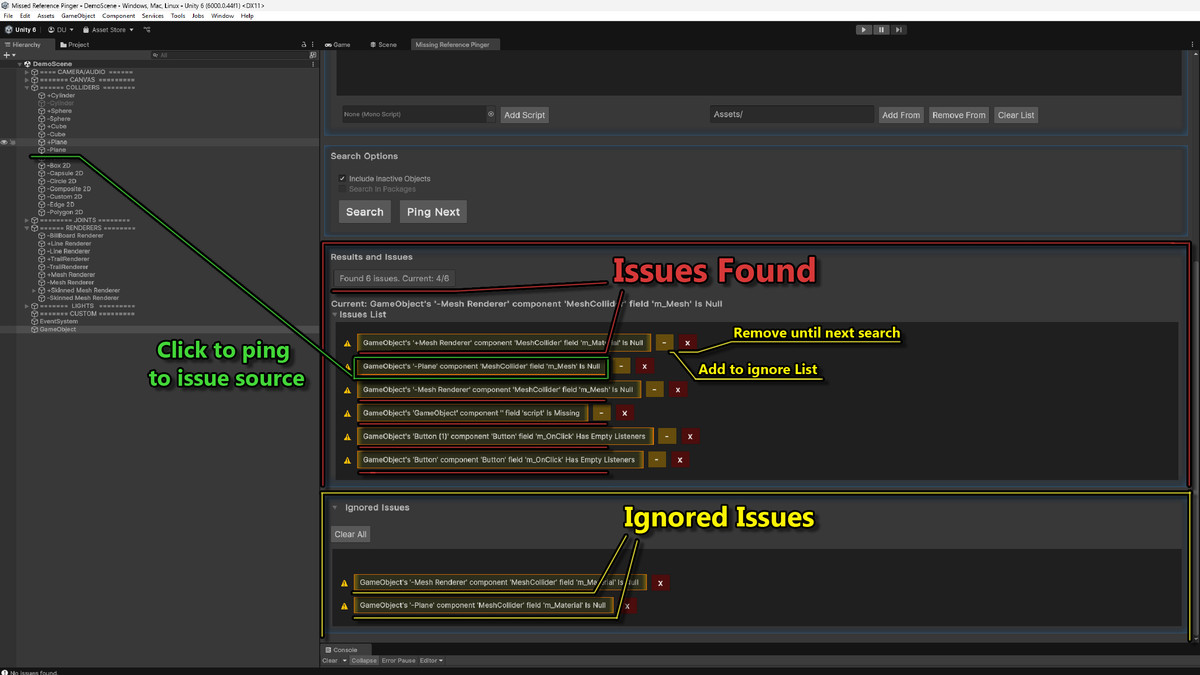
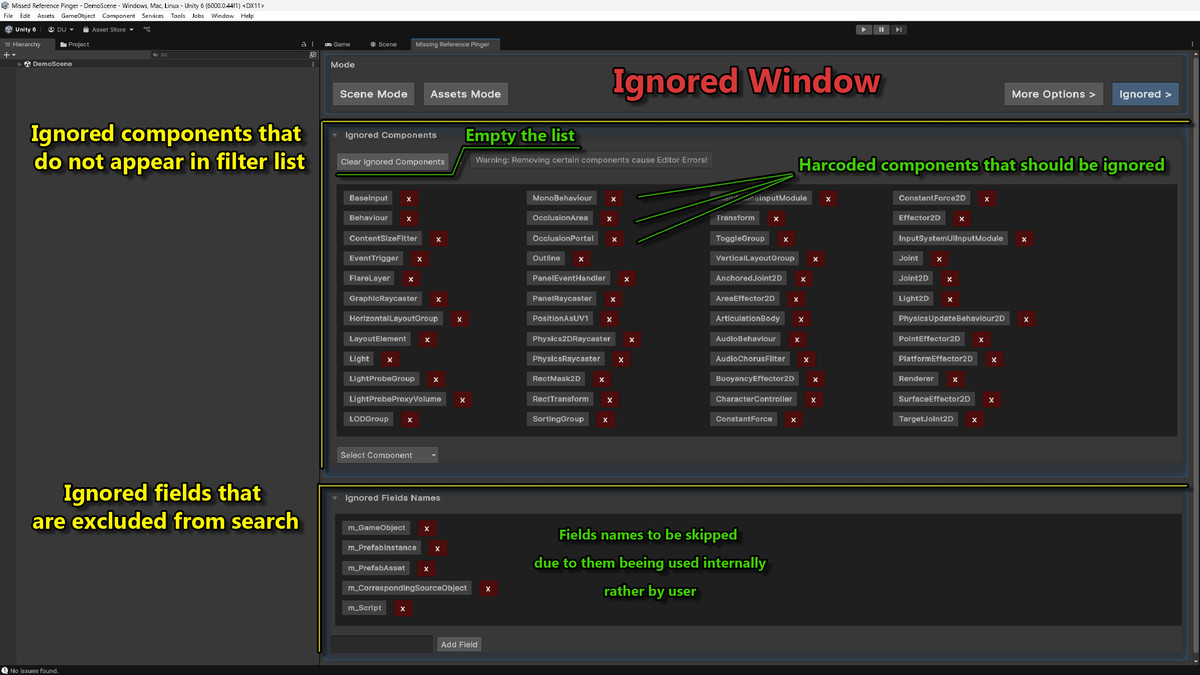
- Ignore List: Temporarily ignore specific issues to focus on critical problems without losing track of others.
- Custom Script Support: Allows to include custom MonoBehaviours and ScriptableObjects for thorough inspection.
- EditorPrefs Integration: Save and load your filter settings for consistent workflows across sessions.
- Performance Optimized: Includes a search limit with an option to override, ensuring fast scans even in large projects.
Whether you're a solo developer or part of a large team, Null Reference Pinger saves time and reduces errors by pinpointing issues before they cause runtime problems. Perfect for polishing your game or application for release.
From the publisher's Asset Store listing.
Technical details
- Compatibility: Unity 2019.4 or higher
- Dependencies: Requires TextMeshPro (TMPro) for full functionality. No other external dependencies.
- Supported Platforms: Works in the Unity Editor on Windows, macOS, and Linux.
- Scripting Language: C#
- Editor Extension: Built as a custom EditorWindow, accessible via the Unity "Tools" menu.
- Components Supported: Unity UI (Image, Button, Toggle, Slider, InputField, ScrollRect, etc.), Renderers (SpriteRenderer, MeshRenderer, SkinnedMeshRenderer, BillboardRenderer etc), Colliders/Colliders2D (BoxCollider, MeshCollider, CapsuleCollider etc), AudioSource, and more Custom MonoBehaviours and ScriptableObjects. Allows adding more types buy including additional assemblies.
- Customizable search limits to balance performance and thoroughness.Features:
Scans for null references, missing scripts, and type mismatches.
Configurable component and field filters with persistent settings via EditorPrefs.
Supports inactive GameObjects with toggleable inclusion.
Detailed issue reporting with clickable entries for quick navigation in the Unity Editor. - File Size: Approximately 20 KB (single C# script)
- Ease of Use: No setup required; simply add the script to your project and access it via the "Tools/Null Reference Pinger" menu.
Usage
- Add the script to your Unity project.
- Open the tool via Tools > Null Reference Pinger in the Unity Editor.
- Select scanning modes (Scene, Assets, or both) and configure component filters.
- Run a search to identify issues, navigate through results, and ping objects directly in the Editor.
- Customize field inclusion in the Settings panel to focus on relevant properties.
Support
For questions, bug reports, or feature requests, contact [email protected] or visit www.candlelitstudio.com page for more details and instruction.
Compatibility
| Unity version | Built-in | URP | HDRP | Custom |
|---|---|---|---|---|
| 6000.0.44f1 | Compatible | Compatible | Compatible | Compatible |
As listed on the Asset Store.