
 View on Asset Store (opens in new tab)
Package details
- Latest version
- 1.0
- Last updated
- First released
- Unity version
- 6000.0.15 or later
- Package size
- 93.9 MB
- Files
- 1,155
- Favorites
- 1
- Views in the past week
- 2
Price tracking
- Last checked
- Tracked since
- Lowest recorded
- $4.99 on
Keywords

HS GUI Tool
- Price drop
Easily and quickly produce all GUI elements such as buttons, panels, sliders, icons, etc. that you may need in your projects
Lowest recorded price
Get 50% off on Asset Store (opens in new tab)Affiliate link · Purchases support this site
Price history
Last 6 months
USDAsset preview
1 / 19

HS GUI Tool screenshot 1


About this asset
With HS GUI Tool, you can easily create all the GUI elements such as buttons, panels, sliders, icons, etc. that you may need in your Unity projects.
• The GUI elements you create are saved as templates. You can quickly make changes by reloading the template whenever you want.
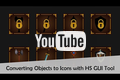
• You can render the objects and particle systems you use in the game and turn them into icons. It is also possible to turn multiple objects into icons at once.
• You can select animation for the objects, render each frame of the animation and convert it to sprite sheet with sprite sheet maker.
• The interface of the program is designed in a simple and understandable way. There are customized layer options for different tasks within the program:
- Texture Layer: With this layer you can determine the basic shape of the GUI element you will create, you can select textures or icons to be used in the GUI element.
- Mask Layer: With Mask Layer you can cut certain areas of other layers. It is possible to create a wide variety of button shapes with the masks you will apply to the edge and corner areas.
- Frame Layer: You can add edge and corner decorations for buttons or panels and color them.
- Glow Layer: You can add various effects for your layers. By changing the settings of this layer, you can create glow, shadow, border effects.
- Text Layer: With this layer you can add text and color it. It is also possible to add a different text for each frame. This way you can make text animations or create multiple GUI elements at once.
- Object Layer: With this layer you can render 3D objects and use them as icons. You can create animations by assigning different keyframes for the camera. You can add animation to the object and render each frame of the animation.
• Textures in Asset (1024x1024)
- 250+ White Flat Icons
- 20+ Mask Textures
- 30+ Frame Textures
- 50+ Shape Textures
• The documentation in the asset explains in detail how to use the program. You can also easily learn how to use the program by watching the tutorial videos.
From the publisher's Asset Store listing.
Compatibility
| Unity version | Built-in | URP | HDRP |
|---|---|---|---|
| 6000.0.15f1 | Compatible | Compatible | Compatible |
As listed on the Asset Store.