
 View on Asset Store (opens in new tab)
Package details
- Latest version
- 1.0.2
- Last updated
- First released
- Unity version
- 6000.3.8 or later
- Package size
- 61 KB
- Files
- 27
- Favorites
- 7
- Views in the past week
- 11
Price tracking
- Last checked
- Tracked since
- Lowest recorded
- Free on
Keywords

Handcrafted Pixel Folders
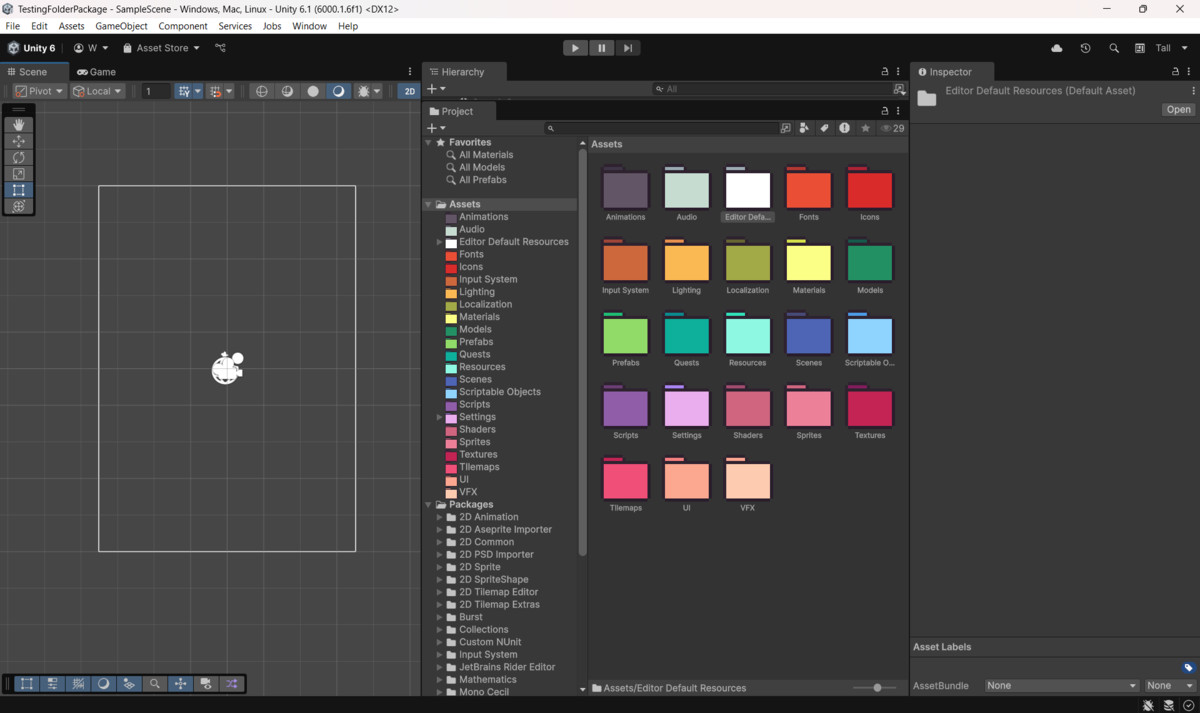
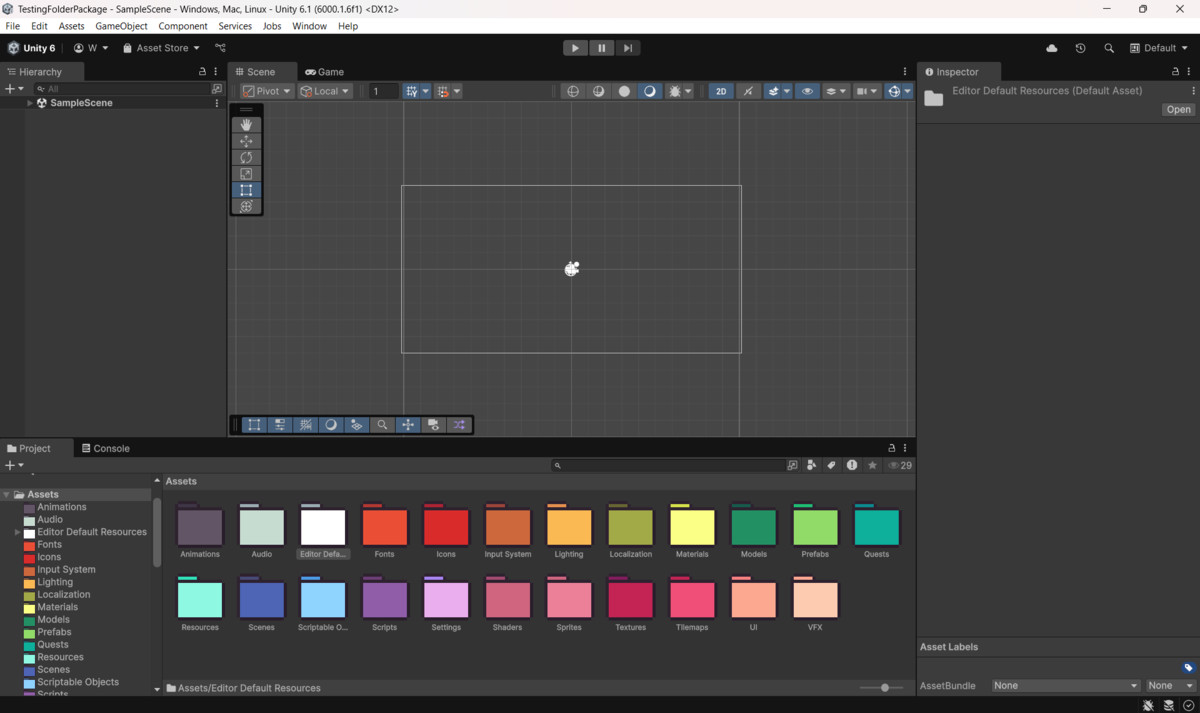
Give your Unity project a visual boost with Handcrafted Pixel Folders — a lightweight Editor extension that adds colorful, pixel-style folder icons. Stay organized, focused, and inspired.
Affiliate link · Purchases support this site
Price history
Last 6 months
USDAsset preview
1 / 3
Handcrafted Pixel Folders screenshot 1
About this asset
Handcrafted Pixel Folders is a lightweight Unity Editor extension that helps you organize your project with charm and clarity.
Easily assign colorful, pixel-art inspired icons to any folder in your Project window — no coding required.
Whether you're building a 2D pixel game, prototyping a 3D world, or managing a large production, this tool improves visual clarity and makes navigating your project more fun and efficient.
Features:
- 23 Handcrafted folder icons in a wide range of colors
- Supports both grid and list veiw in the Unity Project window
- Lightweight and editor-only— has no impact on runtime builds
- Easily customizable: add your own icons and extend the color menu
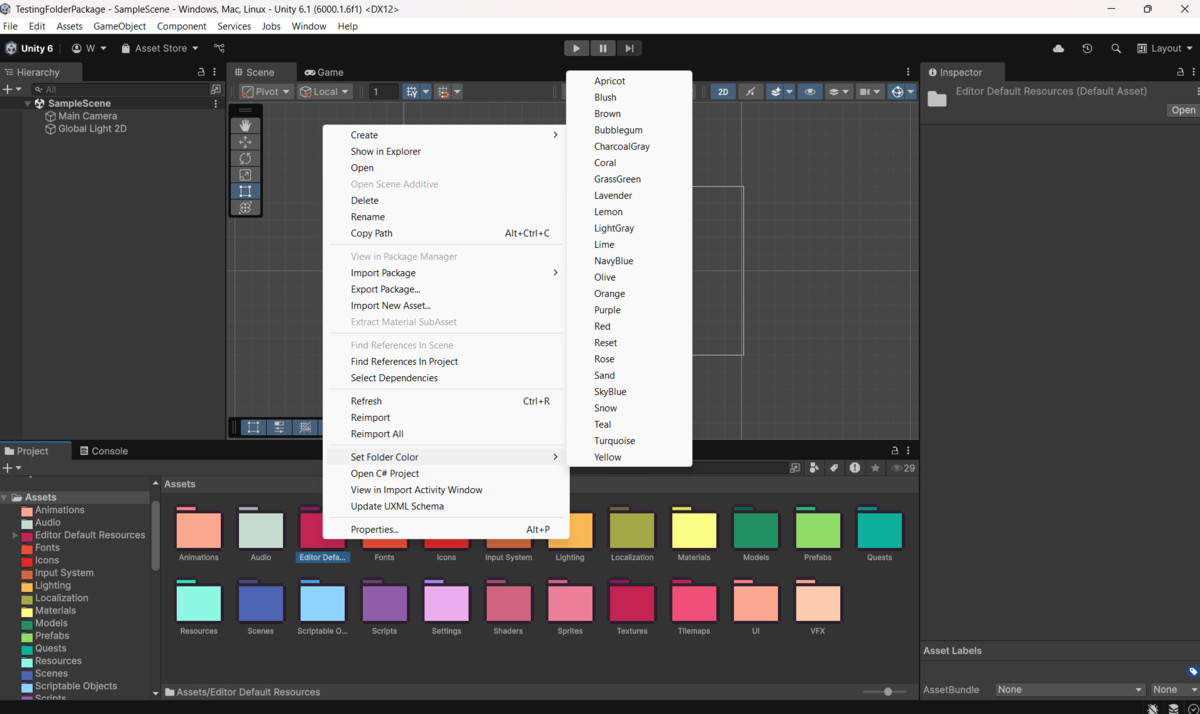
- Works out of the box — just right-click a folder to get started
This tool is suitable for all project types and genres, especially helpful for:
- Pixel art games
- Large projects with many assets
- Teams that want folder organization at a glance
No render pipeline dependencies. Compatible with Unity 2020.3 and up.
From the publisher's Asset Store listing.
Technical details
Key Features:
- 23 Handcrafted folder icons in vibrant colors
- Adds context menu option: Set Folder Color > [Color]
- Fully supports both grid view and list view in the Unity Project window
- Lightweight, Editor-only tool — has no impact on builds
- Custom icons are drawn over Unity’s default folder icons
- Includes optional _list icons for fine-tuned list view alignment
- Simple to extend with your own folder icons and labels
- Uses EditorPrefs to store folder color settings
- Works out of the box with no extra setup
Compatibility
| Unity version | Built-in | URP | HDRP | Custom |
|---|---|---|---|---|
| 6000.3.8f1 | Compatible | Compatible | Compatible | Compatible |
This tool is render-pipeline agnostic. It works entirely within the Unity Editor and is compatible with all SRPs (URP, HDRP, and Built-in) since it does not rely on runtime rendering features.
As listed on the Asset Store.