
 View on Asset Store (opens in new tab)
Package details
- Latest version
- 1.1
- Last updated
- First released
- Unity version
- 2022.3.62 or later
- Package size
- 17 KB
- Files
- 12
- Favorites
- 1
- Views in the past week
- 8
Price tracking
- Last checked
- Tracked since
- Lowest recorded
- $10.00 on
Keywords
Editor Terminal & Command Line
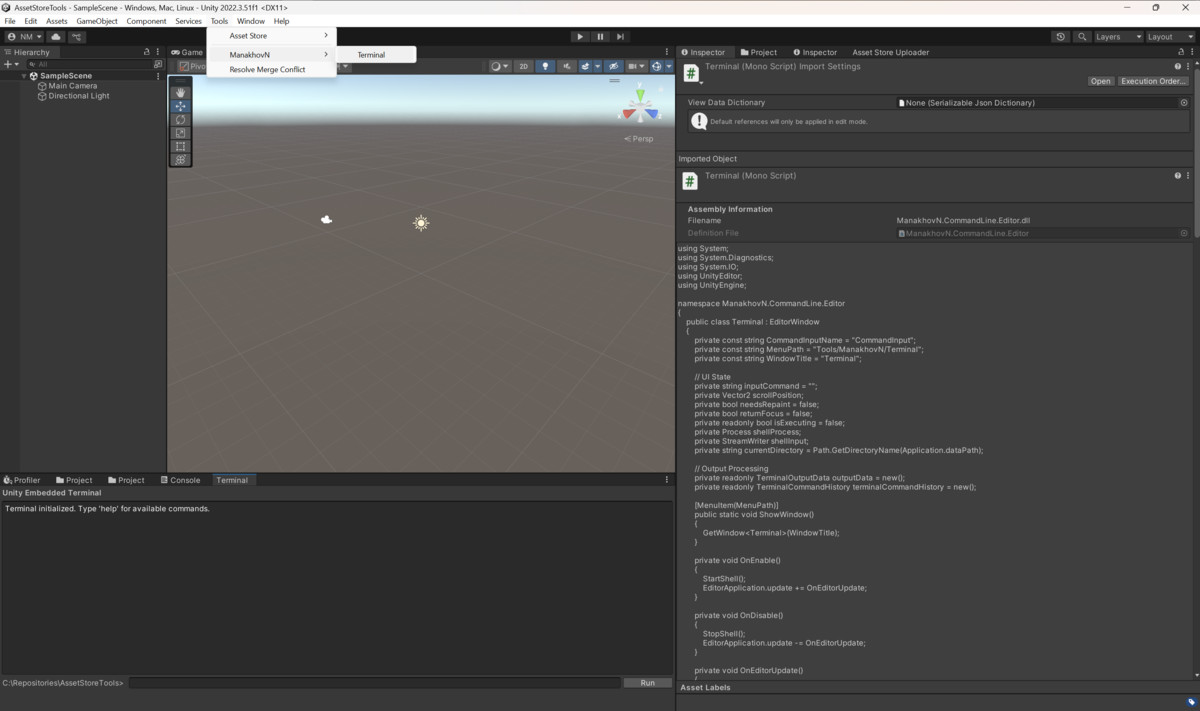
A terminal window in Unity Editor for running command-line operations without leaving Unity.
Affiliate link · Purchases support this site
Price history
Last 6 months
USDAsset preview
1 / 2
Editor Terminal & Command Line screenshot 1
About this asset
What is ManakhovN CommandLine?
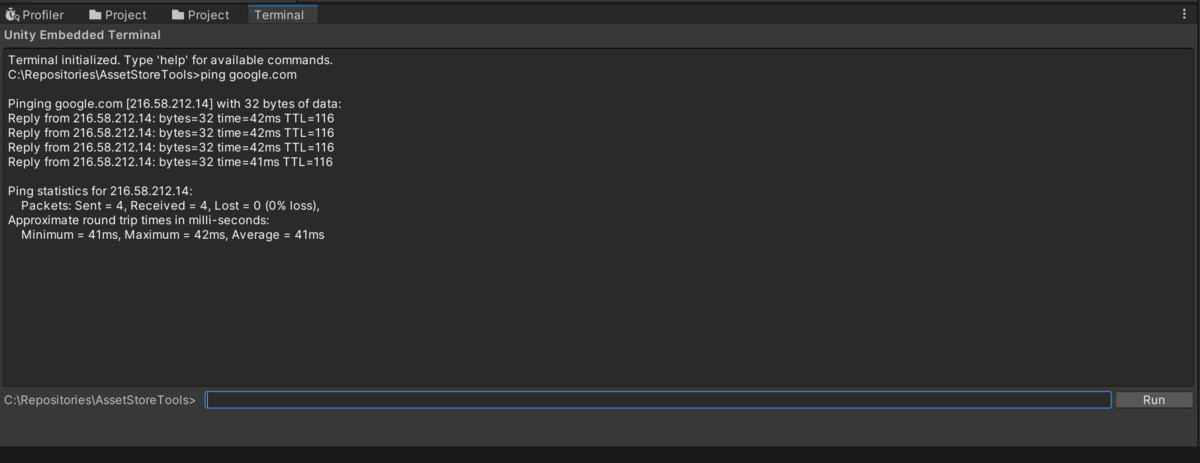
A Unity Editor tool that embeds a terminal window directly into Unity, allowing you to execute command-line commands while staying in your development environment.
Common Uses
Build Scripts
- Run your build automation scripts
- Execute Unity command-line operations
- Handle deployment tasks
Version Control
- Git operations (status, commit, push, pull)
- Branch management
- All without switching applications
Package Management
- Run npm, pip, or other package managers
- Manage project dependencies
Asset Processing
- Run external tools for asset optimization
- Execute image processing scripts
Who Might Find This Useful
Game Developers
- Running build scripts
- Asset optimization tools
- Version control workflows
Indie Developers
- Streamlining your workflow
- Reducing app switching
- Improving productivity
Teams
- Standardized development setup
- Integrated tooling
- Consistent workflows
Getting Started
Simply install the package and access the terminal through `Tools > ManakhovN > Terminal` in Unity.
Support
If you need help, contact: [email protected]
From the publisher's Asset Store listing.
Technical details
Cross-Platform Support
- Windows: Uses cmd.exe
- macOS/Linux: Uses bash shell
- Automatically detects your platform
Unity Integration
- Opens as a Unity Editor window
- Access via `Tools > NMTools > Terminal`
- Uses your project directory as the starting location
- Real-time command output display
Basic Terminal Functions
- Command history (use Up/Down arrows)
- Keyboard shortcuts (Enter to run, Ctrl+C to stop)
- Colored error messages
- Adjustable output limits
Technical Details
Performance
- Asynchronous output processing
- Configurable memory limits
- Thread-safe operations
Requirements
- Unity 2020.3 LTS or later
- .NET Framework 4.7.1+
- Windows: cmd.exe
- macOS/Linux: bash shell
What's Included
- Source code
- Documentation
- Email support
- Works on Windows, macOS, and Linux
Compatibility
| Unity version | Built-in | URP | HDRP | Custom |
|---|---|---|---|---|
| 2022.3.62f2 | Compatible | Compatible | Compatible | Compatible |
The package wasn't fully tested on platforms other than Windows. Please get in touch with me if you have any issues.
As listed on the Asset Store.