
 View on Asset Store (opens in new tab)
Package details
- Latest version
- 1.1.0
- Last updated
- First released
- Unity version
- 6000.0.44 or later
- Package size
- 847 KB
- Files
- 21
- Favorites
- 15
- Views in the past week
- 10
Price tracking
- Last checked
- Tracked since
- Lowest recorded
- Free on
Keywords

Simple Object Pooling - Easy way to improve your game performance
A simple-to-use object pooling system for you to improve your game performance.
Affiliate link · Purchases support this site
Price history
Last 6 months
USDAsset preview
1 / 5
Simple Object Pooling - Easy way to improve your game performance screenshot 1
About this asset
Simple Object Pooling provides a simple way to boost your game's performance by reusing objects and minimising the overhead of object creation and destruction.
Why should I use this?
If you are making games like bullet hell, shooters, real-time strategy games, or creating many enemies and entities, or anything that requires frequently creating and destroying objects, then object pooling is the best way to improve the performance.
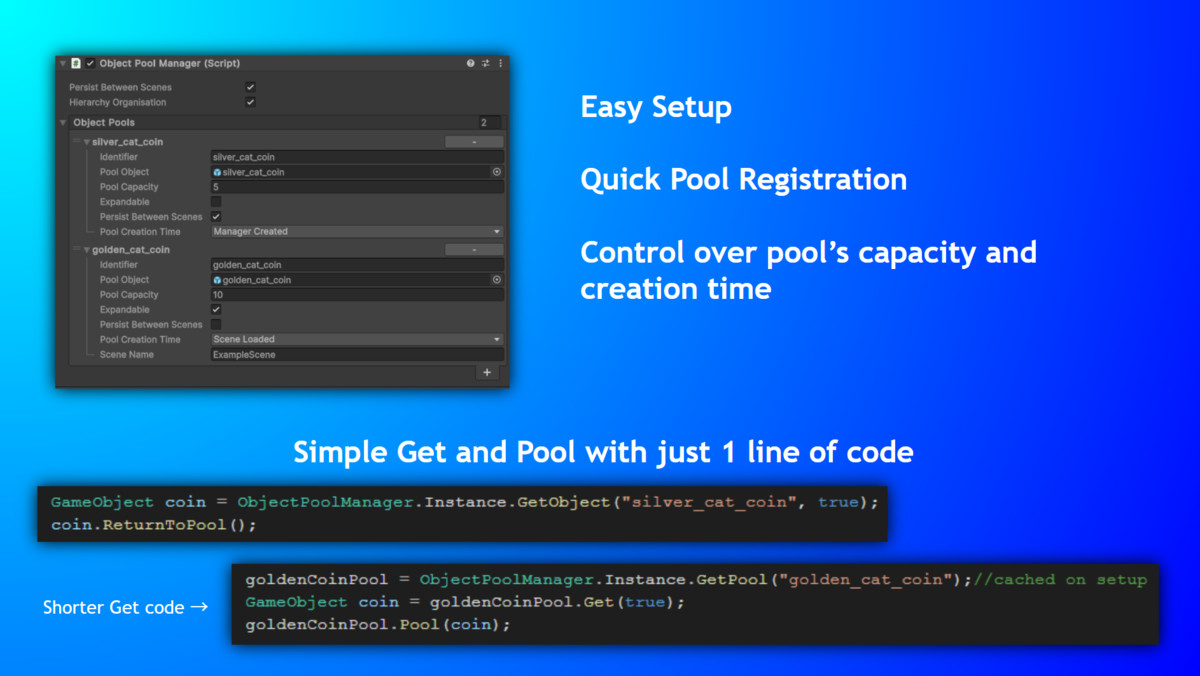
This tool provides a simple way to pool objects and provide control over the pools. Just one short line of code, and you can freely obtain or return a pooled object. You can also obtain multiple pooled objects at once, with just one line of code of course.
What is in this asset?
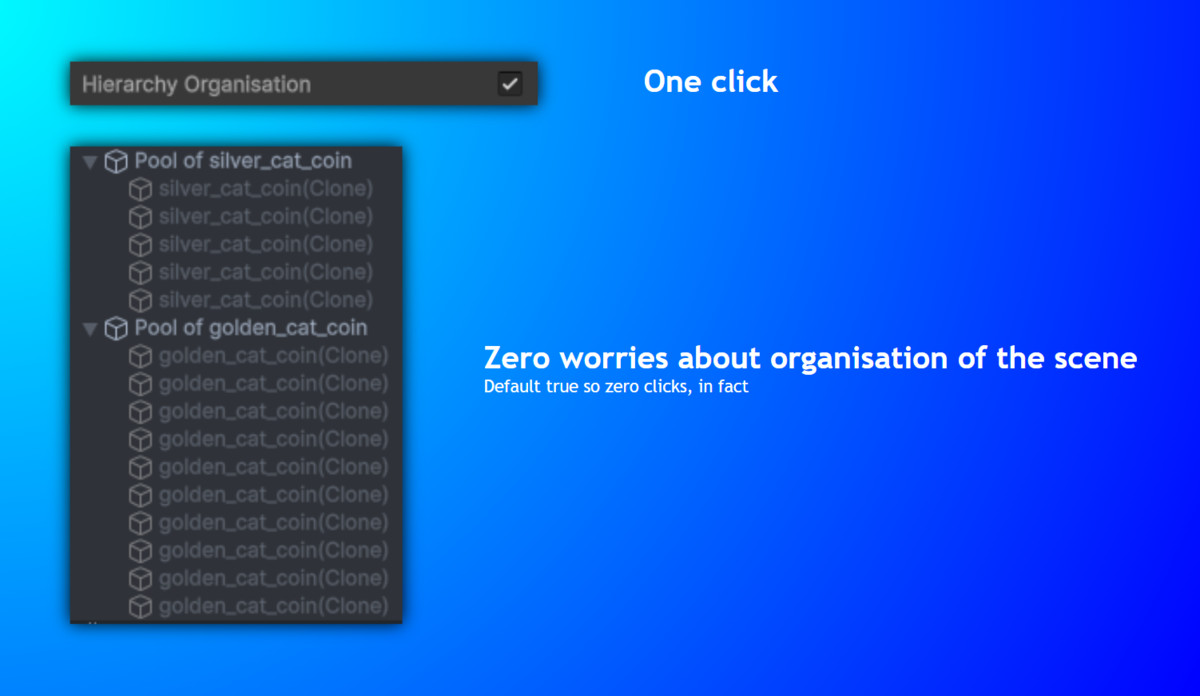
- Quick Setup: Just one simple set up and everything will work.
- Object pooling: One pool for one object, reducing overhead of object creation and destruction and improve performance.
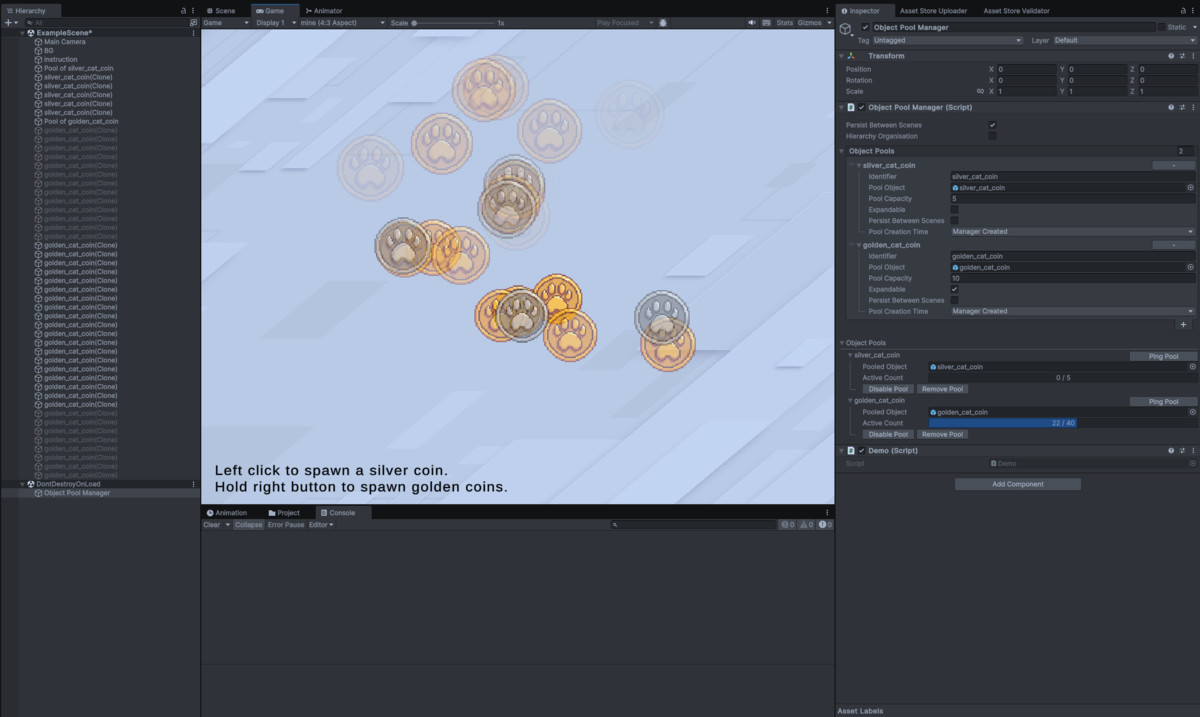
- Object Pool Registration: Register object pools in the manager for creation, customising their identifiers, the pooled objects, the initial capacity, whether their capacity can grow, whether to persist between scenes, and the timing of their creations.
- Easy Object Obtainment and Pooling: Easily obtain and pool objects from and to the pools with just one short line of code.
- Pool Controls in Code: Creating new pools or registered pools through code, as well as removing them.
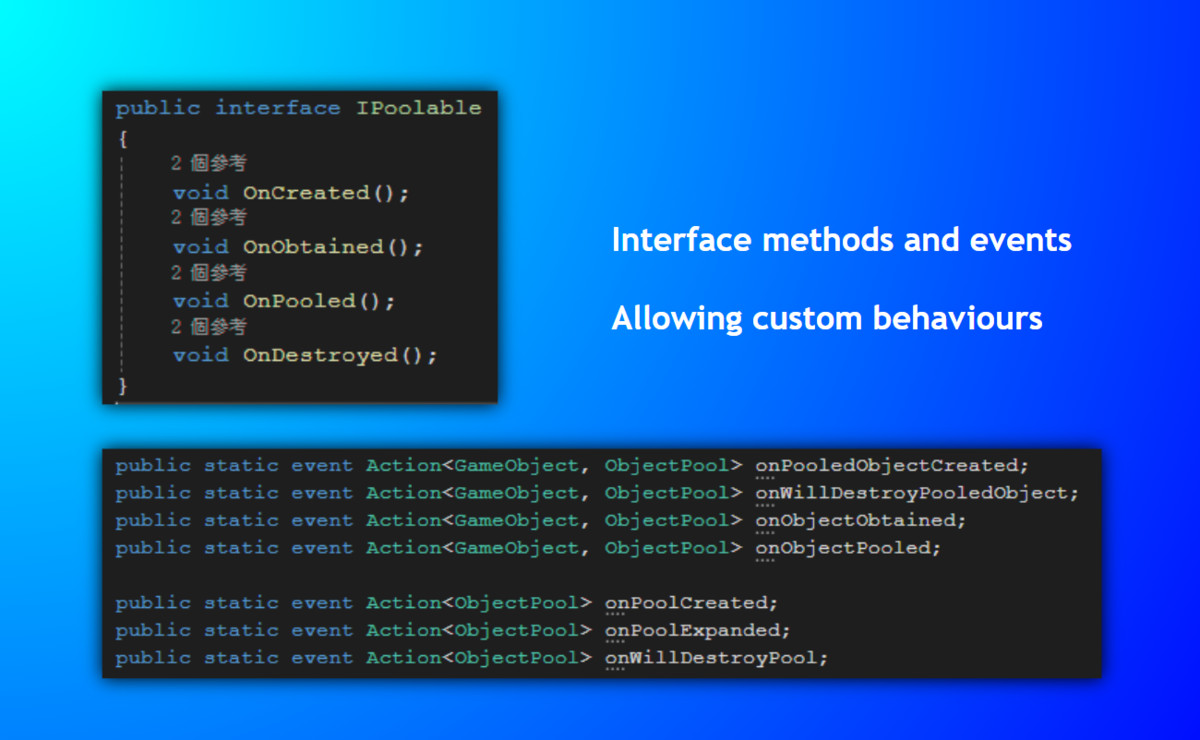
- Interface & Event Callbacks: Built-in interface and event callbacks, allowing user-defined custom behaviours.
- Automated Error Handling: Automatically handle errors such as returning objects to the wrong pools, pooled objects destroyed while the pool still exists, null objects in pools, etc.
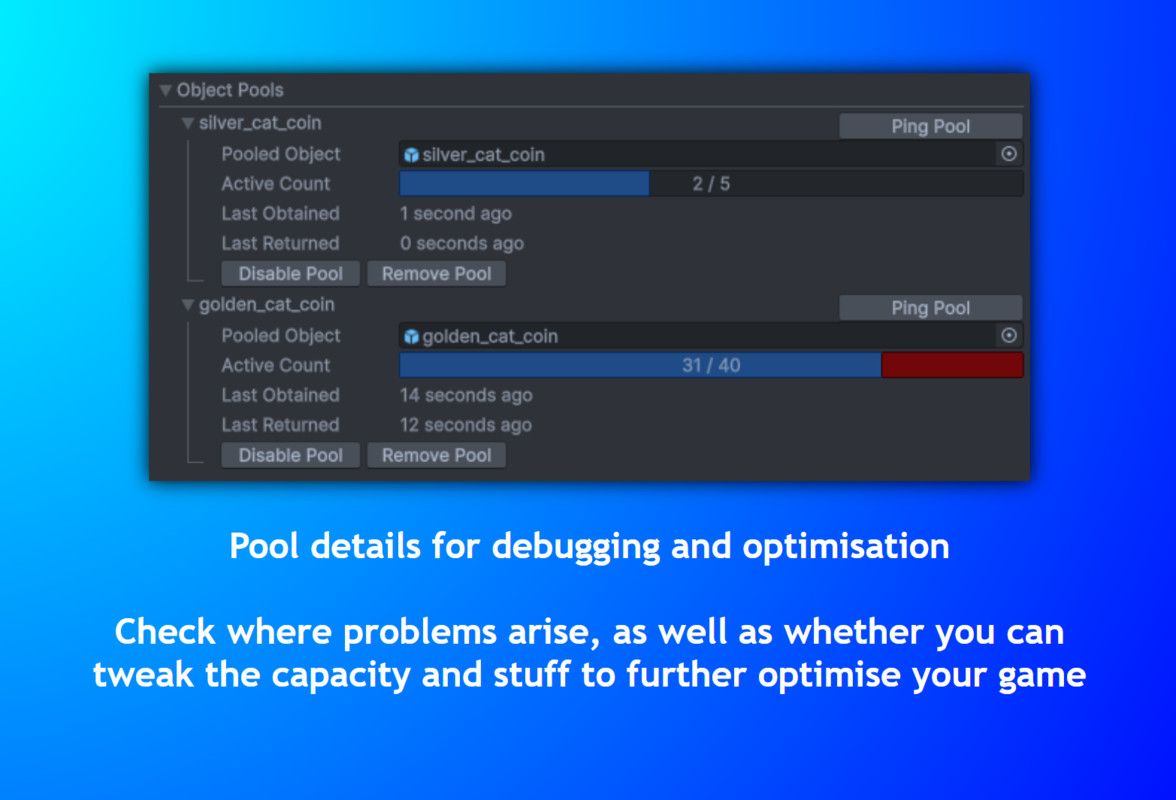
- Pool Details Review: Information of every pool in the scene are displayed when in Play Mode including their identifiers, their pooled objects, their capacity and the number of active objects, as well as a button to ping the pool in the scene and a button to manually remove them.
Read the Documentation to learn more.
Feel free to Contect me if you have any problems.
From the publisher's Asset Store listing.
Technical details
- Object pooling: One pool for one object, reducing overhead of object creation and destruction and improve performance.
- Object Pool Registration: Register object pools in the manager for creation in the game. Customising their identifiers, the pooled objects, the initial capacity, whether their capacity can grow, whether they should persist between scenes, and the timing of their creations.
- Easy Object Obtainment and Pooling: Easily obtain and pool objects from and to the pools with just one short line of code.
- Pool Controls in Code: Creating new pools or registered pools through code, as well as removing them.
- Interface & Event Callbacks: Built-in callbacks, allowing user-defined custom behaviours.
- Automated Error Handling: Automatically handle errors such as returning objects to the wrong pools, pooled objects destroyed while the pool still exists, pools destroyed or disabled while objects obtained from them are still active, etc.
- Pool Details Review: Information of every pool in the scene are displayed when in Play Mode including their identifiers, their pooled objects, their capacity and the number of active objects, as well as a button to ping the pool in the scene and a button to manually remove them.
Compatibility
| Unity version | Built-in | URP | HDRP | Custom |
|---|---|---|---|---|
| 6000.0.44f1 | Compatible | Compatible | Compatible | Compatible |
As listed on the Asset Store.