
 View on Asset Store (opens in new tab)
Package details
- Latest version
- 1.0
- Last updated
- First released
- Unity version
- 6000.1.9 or later
- Package size
- 47 KB
- Files
- 4
- Views in the past week
- 9
Price tracking
- Last checked
- Tracked since
- Lowest recorded
- $4.99 on
Keywords

Convert Textures To JPG And Update Materials
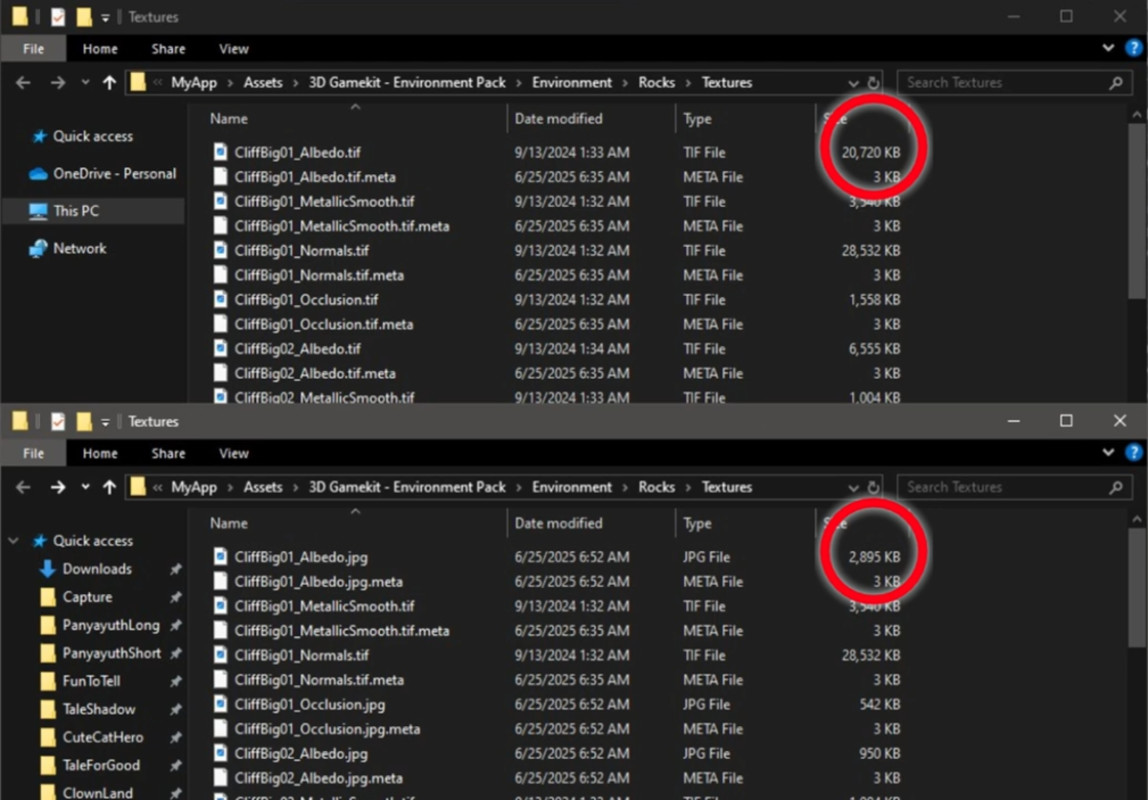
Texture Material JPG Converter converts textures to JPG, reducing project size and improving performance.
Affiliate link · Purchases support this site
Price history
Last 6 months
USDAsset preview
1 / 4
Convert Textures To JPG And Update Materials screenshot 1

About this asset
Texture JPG Converter & Material Updater is an Editor extension designed to streamline your workflow by converting your textures to JPG format directly within Unity, while automatically updating all associated materials to reference the new JPG textures. This tool offers two versatile modes:
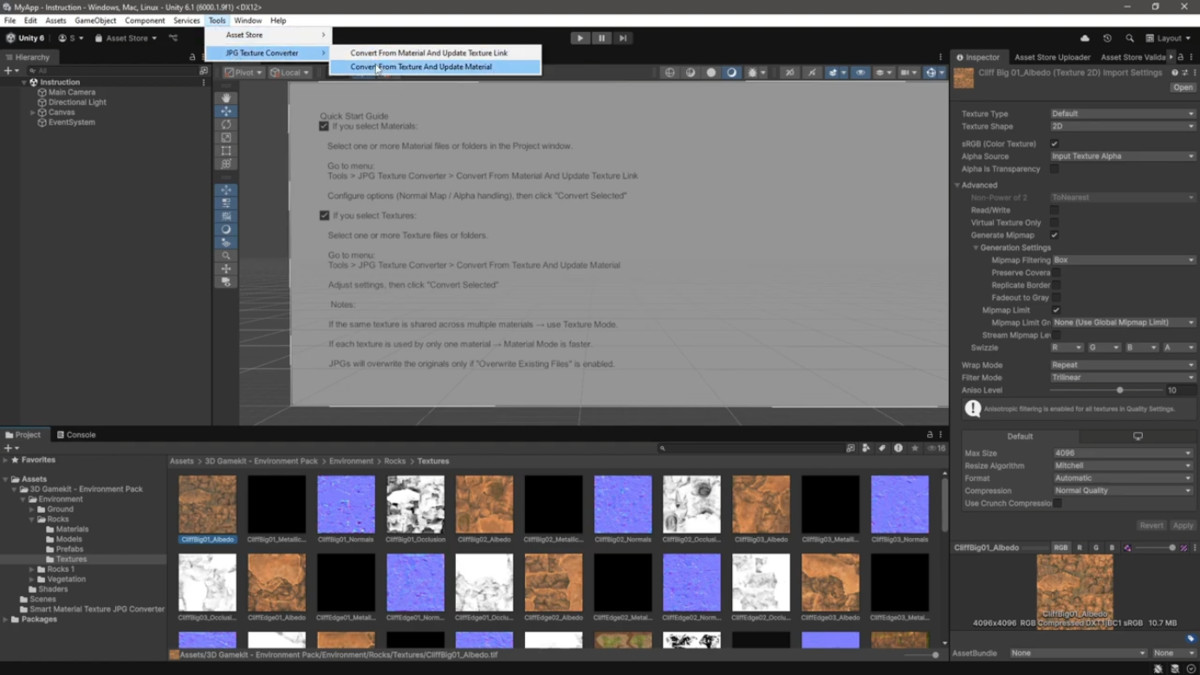
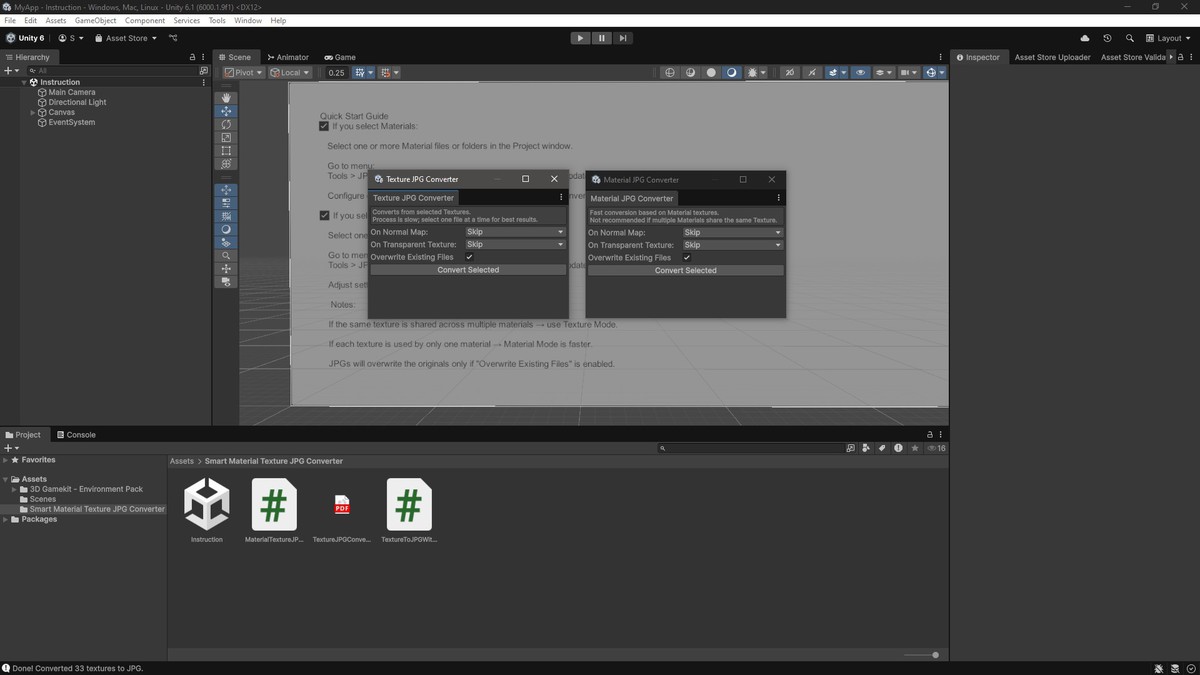
- Convert from Textures: Select one or multiple textures (or entire folders) to convert them individually to JPG format. The tool will find and update every material in your project that references those textures to keep everything linked seamlessly.
- Convert from Materials: Select one or more materials, and the tool will convert all their associated textures to JPG while updating the material texture references accordingly. This mode is faster but is best suited for projects where textures are uniquely assigned per material (not shared).
The tool also supports special handling for Normal Maps and Textures with Alpha channels, allowing you to skip, delete, convert, or simply rename the file extension to JPG without changing the actual data — ideal for preserving data integrity when needed.
Key Features:
- Batch convert textures or materials to JPG format within Unity Editor
- Automatically update all material references to converted textures
- Special handling options for normal maps and alpha textures
- Option to overwrite existing JPG files or generate unique file names
- Supports folder selection and recursive processing
- Saves time and reduces manual errors in texture conversion workflows
Ideal for developers and artists looking to optimize texture file sizes, unify texture formats, or prepare assets for platforms with JPG texture requirements, all while ensuring materials remain correctly linked without manual fixes.
From the publisher's Asset Store listing.
Technical details
- Does not affect runtime builds.Supported Platforms:Editor-only tool; works on Windows, macOS, and Linux Editor environments.
- Supports recursive folder processing via Unity’s AssetDatabase.Features:Converts textures from common formats (PNG, TGA, TIFF, EXR, etc.) to JPG within the Unity Editor.
Updates all materials referencing the original textures to point to the new JPG textures automatically.
Provides two main conversion workflows:
From Textures: Select textures or folders; processes each texture and updates all materials that use them.
From Materials: Select materials; converts all textures used by these materials and updates references.
Supports user-defined actions for:
Normal Maps: Skip, Delete, or Rename extension only (no re-encoding).
Alpha Textures: Skip, Convert to JPG, or Rename extension only.
Option to overwrite existing JPG files or generate unique filenames to avoid conflicts.
Detects and preserves normal map import settings after conversion.
Detects alpha channel presence using TextureImporter metadata to decide action based on user settings. - Conversion from materials is faster but not recommended if multiple materials share the same textures, as texture duplication may occur.Performance Notes:Conversion from textures (especially in folders) can be slow due to pixel readback and encoding steps.
- Implemented entirely in C# as Unity Editor scripts.Code Requirements:Requires Unity Editor only.
No external dependencies. - Supports selecting multiple assets or folders at once.Usage:Access the tools under Tools > JPG Texture Converter menu in the Unity Editor.
Follow on-screen options to select actions for normal maps and alpha textures. - Intended for texture asset management and not real-time texture streaming or modification.Limitations:Does not convert runtime-loaded textures or external assets outside the Unity project.
JPG format does not support transparency; alpha information will be lost when converting textures with alpha channels unless "Rename extension only" option is used.
Compatibility
| Unity version | Built-in | URP | HDRP |
|---|---|---|---|
| 6000.1.9f1 | Compatible | Compatible | Compatible |
Compatible with Unity 2019.4 LTS and later versions, including Unity 2020.x, 2021.x, and 2022.x.Unity Version Compatibility:
As listed on the Asset Store.