
 View on Asset Store (opens in new tab)
Package details
- Latest version
- 1.0.0
- Last updated
- First released
- Unity version
- 2022.3.55 or later
- Package size
- 5.1 MB
- Files
- 13
- Favorites
- 2
- Views in the past week
- 8
Price tracking
- Last checked
- Tracked since
- Lowest recorded
- $4.99 on
Keywords

Batch Renamer Pro & Organize
- Price drop
Efficiently batch-rename and organize hundreds of scene objects and project assets with customizable templates, regex, filters, presets, and live preview.
Lowest recorded price
Get 29% off on Asset Store (opens in new tab)Affiliate link · Purchases support this site
Price history
Last 6 months
USDAsset preview
1 / 9
Batch Renamer Pro & Organize screenshot 1
About this asset
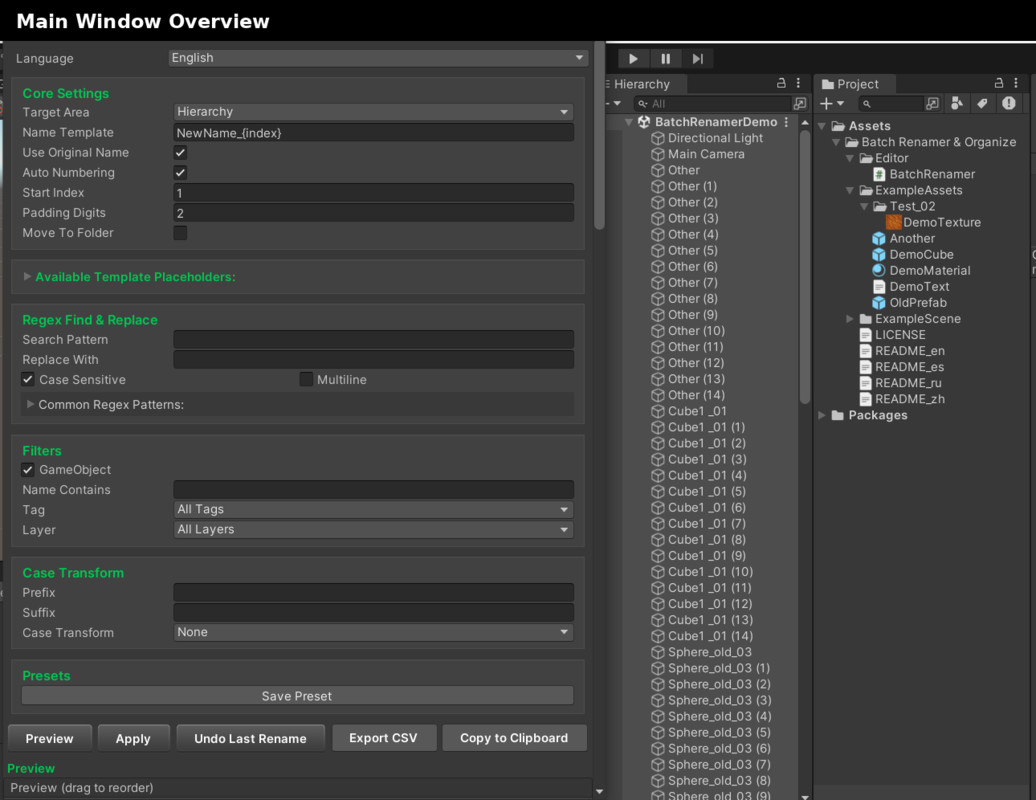
Batch Renamer Pro & Organize streamlines bulk renaming of GameObjects and assets directly in the Unity Editor.
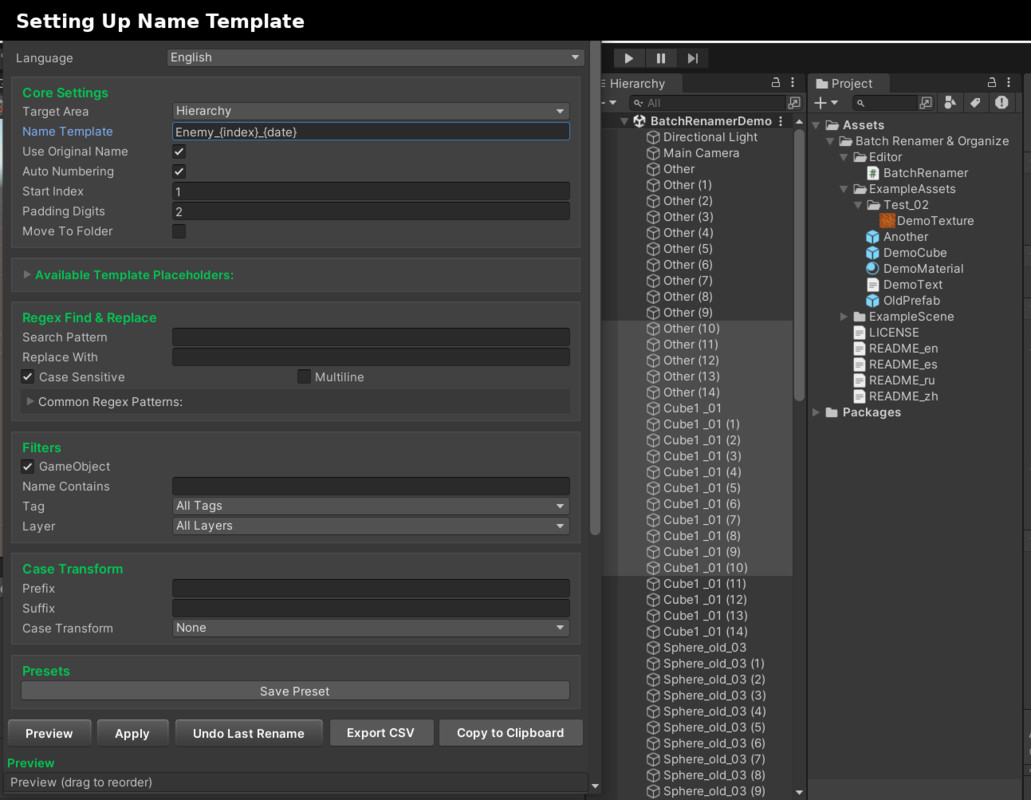
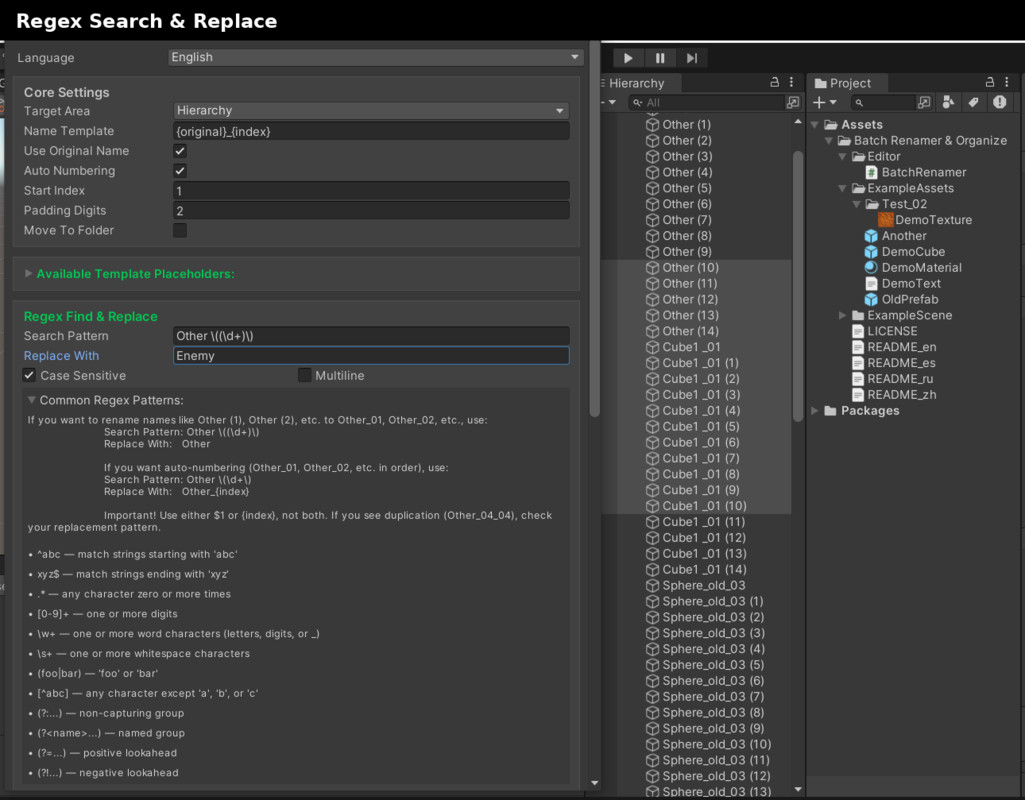
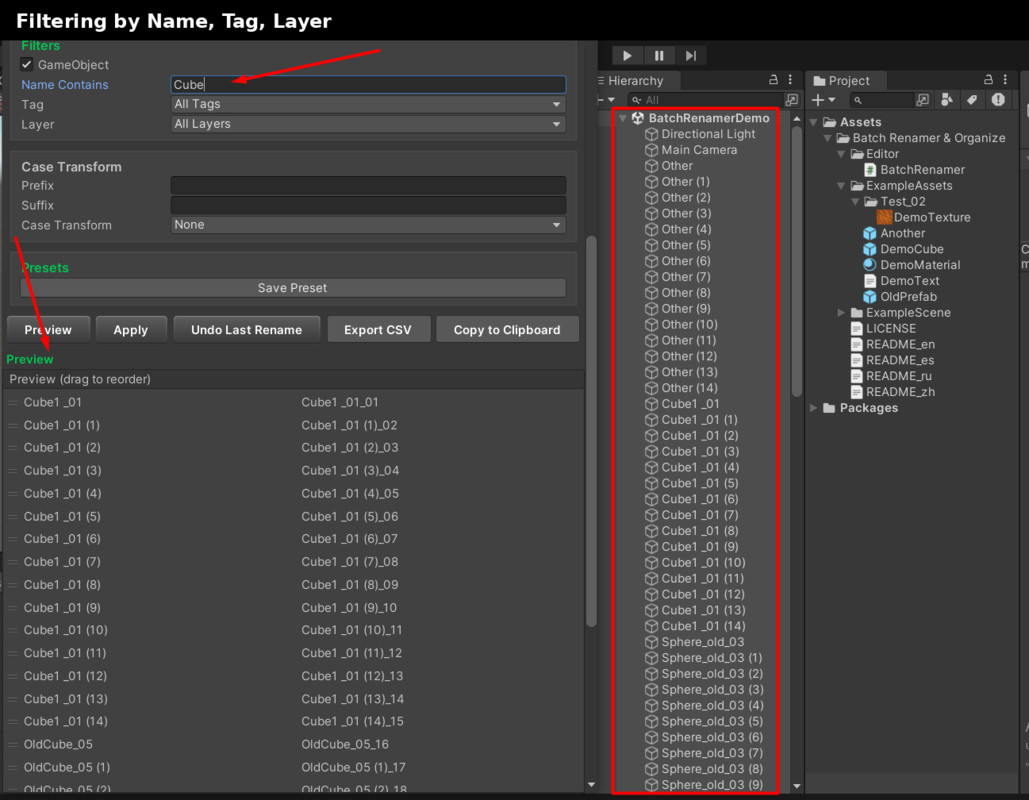
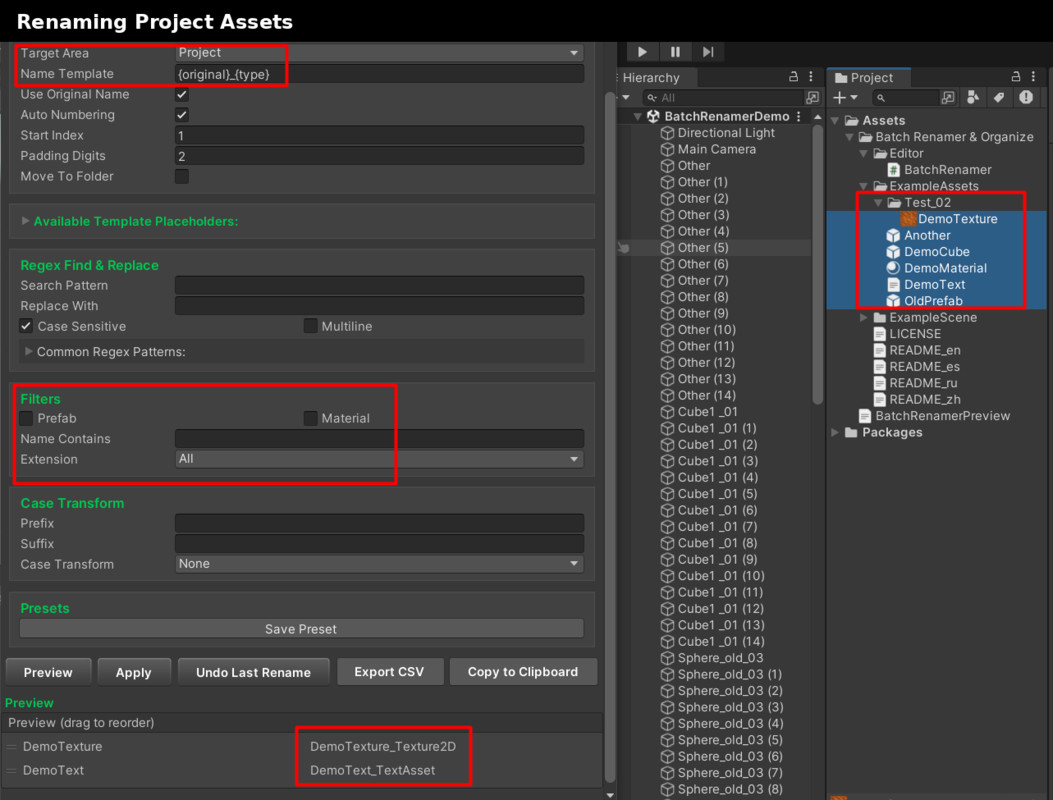
Create flexible name templates ({original}, {index}, {date}, {type}, {extension}, {guid}, {parentName}), apply regex find & replace (case-sensitive and multiline), and refine results with advanced filters by name, tag, layer, asset type, or extension.
Key benefits:
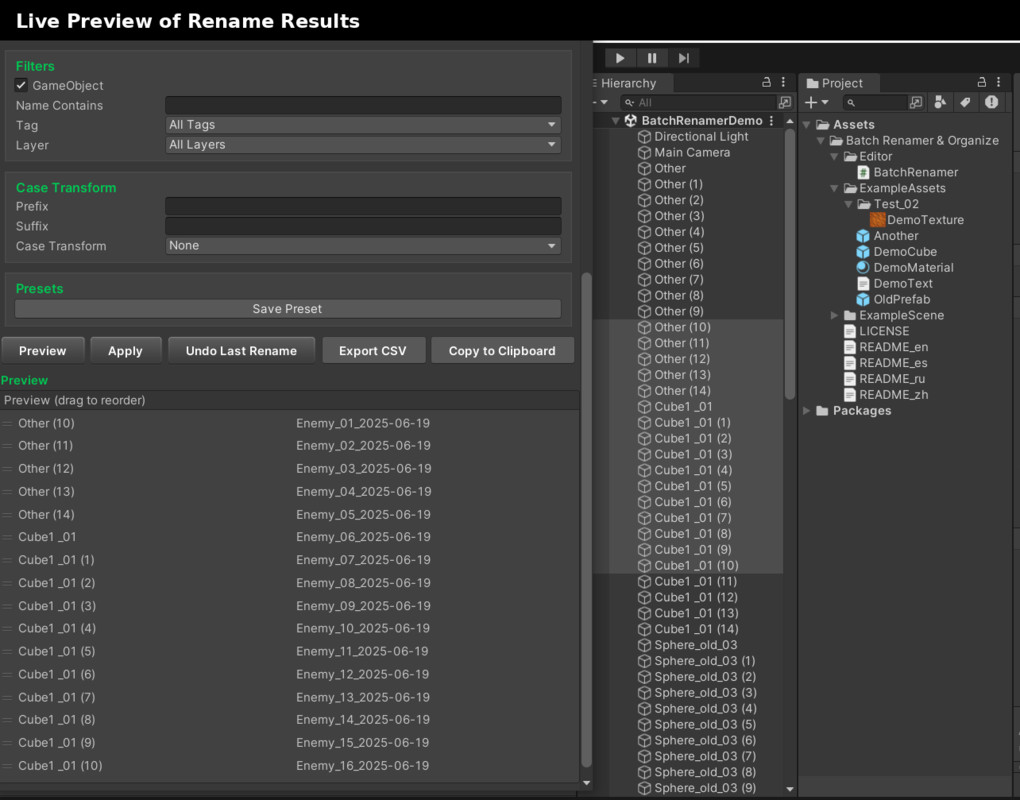
• Intuitive color-coded UI with live Preview and drag-and-drop reordering
• Lightning-fast batch operations on large selections
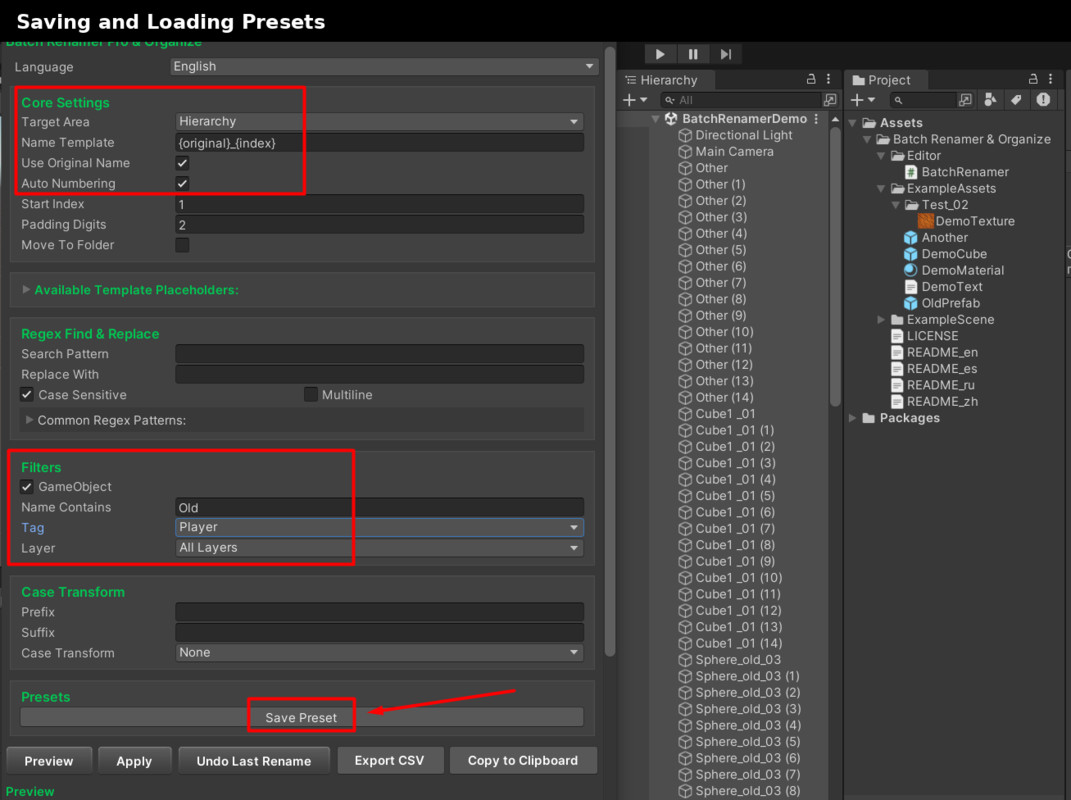
• Save, Load & Delete Presets for repeatable workflows
• One-click Undo to revert recent renames
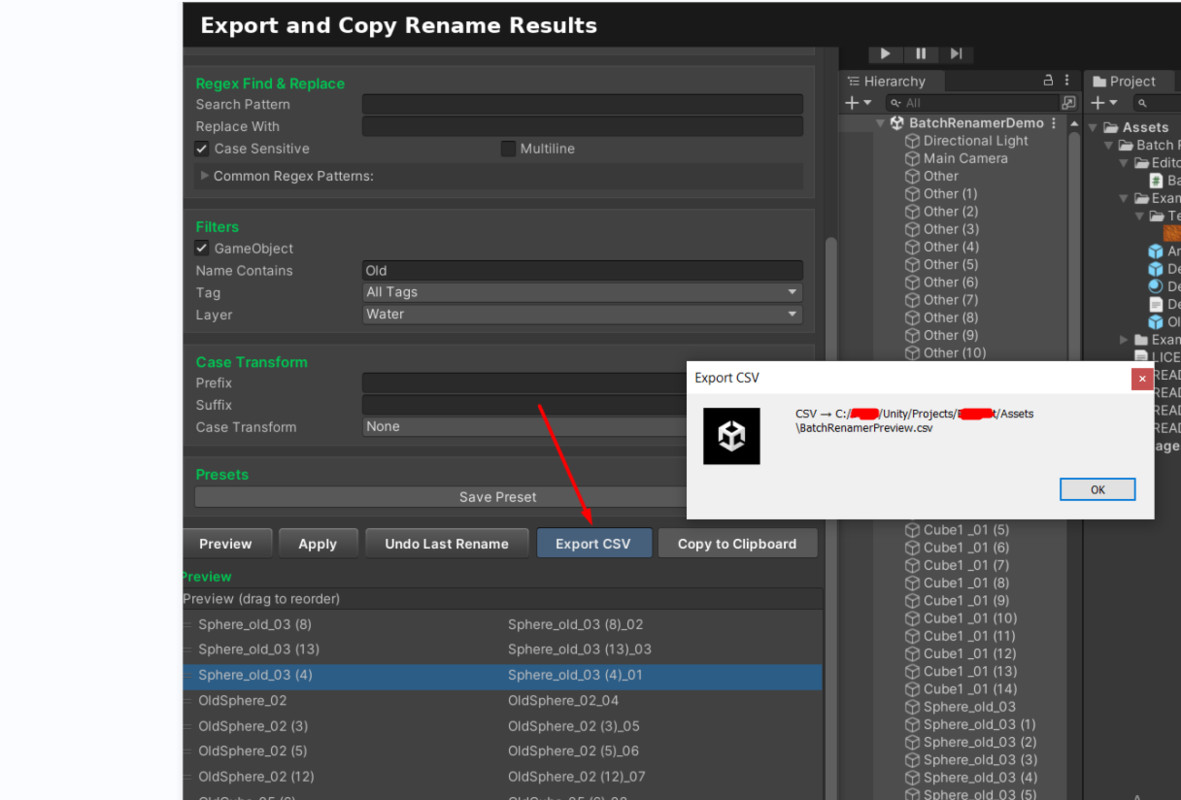
• Export rename lists to CSV or copy to clipboard
• Full localization: English, Russian, Spanish, Chinese
• Comprehensive PDF user guide included
Ideal for teams and studios demanding consistent naming conventions and rapid iteration.
From the publisher's Asset Store listing.
Technical details
- Core Settings
• Switch between Hierarchy (scene objects) and Project (assets) modes
• Customizable name templates: {original}, {index}, {date}, {type}, {extension}, {guid}, {parentName} - Regex Find & Replace
• Custom search and replace patterns
• Case-sensitive and Multiline toggles
• Built-in example patterns and usage tips - Filters
• Hierarchy: filter by substring, tag, layer
• Project: filter by asset type (Prefab, Material), extension, name contains - Case Transform
• Prefix and Suffix fields
• Uppercase, Lowercase, Title Case options - Presets
• Save current settings as named presets
• Load or delete presets at any time - Live Preview
• Automatic preview update on any change
• Drag-and-drop to reorder preview items (affects numbering) - Undo Last Rename
• Revert the most recent batch rename operation - Export Options
• Export preview list to CSV file
• Copy preview list to clipboard - Localization
• English, Russian, Spanish, Chinese - Supported OS
• Windows, macOS, Linux (Editor only) - Documentation
• PDF user guide included
Why Choose Batch Renamer PRO & Organize?
- All-in-One Renaming
Combines powerful regex, template placeholders and auto-numbering in one tool—no need to switch between multiple assets. - Advanced Filtering
Filter by GameObject tag, layer, name contains—or by asset type, extension and name—for pinpoint control over exactly what you rename. - Customizable Presets
Save and load any combination of settings (template, filters, regex, case transform) with one click. Perfect for recurring workflows. - Live Preview & Reorder
See changes in real time and drag-and-drop to adjust numbering order before you apply. - Built-in Undo
Accidentally renamed the wrong object? One click reverts your last batch. - CSV & Clipboard Export
Export your preview list as CSV or copy ⟶ newName pairs directly to clipboard—ideal for reporting or version control. - Multi-language Interface
Fully localized to English, Russian, Spanish, and Chinese—work in your native language. - Folder Move Support
Automatically create and move renamed assets into specified folders—organize on the fly without manual moves. - Premium Support & Updates
Regular feature releases, bug fixes, and responsive support directly from the developer.
Compatibility
| Unity version | Built-in | URP | HDRP | Custom |
|---|---|---|---|---|
| 2022.3.55f1 | Compatible | Compatible | Compatible | Compatible |
This is an Editor-only utility and does not interact with any rendering systems. Fully compatible with all Scriptable Render Pipelines (Built-in, URP, HDRP). No additional packages required.
As listed on the Asset Store.