
 View on Asset Store (opens in new tab)
Package details
- Latest version
- 1.0
- Last updated
- First released
- Unity version
- 6000.0.23 or later
- Package size
- 448 KB
- Files
- 11
- Favorites
- 12
- Views in the past week
- 13
Price tracking
- Last checked
- Tracked since
- Lowest recorded
- Free on
Keywords

PlayerPrefs Manager
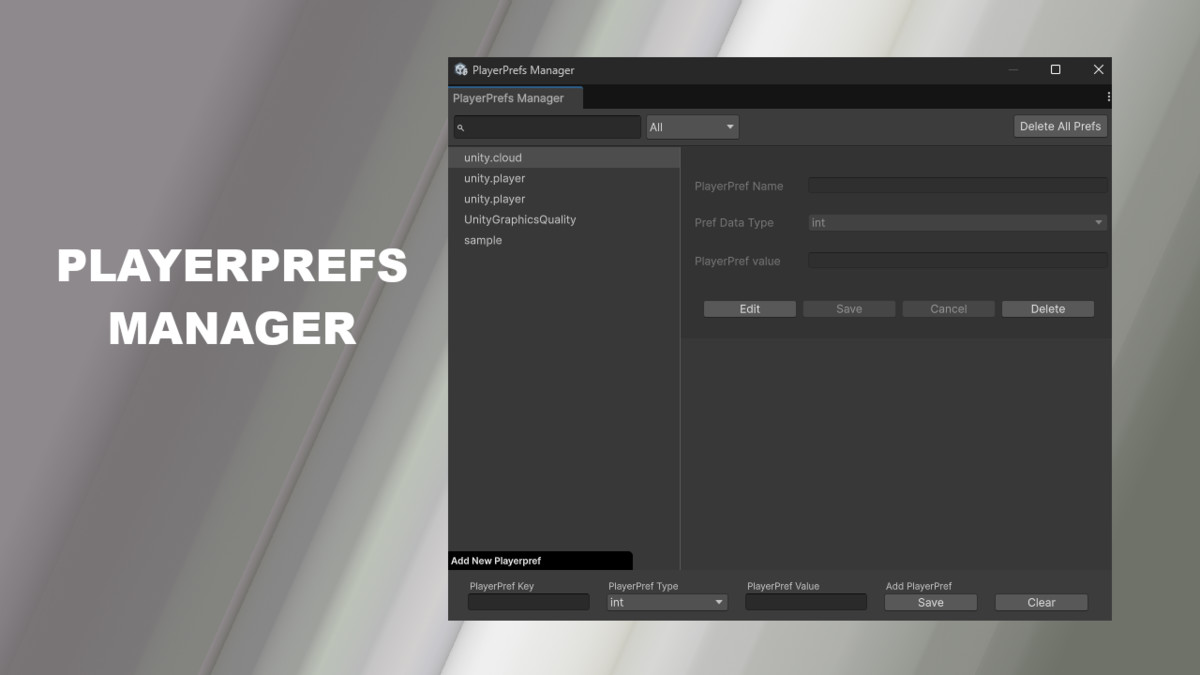
PlayerPrefs Manager lets you view, edit, add, and delete PlayerPrefs in the Unity Editor—offering fast, direct access to saved data for easier testing and debugging during development.
Price Free
Get it free on Asset Store (opens in new tab)
Affiliate link · Purchases support this site
Price history
Last 6 months
USDAsset preview
1 / 2
PlayerPrefs Manager screenshot 1
About this asset
💼 What It Does:
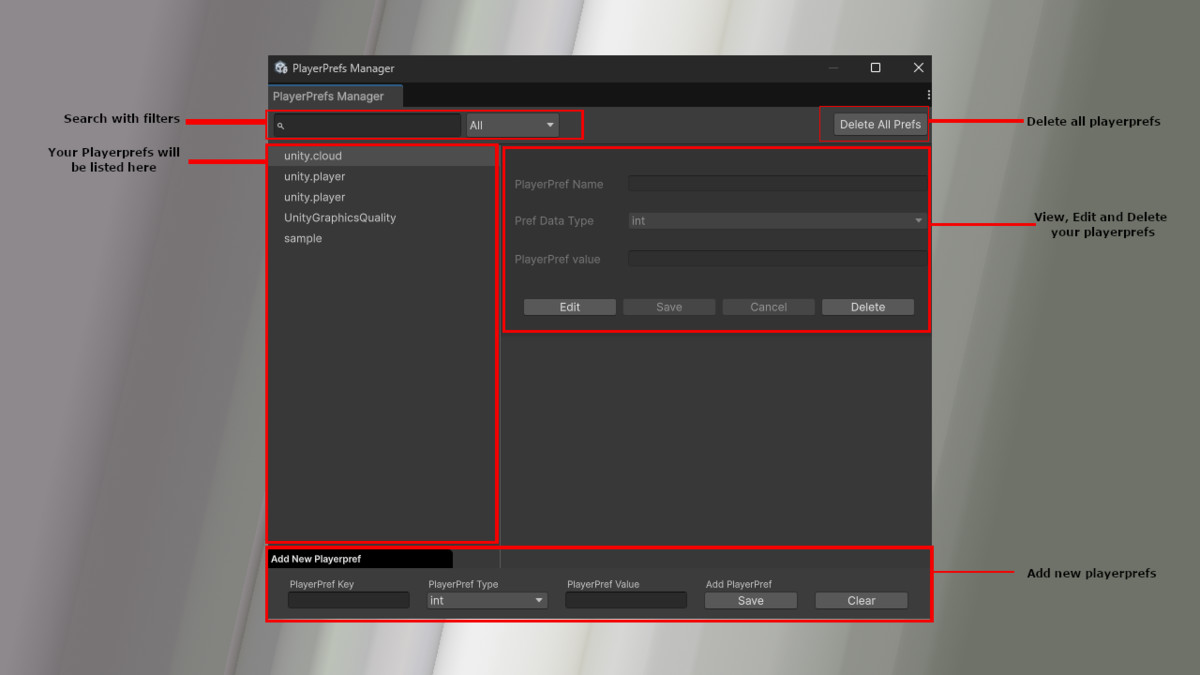
- Displays all existing PlayerPrefs for your game
- Supports all standard PlayerPrefs types: int, float, and string
- Lets you quickly change values without writing debug code
- Allows adding new keys or clearing all PlayerPrefs
- Provides search and filtering by data type and key name
🚀 How It Helps:
- Debug Faster: Instantly verify or tweak saved values like user settings or game progress
- Avoid Manual Errors: No more editing the registry or writing custom scripts
- Save Time: Quickly test different PlayerPrefs states in the Editor
- Preview Production Behavior: Simulate PlayerPrefs the way your actual build would use them
This tool is especially useful for:
- Game devs fine-tuning game settings or tutorials
- QA teams testing player progression
- Tools teams building custom workflows in Unity
Coming soon: macOS and Linux support for cross-platform devs.
From the publisher's Asset Store listing.
Technical details
🔧 Features
- View all saved PlayerPrefs
- Edit, add, and delete int, float, and string keys
- Real-time search and type filtering
- Detects PlayerPrefs automatically
- Delete individual or all PlayerPrefs
- Clean and responsive Unity Editor UI
💻 Supported OS
- ✅ Windows (Editor only)
- ⏳ macOS & Linux support coming soon
📚 Documentation
- ✅ Included in package
Compatibility
| Unity version | Built-in | URP | HDRP | Custom |
|---|---|---|---|---|
| 6000.0.23f1 | Compatible | Compatible | Compatible | Compatible |
As listed on the Asset Store.