
 View on Asset Store (opens in new tab)
Package details
- Latest version
- 1.0
- Last updated
- First released
- Unity version
- 2022.3.33 or later
- Package size
- 110 KB
- Files
- 18
- Views in the past week
- 5
Price tracking
- Last checked
- Tracked since
- Lowest recorded
- $4.99 on
Keywords
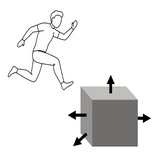
PlayMode Tweaker: adjust GameObjects & keep changes
Provides keyboard/mouse driven tools to adjust GameObject location, scale, and rotation while the Unity Editor is in Play mode, with changes saved upon exiting. EG, instantly fix floating GameObjects.
Affiliate link · Purchases support this site
Price history
Last 6 months
USDAsset preview
1 / 3

PlayMode Tweaker: adjust GameObjects & keep changes screenshot 1


About this asset
Ever been playtesting your game from inside the Unity editor and noticed a GameObject out of place, say floating above the ground, or partially penetrating a wall? This tool makes that trivially easy to fix, and whatever changes you make with the tool are maintained after you exit play mode.
Use cases:
- Floating GameObjects? Drop to the ground automatically, and/or adjust manually for perfect amount of ground penetration.
- Adjust platform locations for perfect Parkour that you test as you edit.
- Scenery looks too uniform? Adjust scale and rotation to look more organic the moment you notice it, rather than making a mental note to fix it after you exit play mode.
From the publisher's Asset Store listing.
Technical details
Move objects in X, Y and Z. Rotate in X, Y, and Z. Scale in... Y or All dimensions.
All editing happens in play mode, no need to switch back to the editor tab. However, it does require the Unity editor be running, this is not meant for end users to edit levels in the final build, but for YOU to tweak your own levels rapidly and accurately.
While a demo scene and a simple character controller are provided, they are purely to demonstrate the system. The expectation is you will add the main MonoBehaviour script to your player's GameObject, and then enabling editing by adding just a couple more lines of code that pauses your Player Controller and game simulation while editing is happening.
Limitations:
- GameObjects must already exist in the scene.
- Only the transform of GameObjects is edited, you can't change script properties or textures, etc. This is for rapidly tweaking levels while you play, not a full-scale editor replacement.
Compatibility
| Unity version | Built-in | URP | HDRP |
|---|---|---|---|
| 2022.3.33f1 | Compatible | Compatible | Compatible |
Asset does not depend on any pipeline, but does include a transparent URP material to highlight the current object while editing. You can use it as is, or swap a similar material of your choice that is compatible with your render pipeline.
As listed on the Asset Store.