
 View on Asset Store (opens in new tab)
Package details
- Latest version
- 1.0
- Last updated
- First released
- Unity version
- 6000.1.7 or later
- Package size
- 13 KB
- Files
- 6
- Favorites
- 6
- Views in the past week
- 10
Price tracking
- Last checked
- Tracked since
- Lowest recorded
- $4.99 on
Keywords

Auto Transparency for Obstacles
Automatically fades out objects that block the camera's view of the player. Ideal for third-person and top-down games. Fully customizable fade behavior and optimized for performance.
Affiliate link · Purchases support this site
Price history
Last 6 months
USDAsset preview
1 / 1
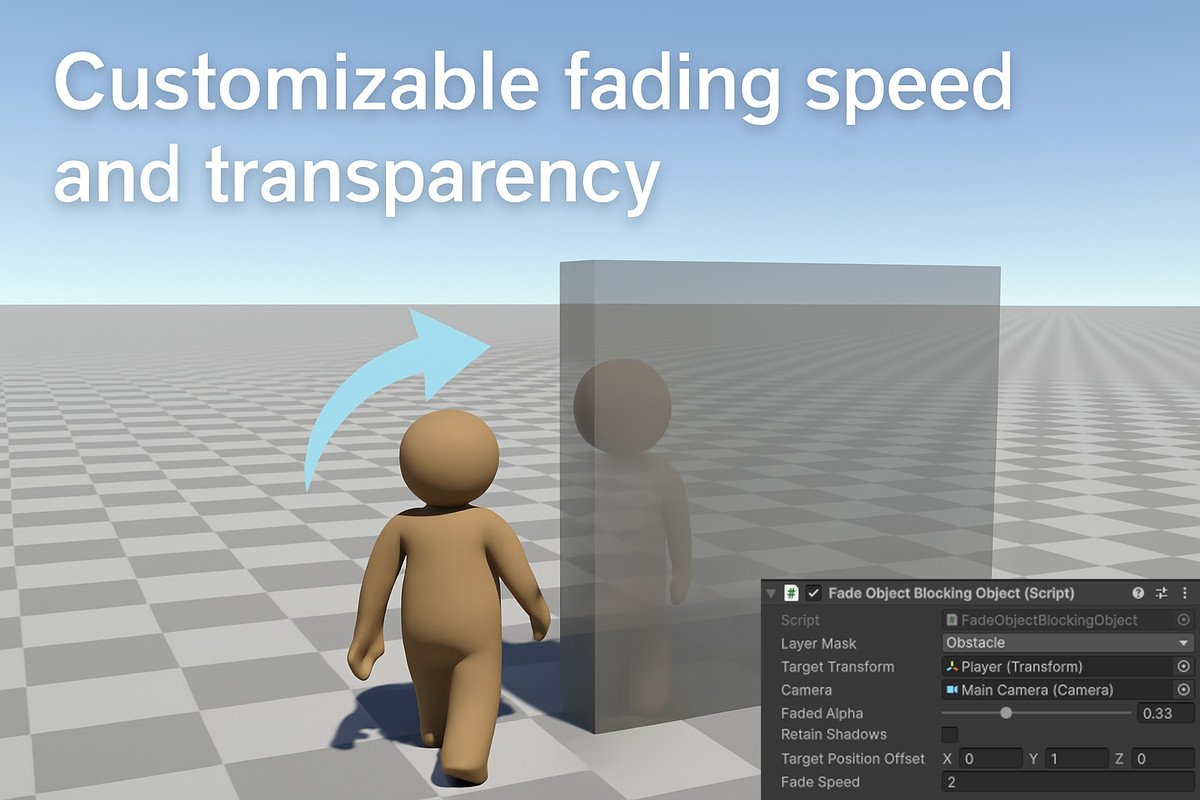
Auto Transparency for Obstacles screenshot 1
About this asset
Auto Transparency for Obstacles is a lightweight and highly customizable tool that automatically fades out any objects that obstruct the view between the camera and a target (usually the player).
Whether you're working on a third-person action game or a top-down RPG, this system ensures a clear line of sight without manual setup or complex coding.
Features
- Automatically detects and fades blocking objects
- Smooth fade-in and fade-out transitions
- Fully configurable transparency level and fade speed
- Optional shadow retention for better visual quality
- Layer-based filtering for precise control
- Works out of the box – includes a demo scene
- Optimized to minimize performance impact
Use Cases
- Third-person adventure or action games
- Top-down RPGs
- Any scenario where the player should always stay visible
Easy to Integrate
- Add the FadeObjectBlockingObject component to your camera (or manager object)
- Assign your player as the target
- Select which layers should be considered as view-blocking
- Add the FadingObject script to any object you want to fade
No coding required!
From the publisher's Asset Store listing.
Technical details
- Recommend Unity 6 (Tested in Unity 6000.1.7f1 and 6000.0.23.f1)
- Should work in older Unity-Versions
- Render Pipelines: URP, Built-In supported; HDRP may require custom shader setup
- Platform Compatibility: Works on PC, Mac, consoles, and mobile
- Raycasting: Uses RaycastNonAlloc for performance
- Source code included
- Demo scene included
Compatibility
| Unity version | Built-in | URP | HDRP | Custom |
|---|---|---|---|---|
| 6000.1.7f1 | Compatible | Compatible | Compatible | Compatible |
Tested in Unity 6000.1.7f1 and 6000.0.23.f1.
Should work in older Unity-Versions too.
As listed on the Asset Store.