
 View on Asset Store (opens in new tab)
Package details
- Latest version
- 1.1.0
- Last updated
- First released
- Unity version
- 2022.3.62 or later
- Package size
- 36.3 MB
- Files
- 65
- Favorites
- 5
- Views in the past week
- 9
Price tracking
- Last checked
- Tracked since
- Lowest recorded
- $10.00 on
Keywords
- Search for RPG engineer assets
- Search for upgradeable engineer bench
- Search for stylized engineer workbench
- Search for RPG crafting workstation
- Search for engineer workshop furniture
- Search for fantasy workshop station
- Search for fantasy machinery props
- Search for fantasy engineering station
- Search for medieval engineer props
- Search for medieval crafting bench
- Search for engineering UI icons
- Search for fantasy workbench set

Stylized Engineer Workbenches & Icons
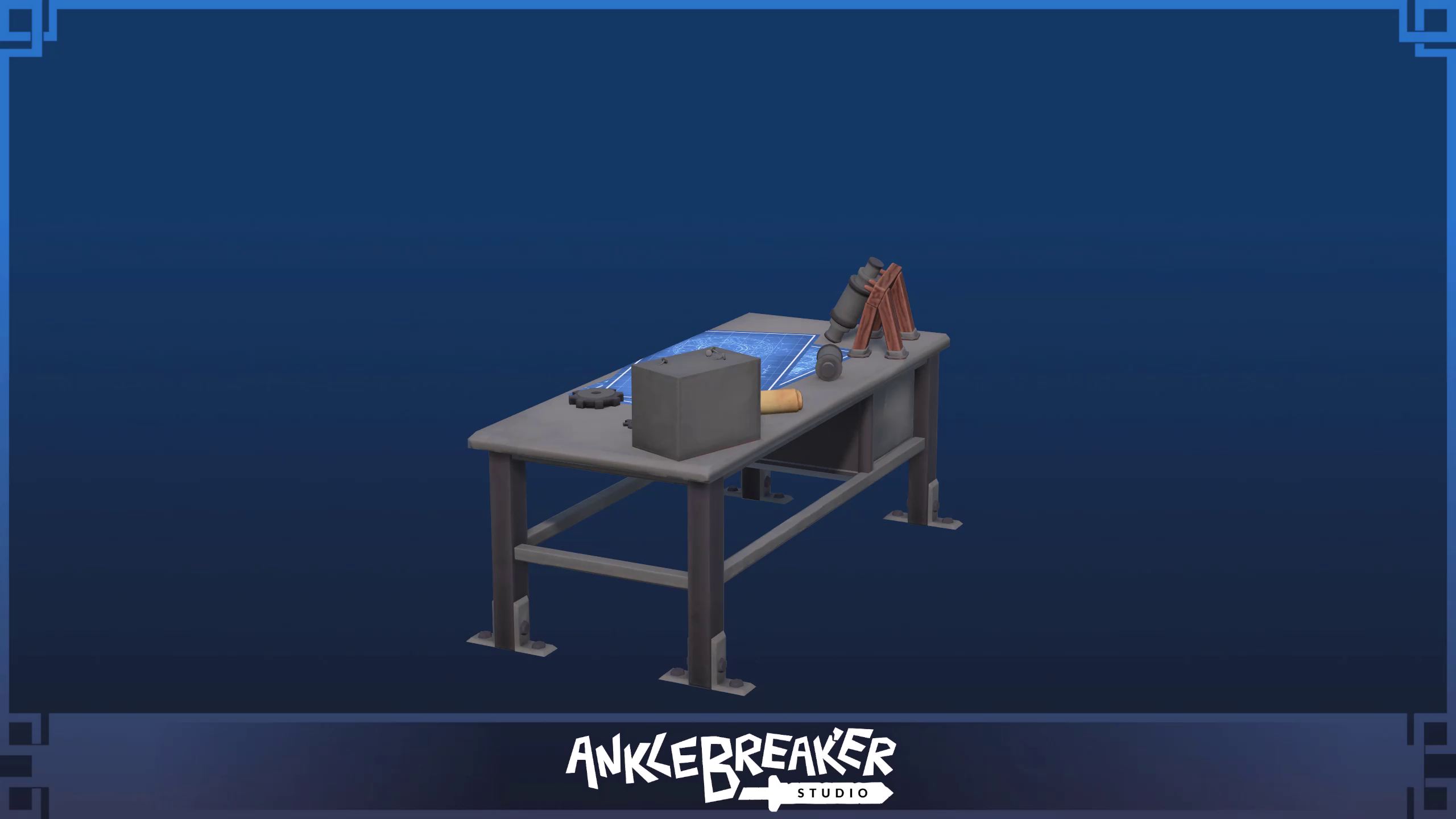
Create fantasy engineering workshops with three workstation tiers and matching icons. Includes a demo, Welcome hub and URP/HDRP upgrades.
Affiliate link · Purchases support this site
Price history
Last 6 months
USDAsset preview
1 / 5

Stylized Engineer Workbenches & Icons screenshot 1


About this asset
💬 Join the AnkleBreaker Community! 💬
Got a question, feedback, or a feature you'd love to see? Join our Discord - we actively improve our assets based on your input, and it's where we drop our latest announcements and run giveaways.
- 👥 Discord: 👉 https://discord.gg/2D36VUmsYN
- 🌐 Website: 👉 https://anklebreaker-consulting.com
📦 Give your tinkerer a place to work
Create an inventor's workshop or a practical corner in a fantasy settlement with stylized engineer workbenches. The tiered arrangements help communicate a workspace growing in complexity while fitting into a shared workshop art style.
📦 What you get
Three engineer workstation tiers with matching inventory icons.
- 3 prefab assets, including the supplied variants and component prefabs.
- 18 inventory icons for your own UI.
- 1 demo scene to explore the supplied assets.
- A Welcome window and CLICKME hub with demo navigation and an asset library.
- One-click URP and HDRP conversion from the Welcome window, and a package-specific usage guide.
See Technical details for compatibility and asset specifications.
📦 Getting started
Import the package: its Welcome window opens on its own. On URP or HDRP, one click in it converts the pack’s materials to your pipeline. Open the demo scene from there, and select CLICKME at the root of AB_Stylized to find everything again later. Customize prefab variants and duplicated materials in your own project folders.
🔗 Explore our other stylized packs
Workshops and furniture
- 🔗 Stylized Cauldron - 3 Tiers - AAA quality
- 🔗 Stylized Cash Register & Icons - 3 Tiers - AAA Quality
- 🔗 Stylized Counters & Icons - 3 Tiers - AAA Quality
- ⚒️ Stylized Leather Workbench #2 - 3 Tiers- AAA quality
📦 Stylized Workbenches | MEGAPACK
- ⚒️ Stylized Blacksmith Workbenches & Icons
- ⚒️ Stylized Brewing Station & Icons
- ⚒️ Stylized Cooking Workbenches, Items & Icons
- ⚒️ Stylized Engineer Workbenches & Icons
- ⚒️ Stylized Furnaces & Icons
- ⚒️ Stylized Grinder Workbenches & Icons
- ⚒️ Stylized Leather Workbenches & Icons
- ⚒️ Stylized Tailor Workbench & Icons
- ⚒️ Stylized Wood Workbench & Icons
Weapons, shields and tools
📦 Stylized Melee Weapons & Shields | MEGAPACK
- ⚔️ Stylized Fantasy Swords & Icons
- ⚔️ Stylized Fantasy GreatSwords & Icons
- ⚔️ Stylized Fantasy Spears & Icons
- 🔨 Stylized Fantasy Tools & Icons
- 🛡️ Stylized Fantasy Rounded Shields & Icons
- 🛡️ Stylized Fantasy Towershields & Icons
Environment and resources
Creatures
🛠️ And also quality & productivity tools for Save Systems, Character Customization, Ballistic Systems, Popups & Notifications, Minimaps, Maps & Compasses, and more.
From the publisher's Asset Store listing.
Technical details
Content: Visual assets; no crafting, inventory or progression gameplay system is included.
Variants: Three engineer workstation tiers with matching inventory icons.
Source models: 3 FBX files. A model file may contain multiple meshes or parts; it is not a count of distinct objects.
Materials: 2 materials in the Built-in base, with included URP and HDRP upgrades.
Textures: 6 art texture files (PNG), counted separately from inventory icons and Welcome media.
Unity version: Unity 2022.3 LTS and Unity 6000, including Unity 6.5 and 6.6+.
Compatibility: Built-in, Universal (URP) and High Definition (HDRP) render pipelines.
Pipeline setup: The base uses Built-in materials. In a URP or HDRP project, the Welcome window converts them in one click (also under Tools > AnkleBreaker > Apply Render Pipeline Upgrade). Only the pack’s own files change.
Dependencies: The matching Unity render pipeline package is required for URP or HDRP. No third-party paid asset is required.
Documentation: In-editor Welcome and CLICKME navigation, an asset library with file paths, and a package-specific usage guide.
Customization: Use your own prefab variants and material copies. Back up local changes before importing an update.
Compatibility
| Unity version | Built-in | URP | HDRP |
|---|---|---|---|
| 6000.0.68f1 | Compatible | Compatible | Compatible |
| 2022.3.62f3 | Compatible | Compatible | Compatible |
Unity 2022.3 LTS and Unity 6000, including Unity 6.5 and 6.6+. Compatible with the Built-in, Universal (URP) and High Definition (HDRP) render pipelines; the Welcome window converts the materials to URP or HDRP in one click.
As listed on the Asset Store.