
 View on Asset Store (opens in new tab)
Package details
- Latest version
- 1.0
- Last updated
- First released
- Unity version
- 2022.3.31 or later
- Package size
- 2.4 MB
- Files
- 7
- Favorites
- 11
- Views in the past week
- 11
Price tracking
- Last checked
- Tracked since
- Lowest recorded
- Free on
Keywords
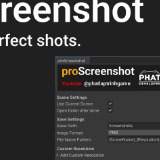
proTools – Multi-Device Screenshot
Capture high-quality screenshots at multiple resolutions with one click. Supports custom sizes, UI, naming patterns, and grouped outputs for mobile, tablet, and desktop.
Affiliate link · Purchases support this site
Price history
Last 6 months
USDAsset preview
1 / 3

proTools – Multi-Device Screenshot screenshot 1


About this asset
proScreenshot is a lightweight yet powerful Unity Editor tool that allows you to capture clean, high-resolution screenshots in multiple sizes with one click.
It's perfect for developers targeting multiple devices - mobile, tablet, or desktop - and works with both in-game scenes and UI canvases.
From the publisher's Asset Store listing.
Technical details
🖼️ Multi-Resolution Capture: Take screenshots at multiple resolutions (mobile, tablet, PC) with a single click.
➕ Custom Resolutions: Easily add your own resolution presets with custom names and sizes.
🧠 Smart Orientation: Automatically adapts to landscape or portrait based on scene layout.
🖌️ UI & Canvas Support: Accurately captures both world-space and screen-space UI elements.
🧾 File Naming Templates: Use dynamic tokens like {SceneName}, {Resolution}, {DateTime} in filenames.
🖼️ Format Choice: Supports PNG and JPG with one-click toggle.
🎯 Clean UI: Minimalist, intuitive interface built with productivity in mind.
Compatibility
| Unity version | Built-in | URP | HDRP | Custom |
|---|---|---|---|---|
| 2022.3.31f1 | Compatible | Compatible | Compatible | Compatible |
As listed on the Asset Store.