
 View on Asset Store (opens in new tab)
Package details
- Latest version
- 1.0.3
- Last updated
- First released
- Unity version
- 2022.3.45 or later
- Package size
- 429 KB
- Files
- 23
- Favorites
- 1
- Views in the past week
- 4
Price tracking
- Last checked
- Tracked since
- Lowest recorded
- $9.99 on
Keywords

Easy Behavior Tree
Easy Behavior Tree is a lightweight, customizable behavior tree editor built for Unity developers who want full control over AI without the clutter of bloated tools.
Affiliate link · Purchases support this site
Price history
Last 6 months
USDAsset preview
1 / 6
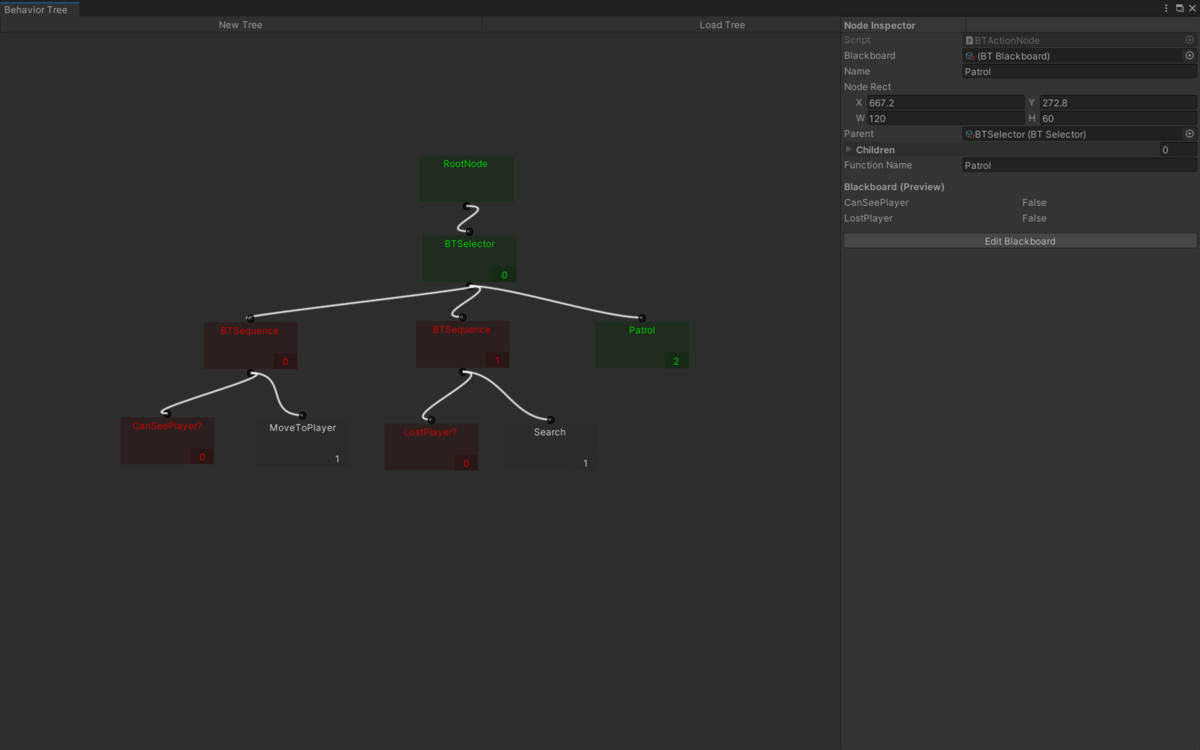
Easy Behavior Tree screenshot 1
About this asset
Whether you're building stealth games, RTS units, or horror game enemies with unpredictable patrol logic, Easy Behavior Tree gives you the control and visibility you need to build smarter AI—fast.
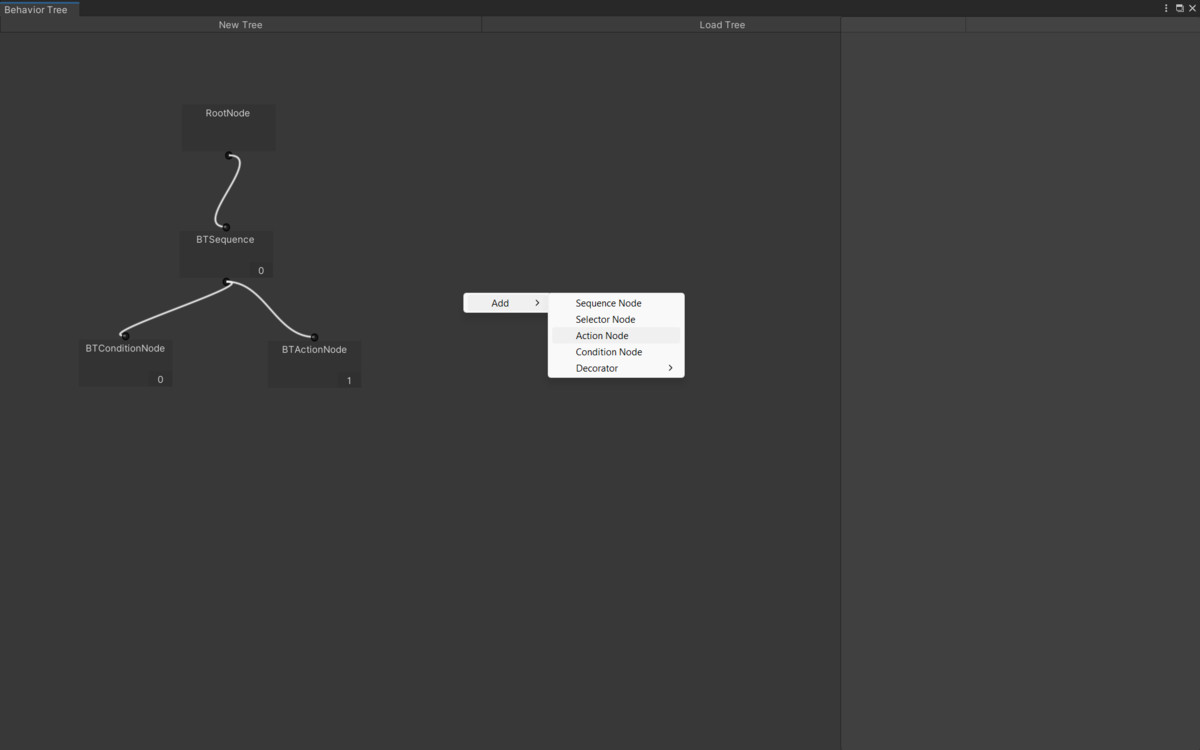
EBT features ActionNodes that can run any subroutine when that node is reached in the tree, allowing for easy integration into existing projects. You can also easily make your own nodes by simply copying the template and adding 1 new line of code to the editor!
Full documentation is provided along with code comments so it is easy to get started!
From the publisher's Asset Store listing.
Technical details
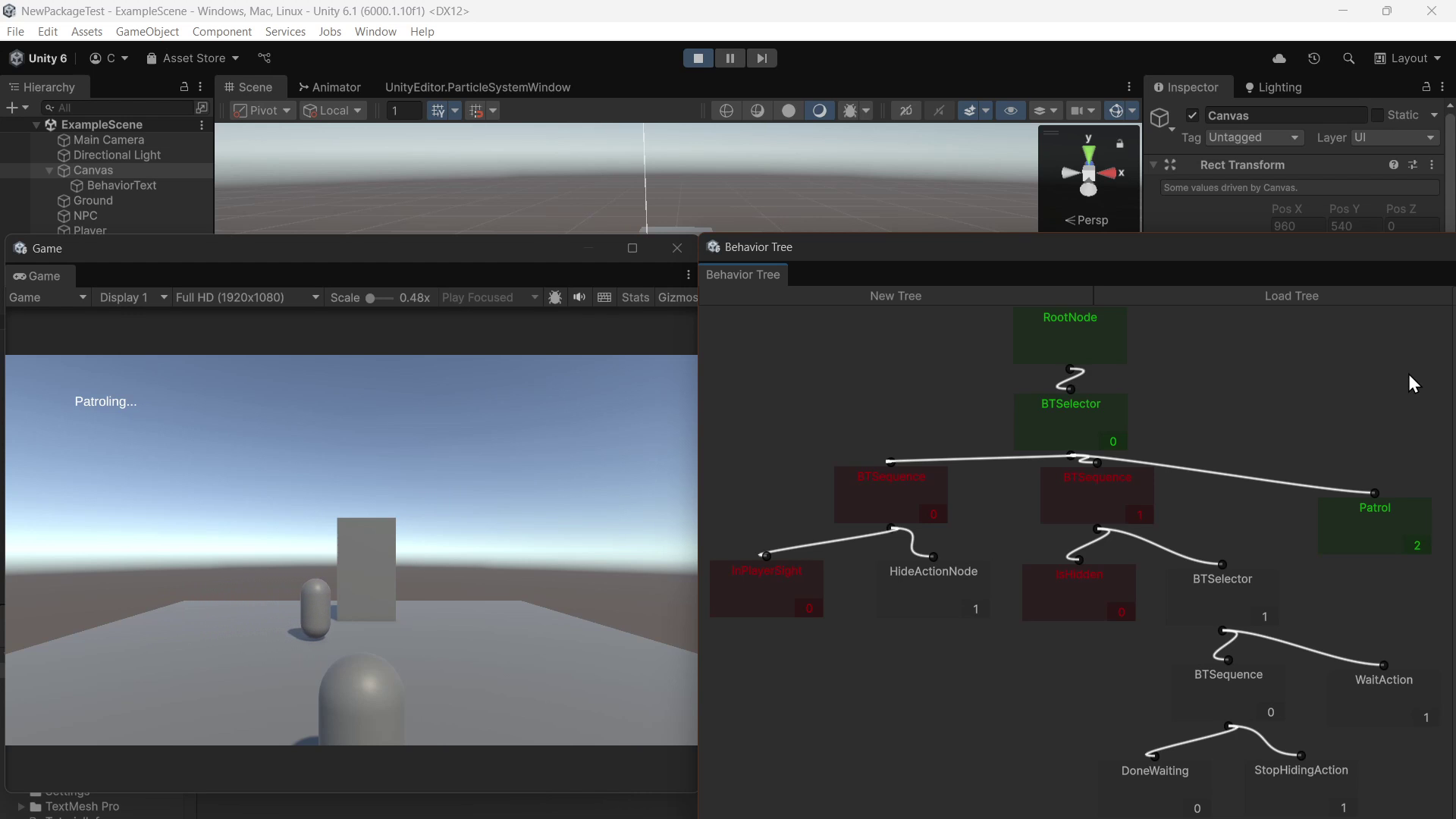
- Custom Node Editor – Easily create and connect behavior nodes in a visually responsive editor.
- Scripting Support – Call any function directly from the Action Nodes.
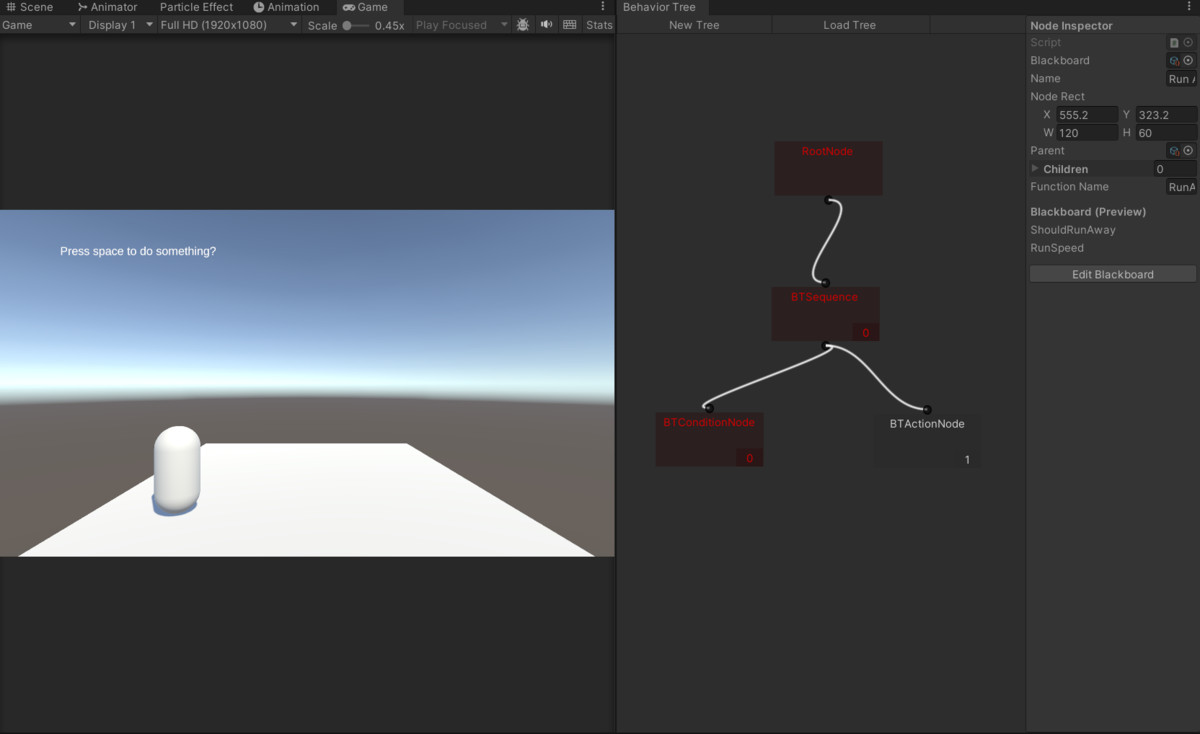
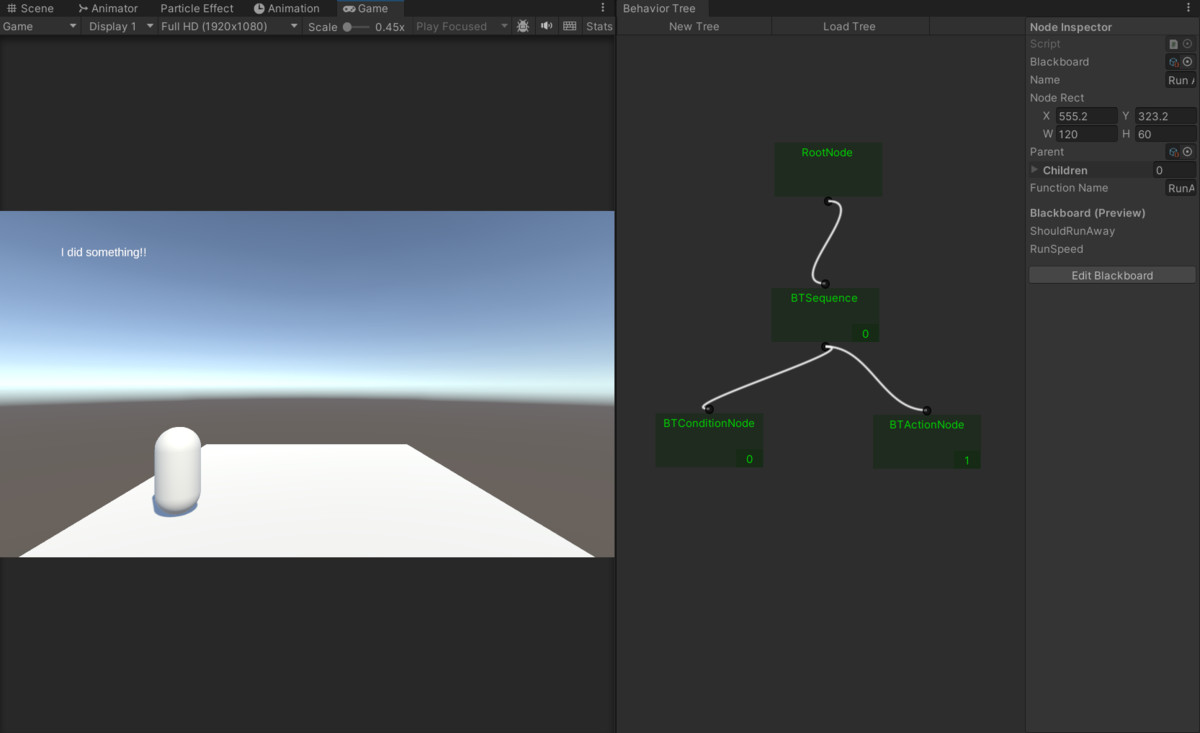
- Runtime Visualization – Nodes change color at runtime to reflect their current state (Running, Success, Failure).
- Lightweight & Modular – Designed to be dropped into any project without breaking existing architecture.
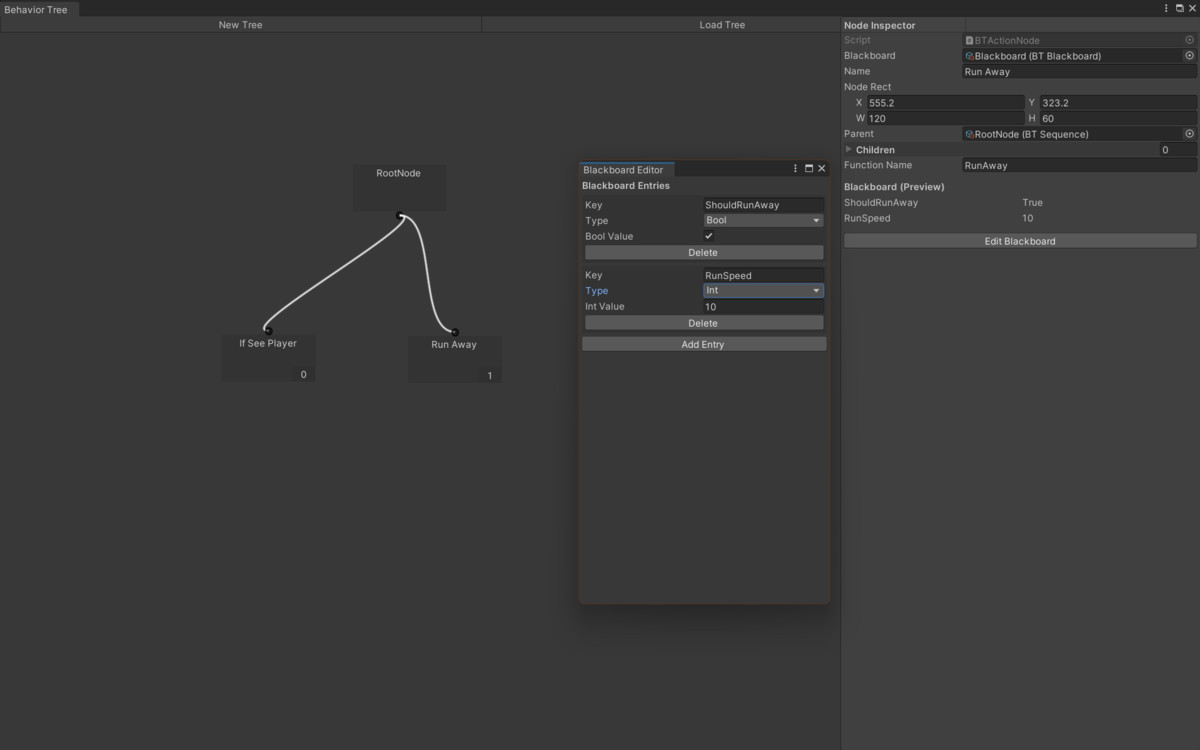
- Blackboard Integration – Shared data between nodes for smart decision-making.
- Easy Node Creation – Create new nodes with minimal coding.
- Full Documentation – Step-by-step guide to quickly get you started.
- Full Source Code Included – Adapt it to your project needs without limitations.
Compatibility
| Unity version | Built-in | URP | HDRP |
|---|---|---|---|
| 6000.1.10f1 | Compatible | Compatible | Compatible |
| 6000.0.52f1 | Compatible | Compatible | Compatible |
| 2022.3.45f1 | Compatible | Not listed | Not listed |
The test scene requires TextMesh Pro for displaying information on the screen. It should prompt you to download / install automatically. If the textures do not show up in the example scene, it is just an issue with the version you are using. You can apply any texture to each object to fix it, or you may need to change the shader.
As listed on the Asset Store.