
 View on Asset Store (opens in new tab)
Package details
- Latest version
- 1.0.1
- Last updated
- First released
- Unity version
- 2022.3.61 or later
- Package size
- 695 KB
- Files
- 8
- Favorites
- 14
- Views in the past week
- 1
Price tracking
- Last checked
- Tracked since
- Lowest recorded
- Free on
Keywords

Component Browser
Component Browser is a fast, powerful Unity Editor tool that lists and filters all loaded Scene Components in a sortable List View — making it easy to search and find GameObjects and Components.
Price $19.99
Buy on Asset Store (opens in new tab)
Affiliate link · Purchases support this site
Price history
Last 6 months
USDAsset preview
1 / 3

Component Browser screenshot 1

About this asset
"Simplify your Unity Editor experience with a powerful List View of all Scene Components."
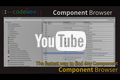
- Component Browser revolutionizes how you explore and manage GameObjects and Components in your Unity project. Unlike the traditional Hierarchy view, this Editor extension displays all Components across loaded Scenes in a clean, flat List View, helping you quickly locate and manage elements without diving through nested structures.
- With intuitive features like sortable columns, component type filters, and direct selection highlighting in the Hierarchy, you can focus on building your game rather than searching for objects. Whether you're managing large-scale scenes or debugging complex setups, Component Browser provides a faster, smarter way to work inside Unity.
- Supports Unity 2022 and Unity 6000+ (Unity 6.x).
From the publisher's Asset Store listing.
Technical details
- Supports all GameObjects and Components in loaded Scenes
- Fully integrated into the Unity Editor
- Tested in both light and dark Editor themes
- Lightweight and performant, designed for large-scale scenes
Compatibility
| Unity version | Built-in | URP | HDRP |
|---|---|---|---|
| 2022.3.61f1 | Compatible | Compatible | Compatible |
As listed on the Asset Store.