
 View on Asset Store (opens in new tab)
Package details
- Latest version
- 1.0.1
- Last updated
- First released
- Unity version
- 6000.3.9 or later
- Package size
- 654 KB
- Files
- 14
- Favorites
- 2
- Views in the past week
- 7
Price tracking
- Last checked
- Tracked since
- Lowest recorded
- Free on
Keywords

Batch Renamer by Nesbit Labs
Batch rename selected Unity assets with add/replace text, index formatting, type filtering, and undo support. Includes live preview and duplicate name handling. Editor-only.
Affiliate link · Purchases support this site
Price history
Last 6 months
USDAsset preview
1 / 3
Batch Renamer by Nesbit Labs screenshot 1
About this asset
Batch rename Unity assets without risking broken names or blind changes
Nesbit Labs Batch Renamer is a focused, editor-only tool built for safely renaming large groups of assets with full visibility and control.
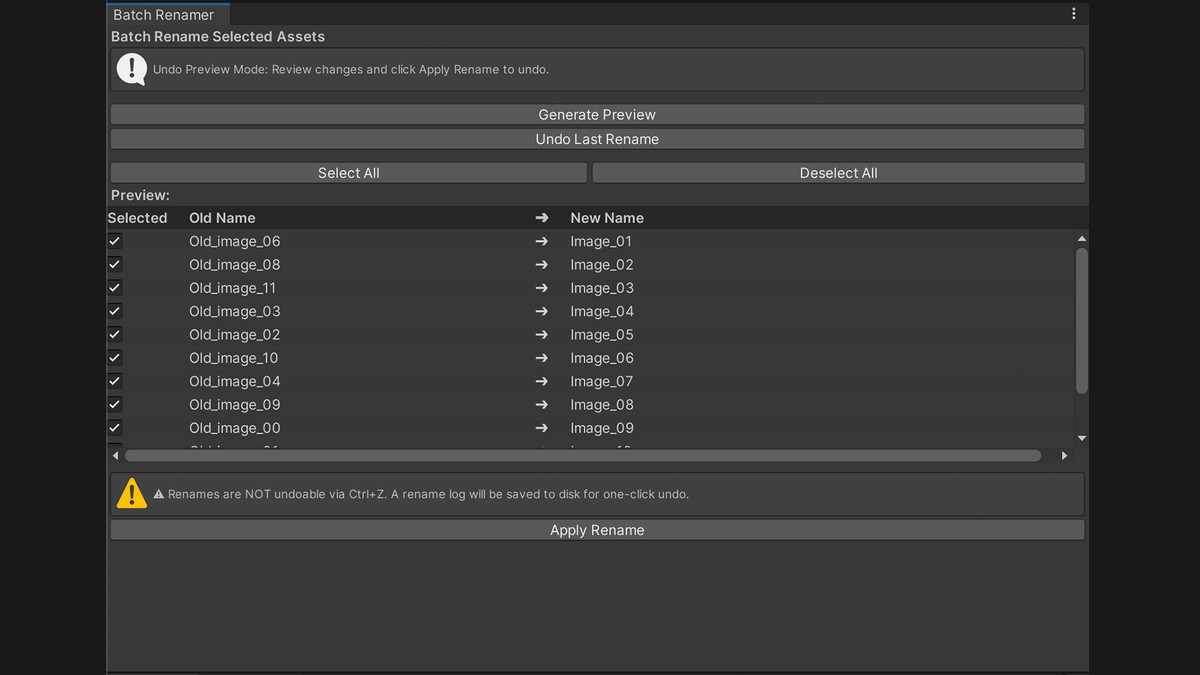
Every change is previewed before you apply it, conflicts are clearly flagged, and you can roll back the most recent batch if needed.
Whether you're cleaning up a messy project or standardizing naming across a production folder, this tool helps you move fast without losing confidence in the outcome.
Controlled, preview-driven workflow
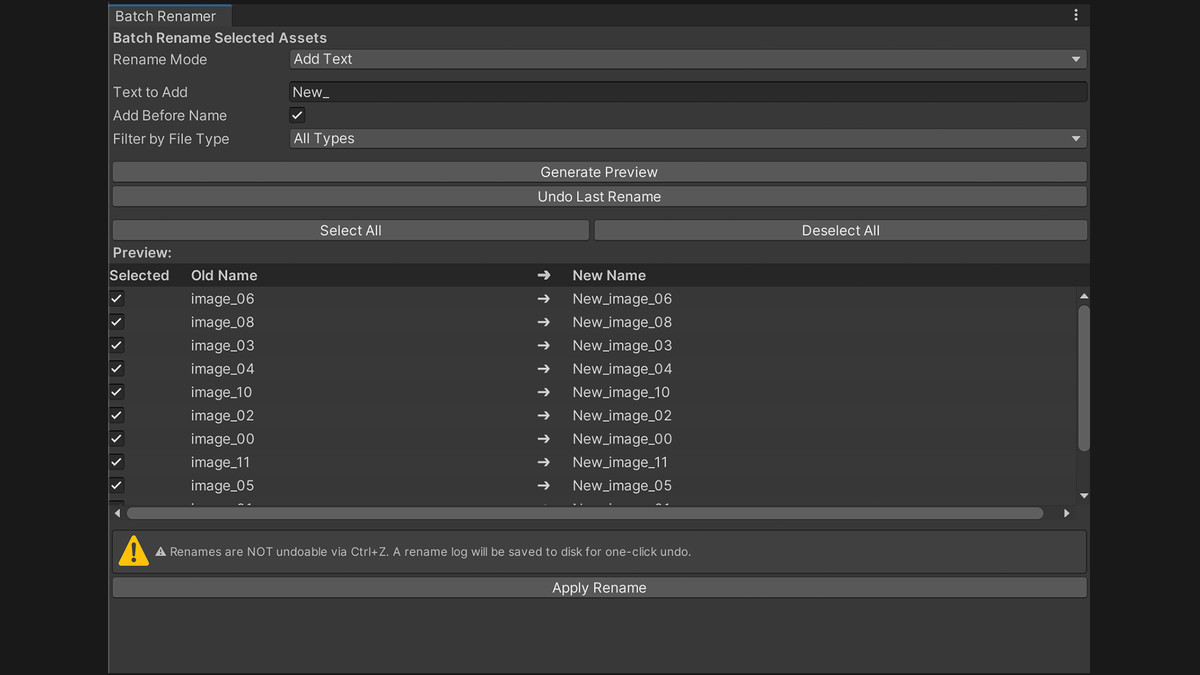
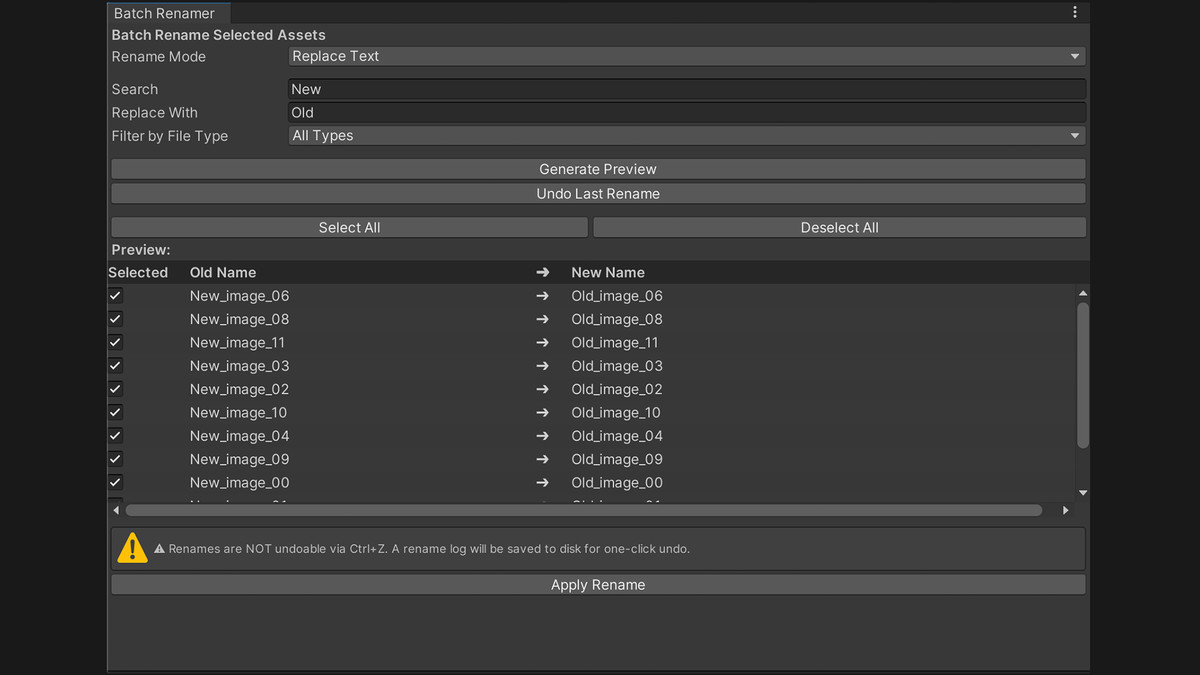
Rename assets using simple add or replace rules, or apply formatted names with indexed numbering.
Generate a full preview of all changes, filter results by file type, and review or exclude individual items before applying.
Conflicts are detected up front, with options to auto-fix or skip problematic entries. If something needs to be reversed, the most recent batch can be restored using the built-in rollback system.
Built for clarity and control inside Unity
Designed for developers and artists who want a clean, predictable workflow inside the Unity Editor, without relying on risky or opaque batch operations.
Features
- Add text to the beginning or end of asset names
- Replace parts of asset names with new text
- Format names with indexed numbering (e.g., Name_001, Name_002)
- Custom start index and padding length
- Preview all rename results before applying
- Select or deselect individual assets in the preview
- Detect duplicate name conflicts before applying
- Auto-fix conflicts by appending numeric suffixes
- Skip conflicting items if needed
- Filter preview results by file type (.png, .prefab, .fbx, etc.)
- Rollback support for the most recent rename batch using a saved log
- Editor-only tool (no runtime impact)
Typical Use Cases
- Clean up imported asset packs
- Standardize naming across mixed asset selections
- Add consistent prefixes or suffixes
- Apply indexed naming to environment or prop assets
- Replace inconsistent naming patterns across a project
From the publisher's Asset Store listing.
Technical details
Package Contents
- Main editor window (NL_BatchRenamer.cs)
- Built-in undo log system (stored at /Editor/UndoData/NL_RenameUndo.json)
- Clean, native UI built with UnityEditor tools
- No external dependencies
Compatibility
- Works with Built-in Render Pipeline, URP, and HDRP
- Editor-only tool (does not compile into runtime builds)
Requirements
- Unity 2020.3 or newer
Supported Platforms (Editor)
- Windows
- macOS
- Linux
Compatibility
| Unity version | Built-in | URP | HDRP |
|---|---|---|---|
| 6000.3.9f1 | Compatible | Compatible | Compatible |
As listed on the Asset Store.