
 View on Asset Store (opens in new tab)
Package details
- Latest version
- 2.3.1
- Last updated
- First released
- Unity version
- 6000.3.4 or later
- Package size
- 10.8 MB
- Files
- 29
- Favorites
- 48
- Views in the past week
- 33
Price tracking
- Last checked
- Tracked since
- Lowest recorded
- Free on
Keywords
Class Diagram Generator
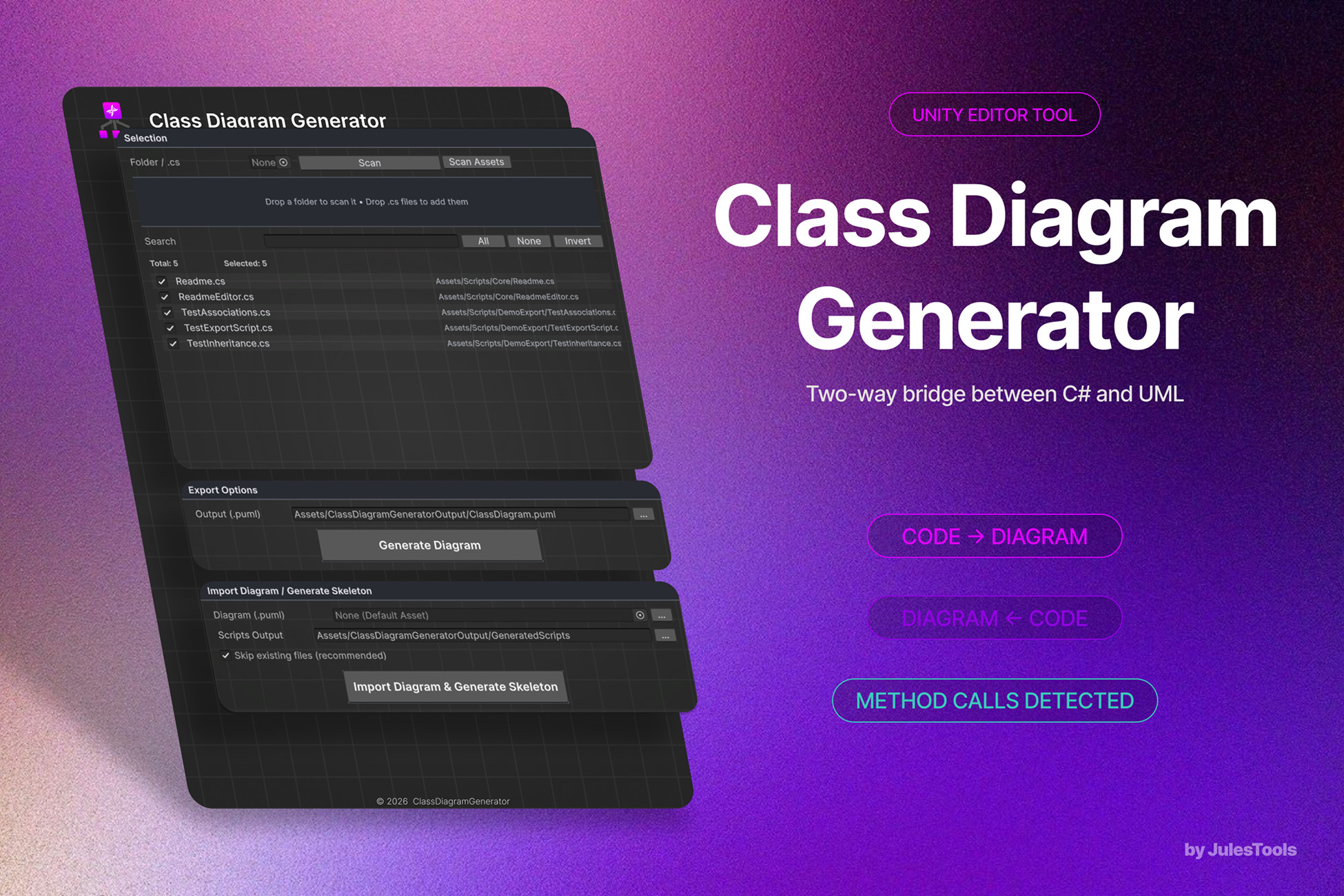
Generate UML class diagrams from your C# scripts — and reverse-engineer .puml diagrams back into ready-to-code C# skeletons. PlantUML in, PlantUML out.
Affiliate link · Purchases support this site
Price history
Last 6 months
USDAsset preview
1 / 2
Class Diagram Generator screenshot 1
About this asset
Stop drawing diagrams by hand. Stop typing class skeletons by hand. Do both — in one click — without ever leaving Unity.
Class Diagram Generator is the two-way bridge between your Unity C# code and PlantUML class diagrams. Generate clean, accurate UML from any folder of your project, share it with your team, then turn an updated diagram back into compiled-ready C# scripts. Architecture review, onboarding, refactor planning, technical documentation — finally in a workflow that respects your time.
Why teams use it
- See your codebase, instantly. Pick a folder (or scan the whole project), select scripts, hit Generate. PlantUML file or shareable URL — your call.
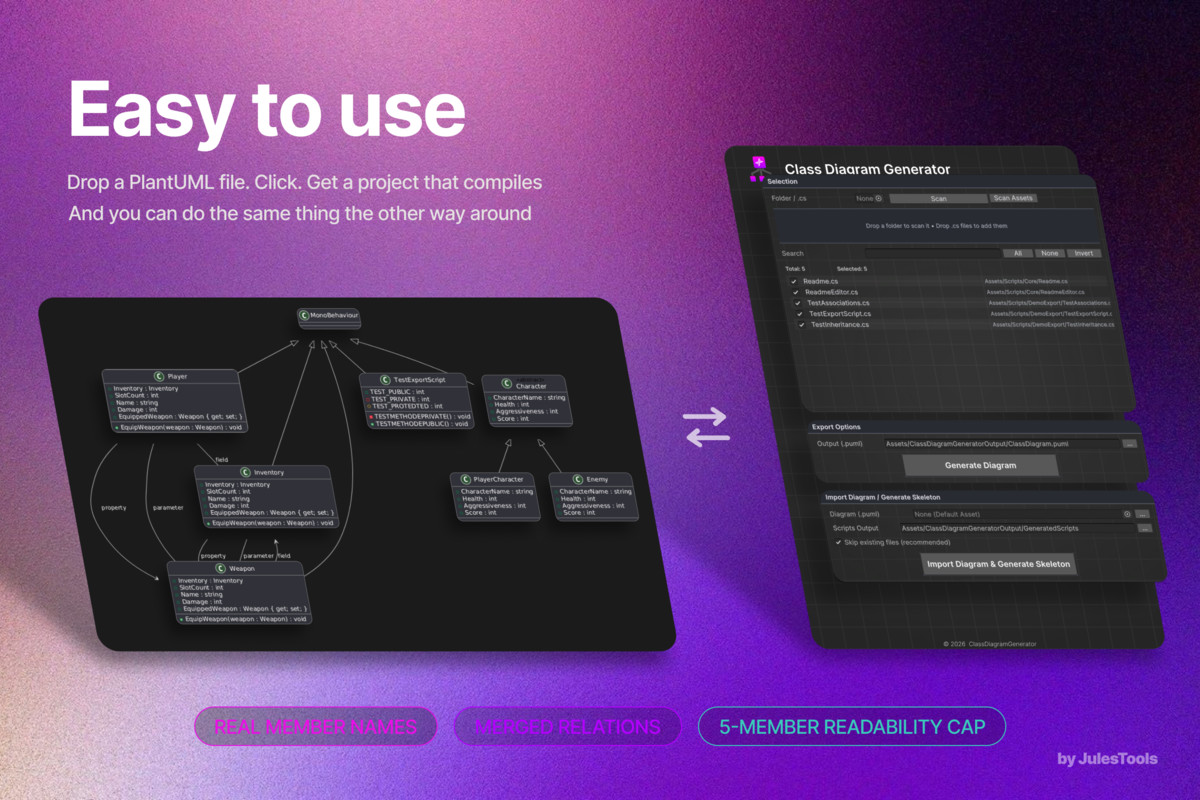
- Diagram → code, in one click. Drop a .puml file, choose an output folder, and Class Diagram Generator scaffolds the matching C# skeletons: classes, interfaces, structs, enums, namespaces, fields, properties, methods, parameters. Existing files are protected by default.
- Built for real Unity projects. Auto-scan picks up Assets/Scripts, Assets/_Project, or Assets. Drag-and-drop folders or individual .cs files. Search, bulk select, invert selection. Click any path to ping the asset.
- Designed for clean architectures. Internally split into Domain / Application / Infrastructure / Editor layers — interface-driven, testable, and easy to extend.
- Polished Editor UI. Card layout, format tabs, custom theme, status bar, in-window Docs button. It feels like a Unity-native tool, not a script-with-buttons.
What gets extracted
- Types — classes, interfaces, structs, enums
- Namespaces — rendered as PlantUML packages, with local names inside and fully qualified names in arrows (no syntax errors, no broken diagrams)
- Members — fields, properties, methods, events, with visibility (+/-/#/~) and stable modifiers ({static}, {abstract})
- Relationships — inheritance, interface realization, and associations detected from member/parameter types, with multiplicity hints (*) for collections like List<T> and arrays
What gets generated (skeleton mode)
- One .cs file per type, organized by namespace
- using UnityEngine; and using System.Collections.Generic; added automatically
- Public/private/protected/internal modifiers preserved
- Static and abstract members preserved
- Stub method bodies (throw new NotImplementedException();) so the project compiles immediately
- Skip-existing-files mode (default ON) — safe to run on real codebases
Built for
- Solo devs documenting their own work
- Studios onboarding new team members
- Tech leads planning refactors or architecture reviews
- Teachers / writers producing technical documentation
- Anyone tired of redrawing diagrams every time the code changes
Highlights at a glance
- Two-way: C# → PlantUML and PlantUML → C# skeletons
- Whole-project scan or per-folder scan
- Drag-and-drop folders and .cs files
- Export as .puml file or as a one-click PlantUML server URL
- Skip-existing-files protection on skeleton generation
- Auto-detection of common project layouts on open
- Built-in link to the online documentation
- 100% Editor-only — zero runtime overhead, ships nothing in your build
Online documentation
Full guide, examples, and FAQ: https://julestools.gitbook.io/julestools-docs/documentation/tools/class-diagram-generator
Support
Questions, bugs, feature requests: [email protected]
From the publisher's Asset Store listing.
Technical details
Architecture
Class Diagram Generator follows a clean layered architecture:
- Domain — pure data models (DiagramTypeModel, DiagramFieldModel, DiagramMethodModel, DiagramPropertyModel, DiagramParameterModel)
- Application — use-case services (DiagramGenerationService, DiagramImportAndSkeletonService) and abstractions (IClassDiagramParser, IPlantUmlExporter, IClassDiagramImporter, ICodeSkeletonGenerator)
- Infrastructure — concrete implementations (RegexClassDiagramParser, PlantUmlExporter, PlantUmlDiagramImporter, CSharpSkeletonGenerator, PlantUmlUrlEncoder, UnityAssetFileWriter, ScriptSelectionManager)
- Editor — single Unity EditorWindow (ClassDiagramGeneratorWindow) wired to the application services
Every layer is interface-driven, so individual parts (the parser, the exporter, the skeleton generator) can be swapped or reused in your own tooling.
Parsing model
- Regex-based C# parser — practical coverage of standard C# declarations, fast on large projects
- Surfaces {static} and {abstract} modifiers; visibility on members; generic and array hints on relationship arrows
- Self-associations are filtered out automatically
- Inside a package block, type names are local; relationship arrows use fully qualified names — keeps PlantUML happy
Skeleton generation
- One .cs file per type, written under your chosen output folder
- using UnityEngine; and using System.Collections.Generic; added by default
- Members get stable modifiers (public, private, protected, internal, static, abstract)
- Method bodies are stubbed with throw new NotImplementedException();
- Existing files are skipped by default (toggleable)
URL export
- Uses deflate + PlantUML encoding to produce a one-click URL pointing at the public PlantUML server
- No third-party network call other than that URL
Compatibility
- Unity: 2021.3 LTS and newer (Editor-only)
- Render pipelines: N/A — no runtime, no shaders
- Platforms: Editor on Windows / macOS / Linux
- Dependencies: none — pure C# Editor scripts
- Build impact: zero — nothing ships in your build
What's included
- Full source code (no DLL)
- Editor window + Application/Domain/Infrastructure layers
- README, online documentation link, in-tool Docs button
Compatibility
| Unity version | Built-in | URP | HDRP | Custom |
|---|---|---|---|---|
| 6000.3.4f1 | Compatible | Compatible | Compatible | Compatible |
As listed on the Asset Store.