
 View on Asset Store (opens in new tab)
Package details
- Latest version
- 3.1.1
- Last updated
- First released
- Unity version
- 6000.3.4 or later
- Package size
- 10.8 MB
- Files
- 12
- Favorites
- 10
- Views in the past week
- 5
Price tracking
- Last checked
- Tracked since
- Lowest recorded
- $4.99 on
Keywords
Code Harvest - AI-friendly tools
Export all your Unity scripts as clean .txt, .md, .json, or .zip files — from the Editor or HTTP API. Perfect for AI, backups, reviews, or automated CI/CD workflows.
Affiliate link · Purchases support this site
Price history
Last 6 months
USDAsset preview
1 / 3
Code Harvest - AI-friendly tools screenshot 1
About this asset
Code Harvest is a Unity Editor extension designed to streamline the extraction, organization, and packaging of project scripts for reviews, collaboration, automation pipelines, or AI-assisted analysis.
Key capabilities
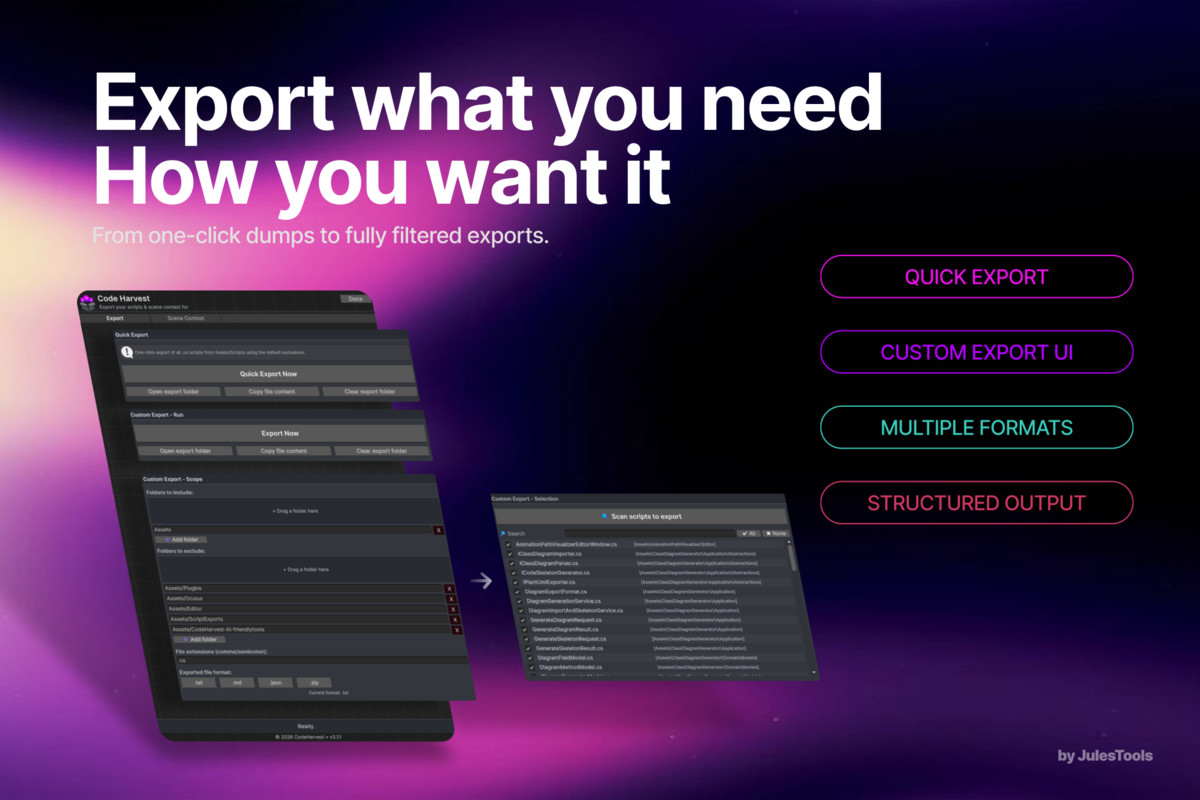
- Precise inclusion/exclusion of folders, files, and extensions
- Script scanning with search and selective export
- Multiple output formats: .txt, .md, .json, .zip
- Structured, AI-optimized exports including directory trees and metadata
- Built-in local HTTP API (GET/POST) for programmatic access
- Fully CI/CD-compatible via curl, PowerShell, or automation scripts
- Quick actions: copy-to-clipboard, open export folder, clean export directory
- Zero-impact workflow: exports are strictly read-only
Ideal for
Teams, students, code reviews, technical audits, versioning workflows, automated pipelines, and AI-driven debugging or refactoring.
Full documentation available here: DOCS
From the publisher's Asset Store listing.
Technical details
Export all project scripts into a single .txt, .md, .json, or .zip file
Drag-and-drop UI for including or excluding folders
Filter by file extensions (.cs, .shader, etc.)
Scan, search, and selectively choose scripts before export
Automatically generates a structured directory tree in the output
Clean, AI-ready format optimized for tools like ChatGPT
Built-in HTTP API (/scripts, /export, GET & POST) for automation
Compatible with curl, PowerShell, batch scripts, and full CI/CD pipelines
Exports are strictly read-only — the Unity project is never modified
Editor-only utility with zero runtime overhead
Export history with quick access to the export folder
Fully configurable through the Editor UI or via C# code
New in 3.1.0:
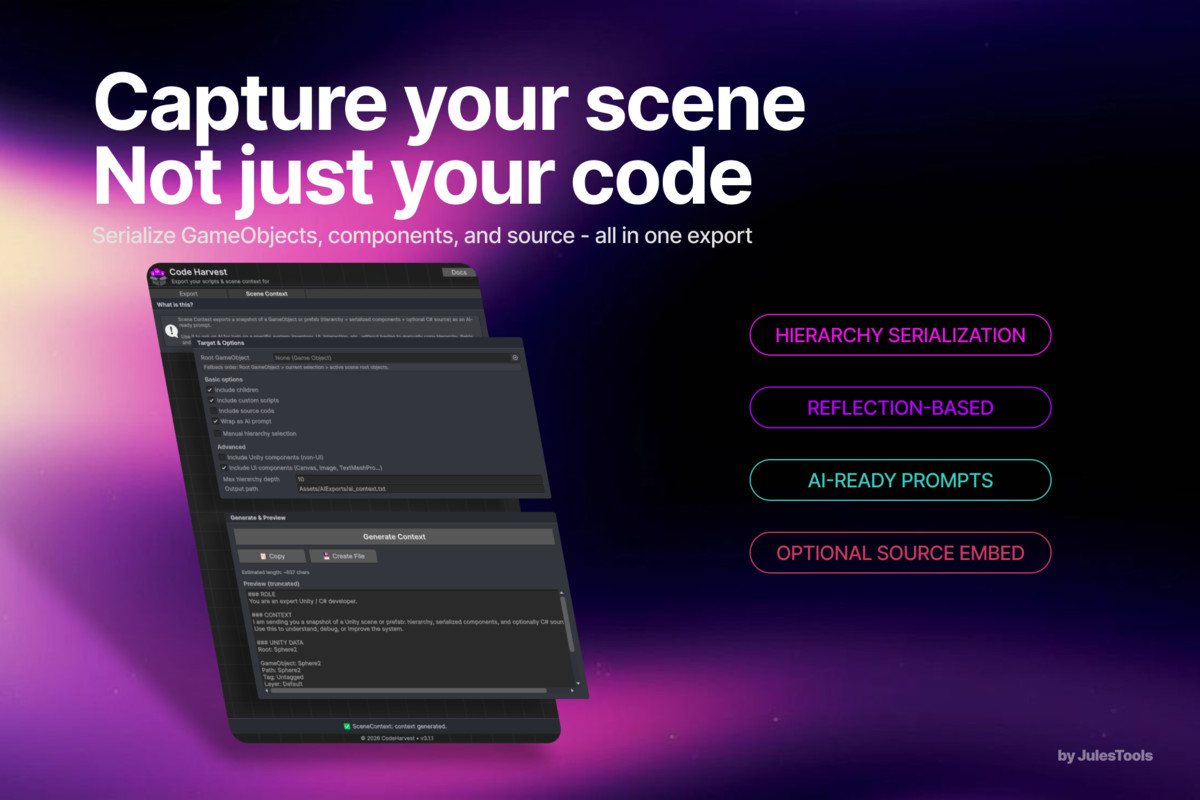
Scene Context Exporter — extract scene hierarchy, components, serialized fields, and optional script sources
Selective hierarchy export with toggles for each GameObject and component
Dedicated UI filters (Canvas, TextMeshPro, UI elements)
Automatic generation of structured context blocks for LLM prompts (Role / Context / Unity Data / Task)
Generate → Copy → Save workflow for scene context outputs
Improved readability with redesigned toggles and descriptive tooltips
Compatibility
| Unity version | Built-in | URP | HDRP | Custom |
|---|---|---|---|---|
| 6000.3.4f1 | Compatible | Compatible | Compatible | Compatible |
As listed on the Asset Store.