
 View on Asset Store (opens in new tab)
Package details
- Latest version
- 1.0.3
- Last updated
- First released
- Unity version
- 2022.3.59 or later
- Package size
- 8.0 MB
- Files
- 30
- Favorites
- 9
- Views in the past week
- 8
Price tracking
- Last checked
- Tracked since
- Lowest recorded
- $9.00 on
Keywords

Z.E.U.S for Unity Splines
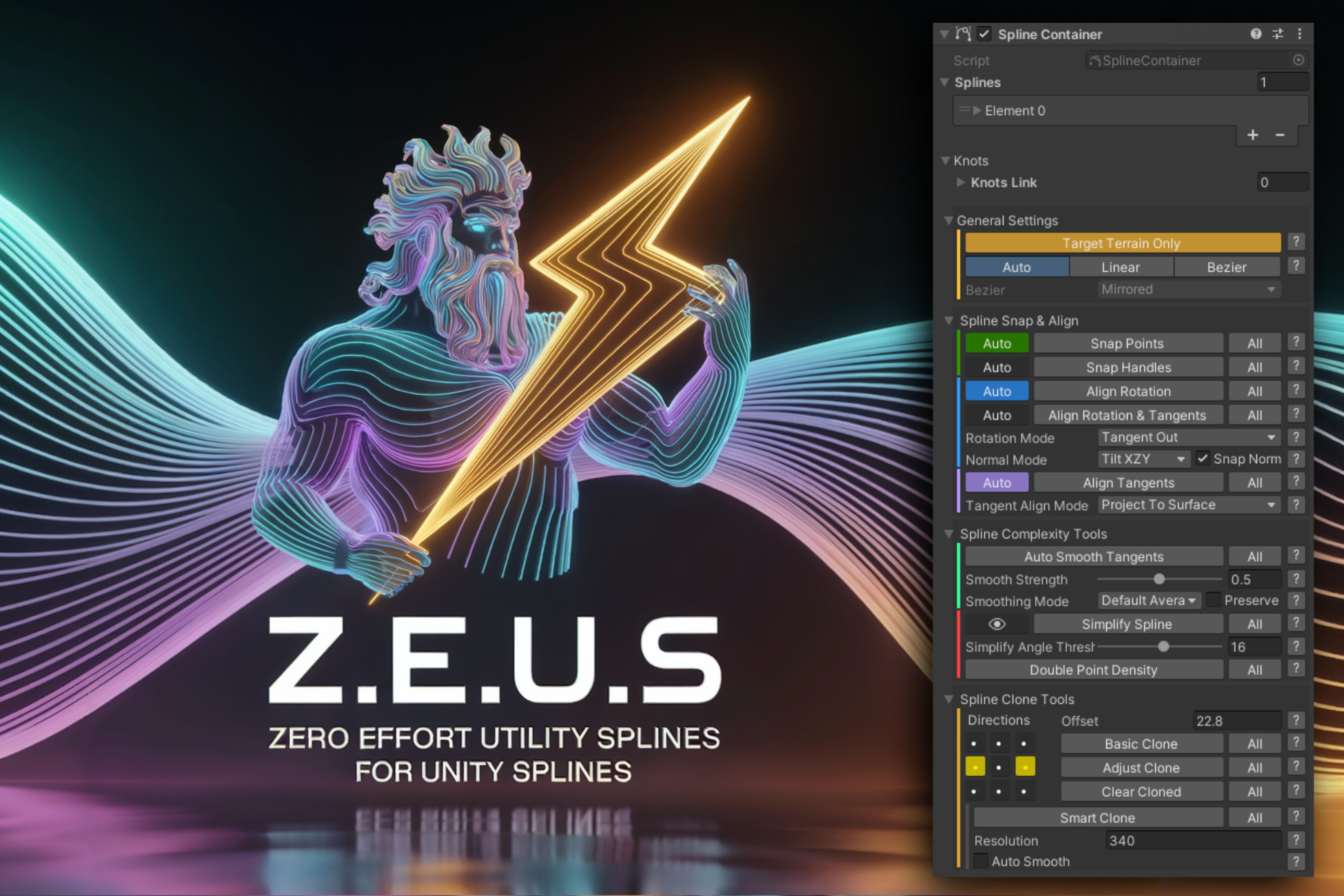
Z.E.U.S. – Zero Effort Utility Splines for Unity Splines. Command your curves with precision and speed using this powerful toolkit built for clarity, control, and spline mastery.
Affiliate link · Purchases support this site
Price history
Last 6 months
USDAsset preview
1 / 1

Z.E.U.S for Unity Splines video 1
About this asset
⚡ Z.E.U.S – Zero Effort Utility Splines for Unity Splines
Command your curves with the speed of light.
Z.E.U.S is a powerful editor extension for Unity Splines built for speed, clarity, and complete control. Designed from the ground up for intuitive workflows, Z.E.U.S. makes spline-based content creation in Unity faster and more enjoyable, whether you're crafting roads, tracks, trails, ropes, roots, rivers, or anything in between using Unity Splines.
Key Features:
Manual & Automatic Snapping
Snap knots, tangents, and rotations to terrain or any collider surface with one click using shortcuts (e.g. Ctrl + Shift) or enable Auto modes to snap live as you edit.
Draw New Points
Hold Ctrl and left-click to extend from a selected knot. Supports Auto, Linear, and Bezier modes for quick, intuitive spline creation.
Advanced Alignment Tools
Align tangents and rotations with precision using various alignment modes. Includes shortcut support and Auto mode functionality.
Smoothing Tools
Smooth tangents with adjustable strength and choose from multiple smoothing modes to match your workflow.
Complexity Management
Simplify splines using angle thresholds with live previews. Double spline point density and auto-smooth tangents using several smart smoothing strategies.
Adapt & Basic Cloning (Non-Resampled)
Generate clones of full splines or selected segments in any direction using an intuitive XY pad. Great for parallel roads, fences, or tracks.
Smart Clone (Resampled)
Clone complex spline shapes across long distances with fold-resistant results. Ideal for tight corners and complex interiors & exteriors that typically fail with basic offset techniques.
Recursive Smart Clone (Resampled)
Smart Clone recursively in all directions, covering large areas with splines that accurately follow the shape of the source spline. Great for scattering content fast.
Full Editor Integration
Visual previews, one-click undo, and real-time SceneView feedback. Z.E.U.S. blends seamlessly into your workflow.
Custom Rotation & Alignment Modes
Control how knots orient—follow tangents, face the next knot, align to surface normals, and more.
Selection-Aware Editing
All actions can target either your selected knots or the entire spline—ideal for focused, precise editing. Wrap-around closed-loop selections work as expected.
Multi-Spline Support
Work across multiple splines on the same Unity Splines component with full tool compatibility.
Helpful Tooltips
Every function includes contextual tooltips to keep you informed and moving quickly.
Great Performance
Z.E.U.S. is built for speed—edit large or complex splines without issue. This is the first release. Burst optimisation is on the roadmap.
Editor Serialization
All settings are serialized with your scene. Nothing is lost, even across sessions.
One-Click Setup
Just install—Z.E.U.S automatically integrates into Unity’s Splines workflow. No configuration needed.
Compatibility
Fully compatible with the Unity Splines Components: Spline Animate, Spline Instantiate, Spline Extrude & Spline Mesher.
Copy Components
When cloning Splines, there is an option to copy the source Splines Components, making it easy to preview content connected to the Splines. If a Spline Instantiate is present, it will randomise the copies for you.
Pack & Unpack Helpers
Easily pack all child or cloned splines into the parent’s spline list—and unpack them back when needed.
Additional Modules
Z.E.U.S Spline Convert (free) - Convert splines instantly between Unity & top tools with resampling + knot rotation matching. Supports GeNa Pro, Curvy 8, Spline Architect, Advanced Cable Creator, Path Painter 2 & BEngine – more coming!
In the near future, additional modules will be released. Watch this space.
Technical Details:
Z.E.U.S. is laser-focused on spline authoring. No bloat. No lag. Just the streamlined, intuitive spline editor Unity should have shipped with a compact UI, essential tools, and effortless power. ⚡
- Requires Unity 2022.3.59f1+ (Tested with Unity 6+)
- Compatible with all platforms
- Editor-only (no runtime components required)
- Includes a simple demo scene
- Native integration with the Unity Splines package
- Lightweight, modular C# architecture
- Full Undo/Redo support
- Optimised for top-down workflows on terrain and ground surfaces (also snaps to mesh geometry)
- Shortcuts are included for important features.
- Documentation included
Support & Feedback
We're actively developing Z.E.U.S. and would love to hear your thoughts! Your feedback helps shape the future of Z.E.U.S. into the ultimate spline solution.
Encounter an issue or have a suggestion? Join us on Discord — we’re here to help!
From the publisher's Asset Store listing.
Technical details
Supported OS - Support for all operating systems.
Compatibility
| Unity version | Built-in | URP | HDRP | Custom |
|---|---|---|---|---|
| 2022.3.59f1 | Compatible | Compatible | Compatible | Compatible |
As listed on the Asset Store.