
 View on Asset Store (opens in new tab)
Package details
- Latest version
- 1.0.1
- Last updated
- First released
- Unity version
- 2021.3.45 or later
- Package size
- 31 KB
- Files
- 13
- Favorites
- 2
- Views in the past week
- 5
Price tracking
- Last checked
- Tracked since
- Lowest recorded
- $10.00 on
Keywords

Project Pilot - Smart Project Manager
- Price drop
If you’re wondering whether there are duplicate assets, unused files, or large assets taking up too much space, Project Pilot helps you clean things up and keep your Unity project running smoothly.
Lowest recorded price
Get 23% off on Asset Store (opens in new tab)Affiliate link · Purchases support this site
Price history
Last 6 months
USDAsset preview
1 / 6
Project Pilot - Smart Project Manager screenshot 1

About this asset
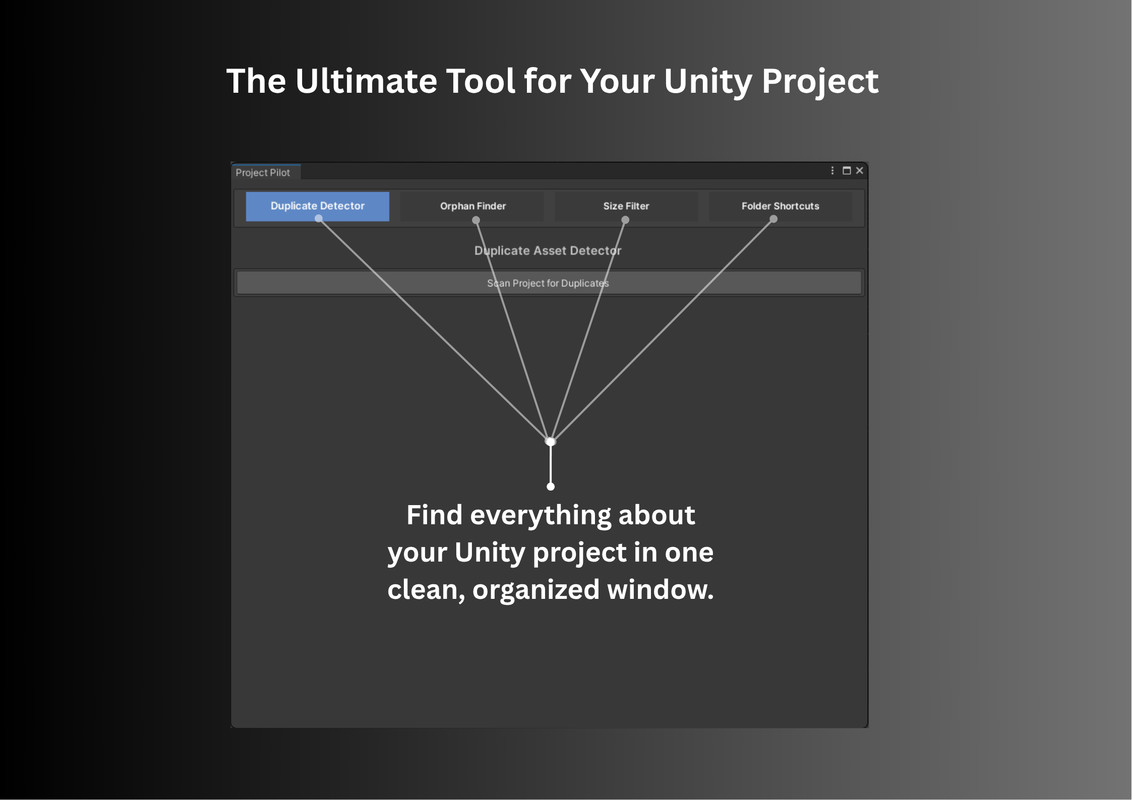
Project Pilot is a simple, all-in-one tool to analyze and manage assets in your Unity project.
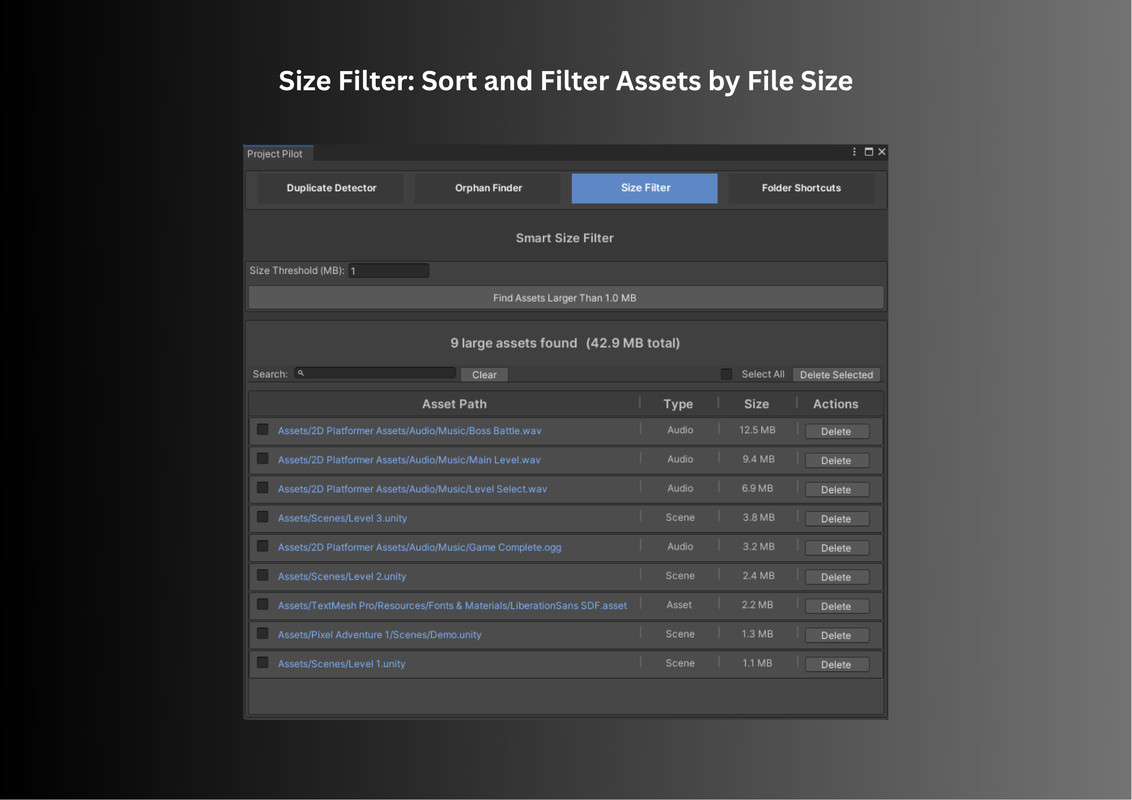
Quickly find duplicate assets, unused files, and large assets that are taking up space. With smart filters and a clean interface, you’ll get a clear view of your project — so you can clean up, optimize, and stay organized with ease.
Built for solo devs and teams who want their projects running smooth and light.
From the publisher's Asset Store listing.
Technical details
This asset comes packed with features to boost your workflow and keep your project organized:
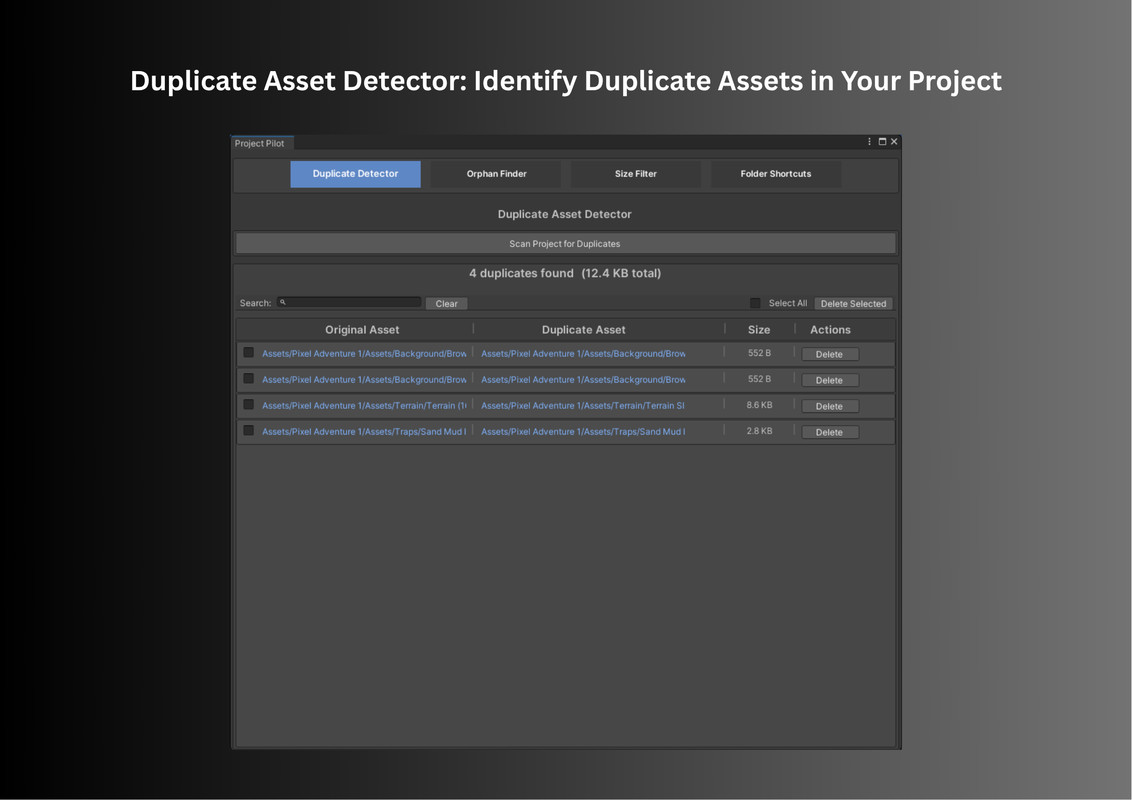
Duplicate Asset Detector – Identify and remove duplicate files across your project.
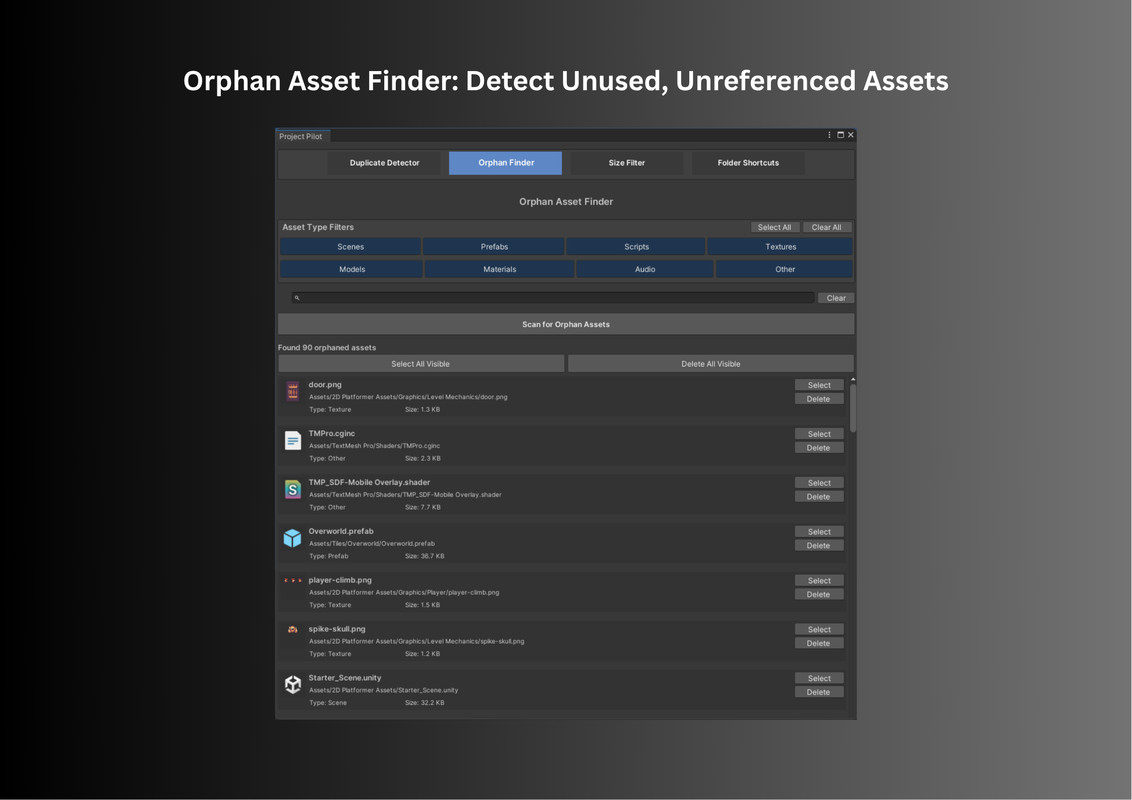
Orphan Asset Finder – Detect assets that are not referenced anywhere in the project.
Size Filter – Sort and locate large assets to help manage project size efficiently.
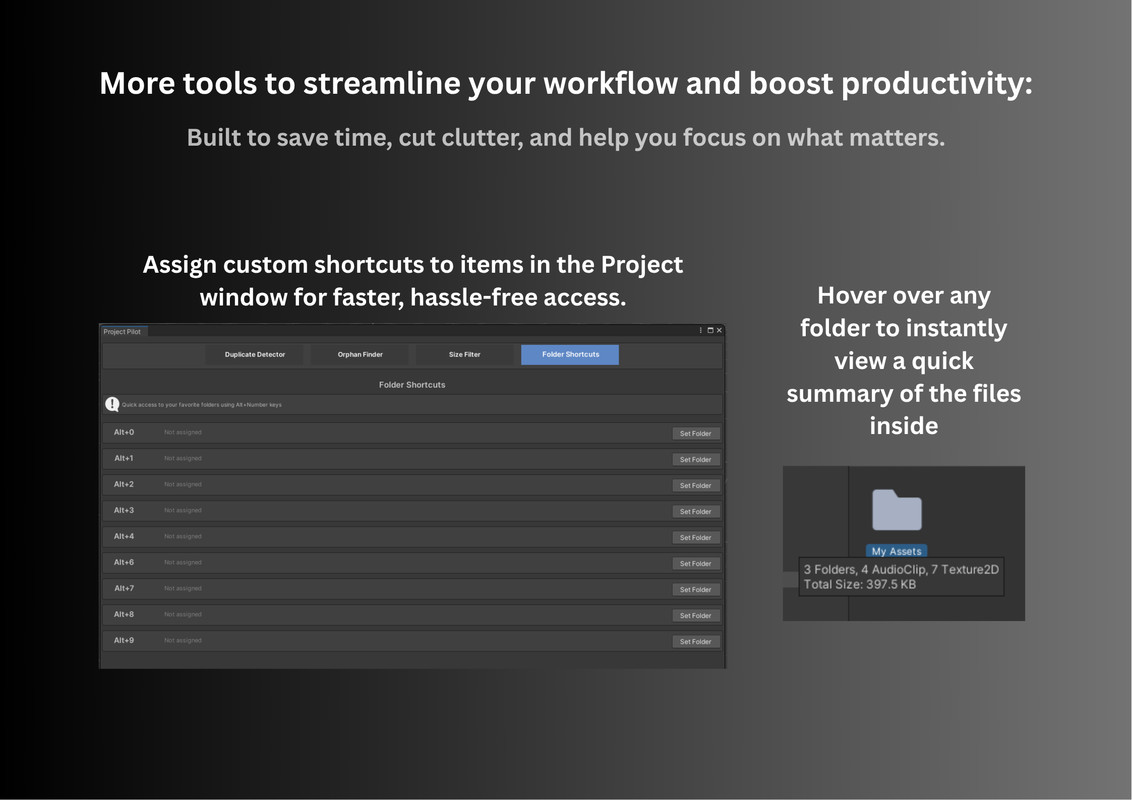
Folder Shortcuts – Assign shortcut keys to frequently used folders. Right-click any folder > Project Pilot > Set Shortcut > Choose your key.
Note: Shortcut works only when clicked in the Scene or Project window.
Smart Summary – Instantly view a folder’s content summary by hovering over it.
Compatibility
| Unity version | Built-in | URP | HDRP | Custom |
|---|---|---|---|---|
| 2021.3.45f1 | Compatible | Compatible | Compatible | Compatible |
As listed on the Asset Store.