
 View on Asset Store (opens in new tab)
Package details
- Latest version
- 1.0
- Last updated
- First released
- Unity version
- 2023.2.20 or later
- Package size
- 13.2 MB
- Files
- 26
- Favorites
- 5
- Views in the past week
- 2
Price tracking
- Last checked
- Tracked since
- Lowest recorded
- $17.49 on
Keywords
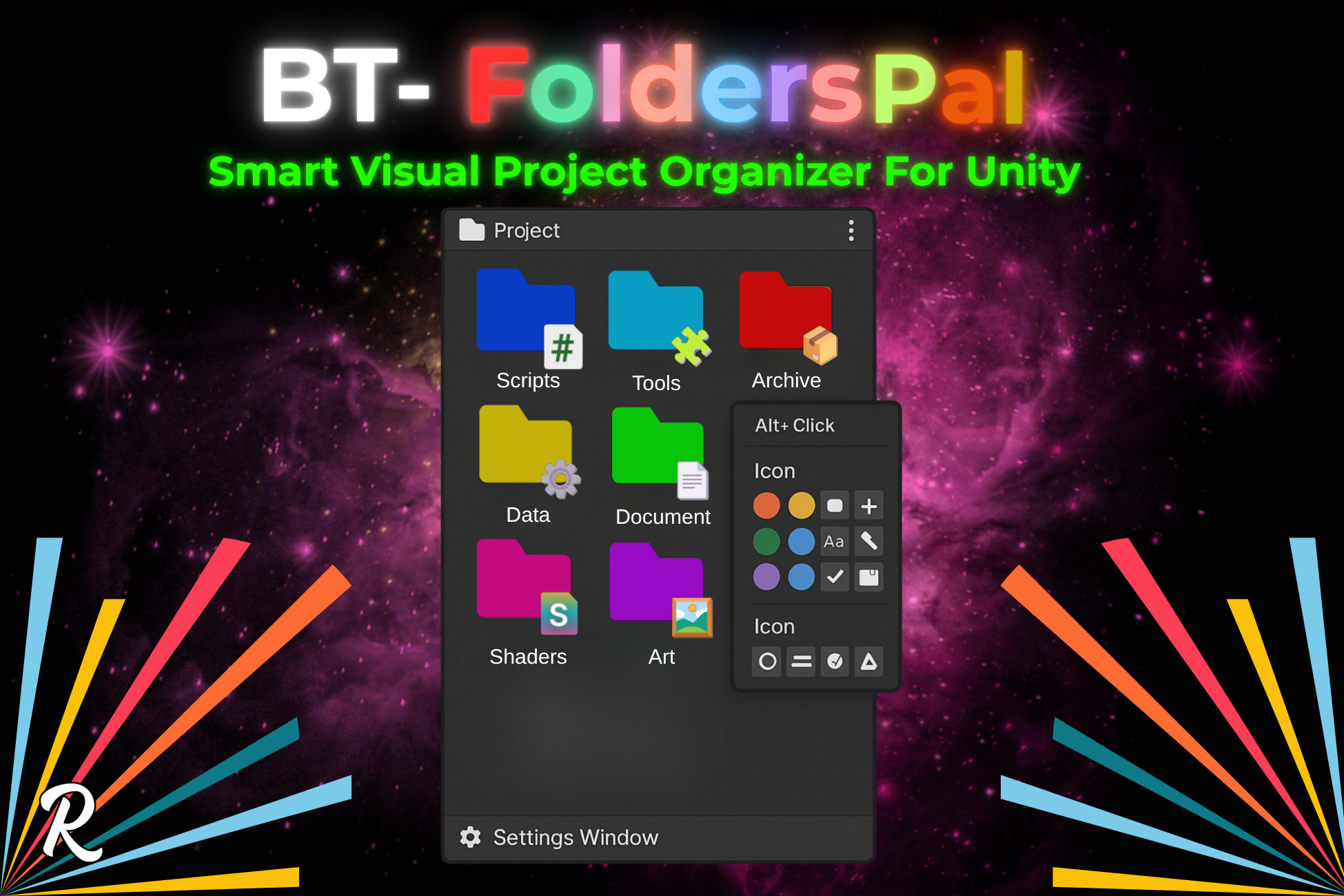
BT-FoldersPal: Smart Visual Project Organizer For Unity
Transform your grey Unity project folders into a colorful, organized workspace with smart presets and lightning-fast navigation.
Affiliate link · Purchases support this site
Price history
Last 6 months
USDAsset preview
1 / 11
BT-FoldersPal: Smart Visual Project Organizer For Unity screenshot 1
About this asset
Transform Unity's Grey Folder Chaos into Professional Organization
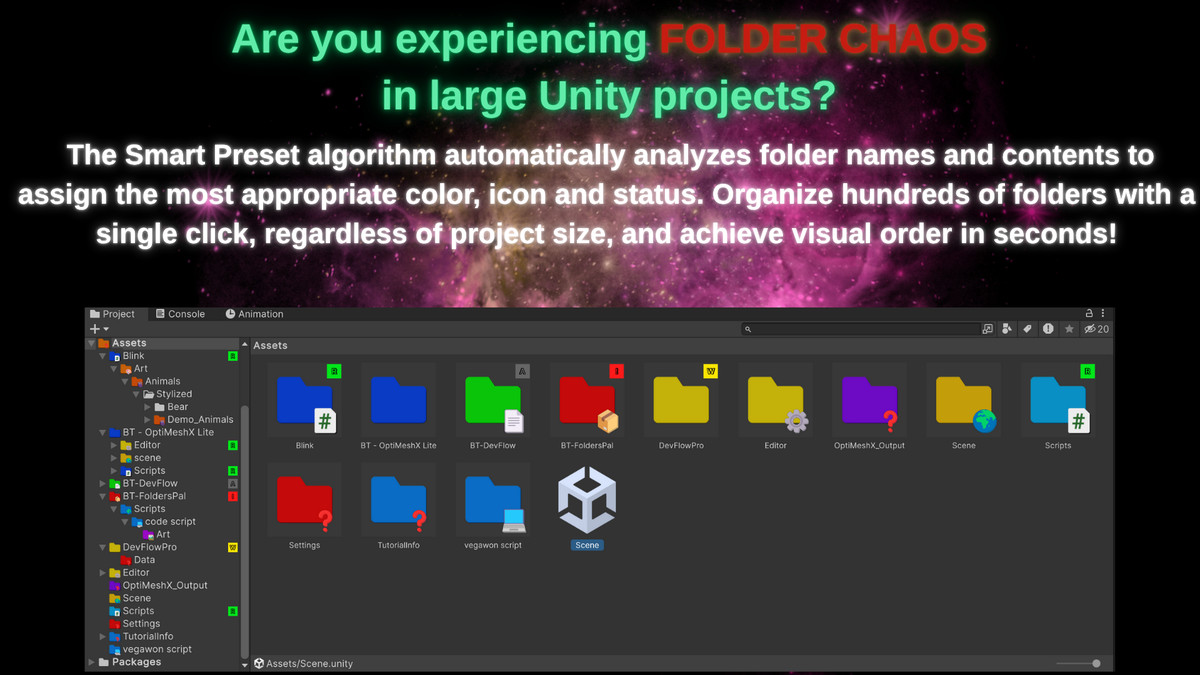
Tired of scrolling through endless grey folders in your Unity projects? BT-FoldersPal is the ultimate visual organization solution that transforms your Project window into a colorful, intuitive workspace where every folder tells its story at a glance.
🎯 Why BT-FoldersPal?
The Problem: Large Unity projects become impossible to navigate. Generic grey folders hide critical assets, slow down development, and frustrate teams. Finding that specific script or texture becomes a time-consuming hunt.
The Solution: Professional folder organization with colors, icons, smart automation, and lightning-fast navigation. Reduce asset search time by 70% and boost productivity across your entire team.
✨ Core Features
🎨 Visual Organization
- 16 Professional Colors - Carefully chosen palette for maximum clarity
- Custom Colors - Choose and use any of 16.7 million colors
- 30+ Smart Icons - Scripts 💻, Art 🎨, Audio 🎵, Materials 💎, Prefabs 🧩, and more
- Status Badges - WIP ⚠️, Ready ✅, Archive 📦, Important 🔥, Testing 🧪
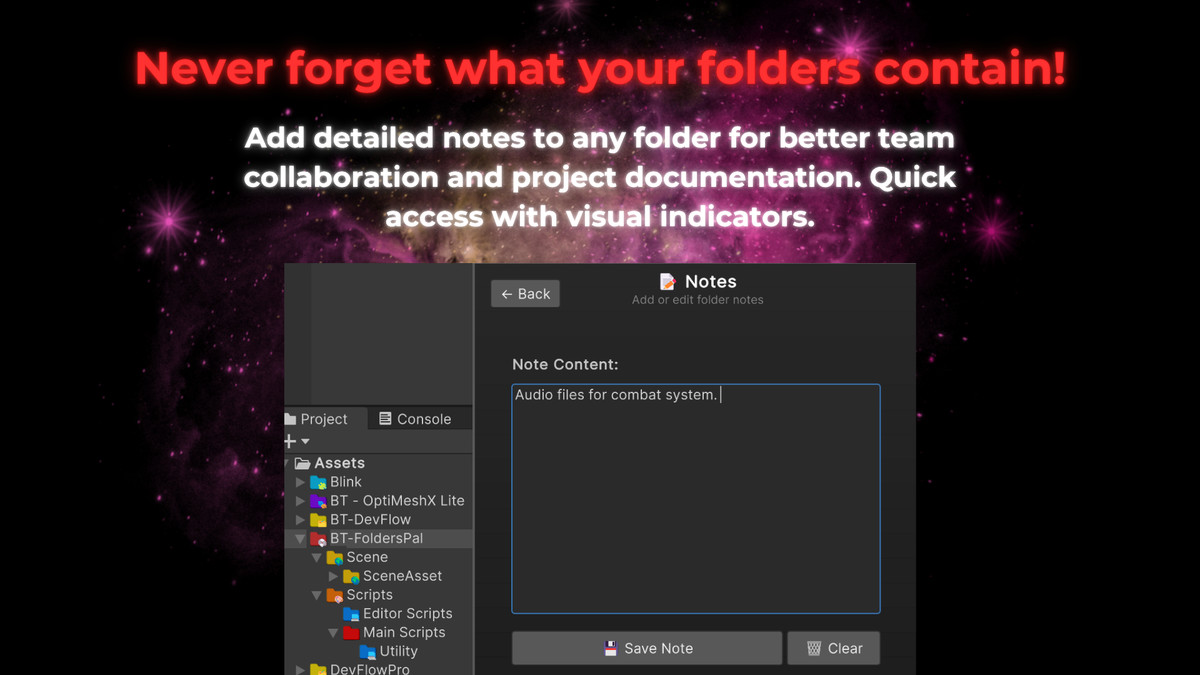
- Custom Notes - Add descriptions to any folder
🧠 Smart Automation
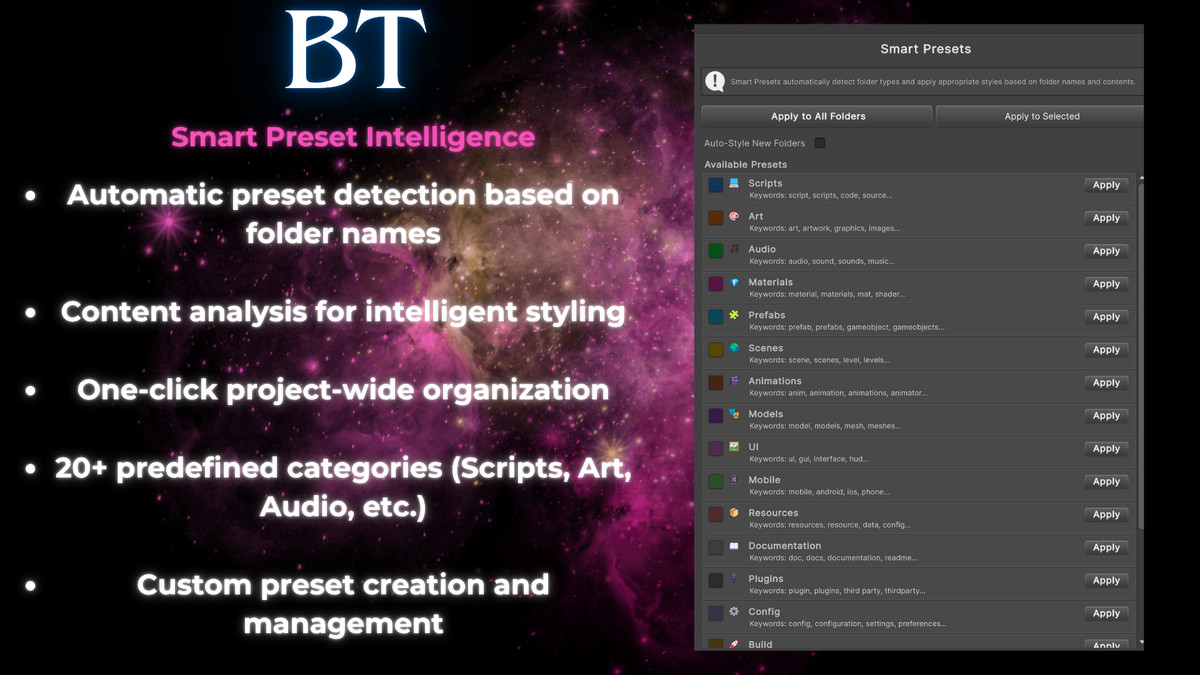
- Intelligent Presets - Automatically detects folder types by name and content
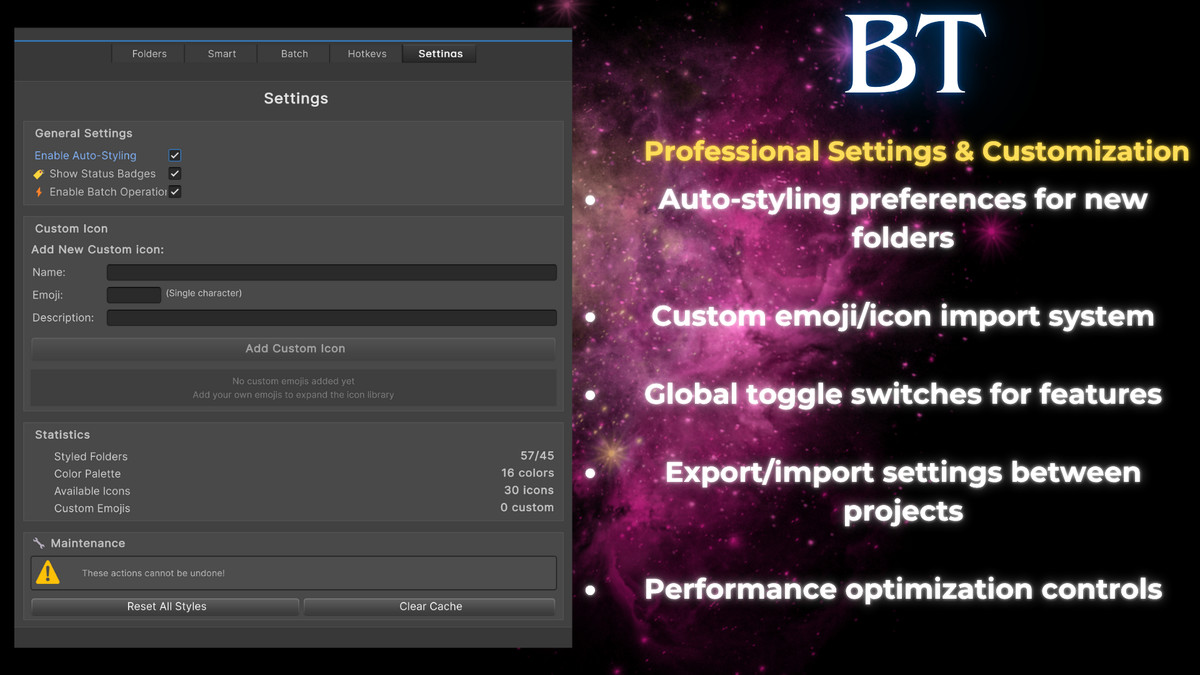
- Auto-Styling - New folders get styled automatically based on smart analysis
- Content Recognition - Analyzes file extensions to suggest appropriate styles
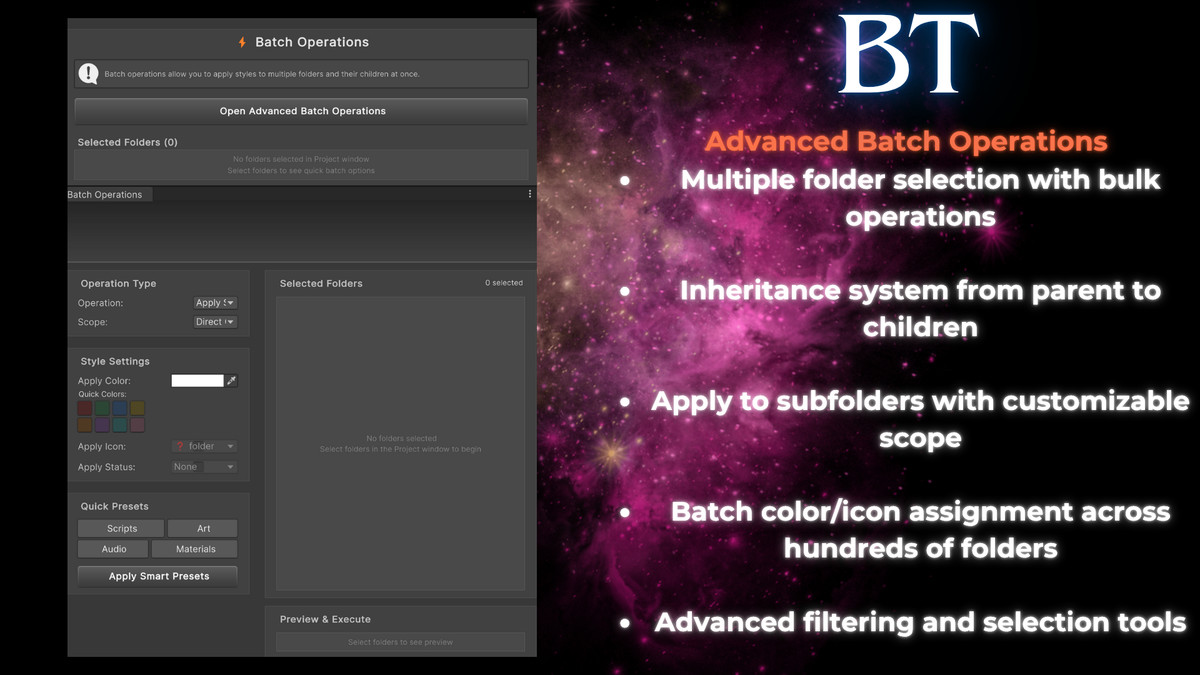
- Batch Operations - Style multiple folders instantly with inheritance options
⚡ Lightning-Fast Access
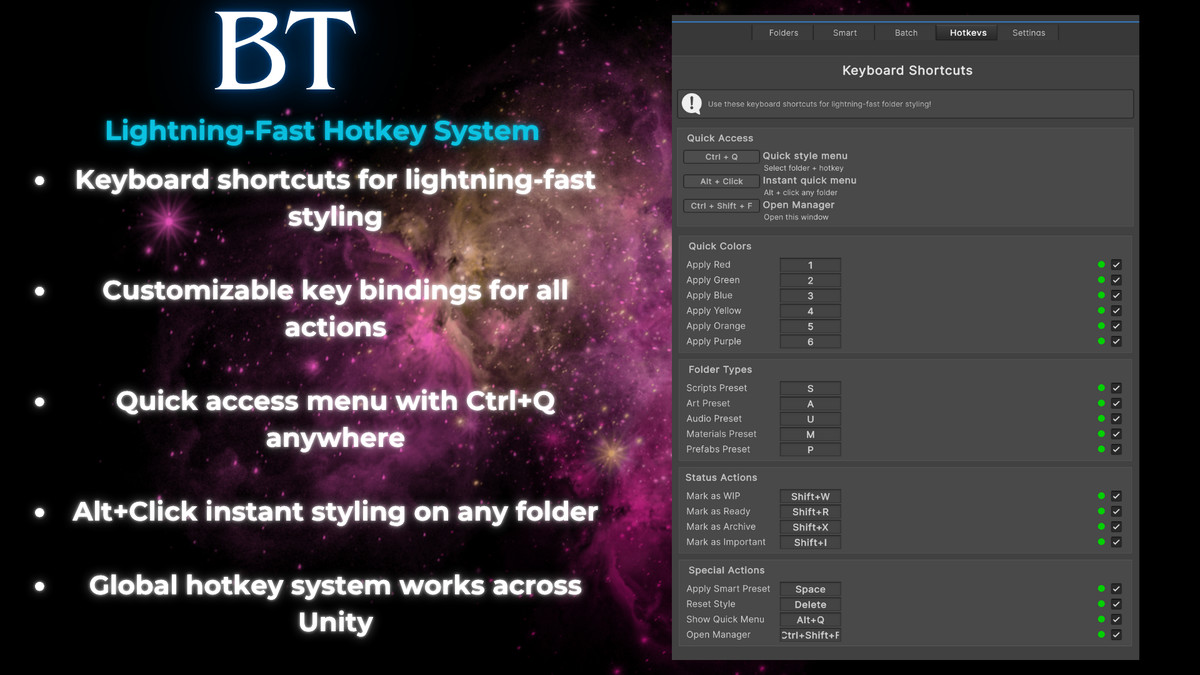
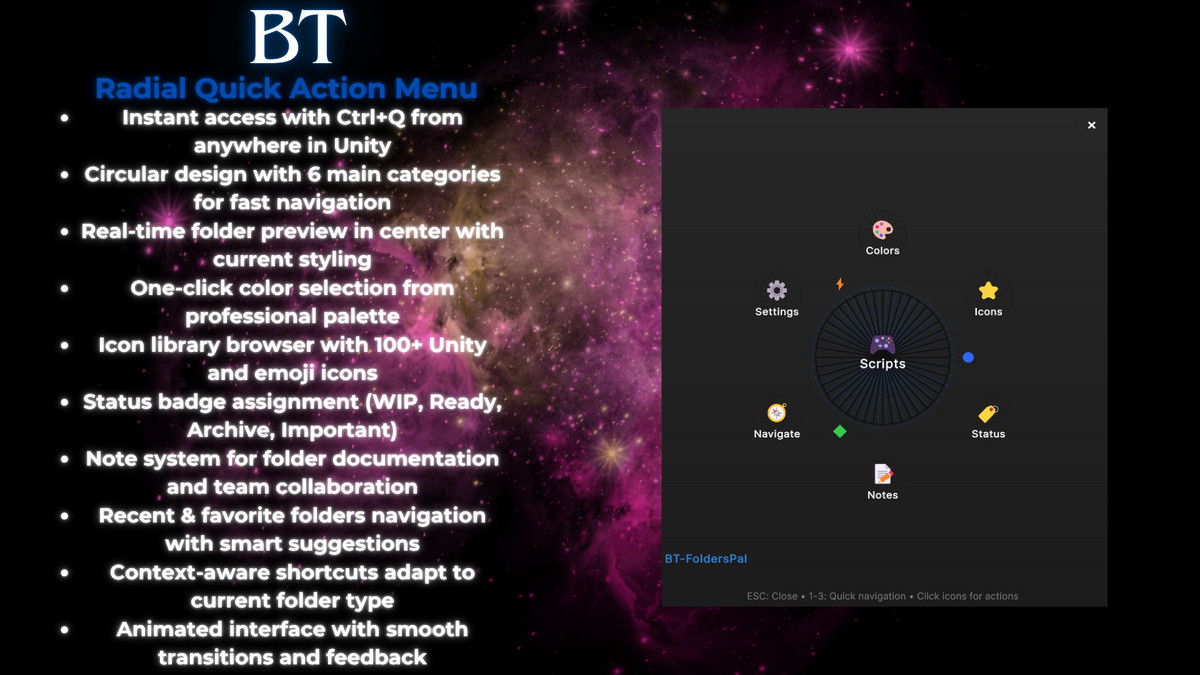
- Ctrl+Q Global Menu - Instant access from anywhere in Unity
- Alt+Click Quick Style - One-click styling directly on folders
- Radial Menu System - Beautiful, intuitive interface for rapid navigation
- Hotkey System - Customizable shortcuts for power users
🔄 Professional Workflow
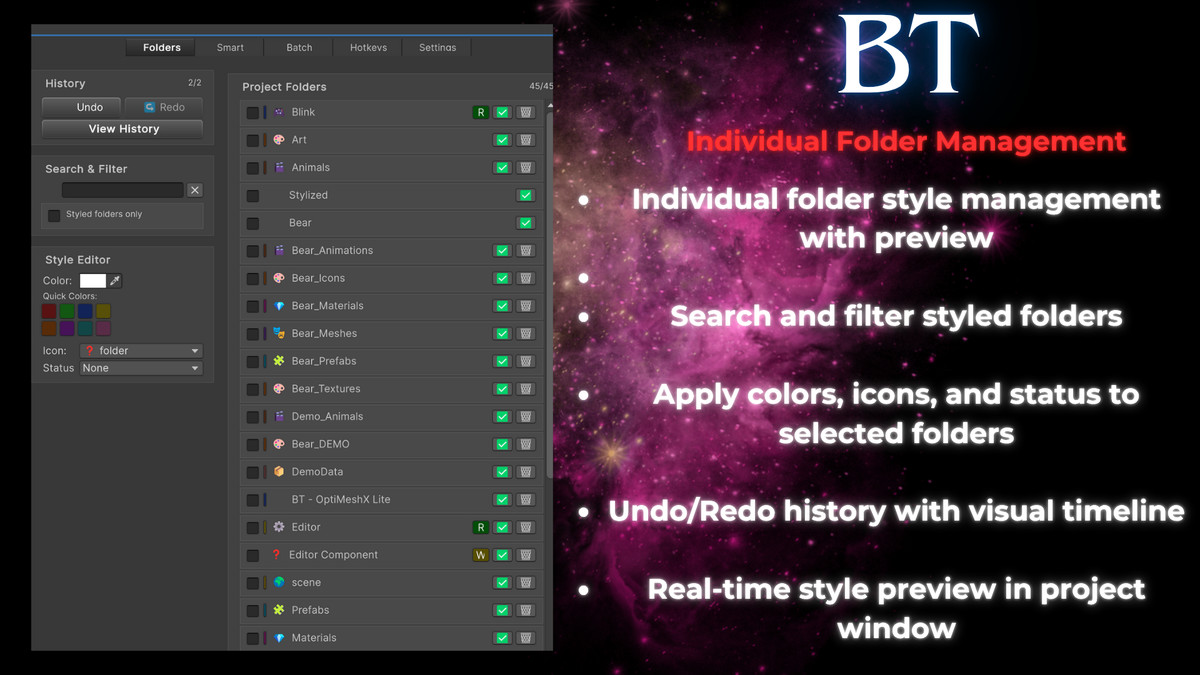
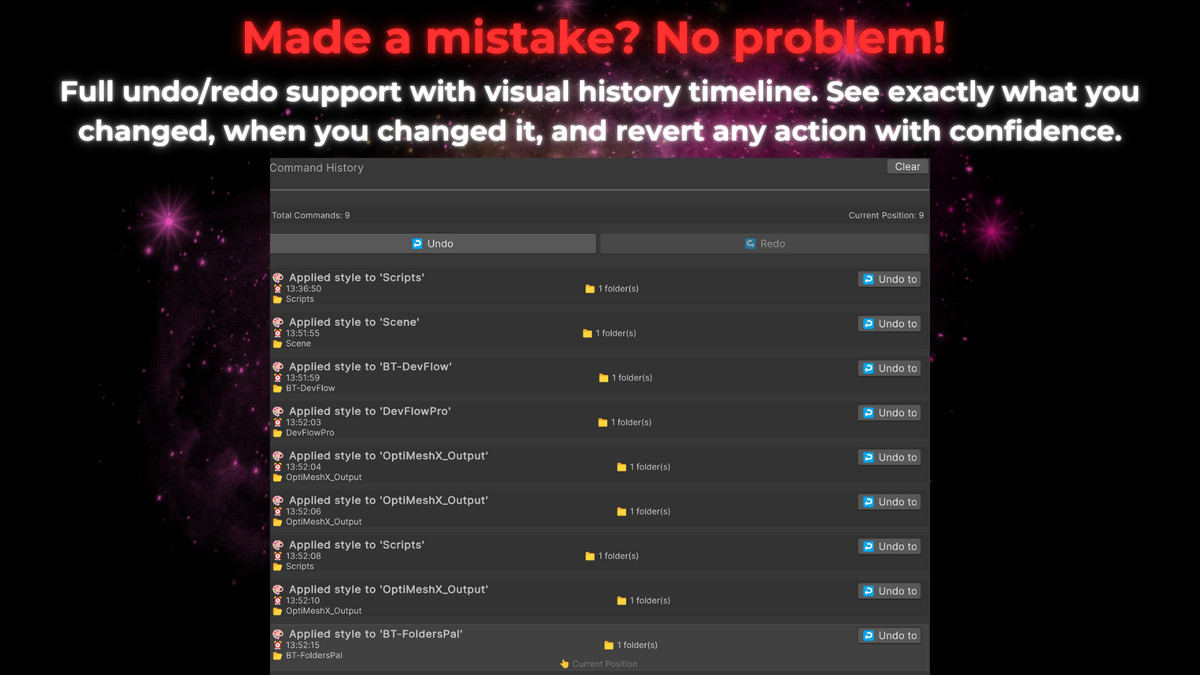
- Complete Undo/Redo - Full command history with visual timeline
- Batch Inheritance - Apply parent styles to children with multiple modes
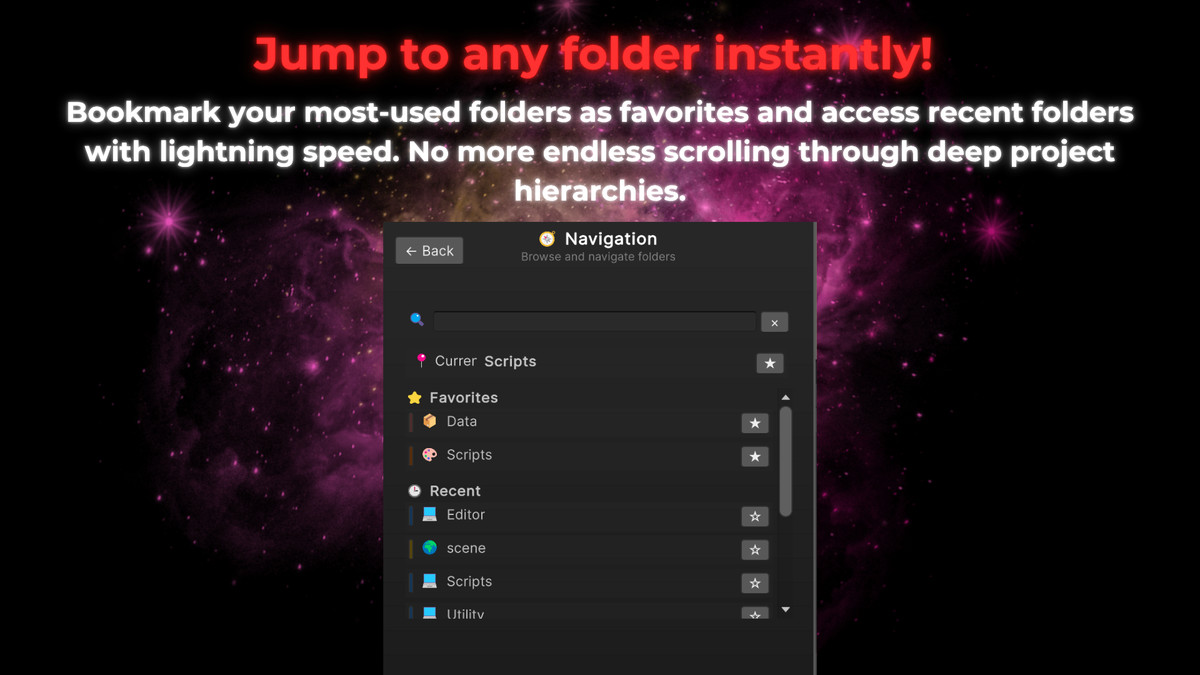
- Favorites & Recent - Quick navigation to frequently used folders
- Export/Import Settings - Share configurations across projects
- Perfect For All Project Types - Whether it's an indie project or a AAA project, it's ready for every scale and use case.
🚀 Advanced Features
Smart Inheritance System
- Direct Children Only - Style immediate subfolders
- All Subfolders - Recursive styling to any depth
- Empty Folders Only - Preserve existing custom styles
- Force Overwrite - Complete reorganization when needed
Professional UI
- Modern Design - Clean, intuitive interface
- Responsive Layout - Works perfectly at any project
- Accessibility - High contrast, clear typography
Customization
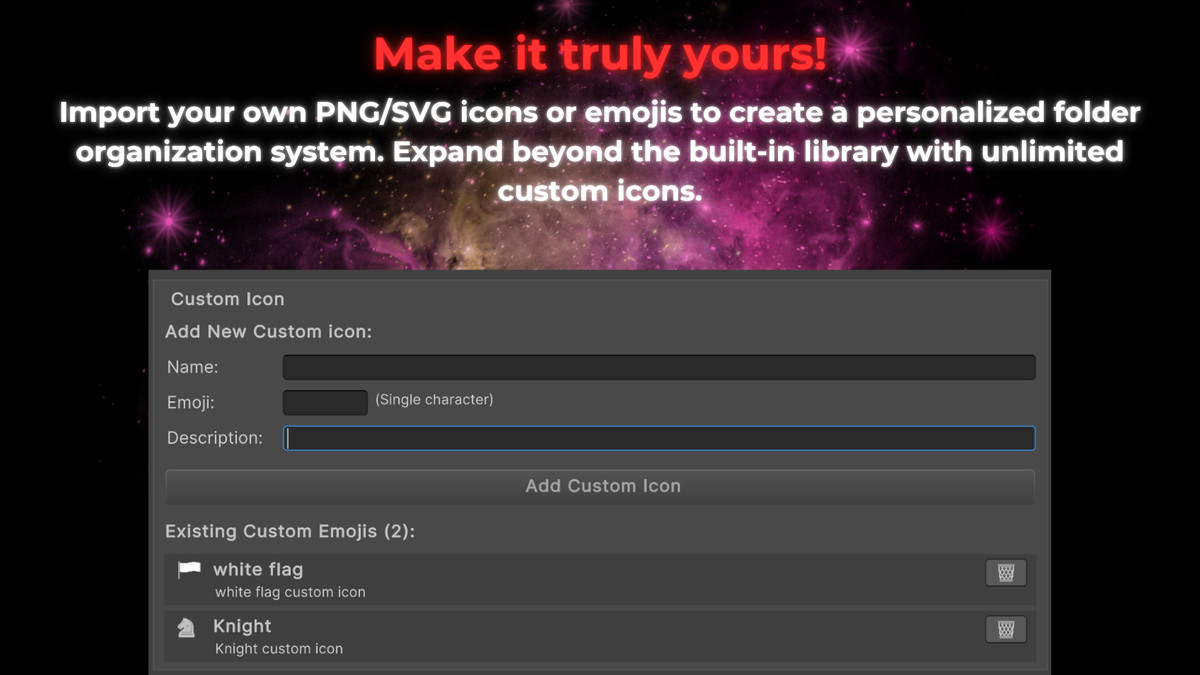
- Custom Emoji Icons - Add your own project-specific emoji icons
- Color Palette Editor - Create your perfect color scheme
- Hotkey Mapping - Configure shortcuts to match your workflow
- Smart Preset Rules - Create custom automation rules
📊 Technical Excellence
- Zero Performance Impact - Efficient rendering, no frame drops
- Memory Optimized - Smart caching, minimal memory footprint
- Data Persistence - Settings saved per project automatically
- Cross-Platform - Works on Windows, Mac, Linux
- Unity 2019.4+ - Compatible with all modern Unity versions
🔧 Easy Setup
- Import Package - One-click installation
- Open Manager - Tools → BT → FoldersPal Manager
- Start Organizing - Right-click any folder or press Ctrl+Q
- Enable Auto-Styling - Let smart presets handle new folders automatically
No configuration required - works perfectly out of the box!
From the publisher's Asset Store listing.
Technical details
Technical Details
Visual Styling System
- Color System - 16 professional colors with enhanced saturation rendering
- Icon Library - 30+ built-in emoji icons with category organization
- Status Badge System - 5 status types (WIP, Ready, Archive, Important, Testing)
- Real-time Folder Rendering - Direct Unity Project window icon replacement
- Theme Adaptation - Automatic dark/light theme compatibility
Smart Automation Engine
- Folder Name Analysis - Advanced keyword matching with fuzzy logic algorithms
- Content Detection - File extension analysis for automatic style suggestions
- Priority-Based Matching - Weighted scoring system for accurate preset selection
- Auto-Styling Pipeline - Automatic styling trigger on folder creation/import
- 18 Default Presets - Pre-configured rules for common folder types
User Interface Framework
- Radial Menu System - 360-degree animated interface with state transitions
- Global Hotkey Integration - System-wide Ctrl+Q access across Unity windows
- Context Menu Extensions - Native Unity right-click menu integration
- Multi-Tab Manager Window - Comprehensive settings and management interface
- Responsive UI Components - Adaptive scaling for different screen resolutions
Command System
- Complete Undo/Redo Implementation - Full command history with selective operations
- Command Pattern Architecture - Structured operation logging and reversal
- History Window - Visual timeline interface for command management
- 50-Command History Buffer - Configurable command retention limit
Batch Processing Engine
- Multi-Folder Operations - Simultaneous styling of selected folder groups
- Inheritance System - Four inheritance modes for parent-child relationships:Direct children only
All subfolders (recursive)
Empty folders only
Force overwrite existing styles - Conflict Resolution - Smart handling of existing styles during batch operations
Navigation System
- Favorites Management - User-defined folder bookmarks with persistence
- Recent Folders Tracking - Automatic 15-item history with EditorPrefs storage
- Real-time Search - Instant folder filtering with case-insensitive matching
- Direct Navigation - Ping and select functionality for folder jumping
Data Persistence
- Project-Specific Settings - Per-project configuration using ScriptableObject
- EditorPrefs Integration - User preferences storage across Unity sessions
- Custom Icon Storage - JSON-serialized custom emoji data persistence
- Automatic Data Validation - Input sanitization and corruption prevention
Customization Framework
- Custom Icon System - User-definable emoji icons with category management
- Hotkey Configuration - 20+ configurable keyboard shortcuts
- Color Palette Modification - Runtime color scheme adjustments
- Smart Preset Customization - User-defined automation rules with keyword lists
Performance Optimization
- Efficient GUI Rendering - Optimized drawing calls with texture caching
- Memory Management - Automatic resource cleanup and garbage collection optimization
- Lazy Initialization - On-demand component loading for reduced startup time
- Editor-Only Operation - Zero runtime performance impact on built games
Integration Architecture
- Unity 2019.4+ Compatibility - Full support for modern Unity LTS versions
- Asset Pipeline Integration - Automatic processing hooks for import/move operations
- Cross-Platform Support - Windows, macOS, and Linux compatibility
- Version Control Friendly - Git-compatible file structure and storage format
Error Handling & Reliability
- Exception Management - Comprehensive try-catch blocks with user feedback
- Data Recovery - Automatic backup and restoration for corrupted settings
- Debug Logging System - Detailed operation logging for troubleshooting
- Input Validation - Robust parameter checking and sanitization
Compatibility
| Unity version | Built-in | URP | HDRP | Custom |
|---|---|---|---|---|
| 2023.2.20f1 | Compatible | Compatible | Compatible | Compatible |
As listed on the Asset Store.