
 View on Asset Store (opens in new tab)
Package details
- Latest version
- 1.0
- Last updated
- First released
- Unity version
- 2023.2.20 or later
- Package size
- 17.3 MB
- Files
- 23
- Favorites
- 6
- Views in the past week
- 4
Price tracking
- Last checked
- Tracked since
- Lowest recorded
- $16.00 on
Keywords
BT-OptiMeshX Lite: Advanced LOD,Mesh & Model optimization System
BT - OptiMeshX Lite is a powerful mesh optimization system for Unity that reduces polygon counts, generates LODs to improve game performance while maintaining visual quality.
Affiliate link · Purchases support this site
Price history
Last 6 months
USDAsset preview
1 / 5
BT-OptiMeshX Lite: Advanced LOD,Mesh & Model optimization System screenshot 1
About this asset
Transform Your Unity Game's Performance with Professional-Grade Optimization
OptiMeshX Lite delivers powerful mesh optimization with an intuitive, designer-friendly interface. Our advanced algorithms intelligently reduce polygon counts while preserving visual fidelity, giving you the perfect balance between performance and quality.
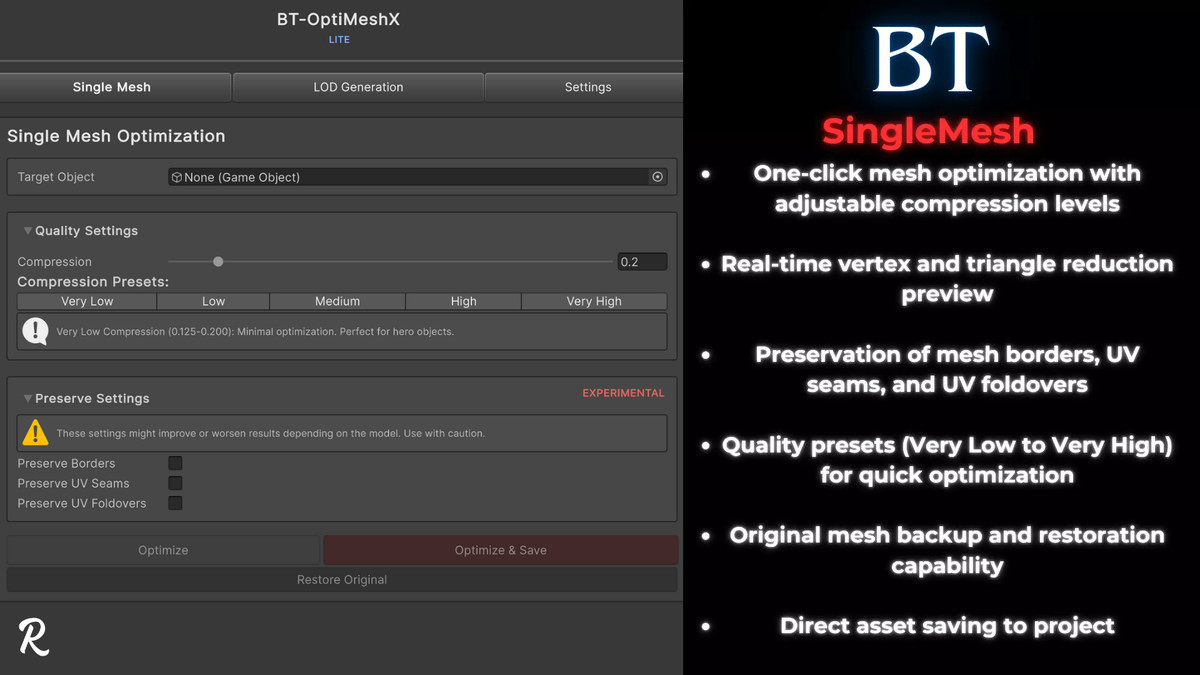
🚀 Powerful Single Mesh Optimization
- Advanced mesh simplification that preserves important visual features
- Quality slider with intuitive presets (Very Low to Very High)
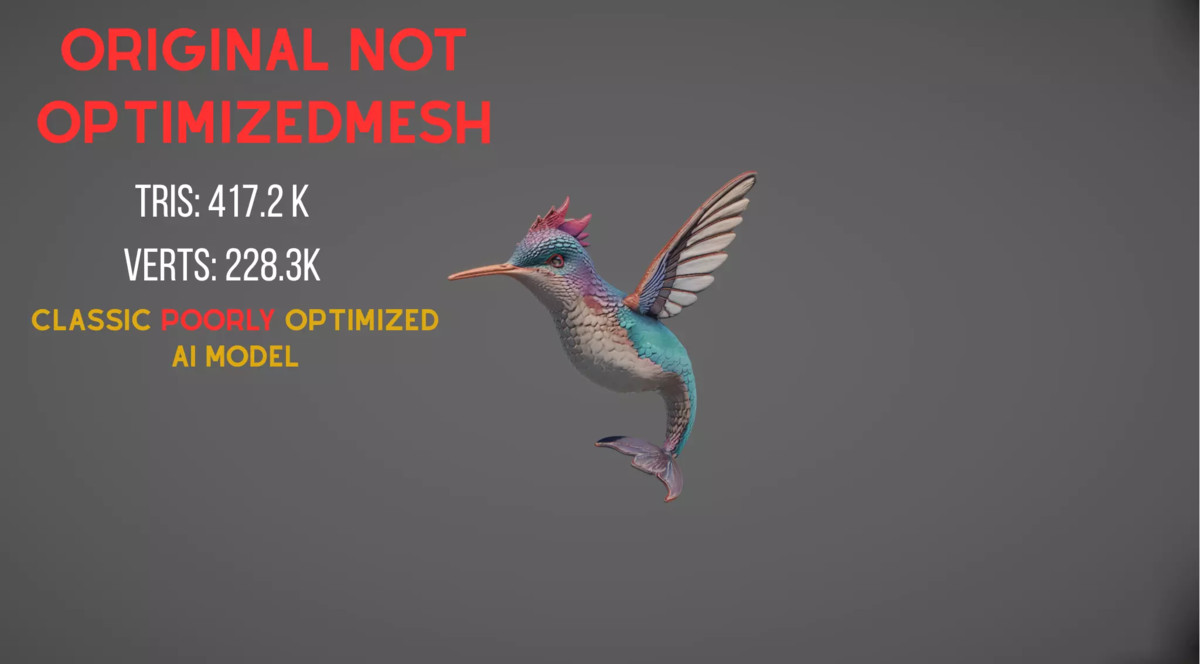
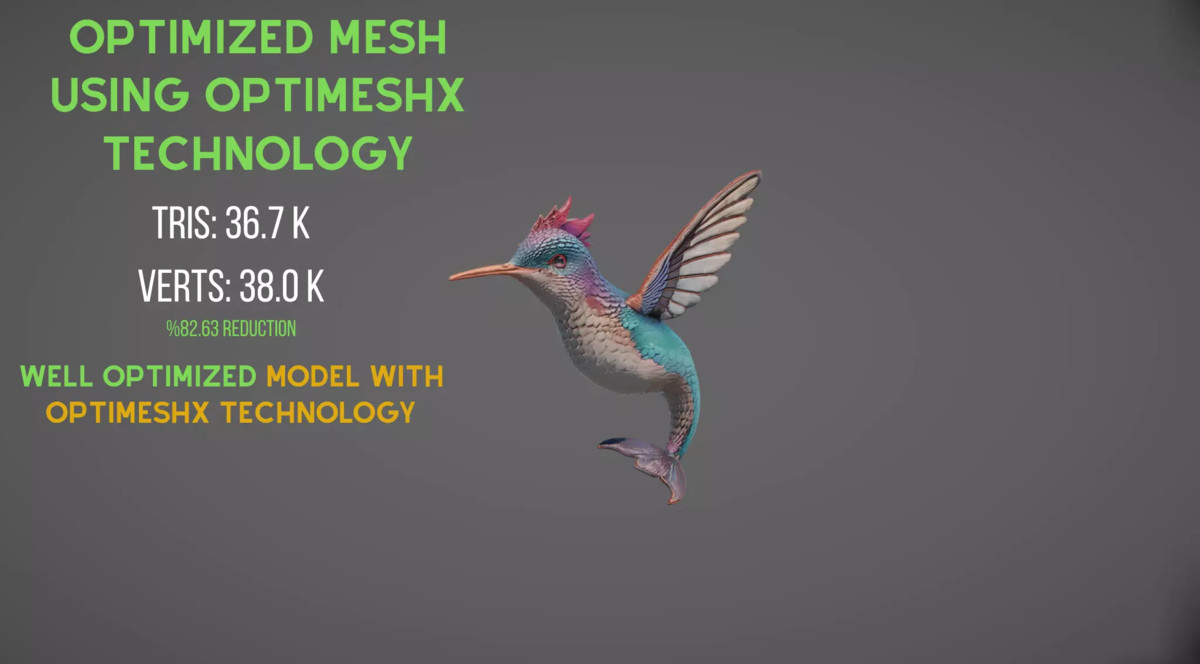
- Up to 90% vertex reduction while maintaining visual quality
- Smart optimization that respects mesh boundaries and structure
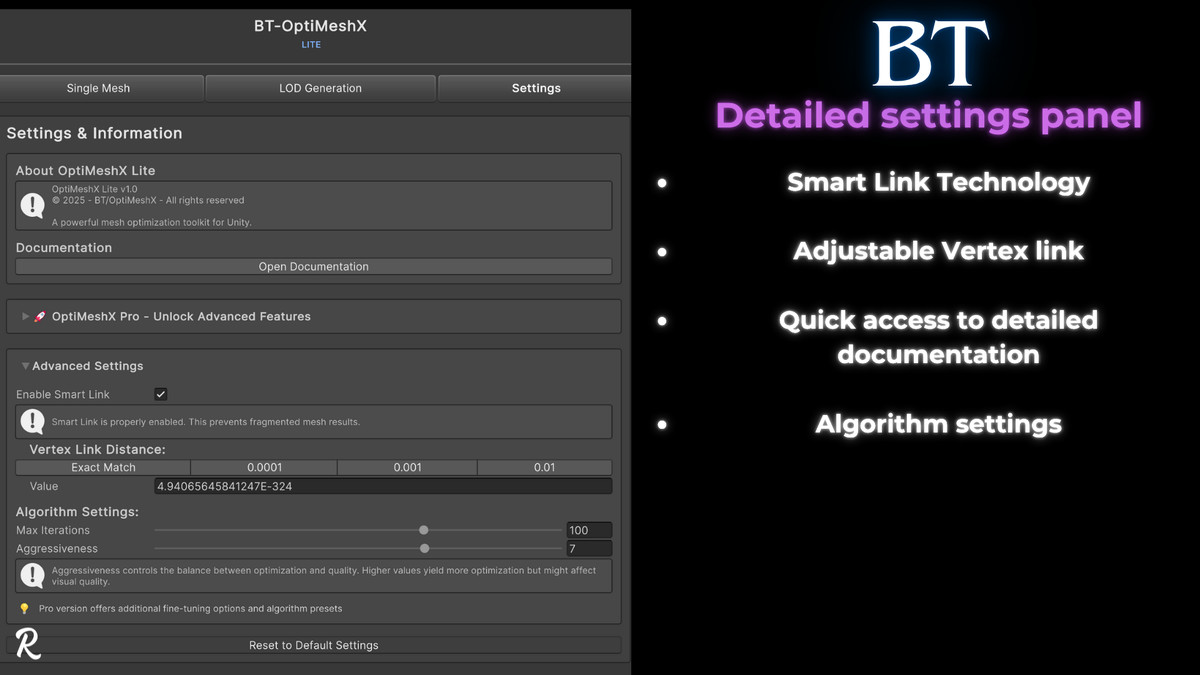
⚙️ Smart Optimization Controls
- Preserve borders, UV seams, and UV foldovers with precise control
- SmartLink technology prevents mesh fragmentation during optimization
- Works with both static meshes and skinned mesh renderers
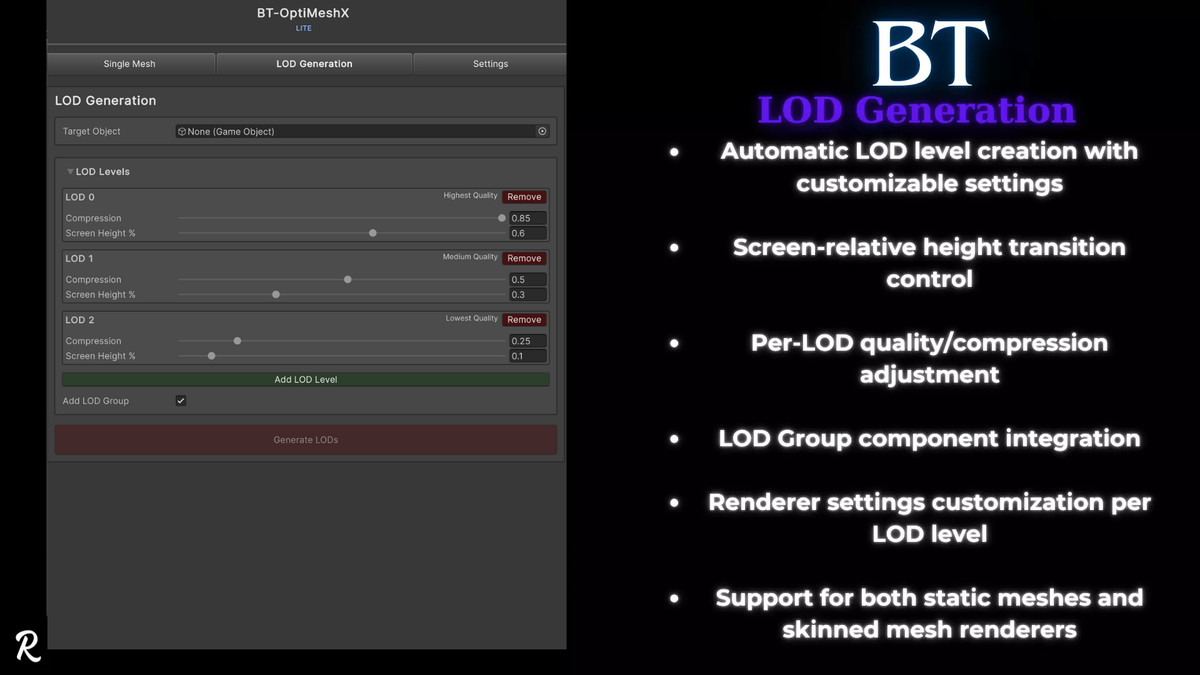
📊 Automatic LOD Generation
- One-click LOD system with customizable reduction levels
- Automatic LOD Group creation and configuration
- Smart screen-size transition settings for smooth LOD switching
- Support for both standard meshes and skinned mesh renderers
🎮 Editor Integration & Easy Use:
- Clean, intuitive UI with quality presets and visualizations
- Integrated directly into Unity with no external dependencies
- Context menu integration for quick access to common functions
- Comprehensive editor window with all optimization tools in one place
Perfect For:
- Mobile Developers: Slash polygon counts for better performance on low-end devices
- VR Creators: Maintain high frame rates essential for comfortable VR experiences
- Open World Games: Optimize distant objects without sacrificing visual quality
- Character-Heavy Games: Reduce complexity while maintaining animation-ready meshes
Real Results You Can See:
- Increased frame rates in polygon-heavy scenes
- Detailed statistics on vertex/triangle reduction
Looking for More?
OptiMeshX Lite gives you essential tools to optimize any single mesh or setup automatic LODs effortlessly. If you need:
- Batch processing (optimize many models in one go)
- Mesh combining for reducing draw calls and improving scene performance
- Advanced tuning, including iteration control and cell-based combination with UV and lightmap support
OptiMeshX Pro offers these features and more.
Summary
- Lite — efficient single-mesh optimization, automatic LODs, and straightforward Unity integration
- Pro — includes Lite features plus batch processing, powerful mesh combining, and finer control
OptiMeshX Lite is designed to be a smooth, straightforward optimization tool. For broader workflows and deep control over optimization pipelines, consider upgrading to Pro.
From the publisher's Asset Store listing.
Technical details
Key Features:
- Intelligent quality settings from 0.125 (maximum optimization) to 0.850 (minimum optimization)
- Automatic LOD generation with customizable compression levels and screen height transitions
- SmartLink vertex connection technology to prevent mesh fragmentation during optimization
- Configurable border preservation for maintaining mesh boundaries
- Optional UV seam and foldover edge preservation
- Support for both static and skinned mesh renderers
- Detailed statistics showing vertex/triangle counts and reduction percentages
- Vertex sharing and compression options for optimized memory usage
- Comprehensive in-editor visualization tools
- Context menu integration for quick access to optimization functions
- Full editor window with tabbed interface for all optimization features
- Works with both standard meshes and skinned mesh renderers
- Compatible with Unity 2019.4 LTS and newer
- Works with all render pipelines (Built-in, URP, HDRP)
- Comprehensive documentation included
Compatibility
| Unity version | Built-in | URP | HDRP | Custom |
|---|---|---|---|---|
| 2023.2.20f1 | Compatible | Compatible | Compatible | Compatible |
As listed on the Asset Store.